How to Improve Shopify SEO and Drive Real Growth
- how to improve shopify seo
- shopify seo guide
- ecommerce seo
- shopify optimisation
- technical seo
Launched
February, 2026

Getting your Shopify SEO right is a powerful mix of technical tweaks, smart on-page content, and a site structure that’s a breeze to use. The goal is simple: make sure your store is quick, your product pages hit the right search terms, and both customers and search engines can find their way around without a fuss.
Why Mastering Shopify SEO Is Your Greatest Growth Lever
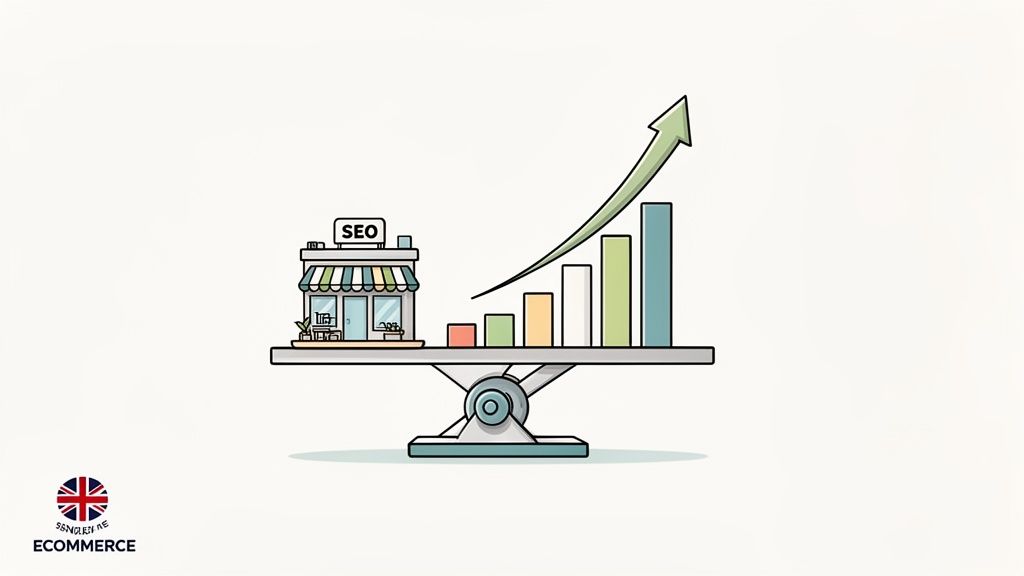
Let's be blunt. In the crowded UK ecommerce space, getting a handle on Shopify SEO isn't just a "nice-to-have" anymore. It's the single most reliable engine for sustainable, long-term growth. While you're watching paid ad costs creep up, a solid organic search strategy delivers a steady stream of high-intent customers who are already looking for what you sell.
This guide isn't about vague, generic advice. We're going to get into the nitty-gritty of the four pillars that truly support ecommerce SEO success:
- Flawless Technical Health: Making sure search engine crawlers can read your site without any hitches.
- Strategic On-Page Optimisation: Aligning every page with what your ideal customers are actually typing into Google.
- Intelligent Content Strategy: Crafting genuinely useful content that pulls people in and helps them decide to buy.
- User-Friendly Site Architecture: Building a store that’s so easy to navigate, it feels intuitive for both people and bots.
Nailing these areas will completely transform your store's visibility, bringing in the kind of traffic that actually turns into sales.
The Undeniable Impact of Organic Search
The UK's ecommerce market is a staggering £871 billion arena, and in a market that big, visibility is everything. Organic search is the dominant force, driving a huge chunk of all visitors to UK-based Shopify stores. Think about it: unlike paid ads where every single click has a price tag, organic search brings in qualified visitors for free.
These aren't just random browsers; they are shoppers with a clear goal, which makes them far more likely to buy. The numbers back this up, with organic search boasting an average conversion rate of 2.8%—a figure that leaves most other digital channels in the dust.
The real game-changer is the quality of the leads. SEO generates an incredible 14.6% conversion rate from organic leads. Compare that to the paltry 1.7% conversion rate from traditional outbound marketing, and it’s not even a contest.
Standing Out in a Competitive Market
With over 244,694 Shopify websites operating in the UK alone, the competition is absolutely fierce. The gap between a well-optimised store and one that ignores SEO is the gap between thriving and being completely invisible to thousands of potential buyers. A smart, well-executed SEO strategy is your most potent weapon for carving out a competitive advantage.
To really tap into your store's potential, you need to go beyond the basics. A deep dive into proven ecommerce SEO best practices is the essential foundation for capturing more market share and building a resilient, profitable online business.
Getting Your Technical SEO Foundation Right
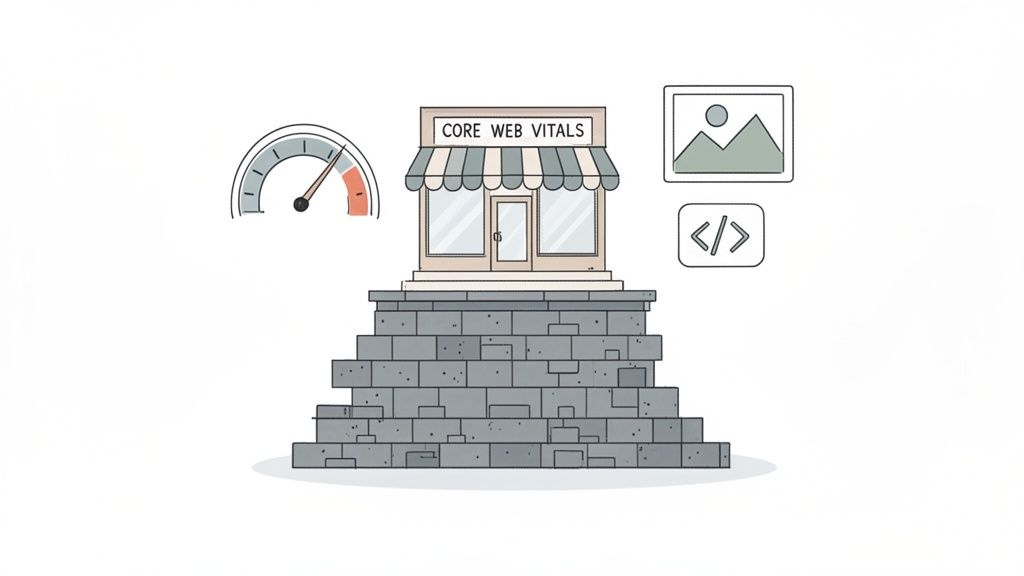
Let's talk about the engine room of your Shopify store: technical SEO. It's the work that happens behind the scenes to make your site fast, easy for Google to crawl, and simple for search engines to understand. If this foundation is shaky, all the brilliant content and on-page tweaks you make won't perform as well as they could.
Many store owners hear "technical" and immediately think it's too complex. But for Shopify, it boils down to a few core principles: make your site load quickly, give customers a great experience, and send the right signals to Google about what you're selling.
Nail Your Page Speed and Core Web Vitals
Google is obsessed with user experience, and nothing kills the mood faster than a slow website. This is why Core Web Vitals are now a non-negotiable part of SEO. They're a set of metrics that measure how a user actually experiences your site in terms of speed, responsiveness, and visual stability.
Imagine a customer clicks on your product page and waits… and waits. They’re gone. They’ll hit the back button and head straight to your competitor. Google notices this and takes it as a sign that your page isn't up to scratch.
A classic speed killer on Shopify is "app bloat." Every app you install adds more code (CSS and JavaScript) that can weigh your store down. It’s good practice to regularly audit your apps. If you're not using one, or its value is minimal, get rid of it.
You can get a clear picture of your site's performance with free tools like Google’s PageSpeed Insights or GTmetrix. These don't just spit out a score; they give you a diagnostic report pinpointing the exact problems.
A GTmetrix report might show you that massive, uncompressed product images are your biggest bottleneck. Suddenly, you have a clear, actionable place to start. For a full walkthrough, this Shopify store speed optimization checklist is a great resource for tackling those initial fixes.
The Real-World Cost of Poor Performance
Fixing your store's technical issues isn't just about chasing rankings; it's about making more money. For UK Shopify stores, the connection between page speed and revenue is incredibly direct. Every extra second a page takes to load can slash conversions by around 4.42%.
This is especially true for mobile shoppers, who now account for over 60% of UK consumers. A slow, clunky mobile experience is a massive barrier to a sale, effectively shutting the door on a huge slice of your potential market. Investing in your technical foundation is one of the highest-impact moves you can make for both your search visibility and your bottom line.
Key Takeaway: A faster site doesn't just rank better—it sells more. Optimising Core Web Vitals is a direct investment in your conversion rate, especially on mobile devices where user patience is lowest.
Use Schema Markup to Get Rich Snippets
Once your site is running smoothly, you need to help Google understand your content at a deeper level. That’s where schema markup (or structured data) comes in. It's a vocabulary of code you add to your site that speaks directly to search engines, telling them exactly what they're looking at.
For an ecommerce store, this is a game-changer. You can use schema to clearly define all the important details:
- Product Name: The official name of your product.
- Price and Currency: So it can show up in search results.
- Availability: Is the item in stock or sold out?
- Reviews and Ratings: To display those all-important star ratings.
When you do this right, Google can reward you with "rich snippets." These are the search results that stand out from the crowd, complete with star ratings, pricing, and stock information right there on the results page.
These enhanced listings aren't just for show. Pages with rich results can see an 82% higher click-through rate than their plain-Jane counterparts. For your product pages, that means more qualified traffic from people who are ready to buy.
Most modern Shopify themes have basic product schema built-in, but you can always take it further with a dedicated app or by adding the code to your theme's Liquid files yourself. It's an effort that pays for itself many times over in clicks and visibility.
To keep everything in check, running a regular technical audit is crucial. Here's a simple checklist to get you started.
Shopify Technical SEO Health Check
This table outlines the critical technical elements to review on your Shopify store. A regular audit helps you catch issues before they impact your rankings and sales.
| Technical Element | Why It Matters | Recommended Tool |
|---|---|---|
| Site Speed/CWV | Directly impacts user experience, conversion rates, and Google rankings. | Google PageSpeed Insights, GTmetrix |
| Mobile-Friendliness | Essential for reaching the majority of shoppers and for mobile-first indexing. | Google's Mobile-Friendly Test |
| Crawlability/Indexing | Ensures search engines can find and list all your important pages. | Google Search Console |
| SSL Certificate | Secures customer data and is a confirmed, albeit small, ranking signal. | Your Browser's Address Bar (Check for https://) |
| Broken Links (404s) | Creates a poor user experience and wastes crawl budget. | Ahrefs, Semrush, Screaming Frog |
| Schema Markup | Helps Google understand your content and enables rich snippets in search results. | Schema Markup Validator |
Running through this checklist quarterly will help you maintain a solid technical foundation, ensuring your store is always in prime condition for both customers and search engines.
Mastering Keywords and On-Page Optimisation
With the technical nuts and bolts tightened, it's time to focus on what really matters: relevance. On-page optimisation is your chance to clearly tell Google and your customers what each page is about. This all starts with getting inside your ideal buyer's head and understanding the exact words they're typing into search engines.
Effective keyword research for an online shop isn't just about chasing high-volume, single-word terms. The real gold is in uncovering phrases that signal commercial intent—the clear desire to pull out a credit card and make a purchase. This is where long-tail keywords become your secret weapon.
The Power of Long-Tail Keywords
Think about it. A broad keyword like "women's trainers" is unbelievably competitive and the searcher's intent is vague. Are they browsing? Researching? Just killing time?
Now, compare that to a long-tail keyword like "waterproof trail running trainers for women UK". That searcher knows exactly what they want, making them a much hotter lead.
This specificity translates directly into better conversion rates. For UK-based Shopify stores, a well-thought-out long-tail keyword strategy has been shown to convert at 2.5 times the rate of those broad, head-of-the-pack terms. This isn't just a small uptick; it’s a massive opportunity to grab quick wins by targeting less crowded, high-intent phrases.
Here’s a pro tip: Dive into your Google Search Console data. Find the keywords where you're already ranking on page two but have high impressions. These are your low-hanging fruit. A few targeted on-page tweaks can often be all it takes to push these terms onto page one and unlock a significant new stream of traffic.
Mapping Keywords to the Right Pages
Once you've got your list of valuable keywords, the next crucial step is mapping them to the right pages. A classic mistake is trying to cram every keyword onto every page, which just confuses search engines. You need a logical, deliberate structure.
Here’s a simple framework I use that just works:
- Homepage: This is for your main brand name and your highest-level product categories (e.g., "Handmade Leather Goods UK").
- Collection Pages: Optimise these for broader, category-level keywords (e.g., "Men's Leather Wallets," "Women's Crossbody Bags"). Think of them as the main aisles of your shop.
- Product Pages: Get super-specific here. This is where you target those long-tail, purchase-ready keywords (e.g., "slim bifold leather wallet with coin pocket," "black leather tote bag with zip").
- Blog Posts: Use your blog to go after informational, question-based keywords (e.g., "how to care for a leather bag," "best minimalist wallets for men"). This captures people earlier in their buying journey.
This approach creates a clean hierarchy that Google understands and a natural browsing path for your customers. It prevents your pages from competing against each other for the same search terms.
Crafting Titles and Descriptions That Convert
Your page titles and meta descriptions are your shop window in the search results. They need to be compelling enough to earn that click while still containing your most important keywords.
Product Titles On Shopify, your product title is a big deal—it often becomes the page's main H1 heading and part of its SEO title. Make it descriptive and keyword-rich, but please, keep it sounding natural.
- Bad Example: Wallet - Brown
- Good Example: The Richmond | Slim Bifold Leather Wallet with RFID Blocking
The second example is miles better. It includes the product name, key features, and a primary keyword ("leather wallet"), giving both people and search engines far more useful information.
Meta Descriptions While meta descriptions aren't a direct ranking factor anymore, they are absolutely critical for click-through rate. Think of it as free ad copy. Aim for around 155 characters, include your target keyword, and give people a compelling reason to choose your listing over the others.
- Bad Example: High-quality leather wallet. Available in multiple colours. Shop now.
- Good Example: Discover The Richmond, a handcrafted slim leather wallet with RFID protection. Made in the UK from full-grain leather. Free delivery on all orders.
See the difference? The good example highlights tangible benefits (RFID, UK-made, free delivery) that directly appeal to what a potential buyer cares about.
Optimising Your Product and Collection Copy
The actual words on your product and collection pages are your sales pitch. This content needs to be persuasive and informative, with your target keywords and related phrases woven in naturally.
Forget about keyword stuffing; that’s a one-way ticket to a poor user experience. Write for your customer first. Anticipate their questions and answer them in your copy. Talk about the materials, the craftsmanship, the unique benefits, and how the product will make their life better.
To give your pages an extra edge, you can use a Product Description Optimizer to help refine your copy for maximum search engine impact. Ultimately, when you focus on creating genuinely helpful and descriptive content, you’ll find that you naturally start using the same language your customers do.
For a deeper dive into this, our guide on SEO best practices to get more traffic is packed with more strategies you can put into action today.
Structuring Your Site for Users and Search Engines
Think of your store’s structure—its site architecture—as the blueprint for your online shop. A messy, confusing layout is a sure-fire way to lose customers and drop in search rankings. On the other hand, a logical, well-organised structure makes it incredibly easy for people to find what they want, which is a massive green flag for Google.
A good rule of thumb is to aim for a ‘flat’ architecture. This means your most important pages, especially key product and collection pages, should never be more than three clicks away from your homepage. This simple principle ensures shoppers and search engine crawlers can get to your best content quickly, spreading authority (or "link equity") much more effectively across your entire site.
Designing a Simple and Scalable Hierarchy
For most Shopify stores, the best structure is also the most straightforward. You want to build a pyramid, with your homepage sitting right at the top.
- Homepage: The peak of the pyramid, linking out to your main collection pages.
- Collection Pages: These are your main product categories, organising items into logical groups like "Men's Trainers" or "Women's Jackets".
- Product Pages: These sit under the collection pages and are the individual item listings themselves.
This kind of hierarchy is second nature to shoppers and incredibly easy for Google to crawl. A customer looking for a specific pair of trainers can get there in just a few clicks: Homepage > Men's > Trainers > Specific Trainer Model. This logical flow is the bedrock of a great user experience and, by extension, fantastic SEO.
A clean site structure isn't just about feeling organised. It helps search engines understand the relationship between your pages. When you link from a broad collection page to a specific product, you're explicitly telling Google, "This product is a core part of this wider category."
Taming Shopify's URL Structure
Out of the box, Shopify's default URL structure can sometimes cause SEO headaches. The biggest culprit is that product pages can often be reached via two different URLs—one directly from the domain, and another that includes the collection path. This can create duplicate content issues.
While Shopify is smart enough to use canonical tags to tell Google which version is the main one, it's still best practice to clean up your internal links. The aim is to always link to the shorter, canonical URL for your products (e.g., /products/product-name) instead of the longer one that includes the collection. This sends a much clearer, more consistent signal to search engines.
Here’s a quick look at how you can tighten up your Shopify URLs.
Shopify URL Structure Optimisation
| Page Type | Default Shopify URL | Optimised Structure | SEO Benefit |
|---|---|---|---|
| Product | /collections/men/products/blue-shirt |
/products/blue-shirt |
Consolidates authority to a single URL, preventing duplicate content confusion. |
| Page | /pages/about-us |
/about-us (via redirects) |
Creates a cleaner, more memorable URL. This often requires an app or theme customisation. |
| Blog Post | /blogs/news/my-blog-post |
/blog/my-blog-post (via customisation) |
Shortens the URL and removes the generic /blogs/news/ path for a more professional feel. |
It's true that you can't completely remove prefixes like /collections/ or /products/ without some pretty heavy lifting or specific apps. However, the most important takeaway is to make sure your internal links and sitemap are all pointing to the correct canonical versions.
The Strategic Power of Internal Linking
Internal linking is easily one of the most underrated tools in your Shopify SEO arsenal. It’s simply the act of linking from one page on your site to another. When you do it with a clear strategy, you achieve three critical things:
- Distributes Page Authority: Links act like conduits, passing authority from one page to another. Linking from a powerful page like your homepage to a brand-new product page helps it get found and ranked much faster.
- Signals Relevance: The anchor text—the actual clickable words in a link—tells Google what the page you're linking to is about. If you link the phrase "waterproof running jackets" to your collection page for those jackets, you're reinforcing what that page should rank for.
- Improves User Navigation: Good internal links are genuinely helpful. They guide users to related products, useful blog posts, or other relevant information, which keeps them on your site longer and drastically improves their experience.
A perfect example of this in action is writing a blog post on "The Top 5 Hiking Boots for Winter" and linking directly to each of the five product pages you mention. This is brilliant for the reader and sends powerful relevance signals to Google. Similarly, on a product page for a tent, you could link to related items like sleeping bags or camping stoves. That isn't just good customer service; it's smart, effective SEO.
Your Prioritised Shopify SEO Action Plan
Theory is great, but results come from action. Let's pull everything together into a clear, prioritised plan you can start working on today. Think of this less as a simple to-do list and more as a strategic roadmap, designed to get you the biggest wins based on the resources you actually have.
Knowing how to improve Shopify SEO is all about making smart choices and focusing your energy where it counts. We'll break this down into three core areas: Quick Wins, High-Impact Projects, and Ongoing Maintenance. This structure helps you build momentum fast and see real results without getting overwhelmed.
Quick Wins for Immediate Impact
These are the low-effort, high-reward tasks that can often produce a noticeable jump in a surprisingly short time. They’re the perfect place to start because they fix foundational issues that might be quietly holding your store back.
Optimise Your Top 10 Product Titles and Metas: Dive into your analytics and find your 10 most visited product pages. Spend a bit of time rewriting their SEO titles and meta descriptions to include your main long-tail keywords and a compelling benefit. This is a five-minute fix per page that can directly boost your click-through rates from search results.
Compress All Homepage and Collection Images: Page speed is everything. Use an app like Crush.pics or a free online tool to shrink the file size of images on your most important pages. This simple action can shave precious seconds off your load time, which is great for user experience and your Core Web Vitals scores.
Fix All Broken Internal Links (404s): Run a quick crawl of your site using a tool like Screaming Frog or the site audit feature in Ahrefs. Find any internal links pointing to dead pages and update them. This plugs "leaks" in your site's authority and stops visitors from hitting a frustrating dead end.
A clean, logical site structure is the backbone of all this. This flowchart shows the ideal, simplified path your site should follow, making it easy for users and crawlers to navigate from your homepage, through to collections, and finally to your products.
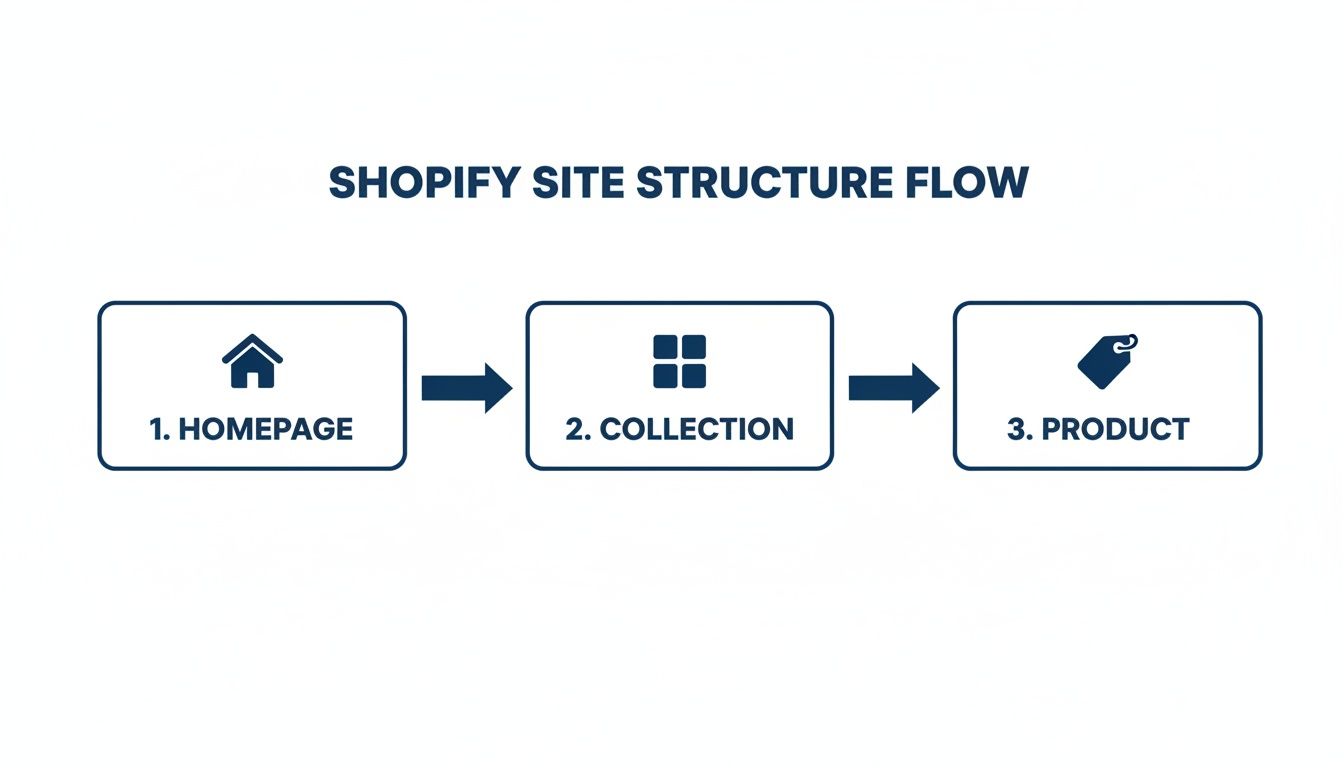
This visual really drives home the importance of a "flat" architecture. You want to ensure your key product pages are never more than a few clicks away from the homepage.
High-Impact Projects for Substantial Growth
Once you've ticked off the quick wins, it’s time to focus on the bigger projects that will drive serious, long-term organic growth. These take more time and planning, but the return on investment is massive.
Develop a Content Hub: Don't just write random blog posts. Create a series of high-quality articles around a core topic your customers care about. For example, if you sell coffee beans, build a hub around "Home Brewing Guides" that covers everything from grinders to brewing methods. Make sure you internally link between the articles and back to relevant product pages. This is how you build true topical authority.
Go Global with Shopify Markets: If you sell internationally, getting your setup right is a complete game-changer. Use Shopify Markets to create localised shopping experiences and ensure the correct
hreflangtags are implemented. This tells Google which version of a page to show users in different countries, which helps you avoid duplicate content penalties and massively improves your global visibility.
For UK brands looking to expand into Europe or North America, getting international SEO right from the start is crucial. It ensures you're showing the correct currency, language, and product availability, which dramatically improves the user experience and, as a result, your conversion rates.
- Build High-Quality Backlinks: Backlinks are still a powerful vote of confidence for Google. It's time to move beyond basic tactics and focus on digital PR. You could collaborate with a non-competing brand on a giveaway, offer your products to relevant influencers for an honest review, or create a unique data study that journalists and bloggers in your niche will actually want to cite.
Ongoing Maintenance to Sustain Momentum
SEO is never "done." These are the recurring tasks that will protect the rankings you've earned and ensure you continue to grow over time.
Monthly SEO Audit: Set aside a few hours each month to run a technical site audit. Check for new crawl errors in Google Search Console, monitor your Core Web Vitals, and keep a close eye on your keyword rankings for any unexpected drops.
Regular Content Updates: Google loves fresh, relevant content. Go back to your older blog posts and key product pages every six months or so. Update the information, add new images or customer reviews, and refresh the internal links. A little polish can go a long way.
Monitor Your Competitors: Keep an eye on what your top organic competitors are doing. What new keywords are they ranking for? What kind of content are they creating? This isn't about copying them, but it can provide some brilliant inspiration for your own strategy.
By systematically working through these priorities, you create a powerful cycle of improvement. Quick wins build momentum, high-impact projects drive growth, and ongoing maintenance sustains it. This approach is fundamental to turning your store into an organic traffic powerhouse and is a core part of effective conversion rate optimisation for Shopify stores.
Shopify SEO Questions Answered
We’ve covered a lot of ground here, from the nitty-gritty technical fixes to building a content strategy that actually works. But let's be honest, the real questions start popping up when you roll up your sleeves and get to work. I’ve put together some straight-up answers to the most common queries I hear from Shopify store owners day in and day out.
How Long Does Shopify SEO Really Take to Work?
This is the big one, isn't it? Let’s set some real-world expectations. You can often see some positive shifts from technical fixes and on-page tweaks within a few weeks, which is great for morale. But the kind of growth that truly moves the needle—the kind that comes from a solid content strategy and building genuine authority—that typically takes a sustained effort for 3-6 months to really blossom.
Of course, that timeline isn't written in stone. A few things can speed it up or slow it down:
- Market Competitiveness: Are you selling a niche product or are you up against industry giants? The more crowded the space, the longer the climb.
- Domain Age and Authority: A brand-new site is starting from scratch, whereas an established store has a bit of a head start.
- The Intensity of Your Efforts: How much time and resource can you commit? Consistent, focused work gets results faster.
SEO is a marathon, not a sprint. It’s a long-term investment in your brand's visibility, and consistent, strategic action is what ultimately separates the winners from everyone else.
Which Shopify Apps Are Best for SEO?
Instead of just rattling off a list of popular apps, it’s far more effective to think about the specific problems you’re trying to solve. The "best" app is simply the one that fills a specific gap in your Shopify setup without weighing your site down with unnecessary code.
Think in terms of jobs-to-be-done. You'll likely need help in a few key areas:
- Schema Markup Apps: These help you get those eye-catching rich snippets in search results. A great example is JSON-LD for SEO.
- Image Optimisation Apps: Crucial for compressing images and boosting page speed. An app like Crush.pics is a popular choice for this.
- Page Speed Tools: These can help with things like minifying code and lazy loading images, which are essential for performance.
My advice? Always go for well-reviewed, lightweight apps known for having great support. The goal is to plug a specific hole with a specialised tool, not to install a dozen different apps that end up slowing your site down more than they help.
Can I Do Shopify SEO Myself or Do I Need an Agency?
You can absolutely get started on your own. Many of the foundational SEO tasks, like on-page optimisation, basic keyword research, and writing fantastic product descriptions, are completely within your reach. In fact, many of the "quick wins" we've talked about are designed for you to implement yourself.
So, when does it make sense to bring in the pros? An expert agency becomes a game-changer when you're facing more complex challenges. We're talking about deep technical audits, trying to break into an incredibly competitive market, or building a sophisticated, long-term strategy designed to drive serious revenue. An agency brings the specialised expertise and dedicated resources needed to really accelerate your results and carve out a lasting competitive advantage.
Does Changing My Shopify Theme Affect My SEO?
Yes, absolutely. A theme change can have a massive impact on your SEO—for better or for worse. I’ve seen it happen time and again: a store owner switches to a beautiful new theme, only to see their traffic plummet because the migration wasn't handled carefully.
A new theme can completely change your URL structures, wipe out important H1 tags, break your existing schema markup, or kill your page speed. Before you even think about switching, you need a pre-launch SEO checklist. This should involve benchmarking your current performance, mapping out all the necessary 301 redirects, and double-checking that all your critical on-page elements are carried over correctly. Protecting your hard-earned rankings during a theme change is non-negotiable.
Ready to stop guessing and start growing? The team at Grumspot specialises in turning Shopify stores into high-performance revenue engines with expert SEO, design, and development. Learn how we can fix, build, and scale your ecommerce experience.
Let's build something together
If you like what you saw, let's jump on a quick call and discuss your project

Related posts
Check out some similar posts.
- shopify seo
Choosing the right SEO app for Shopify means weighing features against speed, scripts, and plan limi...
Read more
- seo backlink audit
Learn how to perform a complete SEO backlink audit with our step-by-step guide. Identify toxic links...
Read more
- shopify plus seo agency
Learn how to choose the right Shopify Plus SEO agency for your store. Covers evaluation criteria, pr...
Read more
- critical rendering path
Master the critical rendering path with practical optimisation tactics, DevTools measurement, and Sh...
Read more