Master Shopify Migration SEO Preservation in 2026
- Shopify migration SEO preservation
- Shopify SEO guide
- Ecommerce migration
- UK Shopify expert
Launched
April, 2026

Protecting your hard-earned SEO during a Shopify migration isn't just a box to tick—it's the entire game. A successful move hinges on a meticulous plan that covers everything from one-to-one URL mapping and flawless 301 redirects to the careful transfer of all your crucial data. Get this right, and you ensure search engines understand the move, preserving your rankings and revenue from day one.
The Real Stakes of Migrating Your UK Store to Shopify
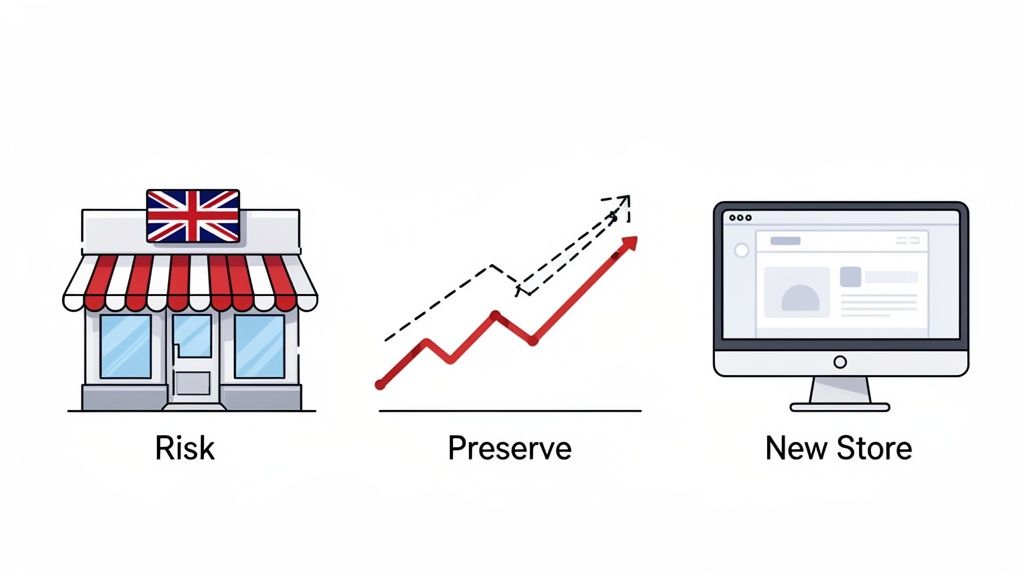
Deciding to move your UK e-commerce business to Shopify is a huge step, usually aimed at sparking new growth and making life easier. But let's be clear: the migration process itself is fraught with risk if you don't handle it with absolute precision. This is so much more than just moving some files around; it's a critical moment where your organic visibility and sales hang in the balance.
Think about the years you've spent building authority, earning backlinks, and ranking for your most valuable keywords. All of that can vanish in a heartbeat. A poorly managed switch can trigger a sudden, steep drop in organic traffic—which, for many businesses, is their most profitable channel.
The Immediate Financial Impact of SEO Mishaps
The consequences aren't just theoretical; they hit your bank account almost immediately. What happens when your top-selling product pages suddenly fall off of Google? You get a direct, painful blow to your sales figures, often right when you need the cash flow to justify the investment in your new platform.
This isn't just a small blip, either. A 2026 study of the UK e-commerce scene showed a worrying pattern: 68% of UK merchants coming from platforms like Magento saw their organic traffic plummet by 15-25% within the first month. The main culprits were broken URL redirects and mismatched metadata—issues that are completely avoidable with a proper plan. You can find more details on how to maintain SEO rankings after a Shopify migration from The Shop Ninjas.
A successful migration isn't just about launching a new site. It's about launching a new site that Google already trusts, understands, and ranks just as highly as your old one. The goal is preservation, not recovery.
The Opportunity of a Well-Planned Migration
On the flip side, a migration that prioritises SEO preservation does more than just sidestep disaster. It sets you up to immediately benefit from Shopify’s built-in performance advantages. A faster, more secure, and mobile-friendly store sends positive signals to Google, which can actually boost your rankings over time.
A smooth transition is built on a clear, stage-by-stage roadmap. To protect your business, you need a playbook that covers every critical action before, during, and after you go live.
To make this process manageable, we can break it down into four core pillars. Each one is essential for making sure the transition is seamless for both your customers and the search engine crawlers that determine your visibility.
Core Pillars of SEO Preservation During Migration
| Phase | Core Action | Why It Matters | Key Tool |
|---|---|---|---|
| Pre-Migration | SEO Audit & Asset Inventory | Creates a benchmark of all URLs, keywords, and content that must be preserved. | Screaming Frog SEO Spider |
| Mapping | URL & Redirect Strategy | Ensures link equity is passed from old pages to new ones, preventing 404 errors. | Google Sheets / Excel |
| Implementation | On-Page SEO & Content Transfer | Migrates meta titles, descriptions, and valuable copy to maintain relevance. | Shopify Native Importer |
| Post-Launch | Monitoring & QA | Allows for rapid identification and fixing of crawl errors or ranking drops. | Google Search Console |
Following a structured approach like this transforms a potentially high-risk project into a calculated move for growth. By focusing squarely on Shopify migration SEO preservation, you ensure your move to a more powerful platform strengthens your business without sacrificing the hard-won visibility you already have.
Right, let's get one thing straight. A successful Shopify migration is won or lost long before you ever think about flipping the switch. I've seen far too many businesses dive in headfirst, only to watch their hard-earned organic traffic nosedive. The culprit is almost always the same: they skipped the prep work.
The most critical part of this whole process is building your pre-migration SEO blueprint. Think of it as a meticulous stocktake of your entire digital presence. You wouldn't move a physical shop without accounting for every last item on the shelves, and the same principle applies here. To make sure you don't miss anything, it's always wise to follow a detailed site audit checklist.
Your first job, then, is to get a complete picture of what you're working with by crawling your entire site. A tool like Screaming Frog is your best friend here. Let it run and pull every single indexable URL—not just your product and category pages, but every blog post, landing page, and even those old PDF guides that still pull in traffic.
Cataloguing Your Critical SEO Assets
Once that crawl is complete, the real work begins. You'll have a massive list of URLs, but a simple list isn't enough. You need to document the specific SEO value tied to each one.
For every important page, you absolutely must record its:
- Current URL: The full, exact web address.
- Meta Title & Description: What people see in the search results.
- H1 Tag: The main headline on the page.
- Canonical Tag: The signal that tells Google which page is the "master" version.
- Word Count: To ensure you don't lose valuable content during the move.
- Structured Data: Any Schema markup for products, reviews, FAQs, and so on.
Get all of this into a spreadsheet. This document becomes your single source of truth, your master reference for making sure every bit of on-page SEO makes it to the new Shopify site. Skipping this is like trying to build flat-pack furniture without the instructions – you'll end up with a wobbly mess and a few "spare" parts left over.
Benchmarking Your Current Performance
With your assets properly catalogued, it's time to benchmark your current performance. This isn't just a nice-to-have; it's how you'll measure success and quickly spot problems after the launch. Without a solid baseline, you're flying completely blind.
Before you make a single change, capture these key metrics:
- Organic Traffic: Look at organic sessions and users over the last 3, 6, and 12 months.
- Keyword Rankings: Track the current positions for your top 50-100 non-branded keywords.
- Core Web Vitals: Record your current scores for LCP, INP, and CLS.
- Indexed Pages: Note the total number of pages Google has indexed, which you can find in Google Search Console.
I can't stress this enough: skipping the benchmark is one of the most common and costly mistakes I see. When traffic inevitably wobbles post-launch, you'll have no way of knowing if it's a normal seasonal dip or a catastrophic migration error.
For UK merchants, the financial risk of getting this wrong is very real. According to Shopify's own 2025 UK migration analysis, businesses with over 10,000 pages and 70% non-branded SEO traffic faced a projected 2.1% to 4.2% total revenue decline for one to six months post-migration. If you're turning over £1.3M annually, that's a potential hit of £28,000-£56,000. This data, which you can read more about on Shopify's blog, really drives home why this blueprint is so vital. For more hands-on advice, you can also check out our complete guide to e-commerce replatforming to Shopify.
Nailing Your URL and Redirect Strategy
With your pre-migration audit done and dusted, it's time to tackle the most technically sensitive part of the entire project: your URL and redirect strategy.
Think of it this way: for years, you’ve built roads leading customers and search engines to your content. A migration means building a whole new town. If you don't put up clear signposts from the old addresses to the new ones, everyone gets lost. That’s what a redirect strategy does. It provides those crucial signposts, preventing the dreaded 404 "Page Not Found" errors that kill rankings and frustrate users.
The foundational principle is straightforward but absolute: every single valuable URL from your old website must be mapped to its new Shopify equivalent using a permanent 301 redirect. This tells search engines the move is permanent and passes your hard-won SEO authority across.
The crawl and audit work you've already done provides the exact data you need to build this map.
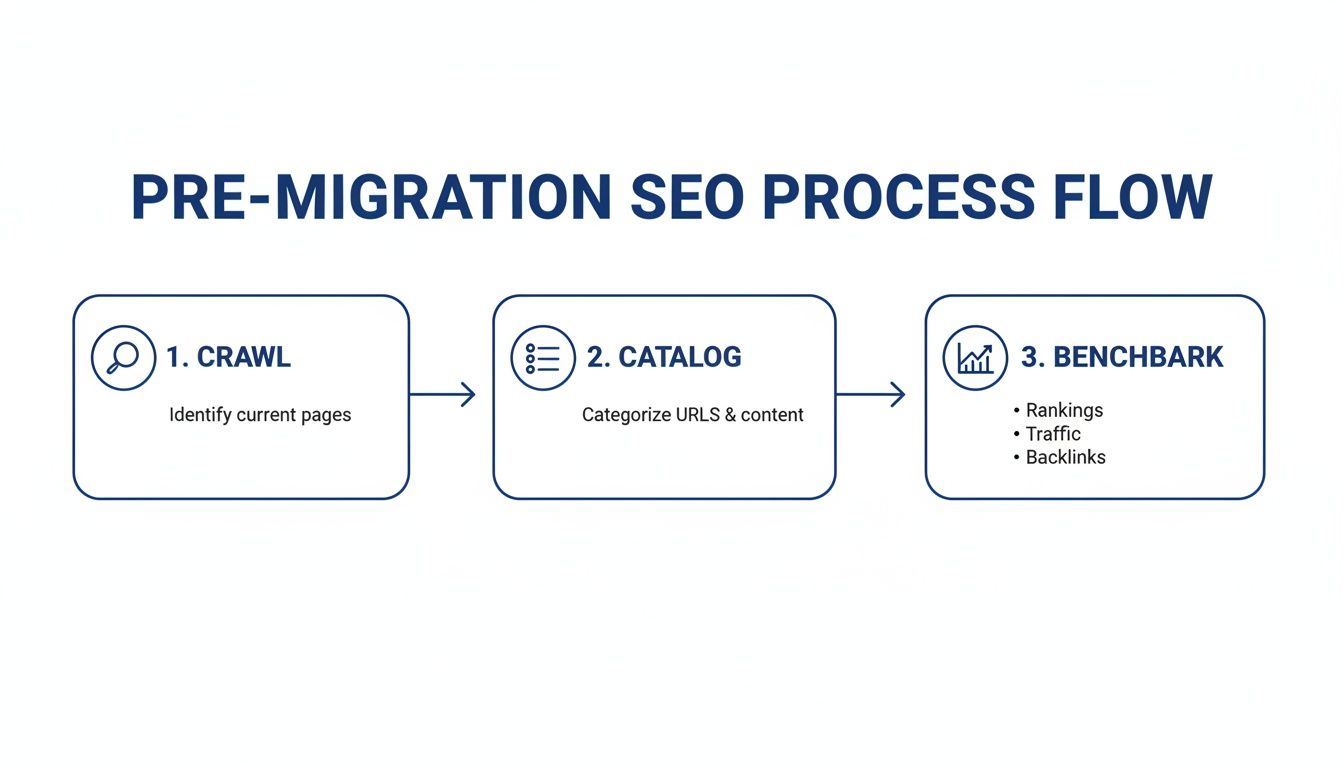
Without this initial data, you're flying blind. With it, you have everything required to ensure no page is left behind.
The Importance of One-to-One Mapping
The best practice here is what we call one-to-one mapping. It’s beautifully simple. An old page must redirect directly to its new, equivalent page.
For instance, old-site.co.uk/products/blue-widget should point directly to new-shopify-site.co.uk/products/blue-widget. This clean, direct path is what allows the maximum amount of "link equity" to flow to the new page, preserving its ability to rank.
One of the most damaging mistakes I see is businesses taking shortcuts. Please, never redirect huge batches of old pages—or, even worse, the entire old site—to your new homepage. It's a lazy move that essentially tells Google all your specific, high-value content has vanished. Your keyword rankings can be wiped out almost overnight.
To do this right, go back to your URL audit spreadsheet. Add two new columns: "New Shopify URL" and "Redirect Type". Now, you'll go through your list of old URLs line by line and paste in the new Shopify address for each one, marking the type as 301.
Dealing With Mismatched URLs and Shopify's Structure
You'll almost certainly find old URLs that don't have a perfect one-to-one match. Maybe you're trimming an old product line or merging several thin blog posts into one powerhouse article. That's fine. Here's how to handle it:
- Redirect to the next best thing: If an old product page is gone for good, redirect it to its parent category or collection page. Don't just send it to the homepage.
- Consolidate and redirect: If you're combining three old posts into one new guide, make sure all three old URLs 301 redirect to that single new page.
- Use a 410 for deleted content: For pages that are truly gone and have no relevant alternative, a 410 "Gone" status is an option. It tells search engines the page was intentionally removed. Use this sparingly; a 301 to a relevant page is nearly always better for preserving authority.
You also have to work with Shopify's built-in URL structure, which isn't customisable. For example, product pages will always use the /products/ folder, and blog posts will be under /blogs/news/. Your redirect map must reflect this reality. So, an old URL like your-site.co.uk/my-awesome-post would need to be mapped to its new Shopify home at your-site.co.uk/blogs/news/my-awesome-post.
Don't underestimate the financial impact of a botched redirect plan. A 2025 report from the Interactive Media Retail Group (IMRG) found that 73% of Shopify migrants who got their redirects right saw rankings stabilise within two to three weeks. In sharp contrast, those who fumbled this step saw recovery drag on for over six months. For a retailer with £5 million in annual turnover, that delay could easily mean over £75,000 in lost sales. You can dig into more of this data on Shopify migration timelines and costs from Passionfruit.
How to Implement Redirects in Shopify
Once your redirect map spreadsheet is complete and double-checked, it's time for implementation. Shopify gives you a couple of ways to get it done.
If you only have a handful of redirects, Shopify’s built-in tool is perfectly fine. You can find it under Online Store > Navigation > URL Redirects. You just copy the old and new URLs from your sheet one by one.
But for any site with hundreds, let alone thousands, of pages, doing this manually is a recipe for disaster. It's slow, tedious, and incredibly easy to make a costly typo.
For any serious migration, you'll want to use a third-party app. Tools like Matrixify or Easy Redirects are lifesavers. They let you upload your entire redirect map as a single CSV file, creating thousands of 301s in minutes. It's faster, far more accurate, and frankly, the only sensible way to handle redirects at scale.
Migrating Your On-Page and Technical SEO Signals
While a perfect redirect strategy is the foundation of a successful migration, it’s really only half the battle. Think of it this way: redirects get Google to the right front door, but it's your on-page and technical SEO that convinces them to come inside and look around.
Simply pointing an old URL to a new, bare-bones Shopify page is a guaranteed way to see your rankings plummet. The real goal is to make your new Shopify store look and feel as familiar as possible to search engine crawlers.
This means you have to bring everything over—the full substance of your website. Every product description, blog post, and snippet of collection page copy that helped you earn your rankings needs to make the journey. This content is what told Google your pages were relevant in the first place. Leaving it behind is like moving house but forgetting all your furniture.
Transferring Your Core Content and On-Page Elements
That pre-migration audit spreadsheet you built? It’s now your playbook. It's time to go through it, line by line, and systematically move every critical on-page element you catalogued into its new home on Shopify.
I always recommend starting with the fundamentals:
- Meta Titles and Descriptions: These need to be moved across verbatim for every matching page. They're your first impression in the search results and have a direct impact on whether someone clicks on your link or a competitor's.
- H1 Tags: Double-check that the main headline from your old page is correctly set as the H1 on the new Shopify page. It’s a simple but crucial signal.
- Body Content: All of it. From detailed product specs to your in-depth blog articles, everything has to be moved. You can use Shopify’s own importers or an app like Matrixify to manage this in bulk, but always spot-check for formatting glitches that inevitably pop up.
This careful transfer is a cornerstone of Shopify migration SEO preservation. It reassures Google that even though the platform has changed, the valuable content that earned its trust is still there. As you migrate, it's wise to be prepared for any visibility hiccups. Understanding common issues like Why Doesn't My Website Show Up On Google? can be a lifesaver for troubleshooting.
Replicating Technical SEO Signals
Beyond the content you can see, you also need to migrate the technical signals that give search engines deeper context. This is often where migrations get tricky, as every platform handles these elements a little differently.
Structured Data (Schema Markup) Your old site almost certainly used Schema markup for things like product prices, stock levels, and those all-important customer reviews. This is the code that powers rich snippets in search results—the extra details that make your listings stand out.
Most modern Shopify themes have basic product Schema built-in. But if you had a more customised setup for things like FAQs, articles, or specific review formats, you’ll need to rebuild it. You have a couple of options here:
- Shopify Apps: Many apps, such as Judge.me for reviews or other dedicated SEO tools, can generate the correct Schema for you.
- Custom Code: For anything truly unique, you might need a developer to add custom JSON-LD scripts directly into your theme's code.
A failure to migrate your review Schema can be particularly damaging. Losing your star ratings in the search results can cause an immediate drop in click-through rate, even if your ranking position remains stable.
Canonical Tags and Hreflang Canonical tags are your best defence against duplicate content, a notorious problem in e-commerce. The good news is that Shopify handles canonicals for product variants quite well out of the box, ensuring different colour or size URLs all point to one "master" product page. Still, you absolutely must verify this is working as intended after launch. For a deeper dive on how to check your technical setup, our guide on how to conduct an SEO audit is a great resource.
For any brand selling internationally, hreflang tags are non-negotiable. These tags tell Google which language or regional version of a page to show users in different parts of the world. Shopify’s multi-market features now handle this fairly well, but it's crucial to confirm they are configured correctly. A mistake here could show US pricing to your UK customers, creating a terrible user experience and damaging your international SEO efforts.
Your Go-Live and Post-Launch Monitoring Plan
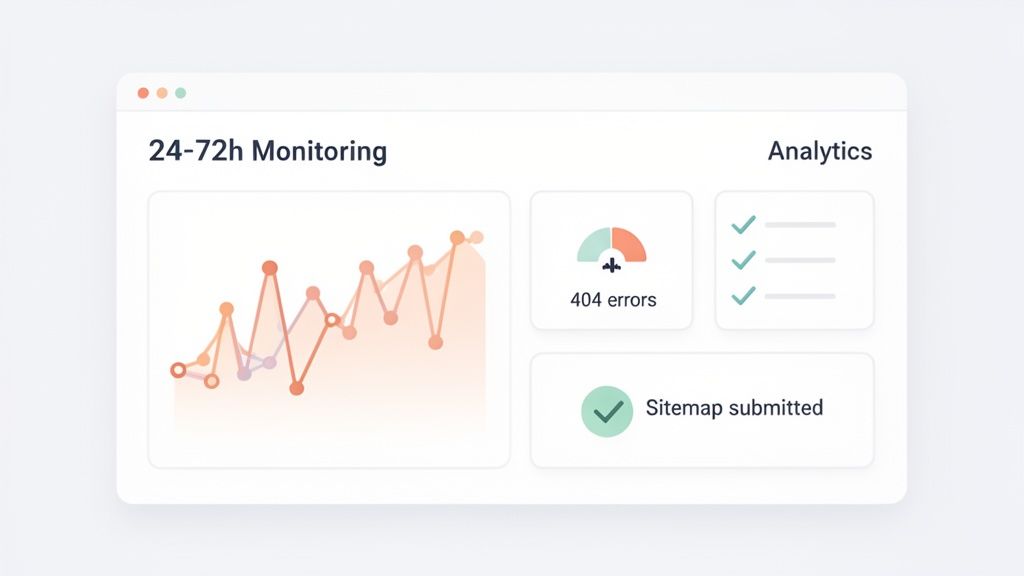
This is it—the moment all that meticulous planning pays off. But launching your new Shopify site isn't about just flipping a switch and hoping for the best. A smooth go-live is a controlled, almost surgical process. The first 72 hours after you launch are absolutely crucial for protecting all the work you’ve put into your Shopify migration SEO preservation.
Before you even think about going live, you need one last, thorough quality assurance (QA) session on your password-protected staging site. This is your final chance to catch any gremlins in a safe environment. I always recommend grabbing a sample of your most valuable URLs from your mapping spreadsheet and manually testing them. Make sure every single one lands exactly where it should.
This last check is also the time to double-check your tracking scripts. Is the Google Analytics 4 (GA4) tag firing correctly on the homepage, collection pages, product pages, and all the way through checkout? Is your Google Search Console (GSC) property verified and ready for the new domain? Get these confirmed before the site is public.
The Critical First 72 Hours
Once you push the site live, the clock is ticking. You need to be on high alert for the first few days, watching how both users and, more importantly, search engines are reacting. This isn't a passive activity; it's active, hands-on monitoring.
Here’s what you need to do immediately after launch:
- Submit Your New Sitemap: The very first thing you should do is submit your new
sitemap.xmlfile through Google Search Console. This is you explicitly telling Google, "Hey, here's the new blueprint," which encourages it to start crawling. - Check the Live
robots.txtFile: I can't tell you how many times I've seen aDisallow: /directive left over from development accidentally make it to the live site. This one tiny line will make your entire store invisible to Google, so make sure it's gone. - Run a New Site Crawl: Fire up a tool like Screaming Frog and crawl your brand-new live site. This is your fastest way to find any broken internal links, server errors (5xx), or sneaky 404 pages that slipped through the cracks during staging.
Tackling these checks right away helps you find and squash the most common—and most damaging—go-live technical issues before they have a chance to hurt your rankings.
The post-launch phase is where your detailed preparation truly pays off. By having a clear monitoring plan, you transform potential disasters into minor, manageable fixes that can be resolved in hours, not weeks.
Monitoring Performance with GSC and GA4
With those initial fire drills out of the way, your focus can shift to monitoring performance with your analytics. Google Search Console and Google Analytics 4 are your best friends here.
In Google Search Console, you need to watch these two reports like a hawk:
- Coverage Report: You’re looking for a sudden jump in "Not Found (404)" errors. If you see one, it means your redirect plan has holes. You should also see your old URLs gradually fall out of the index as the new ones get picked up.
- Performance Report: Keep a close eye on your impressions, clicks, and average position. Some fluctuation is completely normal, but if you see a sharp, sustained nosedive across your top keywords, something is wrong and needs investigating immediately.
Over in Google Analytics 4, you're looking for odd user behaviour. A sudden spike in bounce rate on key landing pages or a dip in the conversion rate can signal that content or features didn't come across properly, leading to a poor user experience.
By weaving together the technical story from GSC with the user behaviour story from GA4, you get the full picture of your migration’s health. If this all feels overwhelming, engaging dedicated Shopify migration services can provide the seasoned expertise needed to manage the entire process, from planning right through to post-launch monitoring.
Having a Rollback Plan
Finally, always have an escape hatch. Even with the most watertight plan, things can go catastrophically wrong. A solid rollback plan is your safety net. Before you launch, document the exact steps needed to revert your DNS settings and point your domain straight back to your old site.
This should be an absolute last resort, a "break glass in case of emergency" option. In reality, a well-executed monitoring strategy will almost certainly mean you never have to use it, ensuring your move to Shopify is a confident step forward.
Common Shopify Migration SEO Questions Answered
Moving your online shop to a new platform brings up a lot of questions. I get it. After guiding countless UK businesses through this exact process, I’ve heard just about every concern there is when it comes to protecting hard-won SEO rankings.
Let’s cut through the noise and tackle the big questions I hear most often about Shopify migration SEO preservation. These aren't just textbook answers; they're based on what I’ve seen work (and what I’ve seen go wrong) in the real world.
How Long Will My SEO Rankings Take to Recover?
Honestly, if we're talking about "recovery," something has already gone amiss. The real goal is preservation, not recovery. A well-executed migration shouldn't require a long, painful climb back up the search results.
You can expect some minor fluctuations in the first few weeks. That’s perfectly normal as Google gets to grips with your new site. But for UK merchants who follow a solid plan—complete with a one-to-one 301 redirect map and a full content transfer—rankings typically settle within two to three weeks with hardly any noticeable drops.
The word "recovery" implies you’ve already taken a hit. A proactive preservation strategy means you start reaping the performance benefits of Shopify almost immediately, producing a net positive SEO result without that agonising wait.
On the other hand, if you skip crucial steps, this "recovery" can easily drag on for six months or more. That's half a year of lost traffic and revenue that was completely avoidable.
Will I Lose My Backlinks and Link Equity?
This is a massive fear, and for good reason. Your backlink profile is gold dust. The short answer is no, you won't lose your link equity if you get your 301 redirects right.
A 301 redirect permanently tells search engines that a page has moved. Google has confirmed that 301s pass the vast majority of "link equity" (think of it as ranking power) to the new URL.
The real danger comes from a few common slip-ups:
- Missed Redirects: Forgetting to redirect a page that has valuable backlinks is like just throwing that equity in the bin. The link leads to a 404 error, and its value vanishes.
- Using Temporary Redirects: A 302 redirect signals a temporary move. It tells Google not to pass on that precious link authority. For a platform migration, it must be 301s, always.
- Redirect Chains: Sending a crawler from
Page AtoPage B, and then fromPage BtoPage C, weakens the signal and slows everything down. You need a direct flight path from the old URL to its final new home.
A meticulous URL mapping plan is your only guarantee that your entire backlink profile will keep working for you on Shopify.
My Old Site Had a Different URL Structure
This is incredibly common and absolutely not a reason to panic. Many platforms, like Magento or custom-built systems, let you have all sorts of URL structures (e.g., /category/subcategory/product-name.html). Shopify, however, has a fixed structure you can't edit (e.g., /products/product-name).
You can't change Shopify's structure, but that's not the problem. The entire solution is baked into your 301 redirect strategy.
Your job is simply to map every single old URL, no matter how it was structured, to its new Shopify equivalent. For example:
- Old URL:
domain.co.uk/clothing/mens/shirts/the-classic-oxford.html - New URL:
domain.co.uk/products/the-classic-oxford - Action: You create a 301 redirect pointing the old URL straight to the new one.
This gives both your customers and search engine crawlers a seamless journey, ensuring no one gets lost along the way.
What Is the Biggest SEO Mistake to Avoid?
Without a shadow of a doubt, the single most destructive mistake you can make is a failed or incomplete 301 redirect strategy. It’s the SEO equivalent of bulldozing your old high-street shop before the new one is even built.
I've seen businesses forget this step entirely, do it poorly by redirecting everything to the homepage, or only bother with their top 10 pages. This basically tells Google that all your established, authority-building content has just disappeared.
The result is catastrophic: a huge drop in indexed pages, a collapse in organic traffic, and a direct hit to your bottom line. This is precisely why a full pre-migration site crawl and a comprehensive one-to-one mapping plan are completely non-negotiable.
At Grumspot, we specialise in seamless Shopify migrations that protect your SEO and accelerate your growth. If you're looking for an expert partner to manage your transition with precision, we're here to help. Learn more about our migration services and get in touch today.
Let's build something together
If you like what you saw, let's jump on a quick call and discuss your project

Related posts
Check out some similar posts.