Ecommerce Replatforming to Shopify Your Ultimate Guide
- ecommerce replatforming to Shopify
- Shopify migration guide
- replatforming checklist
- Shopify Plus agency
- ecommerce SEO
Launched
April, 2026

Thinking about moving your online store to Shopify? It’s a huge undertaking, but it's often born from real frustration. Replatforming isn't just a technical swap; it's a strategic decision to move from a system that's holding you back—like Magento, WooCommerce, or an old custom build—to one designed for growth.
The goal is simple: achieve superior scalability, boost conversion rates, and slash the technical headaches, freeing you up to focus on your business, not just maintaining your website.
Why Smart Brands Are Replatforming to Shopify
Making the leap to a new ecommerce platform is a decision nobody takes lightly. It usually comes after months, or even years, of battling with a legacy system that’s become more of a liability than an asset. These older platforms often creak under the strain of modern commerce, plagued by slow speeds, security worries, and maintenance bills that just keep climbing.
Think about a brand running on Magento, staring down the barrel of Black Friday. Their team isn't just focused on marketing; they're spending weeks optimising servers and praying the site doesn't crash. We hear stories like this all the time—it’s a classic trigger for exploring a move to Shopify, where the infrastructure and scaling are handled for you.
Getting Past Legacy Platform Frustrations
The pain points of older platforms are deep-seated. A custom-built site can turn into a tangled mess of technical debt, where even a small change requires a major development project. Similarly, while platforms like WooCommerce offer flexibility, they demand your constant attention for plugin updates, security patches, and hosting tweaks.
These problems directly cripple your ability to compete. The common threads we see driving brands to switch are:
- Sky-High Total Cost of Ownership (TCO): Legacy platforms are notorious for hidden costs. You're not just paying for the software; you're paying for hosting, security fixes, developer time, and expensive mandatory upgrades.
- A Clunky Mobile Experience: Many older themes just weren't built for a mobile-first world. The result is a frustrating journey for shoppers on their phones, which means you're leaving money on the table.
- Scalability Nightmares: Can your self-hosted site handle a sudden rush of traffic from a viral campaign? If it buckles under pressure, that’s not just an outage; it's lost revenue and a damaged reputation.
- Painfully Slow Innovation: When adding a new feature or integration becomes a month-long coding project, you’re already falling behind competitors who can adapt in days.
The real problem isn’t just the technology itself. It’s about agility. When your platform is an anchor holding you back instead of a sail pushing you forward, it’s time for a change.
The Strategic Edge of Shopify
Shopify tackles these challenges with its fully hosted, SaaS model. It’s a fundamental shift that lets brands trade server admin for strategic thinking. The trend is undeniable in the UK, where the number of Shopify Plus stores is set to soar from around 1,000 in 2023 to over 5,700 by 2026. This indicates a huge wave of migrations from ambitious British brands. You can dive deeper into these findings in the UK market report on Dewsign.co.uk.
For most brands, the biggest draw is Shopify’s entire ecosystem, which is built from the ground up to convert. Its checkout process is famously smooth, and the App Store provides ready-made solutions for everything from loyalty programmes to sophisticated subscription models. As you weigh the options, it's worth exploring the range of specialized Shopify solutions that can make the migration process smoother.
Ultimately, moving to Shopify stops being just a technical fix and becomes a powerful move towards leading your market.
Crafting Your Migration Discovery and Scoping Blueprint
A Shopify migration is won or lost long before your development team touches a single line of code. I’ve seen it countless times: success comes down to meticulous planning, not frantic, on-the-fly decisions during the build. This initial discovery and scoping phase is your architectural blueprint. It’s what turns a potentially chaotic, high-stress project into a predictable and manageable process.
Trying to skip this part is like building a house without plans. Sure, you’ll end up with something, but it won't be the house you wanted, and it will almost certainly cost you more than you budgeted for. The entire point here is to document everything, make the hard choices early on, and eliminate any ambiguity before it has a chance to derail your timeline.
As you start to map things out, it helps to understand the wider context of ecommerce replatforming best practices. This will help you steer clear of the common pitfalls that can trip up any platform move, not just those to Shopify.
This journey is a familiar one for many brands. They move from the frustrations of their current platform toward a strategic migration designed to unlock real growth.
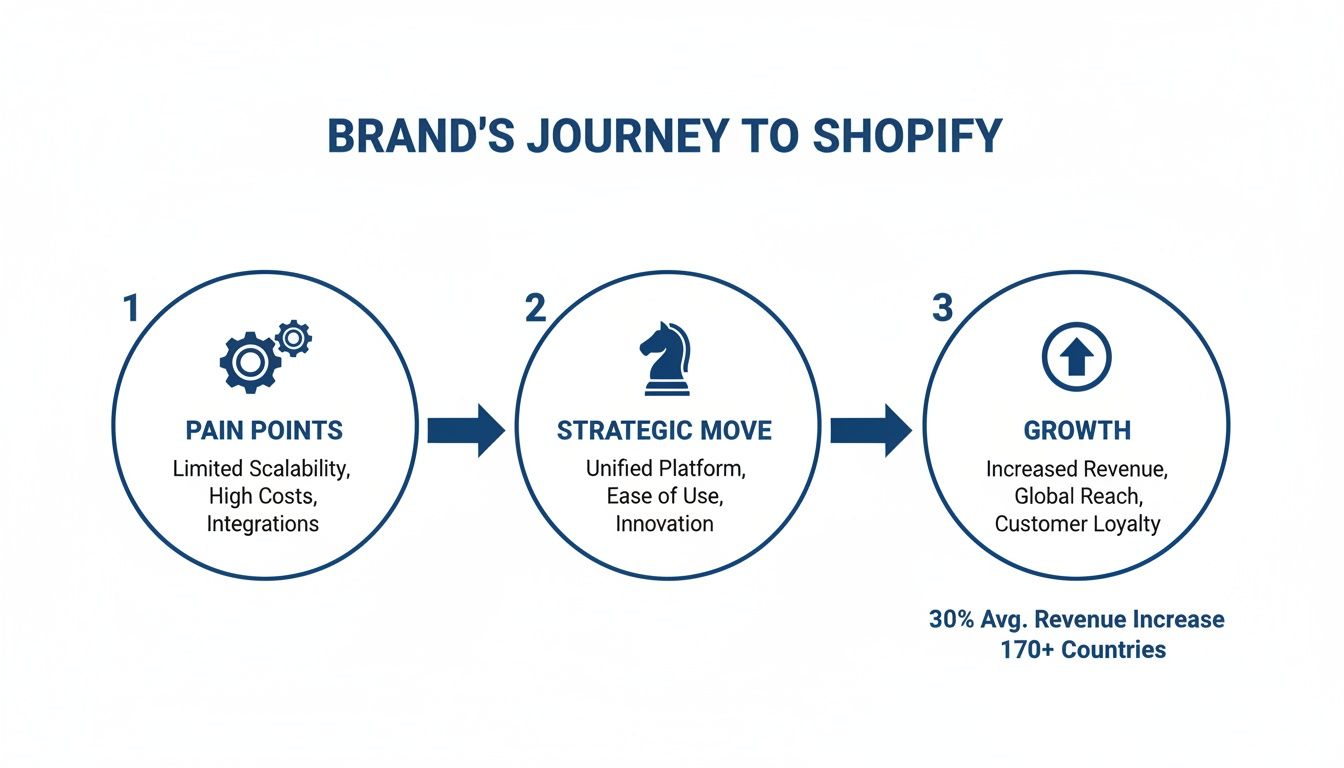
As the diagram shows, a migration isn’t just a technical exercise. It’s a calculated business move that directly addresses existing pain points and clears the path for better performance.
Auditing Your Entire Digital Ecosystem
Your first real task is a top-to-bottom audit of your current site. You need to create a master document—your single source of truth—that inventories every function, integration, and piece of data your business depends on. Seriously, leave no stone unturned.
This audit has to cover:
- Third-Party Apps and Integrations: List every single app, plugin, and custom script. Note down what it does, how critical it is, and if there’s a native Shopify app or feature that could replace it.
- Backend System Connections: Carefully map out all connections to your ERP, CRM, PIM, 3PL, or accounting software. You need to detail precisely what data flows in which direction (e.g., inventory from ERP to the site, orders from the site to your 3PL).
- Custom Features and Functionality: Does your current site have a unique product configurator? A bespoke checkout flow? Special features in the customer account area? Document exactly how they work from a user’s perspective.
- Data Structures: Analyse your data. How are your products set up with variants and metafields? What about your customer groups and their purchase history? You have to understand this to see how it will map to Shopify’s architecture.
Don’t just list what you have. You need to document why you have it. Figuring out the business reason behind a feature is the only way you can decide if it needs to come with you to the new Shopify store.
Prioritising Features to Control Scope
Once you have that complete inventory, it’s time to get ruthless with prioritisation. This is the single best defence against scope creep—the silent killer of project timelines and budgets. Go through your list and sort every single feature and function into one of three buckets.
The Priority Tiers
| Category | Description | Example |
|---|---|---|
| Must-Haves (Phase 1) | Core functions you absolutely cannot launch without. The business can't operate if these are missing. | Product pages, cart, checkout, and your primary payment gateways. |
| Nice-to-Haves (Phase 2) | Important features that add value but aren't critical for day-one trading. | A customer loyalty programme or a brand new blog design. |
| Future Wishes (Phase 3+) | Aspirational features for the future, to be tackled once the new site is stable and proven. | An augmented reality "try-on" feature or advanced personalisation. |
This tiered system gives you a clear, phased roadmap. It gets you launched on a strong, stable platform and then lets you add enhancements based on real customer data, not just assumptions you made months ago.
Selecting the Right Shopify Plan
Finally, this discovery document will make choosing your Shopify plan straightforward. This decision should never be about price alone; it must be driven by your documented requirements.
- Shopify Standard: Perfect for newer or smaller businesses with fairly simple needs.
- Shopify Advanced: A great fit for growing businesses needing better reporting and lower transaction fees.
- Shopify Plus: This is the enterprise-level solution for high-volume merchants. It's a must if your audit uncovered a need for complex checkout customisations (Checkout Extensibility), dedicated B2B storefronts, or multiple international stores through Shopify Markets Pro.
If your audit revealed complex B2B pricing rules, wholesale channels, or deep API integrations with your ERP, then Shopify Plus is almost certainly the right path. Basing this decision on your detailed blueprint ensures you’re investing in the right infrastructure from day one.
If the process feels a bit overwhelming, remember there are specialists who live and breathe this stuff. To get a better idea of what to look for, you can learn more about finding the right Shopify migration experts in our dedicated guide.
Nailing the Data and SEO Migration
Alright, this is where a Shopify replatforming project gets serious. Moving your data and protecting your SEO is the heart of the operation. Get this wrong, and you’re looking at corrupted customer data and a potentially catastrophic nose-dive in organic traffic. Let’s break down how to handle both so your transition is smooth.
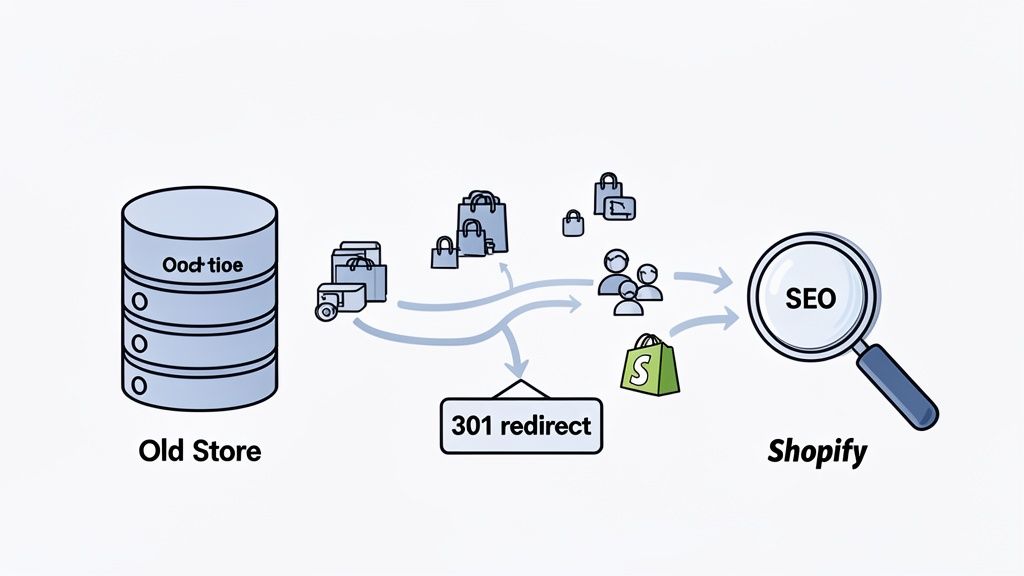
Think of it like moving house. You need to pack up all your valuables (your data) and make sure you file a change of address so people can still find you (your SEO). You can't afford to lose any boxes or have mail sent to the old address.
Securing Your Most Valuable Asset: Your Data
Your product, customer, and order history are the core of your business. A sloppy data migration can destroy historical records, alienate returning customers who can no longer log in, and create utter chaos for your finance team. The only way forward is with a clean, structured, and fully validated plan.
Don't just shovel your old data into Shopify. This is a golden opportunity to do some spring cleaning. Before you move a single byte, run a data cleansing audit. Get rid of duplicate customer accounts, archive ancient products you haven’t sold in years, and standardise the formatting for customer names and addresses. This stops you from polluting your shiny new platform with old rubbish.
When you're ready to migrate, you generally have a few paths you can take:
- Shopify’s Native Importer: For smaller, simpler stores, you can use CSV files to import your products, customers, and inventory. It’s a manual process, but it works well for straightforward data.
- Third-Party Migration Apps: Tools like Cart2Cart or Matrixify are purpose-built for this. They automate much of the heavy lifting and are brilliant at handling complex data like product variants and order histories.
- Custom Scripts: If you’re coming from a completely bespoke platform or have incredibly complex data, you’ll likely need a developer to write custom scripts using the Shopify API. This gives you total control but requires serious technical skill.
One critical detail I've seen trip people up is customer passwords. For security reasons, you cannot migrate them. The best practice is to migrate the customer accounts and then trigger a password reset email for all customers after you go live. Just be sure to explain you've moved to a new, better storefront.
Choosing Your Storefront Foundation
While your data is being sorted, you also need to lock in your new theme. This choice dictates everything from your brand's look and feel to your site speed and how easily your team can make changes down the line.
Pre-built Shopify 2.0 Themes: The themes on the Shopify Theme Store are a fantastic starting point. They're fast, mobile-friendly, and come with "Sections Everywhere," which lets your marketing team customise pages without needing a developer. For most businesses, a premium theme is a brilliant, cost-effective way to get a high-performing design to market quickly.
Custom Theme Development: If your brand demands a truly unique user experience or has functional requirements that no off-the-shelf theme can meet, a custom build is your answer. It gives you complete creative freedom but comes with a much higher price tag and a longer timeline. This is usually the territory of established brands with a very clear vision and the budget to execute it.
For many merchants, the move from a platform like Magento is a well-trodden path. If that’s you, understanding the specific hurdles and opportunities can save you a lot of headaches. We’ve actually written a dedicated guide on making the switch from Magento to Shopify that you might find helpful.
Protecting Your SEO Equity
A poorly handled SEO migration can obliterate years of hard-won search rankings in a single day. Your organic traffic is a huge asset, and protecting it is non-negotiable. The absolute cornerstone of this is the 301 redirect map.
A 301 redirect is a permanent "moved house" notice for search engines. Your job is to create a master spreadsheet that maps every single URL from your old website to its new equivalent on Shopify.
Your redirect map needs to be exhaustive and include:
- Product pages
- Category (or collection) pages
- Blog posts and articles
- Static pages like 'About Us' or 'Contact'
Use a crawler like Screaming Frog on your old site to get a complete list of every URL. Do not cut corners here. Even a few missed redirects can result in broken backlinks and send a terrible signal to Google. Shopify has apps and built-in tools to help you upload these in bulk.
To keep your rankings secure, a solid SEO plan is a must. Here’s a checklist to make sure you’ve covered all the critical tasks before, during, and after your move.
Shopify Replatforming SEO Checklist
| Task | Phase | Description |
|---|---|---|
| Benchmark Current SEO | Pre-Migration | Record current rankings, organic traffic, and top-performing pages. This is your baseline for success. |
| Crawl Existing Site | Pre-Migration | Use a tool like Screaming Frog to export all URLs, title tags, meta descriptions, and H1s. |
| Create 301 Redirect Map | Pre-Migration | Map every old URL to its new Shopify URL. This is the single most important task. |
| Migrate On-Page SEO | During Migration | Ensure all title tags, meta descriptions, and image alt text are correctly transferred to the new site. |
| Implement Redirects | Launch | Upload your 301 redirect map into Shopify using an app or the built-in redirect manager. |
| Verify Canonical Tags | Post-Launch | Check that canonical tags are correctly implemented to avoid duplicate content issues with variants. |
| Submit New Sitemap | Post-Launch | Submit your new sitemap.xml to Google Search Console to encourage faster indexing. |
| Monitor 404 Errors | Post-Launch | Use Google Search Console to find and fix any broken links or missed redirects immediately. |
Following this checklist helps ensure you don’t accidentally sabotage your own search visibility during the transition.
Beyond the redirects and the checklist, you also need a plan for your metadata. Make sure all your title tags, meta descriptions, and image alt text are carried over. And don't forget to double-check that canonical tags are set up correctly on your new Shopify store to handle product variants.
Getting the data and SEO migration right sets the stage for a successful launch. It ensures that when you finally flip the switch, your business is ready to go without losing its history or its hard-earned visibility.
Integrating Your Tech Stack and Testing Everything
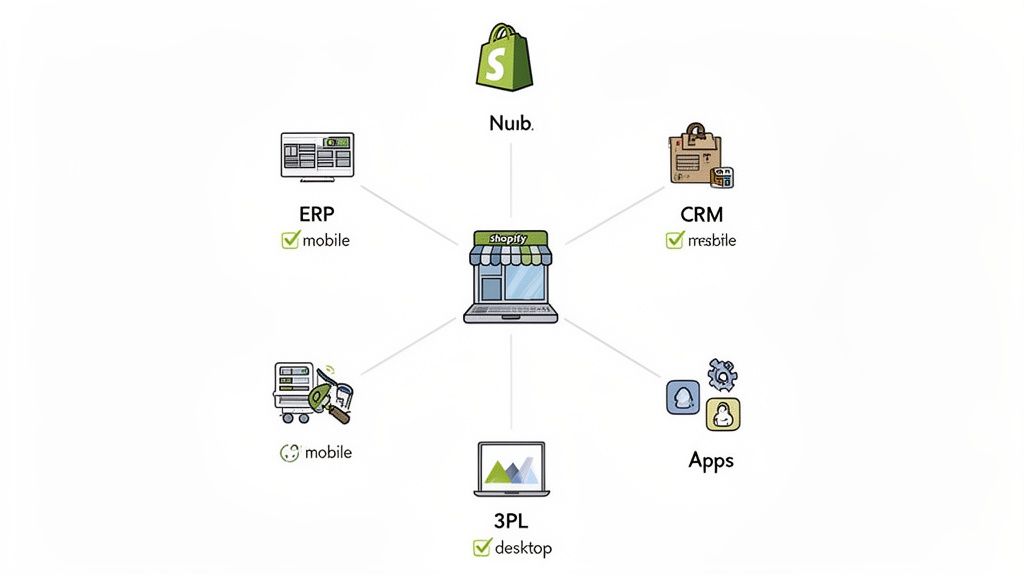
Your Shopify store might be the star of the show, but it can't perform solo. For it to really drive your business, it has to talk to all the other critical systems you rely on—your ERP, your CRM, and your fulfilment partners. This is the phase where a simple storefront becomes the true command centre of your entire operation.
Think of it this way: when an order comes in, Shopify has to instantly tell the right story to everyone involved. It needs to update inventory in your ERP, send customer details to your CRM, and push shipping instructions to your 3PL. If that communication chain breaks, you're looking at overselling, angry customers, and a logistical nightmare.
Connecting Your Essential Business Systems
As you move through your ecommerce replatforming to Shopify, getting your tech stack connected is non-negotiable. The whole point is to automate the flow of data and get rid of those clunky manual workarounds. How you do this really comes down to the complexity of your setup and your budget.
Generally, you've got three paths you can take:
- Direct API Integration: This is the bespoke, custom-coded route. You get maximum control by connecting your systems directly to Shopify's APIs, but it's also the most complex and costly option.
- Middleware Solutions: Think of services like Celigo or Patchworks as translators. They sit between Shopify and your other platforms, using pre-built connectors to speed up the process considerably.
- Shopify Apps: The Shopify App Store is your first port of call. It's packed with thousands of apps, many built specifically to connect with popular systems like NetSuite or HubSpot.
Let’s take your ERP, for instance. A common sticking point is deciding the "source of truth" for inventory. In most solid setups, the ERP owns the master inventory record, which then syncs to Shopify. When an order is placed, that data must flow back to the ERP immediately to keep stock levels accurate. Nailing this two-way sync is absolutely fundamental. We've got a whole guide that covers the 5 critical ERP integration steps for Shopify stores which dives deeper into these principles.
The Crucial Phase of User Acceptance Testing
With everything connected, it's time to try and break it. Seriously. Rigorous testing is the last line of defence between you and a launch day disaster. User Acceptance Testing (UAT) isn't just about spotting a few bugs; it's about making sure the entire ecosystem works together from a real customer's point of view.
This has to be exhaustive. You need to test every user journey you can think of on both desktop and mobile. Don't just check the "happy path" where a customer clicks 'buy' and everything works perfectly. What happens when they enter a duff discount code? Or try to buy an item that just went out of stock? Or abandon their cart halfway through?
Your UAT plan needs to be a detailed script, not a vague suggestion. Don't just write "test the checkout." Instead, script it out: "Add product X to the cart, apply discount code Y, check out as a guest, and pay with test card Z."
A proper UAT plan should confirm:
- Frontend Customer Journey: Go through the entire shopping experience, from landing on the homepage right through to getting the order confirmation email. Click every link, test every button, and fill out every form.
- Discount and Promotion Logic: Test every single discount you use. Percentage-off, fixed amounts, BOGOF (buy-one-get-one-free), and free shipping thresholds all need to be validated.
- Payment Gateway Functionality: Run test transactions through every payment method you offer. Crucially, make sure you can also process refunds correctly from the Shopify admin.
- Backend Process Validation: This is where the magic happens (or doesn't). When a test order is placed, does it show up correctly in your ERP? Is the customer data synced to your CRM? Does your 3PL receive the order?
This forensic level of testing is what gives you the confidence to go live, knowing every part of your new Shopify setup is working in harmony. It's this attention to detail that's helping UK brands thrive. With Shopify's UK market penetration now at 23%, the platform is a major force. But the real story is the 126% average YoY growth for Plus merchants who've made the move. You can dig into these Shopify statistics and see how top performers are hitting conversion rates of 4.7% over at ecommercetrix.com.
Your Go-Live Checklist and Post-Launch Growth Strategy
Let's get one thing straight: launch day isn't the finish line. It's the starting block for your brand's next chapter. The final hours before you flick the switch and the first few weeks after are where all your careful planning really comes to life.
Think of your go-live checklist as your ultimate safeguard against launch-day chaos. It’s what turns a potentially high-stress moment into a controlled, step-by-step process. When the time comes, everyone on your team needs to know their exact role and what needs to happen, and in what order.
The Final Pre-Launch Countdown
This is all about the technical sequence to take your new Shopify store live. You’ll want to schedule this during a low-traffic window, typically late at night or over a weekend, to minimise any disruption for your customers.
Here’s the typical play-by-play for a technical go-live:
- Final Data Sync: Run one last sync to pull across any new orders, customers, or product changes from your old platform since your last big migration. You don’t want to lose a single order.
- Implement Feature Freeze: This is crucial. Lock down the site so no one can make any more changes to code, apps, or theme settings. The site is now in its final, ready-to-launch state.
- Point Your DNS: This is it, the moment of truth. You’ll update your domain’s A and CNAME records to point to Shopify’s servers.
- Remove the Password Page: Once the DNS has propagated (which can take a few minutes to an hour) and you can see the new Shopify store live on your domain, it’s time to unlock the front door and remove the storefront password.
- Run Final Smoke Tests: The second the site is live to the world, your team needs to spring into action. Place a test order using a real credit card. Click through key pages. Check your main navigation and footer. Confirm your analytics tracking is firing correctly.
A Note on Rollback Plans: Having a pre-agreed rollback plan is your ultimate safety net. This simply means knowing the exact process to repoint your DNS back to your old site if a catastrophic, unfixable issue is found right after launch. You probably won't need it, but trust me, knowing it's there provides incredible peace of mind.
Your First 30 Days Post-Launch
Once you’re live, your focus shifts immediately from building to monitoring. For the first month, your job is to watch the store’s performance like a hawk. The goal is to spot and fix any issues before they become real problems and to confirm the migration has been a success.
This period is all about validating the business case for your ecommerce replatforming to Shopify. The data you collect now is what will prove the project's ROI. The recent performance of brands in the UK shows what's possible; those migrating to Shopify Plus from older platforms saw a 22% year-over-year increase in 2026. This trend is part of Shopify now capturing 23% market share in Britain, with top-tier stores converting above 3.5%. You can dive deeper into these UK Shopify statistics on sqmagazine.co.uk.
Monitoring Your Key Metrics
You can't fix what you can't see. Setting up a dedicated dashboard to track your Key Performance Indicators (KPIs) is non-negotiable. This becomes your single source of truth for the health of your new store.
Here are the essential metrics I always tell clients to track, split between the customer experience and the technical backend.
Migration Impact KPIs
These are the core metrics you should be tracking before and after the migration. This data will not only measure the immediate success of the project but will also highlight areas for future optimisation.
| Metric | Why It Matters | Target Post-Migration |
|---|---|---|
| Conversion Rate | The ultimate measure of site performance and user experience. A sudden dip could signal checkout issues or friction on key pages. | Match or exceed your pre-migration baseline. |
| Average Order Value (AOV) | Tracks whether customers are spending more or less per transaction. Keep an eye on your cross-sells and up-sells. | Should remain stable or, ideally, increase. |
| Add to Cart Rate | Shows user engagement with product pages. A significant drop might point to an issue with a product page template or pricing display. | Stable or increasing. |
| Site Speed (Core Web Vitals) | Directly impacts user experience and SEO rankings. Use Google PageSpeed Insights to monitor this closely. | Should be noticeably faster than the old site. |
| Organic Traffic & Rankings | Validates the success of your SEO migration. Use Google Search Console to watch for sharp drops in impressions or clicks. | Minor fluctuations are normal; look for and address sustained drops. |
| 404 "Page Not Found" Errors | Indicates broken links or missed redirects. These frustrate users and hurt your SEO, so fix them immediately. | As close to zero as possible. |
By keeping a close eye on these KPIs, you can quickly react to any post-launch turbulence and ensure your new Shopify store is on a solid footing for growth. This isn't just about launching a website; it's about building a foundation for continuous improvement.
Your Top Shopify Replatforming Questions, Answered
Even the most meticulously planned Shopify migration will have its fair share of questions. It's a big move, after all. Over the years, we've seen the same handful of concerns pop up time and time again from business owners and project leads.
Let's cut through the noise and get straight to the answers you need. We'll cover the big three: timelines, costs, and the risks you absolutely need to have on your radar. Getting these sorted from day one is key to managing expectations and building a solid case for the project.
How Long Does an Ecommerce Replatforming to Shopify Take?
Realistically, you should budget for 3 to 6 months for a typical replatforming project. I've seen projects go faster and slower, but that's a solid window for most businesses.
What really dictates the timeline? A few things. The complexity of your data is a huge one. Migrating a simple catalogue and customer list is a world away from handling years of intricate order histories and products with thousands of variants. The number and complexity of your integrations—think ERPs, CRMs, and fulfilment partners—will also add to the clock.
Your approach to the storefront design is the other major factor:
- Pre-built Theme: Starting with a premium theme and customising it to fit your brand is the faster route. You're often looking at a 3-4 month project.
- Custom Build: If you need a completely bespoke design from the ground up, you'll need more time. This gives you ultimate creative freedom but pushes the timeline closer to the 5-6 month mark, sometimes longer for very complex builds.
The only way to get a truly accurate timeline is through a proper discovery and scoping phase. Trying to rush the planning stage is the single biggest cause of project delays. Invest the time upfront to get it right.
What Are the Biggest Risks When Migrating to Shopify?
Having navigated dozens of these projects, I can tell you the two risks that keep me up at night are data corruption and a catastrophic drop in SEO traffic. If you don't get these right, the consequences can be brutal.
Inaccurate data migration is a real silent killer. You might not notice it at first, but it can lead to a cascade of problems: lost customer accounts, incorrect order histories, and sales reports you just can't trust. It doesn't just make for a terrible customer experience; it fundamentally undermines the integrity of your new store.
A botched SEO migration, on the other hand, is anything but silent. Get your 301 redirects wrong, and your hard-won search engine rankings can TANK. Google will see a sea of "page not found" errors, and your organic traffic—the lifeblood of so many businesses—can disappear overnight.
The only way to manage these risks is with obsessive attention to detail: thorough data cleansing, exhaustive redirect mapping, and an almost paranoid level of testing.
How Much Does It Cost to Replatform to Shopify?
There’s no simple price tag for a Shopify replatform; the investment really depends on the scale and complexity of your business. That said, projects generally fall into a couple of distinct brackets.
For a more straightforward migration—perhaps using a pre-built Shopify theme with some light customisation and a handful of standard integrations—you could be looking at a budget in the £15,000 - £30,000 range.
For larger, more established brands needing a fully custom-designed theme, complex back-office integrations, and support for a massive data migration, the investment is understandably higher. These projects, often handled by a specialised Shopify Plus agency, typically start at £50,000 and can go well over £150,000. The final cost is always a direct reflection of the scope and technical depth required to do the job properly.
At Grumspot, we specialise in seamless migrations and high-growth Shopify Plus builds. If you’re ready to move from planning to execution, let's talk about how we can build your future on Shopify.
Let's build something together
If you like what you saw, let's jump on a quick call and discuss your project

Related posts
Check out some similar posts.
- headless commerce agency
Discover what a headless commerce agency does, when to choose headless over Shopify Plus themes, typ...
Read more
- what is seo audit
What is SEO audit? Learn how technical, on-page and content checks uncover issues hurting your Shopi...
Read more
- seo technical audit checklist
Use this SEO technical audit checklist to find and fix 10 ecommerce issues across crawling, speed, i...
Read more
- structured data
Master structured data implementation for ecommerce in 2026. Practical JSON-LD, Microdata, schema se...
Read more