Shopify Migration Services A Seamless Platform Switch
- shopify migration services
- ecommerce migration
- shopify plus agency
- shopify seo
- platform migration
Launched
February, 2026
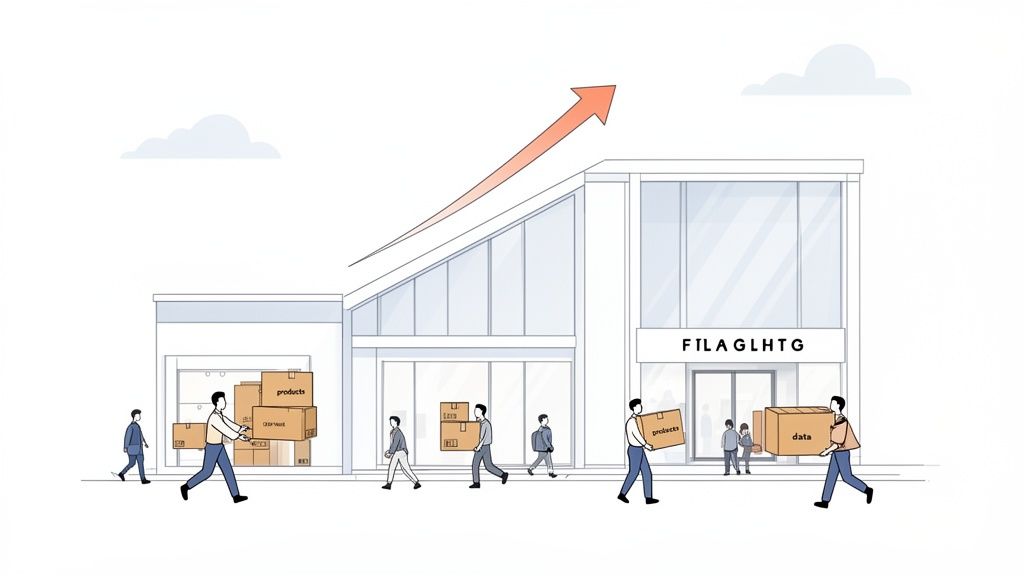
Picture this: you’ve built a successful high-street shop, but you’re moving to a brand-new, cutting-edge shopping centre across town. You wouldn’t just throw everything in a van and hope for the best. You’d bring in specialists to move your delicate stock, set up the new security systems, and make sure your loyal customers know exactly where to find you.
Shopfolio migration services are precisely that for your online business—an expert-led relocation to a better home.
What Are Shopify Migration Services?
At its core, a Shopify migration service is the end-to-end process of moving your entire eCommerce operation from another platform—like Magento, WooCommerce, or BigCommerce—over to Shopify. It’s far more than a simple data transfer; it’s a strategic upgrade to a more powerful, scalable, and user-friendly ecosystem.
A proper migration ensures every vital piece of your business is meticulously transferred, reconnected, and optimised for its new environment. The entire point is to make the switch without losing sales, damaging your hard-earned search rankings, or giving your customers a poor experience.
So, what are the main reasons businesses decide to make this move? The table below summarises the common drivers we see.
Why Businesses Move to Shopify A quick summary of the primary drivers behind migrating to the Shopify platform.
| Migration Driver | Business Impact |
|---|---|
| High Maintenance Costs | Shopify's hosted model reduces surprise costs for hosting, security patches, and server maintenance. |
| Poor Scalability | Self-hosted platforms can struggle with traffic spikes, whereas Shopify scales automatically. |
| Outdated Technology | Moving to Shopify 2.0 provides access to modern, fast themes and a superior app ecosystem. |
| Lack of User-Friendliness | Shopify’s intuitive admin panel empowers marketing and content teams to make changes without developers. |
| Security Vulnerabilities | Shopify handles PCI compliance and security updates, reducing risk for the merchant. |
Ultimately, these factors all point toward one thing: a desire for a platform that supports growth instead of hindering it.
Beyond a Simple Data Transfer
One of the biggest misconceptions is thinking a migration is just about exporting a few CSV files and clicking "import". That approach almost always leads to trouble. A professional migration is a comprehensive project that handles several critical business functions all at once.
Here’s where a professional team really proves its worth:
Complete Data Integrity: We're talking about more than just product names. It's about ensuring every single product variant, customer account, and historical order makes it across without any corruption or data loss.
SEO Preservation: Your organic traffic is like gold. A meticulous 301 redirect strategy is non-negotiable. This involves mapping every single old URL to its new Shopify equivalent, telling search engines exactly where to find your pages and preserving your rankings.
Theme and Design Implementation: This isn't about finding a theme that "looks similar." It’s about rebuilding your storefront on a modern, fast, and mobile-first Shopify 2.0 theme that actually improves the customer journey.
App and Integration Setup: Your current apps and tools need a full audit. The goal is to reconnect your essential third-party systems—like your ERP, CRM, or email marketing platform—so that your business operations continue to run smoothly from day one.
A successful migration isn't measured by a lack of downtime, but by the preservation of momentum. The real value is in protecting your revenue, your customer relationships, and the search engine authority you've spent years building.
The Strategic Value of a Professional Migration
Trying to handle a migration in-house might feel like a way to save money, but it’s a gamble that rarely pays off. All it takes is a few broken links to torpedo your SEO, or a single corrupted customer database to erode years of trust. That’s before you even calculate the cost of lost sales during extended downtime.
Investing in a professional service, on the other hand, delivers a clear return by getting it right the first time. To get a better sense of what a properly managed project looks like, you can see our expert approach to a seamless migration to Shopify.
In the end, these services aren't just a technical expense; they're a strategic partnership. They give you the freedom to keep focusing on running your business, confident that the complex replatforming work is being handled by experts who will ensure your new Shopify store is ready to perform from the moment it goes live.
Your End-to-End Shopify Migration Journey
Thinking about moving your online store to Shopify can feel overwhelming, a bit like planning a cross-country house move. But just like a good moving company has a system, a professional Shopify migration service follows a clear, predictable process. It’s a journey with distinct stages, designed to get your business from its old platform to a new Shopify storefront without leaving anything behind.
The whole process breaks down into a few key phases. We start with deep-dive planning and then move methodically through transferring your data, setting up the new design, and connecting your tools. Only after thorough testing do we flip the switch.
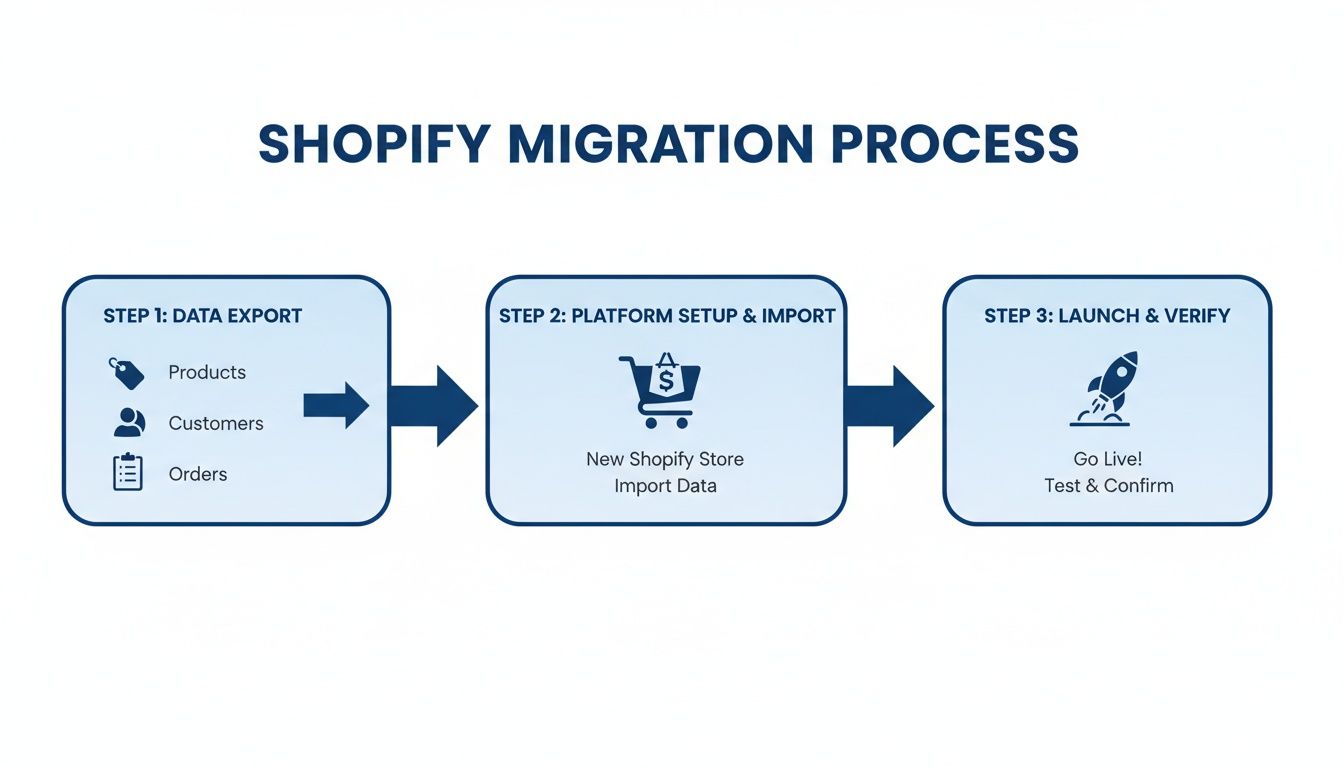
This diagram gives you a great visual of how it all works. The migration service is the crucial bridge between your old site and your new, more powerful Shopify store.
As you can see, a specialist team doesn't just dump your data from one place to another. They orchestrate the entire transfer, making sure it’s a smooth transition, not a chaotic mess.
Let’s unpack what really happens at each step of the way.
Phase 1: Strategic Discovery and Planning
Everything starts with a solid plan. Before a single product or customer record is touched, your migration partner needs to get under the bonnet of your current website. This isn't just about counting your products; it’s about understanding exactly how your business runs, what custom features you rely on, and what your SEO foundation looks like.
Here’s what happens during this crucial first phase:
- Site Audit: We document everything. This means product counts, customer data fields, active plugins, custom-coded functions—the lot.
- Goal Alignment: We sit down with you to define what success looks like. Is it a faster site? Lower running costs? The ability to scale without hitting a technical ceiling?
- Roadmap Creation: A detailed project plan is drawn up, mapping out every task, timeline, and milestone from start to finish.
Getting this planning stage right prevents nasty surprises later on. It ensures that both you and the migration team are completely on the same page. This kind of strategic foresight is particularly important in the UK, which is a hotbed for e-commerce growth. With projections hitting around 208,000 UK Shopify stores by 2026, Britain is the second-largest Shopify market in the world. The platform saw a 37% year-over-year jump in new UK stores in early 2024, showing a massive need for experts who can handle these complex moves.
Phase 2: Data and Content Migration
With the blueprint in hand, the real technical work begins. This is where your business’s most valuable assets—your data—are carefully moved over. It’s a delicate operation that demands precision to ensure nothing is lost or corrupted.
This stage covers the big three:
- Products: All your SKUs, descriptions, images, and product variants are transferred.
- Customers: We move customer accounts, shipping addresses, and contact details. For security, passwords can never be migrated, so customers will simply need to reset them on their first visit.
- Orders: Your complete order history is brought across, preserving that vital business intelligence and customer service history.
The goal here is simple: zero data loss. Every order, every customer, and every product review is a piece of your business's story. A professional service uses specialist tools and runs validation checks to make sure every single record is accounted for.
Phase 3: Storefront Design and Integrations
Once your data is safely settled in its new home, we shift focus to what your customers will see and how your back-end operates. This is a brilliant opportunity to not just copy your old store, but to significantly improve it. Often, this means building a fresh, conversion-optimised theme using Shopify’s latest architecture, which delivers better speed and more flexibility for your team.
At the same time, we reconnect all your essential tools. Making sure your systems talk to each other is critical. You can explore the vast ecosystem of Shopify integrations to get a feel for what’s possible. This step involves hooking up your ERP, CRM, email marketing platforms, and any other software you rely on day-to-day.
Phase 4: Testing and Go-Live
The last hurdle before launch is also the most important. Your new Shopify store is put into a private "staging" environment, hidden from the public, where it goes through a barrage of tests. The team will click every link, run test orders through the checkout, and double-check that all your data and special functions are working perfectly.
Only when everyone gives the green light is the "go-live" scheduled. A professional migration ensures this happens with minimal to zero downtime—often in just a few minutes during a quiet, low-traffic period. Once the new site is live, a period of post-launch support begins to monitor performance and quickly squash any unexpected bugs, so your business doesn’t miss a beat.
Navigating Critical Migration Challenges
A successful platform switch isn't really about the big, flashy launch day. It’s about getting the thousands of tiny, crucial details right in the weeks and months leading up to it. When you bring in a Shopify migration service, you’re paying for an experienced guide to lead you through a technical minefield where one small misstep can cause huge problems down the line.
Let's pull back the curtain on the four biggest hurdles we see in every project. These are the areas where an expert approach is the difference between a seamless transition and a costly disaster.
Ensuring Flawless Data Integrity
Your business data isn't just a spreadsheet; it's your entire commercial history. Moving it from one platform to another demands real precision, because a simple export-and-import job almost never works. The platforms just don't speak the same language.
Think of it like moving an entire library. You wouldn't just toss books into boxes at random. You'd need to preserve the intricate cataloguing system so you can find everything later. This means painstakingly mapping:
- Complex Products: Making sure every product variant, custom field, and piece of associated metadata finds its correct home in Shopify.
- Historical Orders: Your complete order history is vital for customer service, returns, and business analysis. This data tells the story of every customer relationship you've ever built.
- Sensitive Customer Data: While passwords can't be moved (customers will need to reset them for security), all other account details, addresses, and order notes must be transferred perfectly.
The goal is simple: zero data loss. Every customer review, every product tag, and every past order has value. A professional migration uses custom scripts and rigorous checks to ensure every last byte of data arrives safe and sound.
Preserving Your SEO Authority
You've likely spent years building your search engine rankings. A clumsy migration can destroy all that hard work overnight. When you move to Shopify, your URL structure is going to change—that’s unavoidable. The key is to give search engines like Google a clear, updated map.
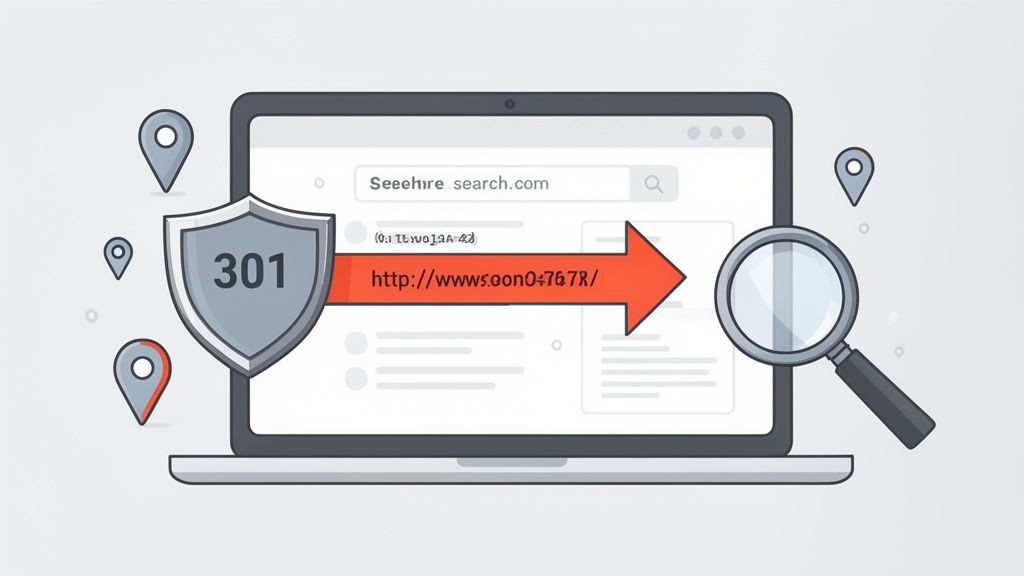
This is where a comprehensive 301 redirect map is absolutely non-negotiable. It’s the single most critical part of protecting your SEO. Each redirect acts like a permanent "change of address" notice for every single page on your old site, from product pages to your blog.
Without this, Google sees a mountain of broken links, assumes your content has vanished, and your rankings will plummet. This is the most common pitfall we see in DIY migrations and a key reason clients come to us for their Magento to Shopify migration, where URL structures can be especially complicated.
Replicating Custom Functionality and Integrations
Your current store probably doesn't run "out of the box." It relies on a unique cocktail of apps, plugins, and custom-coded features to operate smoothly. A major part of any migration is figuring out how to recreate this setup in the Shopify ecosystem.
This starts with a full audit of your current tools to decide whether to replace them with a Shopify app or rebuild them from scratch. It means reconnecting the vital systems that keep your business running, such as:
- Your Enterprise Resource Planning (ERP) system for inventory control.
- Your Customer Relationship Management (CRM) for sales and marketing data.
- Your third-party logistics (3PL) partner who handles your warehousing and shipping.
As you plan your move, it's also a smart time to review your logistics. Partnering with expert Shopify order fulfillment services post-migration can ensure your operations are as efficient as your new storefront. Getting these connections right means your business doesn't skip a beat.
Upgrading the User Experience and Design
Finally, a migration is the perfect chance to improve, not just copy. It’s tempting to just replicate your old design to "get it done," but that’s a massive missed opportunity. Your old theme is likely slow, clunky to update, and not built for modern mobile shopping.
Instead, the best practice is to rebuild your storefront on a clean, fast, and conversion-focused Shopify 2.0 theme. Taking this approach gives you immediate, tangible benefits:
- Faster Page Load Speeds: A direct boost to both user experience and your SEO rankings.
- Improved Mobile Performance: Essential for capturing sales from the majority of shoppers who browse on their phones.
- Greater Flexibility: Your marketing team can finally create new landing pages and edit content themselves, without needing a developer for every little change.
This isn’t just a cosmetic facelift. It's a strategic upgrade to a storefront that's engineered from the ground up to convert more visitors into loyal customers.
Understanding Shopify Migration Costs and Timelines
When clients start thinking about moving to Shopify, two questions always come up first: "How much is this going to cost?" and "How long will it take?"
There's no single price tag or deadline. The final budget and timeline for a Shopify migration service depend entirely on the size and complexity of your online business. Think of it like moving house: packing up a one-bedroom flat is a weekend job, but relocating a five-bedroom home with a garage full of tools is a completely different project.
A migration is never a copy-paste job. The final investment is shaped by a handful of key factors that dictate the work needed to get your business moved over smoothly and safely. Getting a handle on these will help you set a realistic budget and know what to expect.
Key Factors That Influence Cost and Timelines
Any good migration partner will start with a deep dive into your current site to scope the project properly. In our experience, the cost and timeline almost always come down to the same four things. Each one adds another layer of work that needs time and specialist know-how to get right.
The main drivers are:
- Catalogue Size: Moving 1,000 products is one thing. Migrating 50,000 SKUs, especially with lots of variants, product bundles, or custom fields, is a much bigger task.
- Data Volume: The number of customer accounts and the sheer size of your order history directly affect how long it takes to extract, clean up, and securely import all that valuable data.
- Design and Theme Complexity: Are we setting up a premium Shopify theme with a few branding tweaks, or do you need a completely bespoke theme built from the ground up to bring a unique vision to life? A custom build is a significant design and development project in its own right.
- Number of Integrations: Your shop doesn't exist in a vacuum. Reconnecting it to crucial systems like your ERP, CRM, or a 3PL partner requires careful development and rigorous testing to make sure business keeps running without a hitch.
Don’t look at a professional migration as just a cost. It’s an investment. You’re protecting the revenue you already have, preserving years of SEO work, and rebuilding your business on a platform designed for serious growth.
To give you a clearer idea of how these factors play out, we've put together a table outlining typical project scopes and what influences their timelines and costs.
Estimated Migration Timelines and Cost Factors
| Project Scope | Estimated Timeline | Key Cost Factors |
|---|---|---|
| Standard Migration (Small-to-Mid Sized Business) | 4–8 weeks | - Smaller product/customer data sets - Standard theme setup (e.g., from the Shopify Theme Store) - Minimal customisation and few, if any, app integrations |
| Advanced Migration (Growing Brands) | 8–12 weeks | - Larger product catalogues with variants - Historical order and customer data migration - Theme customisation or some custom feature development - A few key integrations (e.g., email, reviews, 3PL) |
| Enterprise Migration (Shopify Plus) | 3–6+ months | - Massive data sets (products, customers, orders) - Complex integrations (ERP, PIM, custom middleware) - Fully bespoke theme design and development - Multi-store, multi-language, or wholesale setups |
As you can see, the work involved can vary dramatically. A smaller business coming from a platform like WooCommerce or BigCommerce with a standard theme fits neatly into that first bracket. On the other end of the spectrum, a large-scale enterprise moving to Shopify Plus from a platform like Magento or a completely custom-built system is a much more involved, long-term project.
Ultimately, a transparent agency will give you a detailed proposal that breaks down every stage. This gives you a clear roadmap for the timeline and costs before any work begins, turning a potentially overwhelming project into a predictable and manageable process.
How to Choose the Right Shopify Migration Partner
Let’s be honest, picking an agency is the most critical decision you’ll make during this entire process. You aren't just hiring a few developers to move some files around. You're entrusting a partner with your revenue, your hard-won search rankings, and your brand's future.
Get it right, and a complex technical headache transforms into a smooth, predictable project that sets you up for serious growth. Get it wrong, and you could be looking at lost data, a catastrophic drop in Google rankings, and a buggy storefront that sends customers running.
To help you sidestep the pitfalls, here’s a practical checklist for vetting potential partners. Use it to find a team that's genuinely invested in your long-term success.
Proven Experience and Case Studies
The first question is simple: “Have you done this before?” But don't let them off the hook with a simple "yes." You need to see concrete proof that they’ve successfully moved businesses from your specific platform, whether that’s Magento, BigCommerce, WooCommerce, or a custom-built dinosaur.
An agency’s experience should be easy to verify. Ask them for:
- Detailed Case Studies: Don’t just skim them. Look for stories that detail the original challenges, the solutions they built, and the measurable results. Did site speed improve? Did the conversion rate climb?
- Client References: A confident agency will have no problem putting you in touch with past clients. A quick chat with another merchant who’s been through the wringer is worth its weight in gold.
This kind of track record is your assurance that they've seen the unique quirks of your current platform before and already know how to navigate them.
Deep Technical and SEO Expertise
A beautiful new storefront is worthless if the technical foundation is shaky. A successful migration depends on a team of true specialists, not a handful of generalists.
You need to find a partner with a full-stack team under one roof. This should include:
- In-house Developers: You want a team that can handle messy data mapping, build custom features, and tackle complex integrations without outsourcing the critical work to freelancers they’ve never met.
- Dedicated SEO Specialists: An SEO expert must be involved from day one. Their job is to map out and execute the 301 redirect strategy to preserve every drop of your organic traffic.
- UX/UI Designers: Their goal isn’t just to make it look pretty. It’s to craft a user experience that guides customers effortlessly from landing page to checkout, actively boosting conversions.
If you're weighing your options, our guide on what to look for in Shopify migration experts goes into even more detail on this. Having all these skills in one cohesive team makes for a much smoother, better-managed project.
Choosing a partner is really a bet on their process. A transparent agency will happily walk you through their project management, show you how they communicate, and make you feel like a collaborator—not just another ticket in their system.
Specialisation in Shopify Plus
For ambitious brands playing in the big leagues, a partner’s specialisation in Shopify Plus is non-negotiable. Moving to Shopify Plus isn't just a standard replatforming project; it's an enterprise-level undertaking. We’re talking complex back-end integrations, bespoke functionality, and often multi-store or international setups.
The shift towards enterprise e-commerce on Shopify is undeniable. In the UK alone, the number of Shopify Plus stores is set to jump from around 1,000 in 2023 to over 5,700 by 2026. Big retailers are ditching clunky, outdated systems for Shopify’s scalability, and the results speak for themselves—migrations often lead to 126% average year-on-year growth for Plus merchants.
An agency that lives and breathes Shopify Plus, like Grumspot, already knows the advanced architecture inside and out. They’ll have a portfolio packed with successful enterprise projects to prove it.
Comprehensive Post-Launch Support
The work doesn’t end when you flick the switch on the new site. In reality, the first 30-90 days are a critical period for monitoring performance, squashing any unexpected bugs, and fine-tuning the site based on how real customers are using it.
A true partner will lay out a clear post-launch support plan from the very beginning. This shows they’re committed to your long-term success, not just cashing a cheque. Make sure their proposal includes a dedicated support window to handle any teething issues. This ongoing partnership is the hallmark of a top-tier Shopify migration service.
Common Questions About Shopify Migrations
Thinking about moving your online store to Shopify? It’s a big step, and you’ve probably got a notebook full of questions and concerns. That’s completely normal.
Making the right choice for your business means getting straight answers. We’ve managed countless migrations, so we’ve heard it all. Here are the answers to the questions we get asked the most, based on years of hands-on experience.
Will I Lose My Sales Data and Customer History?
This is usually the first and most important question we hear, and I can put your mind at ease: absolutely not. When handled by a professional Shopify migration service, your data isn’t just moved; it’s carefully protected.
A proper migration ensures all your critical business history comes with you:
- Order History: Every single transaction, right down to the fulfilment status, is transferred. This keeps your accounting accurate and your customer service team informed.
- Customer Accounts: Your entire customer list, complete with contact details and purchase history, is migrated. The only thing that can't move for security reasons is passwords. Your customers will simply get a prompt to create a new password the first time they log in.
Think of it this way: your business history is one of your most valuable assets. A proper migration treats it with the respect it deserves, ensuring not a single customer or order gets left behind.
How Will This Migration Affect My SEO?
The fear of losing your hard-earned search rankings is very real, but it’s also completely preventable. A good migration partner doesn’t just think about SEO at the end—it’s a core part of the plan from day one. The goal isn’t just to avoid damage but to set the stage for even better performance.
The key is a comprehensive 301 redirect map. This is essentially a set of instructions we create that tells Google and other search engines exactly where each page from your old site has moved to on the new Shopify store. This ensures all that SEO authority you’ve built up is passed on seamlessly, keeping your organic traffic steady right from the switch.
Can I Keep My Current Website Design?
While we could make your new Shopify site look exactly like your old one, this is the perfect moment for an upgrade. In most cases, your old design is built on outdated technology that's likely holding you back with slow speeds and a clunky mobile experience.
Instead, we strongly recommend rebuilding your shop on a modern Shopify 2.0 theme. It’s not just about a fresh coat of paint; it’s about what’s under the bonnet:
- Faster Page Speeds: Shopify 2.0 themes are built for performance, which Google loves and your customers expect.
- A Better Mobile Experience: They are designed from the ground up for smartphones, which is where most people shop these days.
- More Control for Your Team: You get the power to edit pages and add new sections yourself, without needing to call a developer for every little tweak.
How Long Will My Store Be Offline?
This is another common worry, but the answer is usually a relief: a professionally managed migration involves almost zero downtime.
Here’s how it works: your current store stays live and continues taking orders the entire time. We build your new Shopify store in a private "staging" environment, completely separate and hidden from the public.
Only after everything has been thoroughly tested, reviewed, and approved by you do we schedule the final "go-live." We time this for a quiet period (like the middle of the night) and the actual switch typically takes just a few minutes. For your customers, the transition from the old site to the new one is instant and seamless.
Planning a move to Shopify requires a partner you can trust with your data, design, and SEO. At Grumspot, we specialise in seamless migrations that protect your business and set you up for future growth. Explore our expert Shopify migration services to learn how we can manage your transition with precision and care.
Let's build something together
If you like what you saw, let's jump on a quick call and discuss your project

Related posts
Check out some similar posts.
- b2b ecommerce platform
Discover how a B2B ecommerce platform helps scaling brands streamline operations, boost sales, and g...
Read more
- shopify seo
Choosing the right SEO app for Shopify means weighing features against speed, scripts, and plan limi...
Read more
- shopify plus seo agency
Learn how to choose the right Shopify Plus SEO agency for your store. Covers evaluation criteria, pr...
Read more
- data migration
Learn how to validate data after migration with proven reconciliation methods, sample queries, autom...
Read more