Augmented Reality Product Visualization: A Shopify Guide
- augmented reality product visualization
- shopify ar
- ecommerce 3d models
- glb usdz
- cro for ecommerce
Launched
June, 2026
You're probably looking at a product category where standard ecommerce content isn't doing enough. Customers still ask whether the sofa will dominate the room, whether the lamp is taller than it looks, whether the sideboard colour works against their floor, or whether the product feels right in context. Then the returns come in, often with the same message in different words: not what I expected.
That's where augmented reality product visualization starts to earn its keep. Not as a gimmick on a pitch deck, but as a practical layer on top of product pages that reduces uncertainty before checkout. On Shopify, that means balancing 3D asset quality, mobile performance, theme integration, analytics, and commercial reality. If any one of those is weak, AR becomes expensive theatre. If they line up, it becomes a useful buying tool.
Why AR Product Visualization Is Now a Conversion Tool
A customer is standing in their living room with a phone in hand, product page open, ready to decide. The question is no longer whether they like the chair. It is whether the chair looks too bulky next to the radiator, whether the colour fights the floor, and whether the seat height feels right for the table they already own. If the page cannot answer that, the session often ends without a purchase.
AR helps at the point where standard ecommerce content runs out of road. On Shopify stores, I see the strongest results in categories where buyers hesitate over size, placement, clearance, or visual fit. Furniture is the obvious one, but the same pattern shows up with lighting, mirrors, rugs, planters, gym equipment, and larger home accessories.
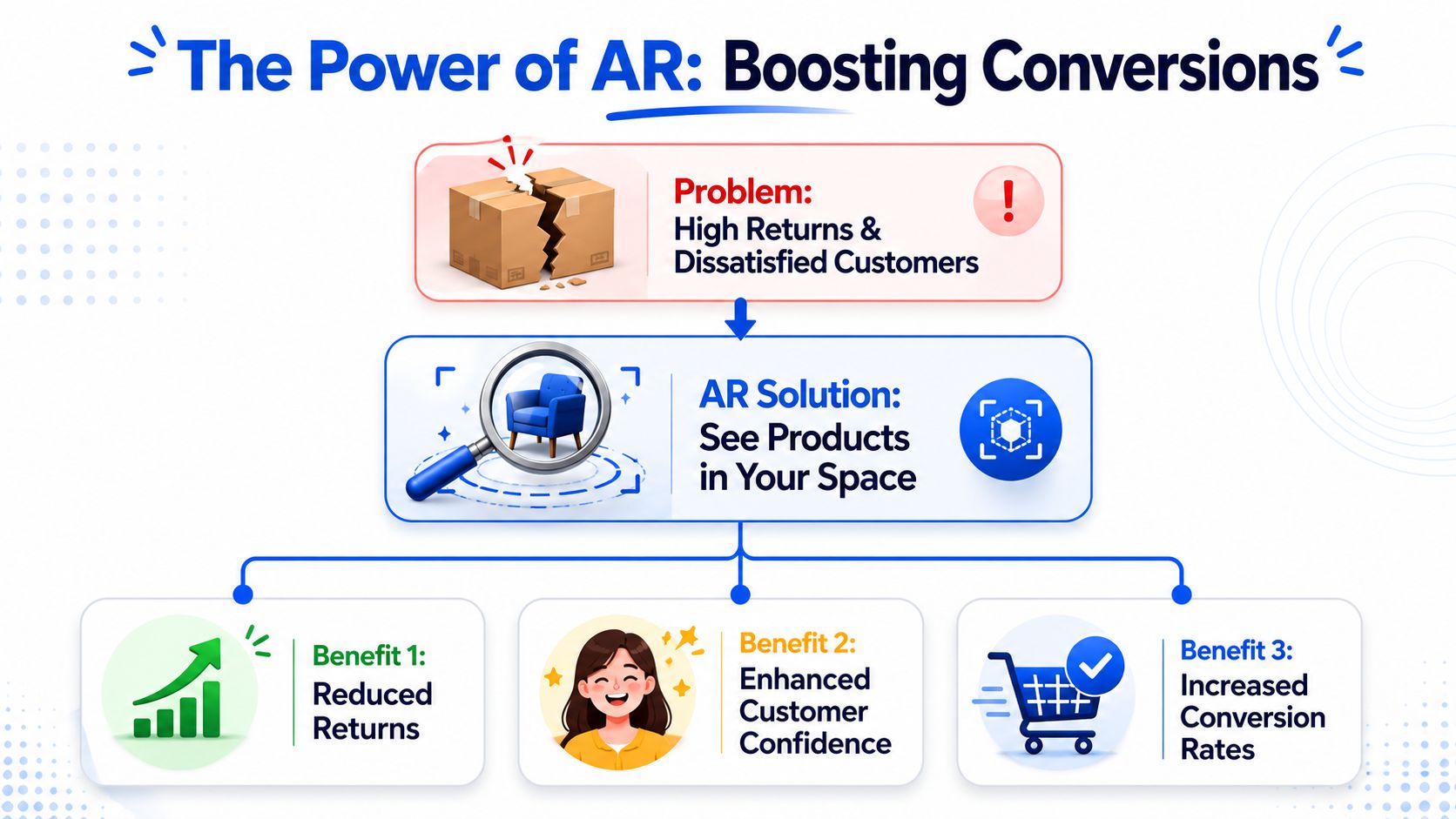
The commercial problem AR actually solves
The conversion lift does not come from novelty. It comes from reducing hesitation on expensive, space-dependent purchases.
That distinction matters because AR has a cost. You are paying for 3D asset creation, QA across devices, Shopify integration, and ongoing maintenance when products or variants change. If the product has low consideration and low return risk, the numbers often do not work. If the product regularly triggers pre-sales questions about dimensions, fit, or styling, AR can pay for itself by improving conversion rate, reducing avoidable returns, and giving merchandising teams stronger content for PDPs, ads, and social.
A lot of brands still frame AR product visualization as a visual extra. From a CRO perspective, it is closer to a decision aid. It shortens the distance between interest and purchase by answering a practical objection inside the buying journey instead of leaving the customer to guess.
Why it moved from experiment to channel-worthy feature
The turning point came when mobile hardware, browser support, and native AR frameworks became good enough for real retail use. Apple's launch of ARKit gave retailers a reliable way to place true-to-scale objects in a room, and Shopify built support for 3D models and AR directly into the product media stack. That changed the conversation from custom innovation project to repeatable ecommerce workflow.
IKEA helped make that shift visible. Its IKEA Place app showed shoppers that scale accuracy and room context were more persuasive than flashy effects, as covered in this overview of AR for product visualization. That lesson still holds. Customers will forgive a simple interface. They will not forgive a sofa that appears at the wrong size or a lamp model that looks nothing like the actual finish.
What tends to perform well
The strongest AR rollouts usually share the same characteristics:
- They start with the right SKUs. Focus on products where visual fit affects conversion or returns.
- They place the AR action high on the page. "View in your space" needs to sit near the gallery or media, not buried below long-form content.
- They keep assets light enough to load quickly. If rendering stalls on mobile data, adoption drops fast. A properly configured content delivery network for faster media delivery helps, but it does not fix oversized 3D files.
- They keep scale and materials believable. Accuracy drives trust. Poor lighting, wrong proportions, or missing variant fidelity can do more harm than having no AR at all.
There is also a prioritisation issue that gets missed in sales decks. Rolling AR out across an entire catalogue sounds ambitious, but it usually wastes budget. Start with a narrow set of products where uncertainty is clearly blocking conversion. Prove uptake, prove impact, then expand.
That is how AR stops being a feature people try once and turns into a tool that supports revenue.
The Foundation Creating and Optimising 3D Assets
The asset pipeline usually decides whether AR becomes a conversion tool or an expensive demo. I've seen merchants approve theme work, app setup, and launch plans before anyone checks whether the 3D files are accurate, light enough for mobile, or even usable in Shopify. That order creates rework fast.
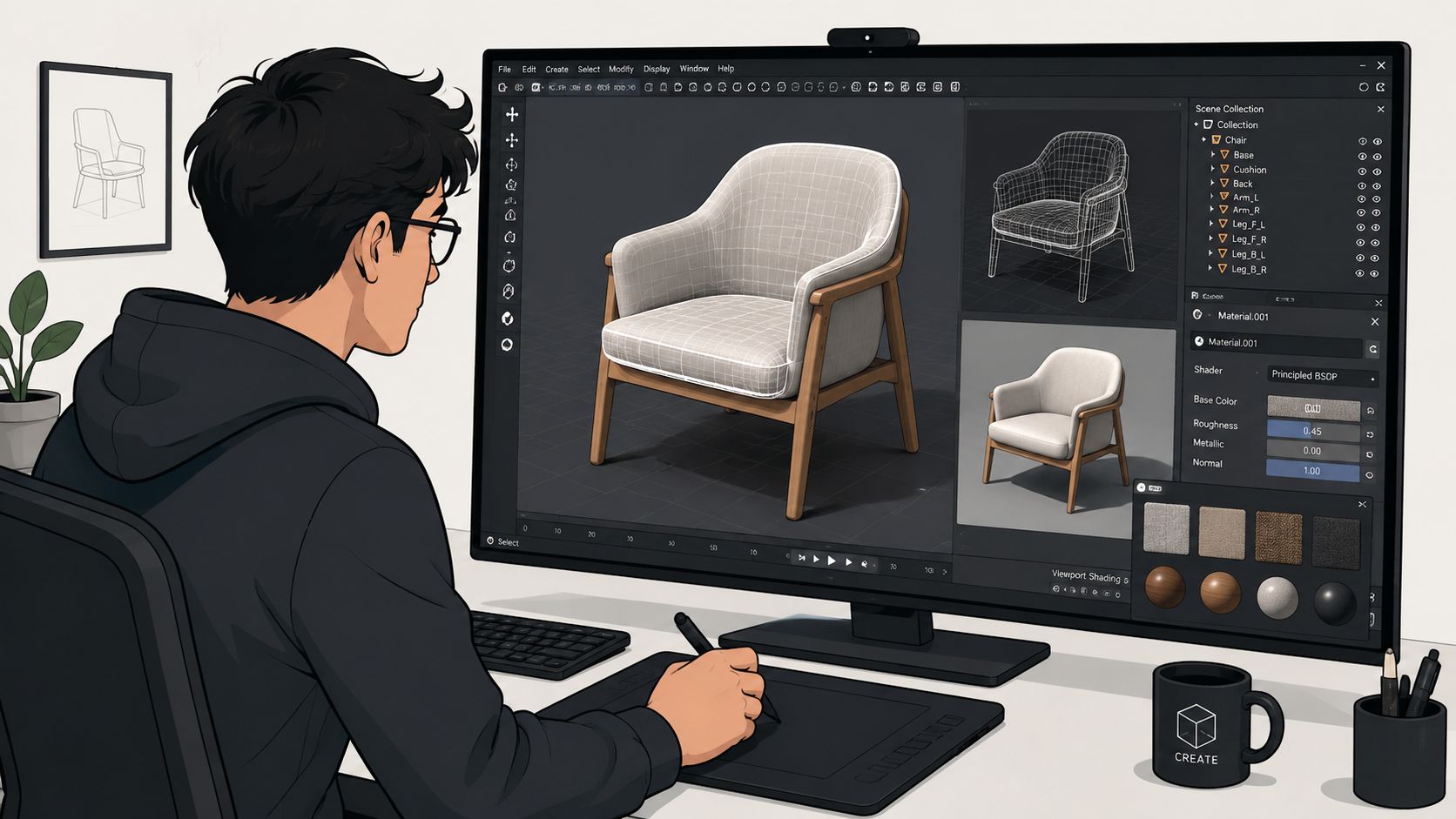
A good AR model has to do three jobs at once. It needs to match the actual product closely enough to build trust, load quickly enough to keep mobile users engaged, and fit a workflow your team can maintain when new SKUs or variants are added. Miss any one of those and the commercial case weakens.
Two sensible ways to get 3D models
The first route is to convert existing CAD or product design files. This is often the cheapest starting point if a manufacturer already has them, and it helps with dimensional accuracy. The catch is that engineering files are built for production, not ecommerce. They tend to carry too much geometry, hidden parts no shopper will ever see, and material setups that need rebuilding for web rendering.
The second route is to create assets specifically for ecommerce. That might mean modelling in Blender, Cinema 4D, or a similar tool, or rebuilding from a photo set if no source files exist. This route usually costs more upfront, but it often produces cleaner assets, faster approval cycles, and fewer compromises on mobile performance.
The right choice depends on catalogue size, margin, and how often the product changes.
If a merchant is selling high-consideration furniture with a stable range, custom ecommerce models usually pay back. If the catalogue changes every quarter and margins are tight, a conversion workflow with strict optimisation rules is often the better commercial choice.
A solid brief should cover:
- Exact dimensions: Scale errors break trust and increase return risk.
- Material references: Fabric texture, gloss level, reflectivity, grain direction, and finish variation.
- Variant logic: Which options need separate models and which can be handled through material changes.
- Use case: Whether the asset only needs on-page 3D viewing or full AR placement in a real space.
- Approval standard: Who signs off on scale, colour, and finish fidelity before the file reaches the storefront.
Optimisation is where budgets are protected
Teams new to AR often spend too much time chasing photorealism and too little time preparing files for real devices on real networks. That is where budgets get burned. A beautiful model that hangs on a mid-range phone does not help conversion, and it usually hurts adoption because customers try it once and stop.
For Shopify, the working goal is simple. Keep the model visually convincing at the size and distance customers will view it, then remove everything that does not help that outcome. In practice that means cleaning geometry, reducing polygon count, compressing textures, limiting oversized maps, and exporting assets in web-friendly formats your stack can serve reliably.
One rule matters more than people expect. Test on average phones over mobile data, not just on a designer's machine or the latest iPhone in the office.
I usually ask teams to check a few practical questions before sign-off:
- Does the silhouette still look right after mesh reduction?
- Do materials hold up under common lighting conditions?
- Are texture files larger than they need to be for mobile screens?
- Do hidden surfaces and internal components still exist in the export?
- Does the file open quickly enough to keep the AR action worth tapping?
What to outsource and what to control
Outsourcing model production makes sense for many Shopify teams, but handoffs need structure. The risk is not only visual quality. The bigger issue is revision cost. If your 3D partner does not understand product data, variant logic, and storefront constraints, every small change turns into a new round of quoting, QA, and delay.
Control the product truth in-house. Keep approved dimensions, finish references, variant naming, and file acceptance criteria with your team. Outsource modelling and cleanup if needed, but do not outsource the rules that define whether the asset is commercially usable.
This matters in any category where context affects buying confidence. Tools such as ai garden design software work because they help customers judge fit, spacing, and proportion before they commit. AR product visualisation works the same way. If the object feels true to life in context, hesitation drops.
Delivery infrastructure matters too. Even well-optimised 3D files can feel slow if they are served poorly, so it is worth reviewing your content delivery network setup for rich media performance before launch. CDN tuning will not rescue bloated assets, but it does reduce avoidable delay once the files themselves are in good shape.
That is the foundation. Accurate files, disciplined optimisation, and a workflow your team can repeat without turning every new model into a custom project.
Understanding Your AR File Formats and Tools
If you only remember one technical rule, make it this: support both Apple and non-Apple workflows properly. A lot of AR rollouts break because the team assumes one 3D file will behave the same everywhere. It won't.
GLB and USDZ do different jobs
On Shopify, the two formats that matter most are GLB and USDZ.
GLB is the practical workhorse for general web use and Android-friendly delivery. It packages model data, textures, and materials into a single binary file, which makes it convenient to move through a storefront pipeline. It's usually the format developers and 3D teams reach for first because it's broadly useful and efficient for browser-based 3D presentation.
USDZ matters because Apple's native AR experience expects it. If you want iPhone and iPad users to launch AR smoothly through Apple's built-in viewer behaviour, you need a clean USDZ version. If you skip that, the experience often becomes inconsistent or fails entirely on devices that represent a large share of mobile commerce traffic.
Here's the practical split:
| Format | Best use | Main concern |
|---|---|---|
| GLB | Web display and broad device support | Needs proper optimisation for mobile performance |
| USDZ | Apple-native AR viewing | Requires careful export and material checking |
That's why “we already have the 3D file” usually isn't enough. You don't just need a file. You need a file set that behaves correctly across the devices your customers use.
The toolchain is simpler than it first looks
A sensible stack often includes:
- Blender: Useful for editing geometry, materials, scale, and exports.
- Reality Converter or similar Apple-focused conversion tools: Helpful when preparing USDZ-ready assets.
- Compression and optimisation tooling: Used to reduce file weight before files hit the storefront.
- Device testing tools and physical test devices: Essential for checking placement, material behaviour, and launch flow.
The mistake here is overcomplicating the stack early. You don't need a huge AR lab to launch. You need reliable asset preparation, a clean export process, and disciplined testing.
What to check before assets leave production
This is the QA checklist I'd insist on before any file goes near a live PDP:
- Scale is correct. Width, height, and depth must match the sellable product.
- Materials are believable. Fabric sheen, wood texture, metal reflections, and transparency need to survive export.
- Orientation is consistent. Products should open facing the customer sensibly, not sideways or inverted.
- Variants are controlled. Don't create a messy asset library where filenames and product mappings drift out of sync.
Bad AR usually isn't caused by a dramatic platform failure. It's caused by dozens of small production shortcuts that make the final experience feel unreliable.
If your team can speak clearly about formats, exports, and testing criteria, agency and dev conversations get much easier. It also prevents a common budget leak, where merchants pay for “3D models” and later discover they still need conversion, cleanup, and web-specific optimisation.
Choosing Your Shopify AR Integration Path
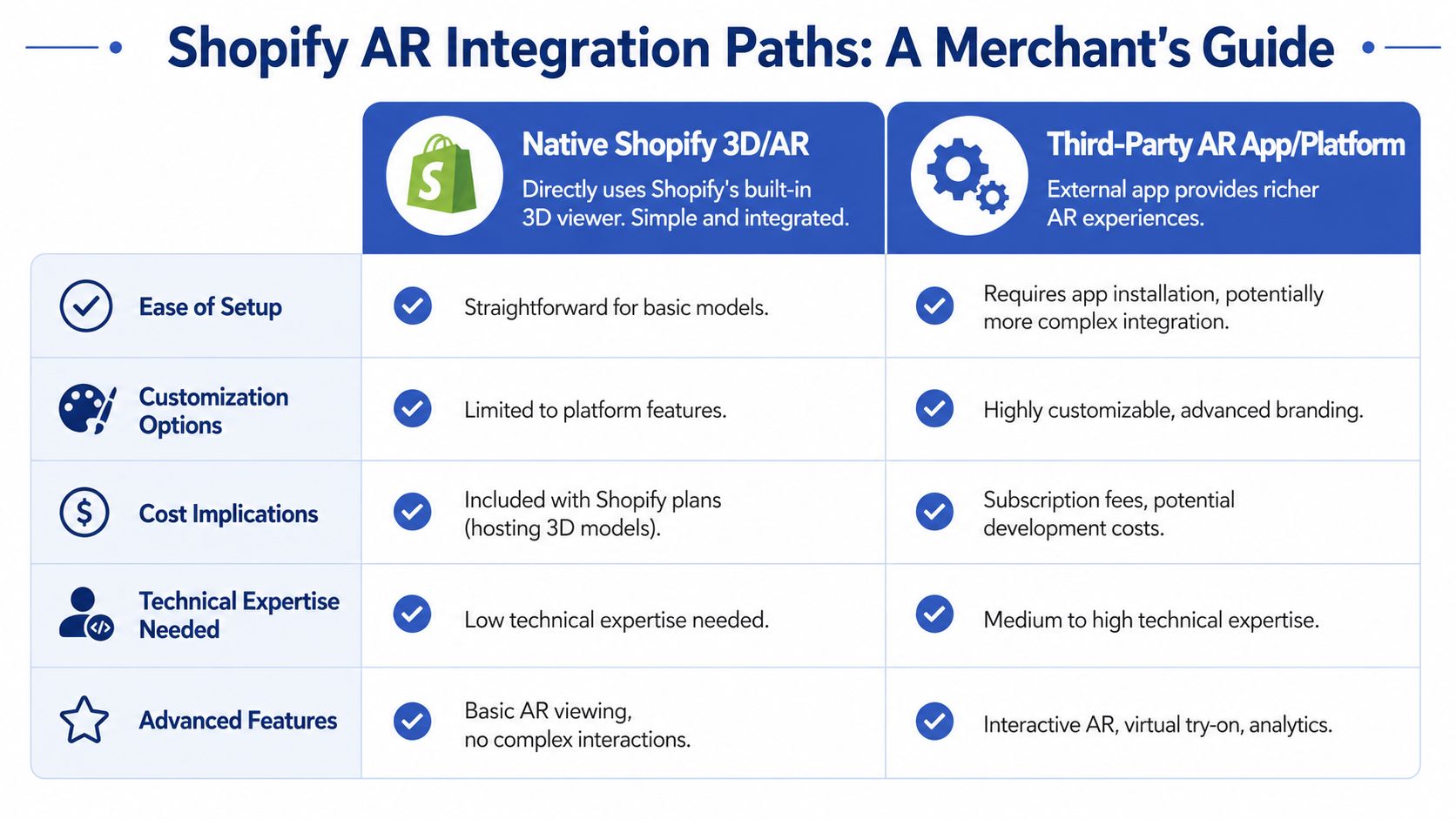
There are two broad ways to add AR to a Shopify store. You can build around Shopify's native 3D and AR support, or you can use a third-party AR app or platform. Neither is universally better. The right choice depends on how much control you need, how fast you need to move, and whether your use case is basic product placement or something more custom.
A useful reality check sits behind this decision. A UK government-commissioned survey found that 15% of UK businesses were already using at least one immersive technology such as AR, VR, or mixed reality in 2020, as summarised in Statista's AR market overview. AR isn't fringe anymore. But that doesn't mean every retailer needs a bespoke build from day one.
Native Shopify works well when the use case is clean
If your main requirement is “show a 3D model on the PDP and let users open it in AR”, Shopify's native route is often the most sensible place to start. It keeps the experience closer to the theme layer, reduces dependencies, and is usually easier to maintain over time.
Native integration tends to suit brands that want:
- Cleaner front-end control within the theme
- Lower long-term dependency on an external vendor
- A simpler customer journey with fewer moving parts
The trade-off is feature depth. Native support is fine for standard model viewing and launch behaviour, but it's not where you go for advanced configurators, richer interaction logic, or specialised analytics layers without additional development.
To evaluate how much custom infrastructure your storefront should carry in general, it can help to compare small business CMS options, especially if you're thinking beyond a single AR feature and looking at long-term platform flexibility.
Here's the embedded demo for a basic integration path in action:
Third-party apps are faster, but they change the ownership model
App-based AR can get you live faster, especially if the vendor handles hosting, rendering logic, and media management. That speed is attractive when you want to test demand before committing to deeper theme work.
But apps always introduce trade-offs:
| Path | Best when | Main downside |
|---|---|---|
| Native Shopify | You want a lean, integrated build | Fewer advanced AR features out of the box |
| Third-party app | You want speed and richer specialist capability | Ongoing subscription cost and platform dependency |
The less obvious issue is control. Some apps insert scripts and UI layers that don't align with your theme standards, CRO patterns, or performance goals. Others own too much of the analytics layer, which makes testing harder than it should be.
How I'd decide on a client project
For a focused pilot on a shortlist of products, I'd usually ask three questions:
- Do you need AR only, or AR plus richer interactivity?
- Who will maintain the asset and merchandising workflow after launch?
- Do you want to test quickly, or build something you'll fully own?
If the answer is “simple AR, controlled UX, long-term maintainability”, native is usually the stronger path. If the answer is “we need to move quickly and want vendor support around asset operations”, an app can be the right stepping stone.
For teams considering a more customized route later, this overview of Shopify public app development is a useful reference point for understanding where custom app architecture starts to make sense.
Optimising AR for Performance SEO and Conversions
A product page can gain credibility from AR, or lose it in seconds. I've seen both. If the model is slow to open, the button competes with core buying actions, or the experience breaks on mobile, AR stops being a conversion aid and turns into friction.
The job here is simple. Keep the product page fast, make the AR entry point clear, and measure whether it helps people buy with more confidence.
Performance comes first
AR should load on the customer's terms, not on initial page render. For most Shopify builds, that means the PDP loads its core media, pricing, variant logic, and add-to-cart path first. The heavier 3D viewer, model files, and supporting scripts should wait until the shopper interacts.
That usually leads to a few practical implementation decisions:
- Lazy load the AR viewer: Don't pull heavy assets into the first render if the shopper never opens AR.
- Keep third-party scripts under control: Some AR vendors add more JavaScript than the feature justifies.
- Optimise media order: AR belongs near the gallery, but it should not bury your best product imagery.
- Test on mobile hardware: Desktop previews hide the performance problems your customers feel.
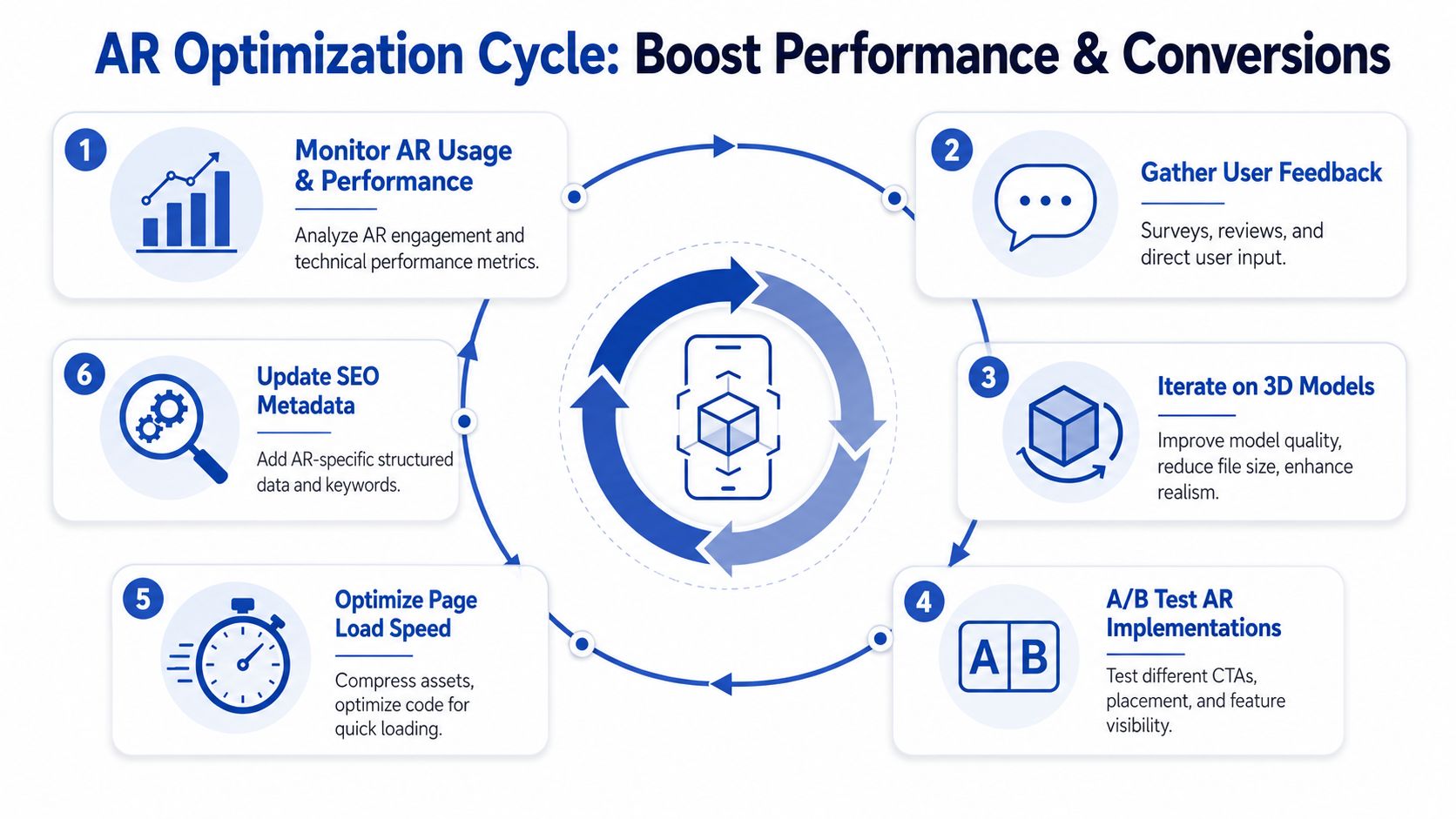
Teams often get the trade-off wrong. They spend heavily on model production, then ship those assets into an already bloated theme. The result is predictable. Slower PDPs, weaker Core Web Vitals, and an AR feature that gets blamed for conversion drops it did not cause on its own. If your templates are already heavy, fix that first. This guide to Shopify performance optimization covers the same discipline you need here: reduce unnecessary script weight, protect the buying journey, and treat every added asset as a cost.
AR should support the buying decision
AR gets attention, but attention is not the KPI. The key question is whether it reduces hesitation at the point of purchase.
That changes how the feature should be merchandised. “View in your room” often performs better than generic AR labels because it sets a clear expectation. Placement matters too. If the trigger sits too far below the gallery or blends into secondary actions, usage drops. If it dominates the page before the shopper understands the product, it can distract from higher-intent actions.
I usually look at AR as a decision aid for products where scale, fit, placement, or proportion affect purchase confidence. Furniture is the obvious case, but the same logic applies to decor, fitness equipment, lighting, and any item where the customer asks, “Will this work in my space?”
Measure AR separately from overall conversion
Storewide conversion rate will not tell you whether AR is helping. You need event-level reporting tied to product and device context.
The most useful signals are usually:
- AR activation rate: How many PDP visitors open the feature
- Qualified usage: Whether people spend enough time in AR to suggest real evaluation, not accidental taps
- Post-AR buying behaviour: Add-to-cart rate, checkout starts, and purchases after AR interaction
- Failure and exit points: Devices, browsers, or steps where the experience stalls
A pattern I watch closely is high launch volume with weak downstream action. That usually points to one of three issues: the asset is not accurate enough to build trust, the UI creates novelty without clarity, or the feature is attracting low-intent clicks from shoppers who were never close to buying.
A/B testing helps, but keep it practical. Test button copy, thumbnail treatment, and placement near the gallery before you start redesigning the whole PDP. Small changes often decide whether AR is used as a shopping tool or ignored as a gimmick.
SEO and returns matter more than the AR demo
AR does not improve search visibility by itself. What affects SEO is the surrounding implementation. If AR pushes down mobile performance, search can suffer. If it keeps shoppers engaged without adding weight to the initial load, it supports a healthier page experience.
The returns angle is often stronger than the top-line conversion story. For products where size, fit in space, or visual proportion drive hesitation, AR can reduce costly “not what I expected” purchases. That does not always mean more orders. Sometimes the better outcome is fewer bad-fit orders and fewer avoidable returns.
That is the commercial test I'd use with a client. If AR helps the right shopper make a better decision, whether that decision is to buy now or rule the product out, it is doing its job.
Deployment Testing and Measuring True ROI
The build isn't finished when the AR button appears on the product page. Launch quality depends on device testing, merchandising discipline, analytics setup, and a realistic view of cost. At this point, the project stops being a design feature and becomes an operational decision.
Test the live buying journey, not just the model
AR QA has to happen in the same conditions your customers use. That means checking the full path from product page to AR launch on different phones, browsers, and connection conditions. You're not just validating whether the model opens. You're checking whether the experience feels trustworthy.
My launch checklist would include:
- Product mapping: The correct model appears on the correct SKU and variant.
- Scale validation: Dimensions in AR match the sellable product.
- Button logic: The AR trigger is visible, legible, and placed close enough to the gallery to get used.
- Fallback behaviour: If a device can't launch AR cleanly, the customer still gets a useful 3D experience.
- Analytics firing: Every AR interaction event lands where your reporting team expects it.
One weak spot I see often is variant handling. A merchant adds AR for one finish, then customers switch colour swatches and unknowingly open the wrong asset. That creates more confusion than no AR at all.
Launch AR on a controlled set of products first. It's easier to catch merchandising and analytics issues on a narrow range than across an entire catalogue.
Timelines and budgets need plain-language expectations
The exact cost depends on catalogue complexity, source material quality, and whether you're using native Shopify or a third-party layer. But the useful way to think about spend is by workstream, not by one lump-sum expectation.
You're paying for some combination of:
| Workstream | What it includes |
|---|---|
| Asset production | 3D modelling, cleanup, materials, variant handling, optimisation |
| Integration | Theme updates, PDP UI, script handling, AR launch behaviour |
| QA and analytics | Device testing, event setup, troubleshooting, reporting |
| Ongoing maintenance | New products, revised models, operating system changes, merchandising updates |
What drives cost up isn't usually “AR” in the abstract. It's catalogue scale, poor source files, and late changes to variants or product data.
The ROI question that matters
The strongest framing for stakeholders isn't “AR is advanced”. It's whether the feature pays back after production, implementation, and maintenance.
That's the key commercial question highlighted in this analysis of AR benefits for product visualization and try-on applications: at what product price point and return rate does AR pay back in the UK after 3D-content production, implementation, and maintenance?
That's the right lens because it forces a proper rollout strategy. Start with products where:
- Returns are painful
- Visual or spatial uncertainty is a known blocker
- Margins can support richer content investment
- The sales team or support inbox already sees recurring fit questions
If a category has low consideration, low return cost, and little benefit from spatial context, AR might not earn its place. That's fine. You don't need universal rollout for the project to work. You need a commercial match between the feature and the problem.
The best AR programmes are selective, measured, and maintained. They don't chase novelty. They remove friction where friction is expensive.
If you're planning augmented reality product visualization on Shopify and want help scoping the asset pipeline, integration path, performance impact, and ROI model before you commit budget, Grumspot can help you map the project properly and build it without turning your product pages into a slow, expensive experiment.
Let's build something together
If you like what you saw, let's jump on a quick call and discuss your project

Related posts
Check out some similar posts.