Unlock Sales with Shopify Performance Optimization
- Shopify performance optimization
- Shopify speed
- CRO
- Shopify agency
- ecommerce performance
Launched
May, 2026

You’re probably looking at a store that feels “mostly fine” until it doesn’t. Pages load well enough in a quiet week, then a campaign goes live, traffic picks up, and suddenly product pages hesitate, carts stall, checkout gets erratic, and conversion slips without one obvious smoking gun.
That’s the nature of Shopify performance optimization in live commerce. Most merchants get told to compress images, remove a few apps, and call it done. Those steps help, but they rarely explain why a UK store starts breaking under sale conditions, especially when tax logic, shipping rules, payment integrations, and promo mechanics all interact at once.
From an agency perspective, performance work isn’t about chasing a prettier Lighthouse score. It’s about protecting revenue. The useful audit isn’t “what’s slow on the homepage today?” It’s “what fails when real customers hit collection filters, update carts, trigger discounts, switch markets, and move through checkout on mobile?” That’s where the expensive problems usually live.
Why Your Shopify Store Speed Matters More Than You Think
A slow store doesn’t just frustrate visitors. It interrupts buying intent at the exact moment you’ve paid to create it. If you’re driving traffic from paid search, Meta, email, affiliates, or seasonal campaigns, every extra delay increases the chance that someone bounces, hesitates, or abandons the cart before they’ve even seen the value of the offer.
The commercial damage often shows up in ordinary behaviour. Shoppers tap size options twice because the page feels unresponsive. They hit add to cart, don’t see feedback, and tap again. They reach shipping and assume the site is broken because rates take too long to appear. None of that looks dramatic in a dashboard, but it chips away at conversion all day.
That’s why Shopify performance optimization has to be treated as an operational discipline, not a cleanup task. Surface fixes matter, but the bigger wins usually come from identifying where your storefront, theme code, apps, and integrations are fighting each other. If you need a broad primer before getting technical, Grumspot’s guide to Shopify site speed optimization is a useful starting point.
Practical rule: Speed work only matters if it improves the buying journey. If a “fix” doesn’t make browsing, carting, or checkout more reliable, it’s noise.
For UK merchants, that reliability question gets sharper during promotions. Cross-border setup, VAT handling, cookie tooling, review widgets, search apps, personalisation scripts, and payment add-ons can all coexist peacefully at normal load, then become unstable when demand rises. A store can look healthy in a basic audit and still underperform when it matters most.
The stores that hold conversion under pressure are usually the ones that were audited like systems, not brochures.
How to Properly Audit Your Shopify Store Performance
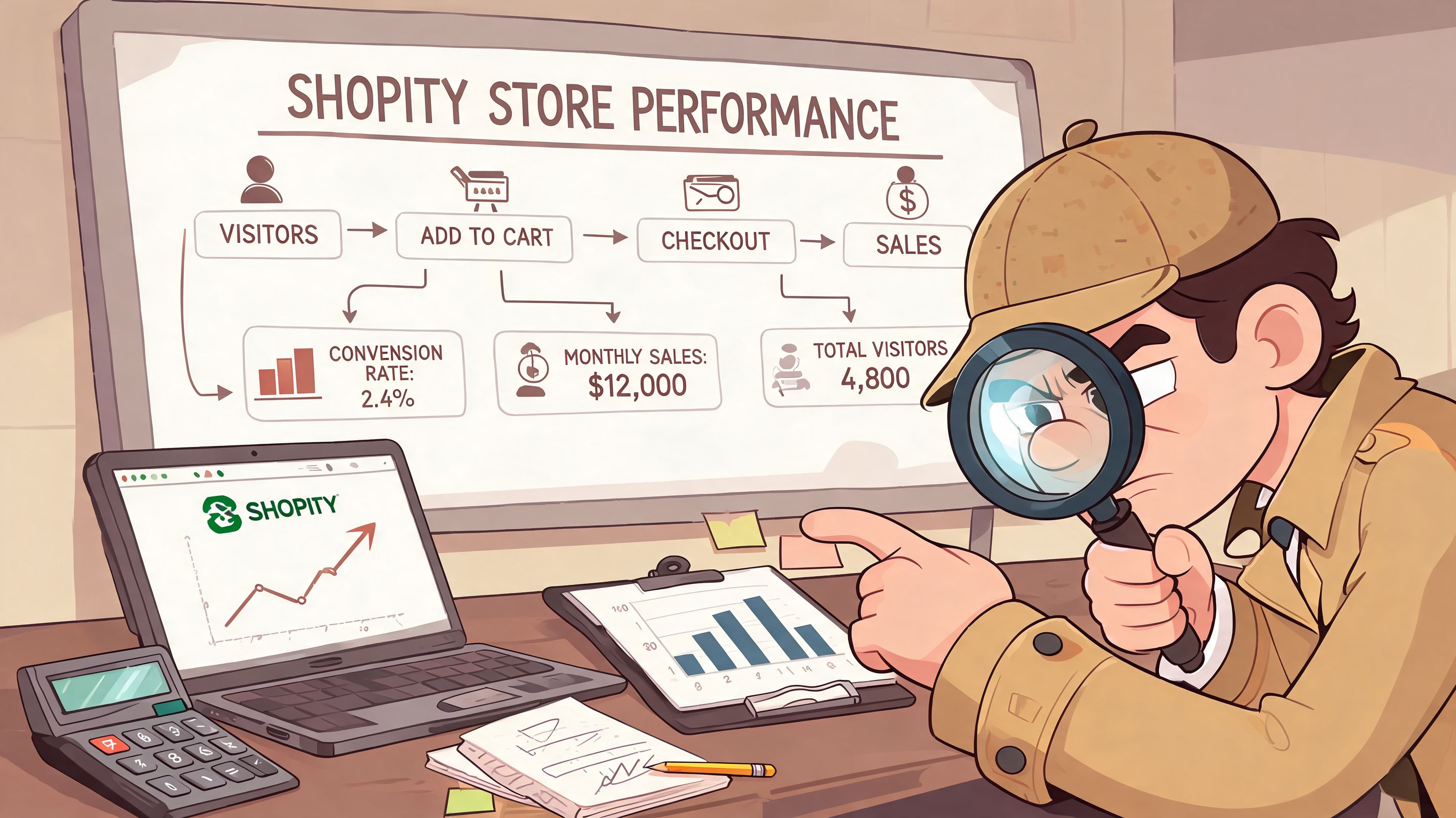
A proper audit starts with restraint. Don’t change five things because one tool gave you a bad score. First establish what users are experiencing, which templates are affected, and whether the issue is constant or tied to device type, traffic source, or specific customer journeys.
Start with the pages that make money
Auditing only the homepage is one of the most common mistakes. In most stores, the homepage is not where performance pain costs the most. Audit these page types first:
- Product pages because they carry the add-to-cart decision.
- Collection pages because filters, swatches, badges, and quick-add features often introduce script weight.
- Cart and drawer cart states because lag here directly affects progression to checkout.
- Search and predictive search because third-party search tools can add noticeable delay.
- Landing pages from campaigns because they often carry extra scripts and media.
Then review them on mobile first. That’s where bloat, delayed interactivity, and layout instability tend to hurt the most.
Know which metrics deserve attention
Core Web Vitals are useful if you interpret them in context.
- LCP points to when the main visible content appears. On Shopify, that’s often a hero image, product media, or a large text block.
- INP reflects how responsive the page feels when users interact with it. This matters more than many merchants realise because stores can “load” visually while still feeling sticky or delayed.
- CLS tracks layout movement. On storefronts, this often comes from banners, popups, font swaps, late-loading widgets, or media without reserved space.
- TTFB is worth watching because a sluggish initial response can make every downstream issue feel worse.
These aren’t vanity metrics when you connect them to customer actions. A bad score only matters because it usually maps to a real moment of friction.
Use three tools, not one
The best audits combine platform-level data, lab testing, and direct browser inspection.
A practical stack looks like this:
- Shopify’s Online Store Speed report for an admin-level overview and trend tracking.
- Google PageSpeed Insights for page-specific lab recommendations.
- Chrome DevTools for in-depth diagnosis, especially the Network and Performance panels.
For teams that need a broader technical review beyond speed alone, this Shopify technical audit checklist helps frame the work properly.
Browser tools tell you what is happening. Store owners need to ask why it’s happening on the templates that matter.
Read the waterfall like a developer
Weak audits often prove insufficient. A score can suggest “reduce unused JavaScript,” but that’s not enough to act on. Open the waterfall and look for sequence and dependency.
Focus on patterns such as:
- Long chains before the first meaningful render that suggest blocking CSS or JavaScript.
- Third-party requests firing early before core storefront assets.
- App scripts loading on every page even when the feature appears on only one template.
- Multiple calls tied to cart, search, currency, consent, or reviews that overlap and delay interactivity.
When I audit stores, I’m usually not looking for one catastrophic file. I’m looking for accumulation. One script for reviews. One for upsells. One for analytics. One for loyalty. One for popups. One for consent. One for localisation. Each seems reasonable in isolation. Together they create a page that looks loaded but behaves poorly.
Build a baseline you can compare against
Before touching theme code or uninstalling apps, document the current state. Capture the same templates on mobile and desktop, note the major scripts present, and record where interactions feel delayed.
A simple baseline should include:
| Audit item | What to record | Why it matters |
|---|---|---|
| Key templates | Homepage, collection, product, cart, search | Problems often vary by template |
| Device view | Mobile and desktop | Mobile issues are frequently worse |
| Script inventory | Theme assets, app scripts, third-party tags | Helps isolate unnecessary load |
| User friction points | Add to cart, variant changes, filter use, cart update | Connects technical issues to lost sales |
Without this, teams end up making changes they can’t prove.
Quick Wins for Immediate Performance Gains
Not every fix requires a sprint through theme architecture. Some changes improve perceived speed quickly and cleanly, especially when the store has obvious asset problems or careless frontend defaults.

Fix the images that are doing real damage
Image advice gets repeated because it’s often valid. It only becomes useless when it’s too generic.
What works:
- Use the right format. Product and content imagery should be served in modern formats where supported, rather than relying on oversized legacy exports.
- Match dimensions to display context. Don’t upload a giant asset for a small product card.
- Reserve space properly. Width, height, or aspect-ratio handling prevents layout shift.
- Lazy load below-the-fold imagery. Keep above-the-fold assets prioritised and defer the rest.
What doesn’t work:
- Re-uploading every image blindly without checking where the actual bottleneck is.
- Lazy loading the main hero or primary product media when that element is the first thing customers need to see.
- Treating decorative lifestyle imagery and core product imagery as if they carry the same priority.
If your team needs a non-technical refresher on the fundamentals, this guide to image optimization for e-commerce is a practical companion to implementation work.
Stop wasting the first screen
The fastest fix on many Shopify stores is reducing what competes for the first viewport.
Look at the top of the page and remove friction you don’t need there:
- Oversized sliders that rotate multiple heavy assets before the user acts.
- Autoplay video that delays meaningful content.
- Stacked announcement bars and popups that crowd the viewport and shift layout.
- Too many custom fonts or font weights loaded before content is usable.
A clean first screen beats a clever one. If the customer can understand the offer, see the product, and act quickly, you’ve already improved perceived performance.
The homepage doesn’t need to impress a design award panel. It needs to help a shopper reach the next click without delay.
Use Shopify’s delivery strengths properly
Shopify already gives merchants a strong asset delivery foundation, but stores often undercut it with poor implementation choices.
A few checks pay off quickly:
- Confirm theme assets are referenced cleanly rather than duplicated through old code fragments.
- Avoid embedding media from inconsistent sources when a native asset approach would be cleaner.
- Review installed apps for inline assets that bypass otherwise tidy loading behaviour.
Most immediate wins are not glamorous. They come from removing duplication, simplifying the first render, and making sure key media isn’t competing with non-essential widgets.
Trim homepage and collection clutter
The next fast gains usually come from merchandising choices, not engineering wizardry.
Try this practical pass:
- Remove homepage sections that don’t earn engagement.
- Reduce badge stacks on collection cards.
- Limit quick-view, hover video, animation, and unnecessary icon systems on listing pages.
- Test whether review stars and trust signals need to render immediately or can load less aggressively.
Those are business decisions as much as technical ones. Performance improves when teams stop treating every page as a dumping ground for every persuasive element they own.
A useful visual walkthrough can help if you’re aligning internal teams on the basics:
Quick wins worth doing this week
Here’s a shortlist I’d prioritise on a typical store audit:
- Rework the hero by simplifying media, reducing competing content, and prioritising the primary asset.
- Audit collection cards because these grids often carry hidden image, badge, and script overhead.
- Check lazy loading behaviour so only below-the-fold assets are deferred.
- Remove duplicate libraries that were left behind by theme edits or retired apps.
- Test cart drawer responsiveness because customers feel this delay immediately.
Quick wins are useful because they buy breathing room. They are not a substitute for deeper investigation when apps, scripts, or logic are creating systemic drag.
Tackling Advanced Bottlenecks Code Apps and Scripts
At this stage, most stores either get faster or stay permanently “kind of slow”. Once basic media work is done, the larger bottlenecks usually sit in theme logic, app payloads, and third-party execution order.
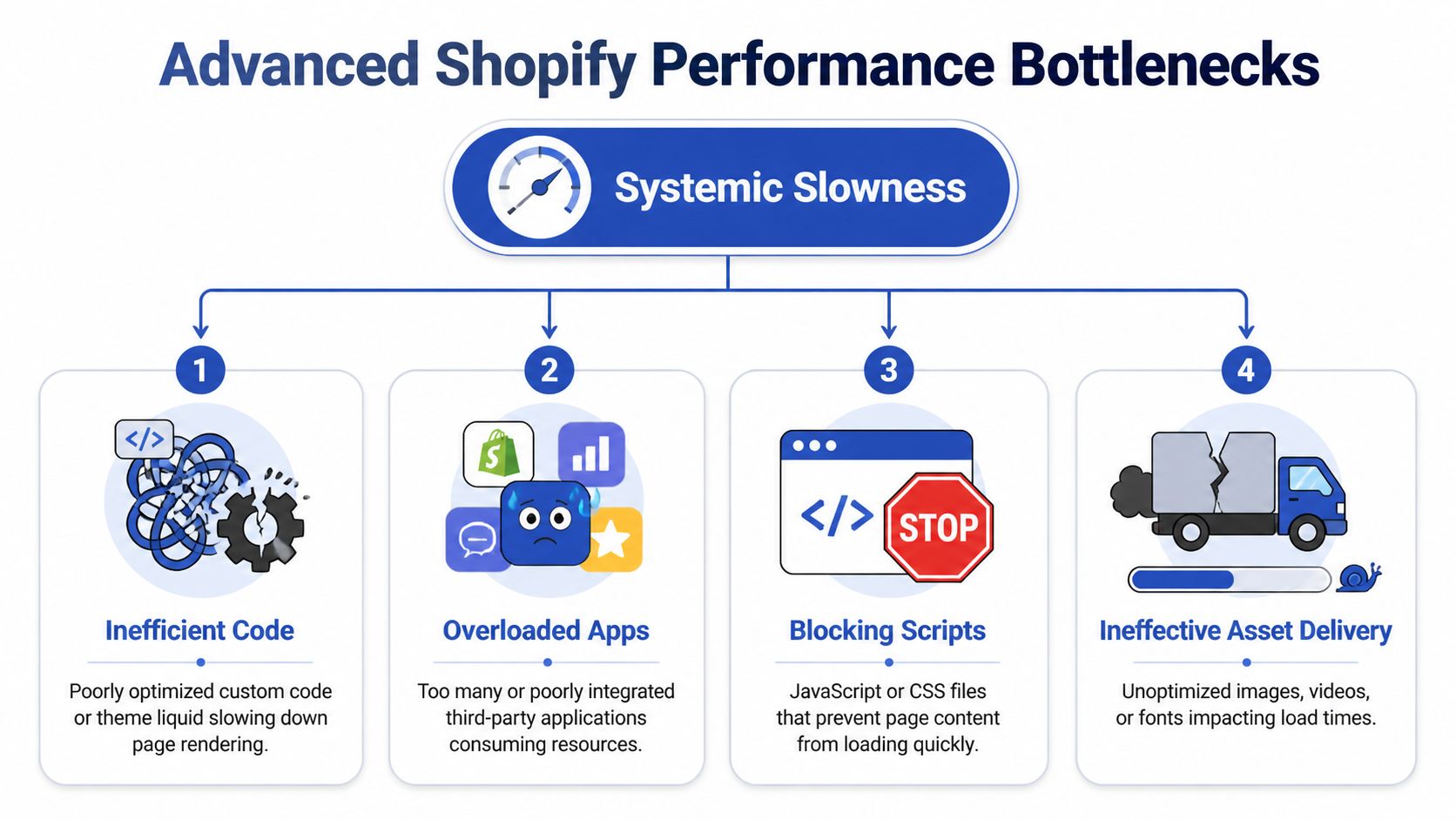
The scale of app and script bloat is not trivial. UK Shopify communities highlight apps adding 50-200KB of JavaScript per page, with an average of 6-10 apps causing a 40% speed loss. IMRG’s 2025 report also notes that 65% of UK Shopify stores exceed 20 JavaScript scripts, pushing mobile LCP above 3 seconds, which lands in Google’s poor tier. The same source notes that UK-specific GDPR and VAT tooling can make this worse on already heavy builds, while Shopify 2.0 native features and custom code can reduce reliance on bloated app stacks, as discussed in this analysis of common Shopify performance issues.
Theme code debt is usually hiding in plain sight
A lot of slowness comes from theme edits that made sense at the time. New section added for a launch. Snippet copied in from an app install guide. Legacy CSS never removed after a redesign. Extra JavaScript bundled into every template because nobody wanted to risk breaking the page.
Common problems include:
- Liquid loops doing too much work on collection and product templates.
- Large global CSS files serving styles for components that rarely appear.
- JavaScript initialising site-wide when the feature exists on one template only.
- Old app snippets left in the theme after uninstall.
This is why “theme is lightweight” is often a myth by the time a store has lived through multiple campaigns, agencies, and internal edits.
App audits need commercial judgement
I don’t recommend deleting apps just because they appear in a waterfall. Some apps earn their weight. Search, subscriptions, loyalty, reviews, personalisation, and international tooling can all justify a cost if they move revenue.
The right question is narrower. Does this app produce enough value to deserve its frontend footprint?
Run the audit like this:
| App type | Typical risk | Better question |
|---|---|---|
| Reviews and UGC | Extra JS on product and collection pages | Does it need to load immediately everywhere? |
| Popups and email capture | Layout shift and delayed interaction | Can targeting be narrowed? |
| Search and filtering | Heavy collection behaviour | Is the UX gain worth the runtime cost? |
| Currency, VAT, localisation | Script duplication and logic overlap | Can native features replace part of this stack? |
When a merchant asks whether custom development is worth it, this is the context. In many cases, purpose-built code or native Shopify capability removes broad app overhead and creates a cleaner path to maintain. For brands comparing packaged themes with more customized builds, examples of custom optimized websites can help frame what a leaner implementation looks like.
Third-party scripts are where stores lose discipline
Marketing stacks grow faster than engineering cleanup. A store launches with analytics, then adds Meta, TikTok, remarketing, heatmaps, A/B testing, live chat, affiliate tracking, influencer widgets, personalisation, and seasonal campaign tags. Each team adds “just one script”.
Then mobile starts feeling sticky.
Use the waterfall to find three things:
- Scripts loading before core storefront assets
- Scripts firing on every page regardless of relevance
- Multiple tools doing overlapping jobs
Asynchronous loading, delayed initialisation for non-critical features, and script consolidation are particularly important. It’s also why governance matters. If nobody owns the script budget, the storefront becomes a shared dumping ground.
If marketing can add scripts in minutes but engineering only audits them twice a year, performance always loses.
UK-specific complexity changes the audit
UK stores often carry extra frontend and logic overhead because compliance and localisation aren’t optional. Consent tooling, VAT display rules, market switching, and cross-border shipping logic all increase the chance of duplication.
Some bottlenecks won’t show up as a simple “large asset” problem. Instead, they appear as interaction lag when a customer changes country, updates basket quantity, or triggers a discount rule that has to reconcile with tax and shipping logic.
In that environment, one option among several is a structured app and code review from a Shopify agency or specialist. For example, Grumspot offers CRO and app audits alongside custom app development and Shopify 2.0 implementations, which can be useful when a merchant needs to replace heavy workarounds with lighter native or custom solutions.
What actually moves the needle
The biggest advanced gains usually come from a small set of hard decisions:
- Remove frontend dependency where possible
- Load features only on templates that use them
- Replace overlapping apps with one clear solution
- Refactor old theme code instead of patching around it
- Treat script loading order as a business concern, not a developer preference
That’s the level where Shopify performance optimization stops being cosmetic and starts improving revenue reliability.
Leveraging Shopify 2.0 and Plus for Peak Performance
A lot of historical Shopify bloat came from merchants trying to force the platform to do things it now handles more cleanly. That’s why platform fit matters. Faster stores are often built by using native capabilities well, not by layering workaround after workaround.
Online Store 2.0 reduces needless app dependence
Online Store 2.0 changed the development conversation for a lot of merchants. JSON templates, sections across more page types, and stronger metafield support mean stores can build richer content and merchandising patterns without bolting on an app for every small requirement.
That matters for performance because native structure is usually easier to control than an external script layer. Merchants can often replace page-builder dependence, custom content hacks, or repetitive app widgets with cleaner theme architecture. If your store is still carrying an older setup, this guide to Shopify 2.0 theme development is worth reviewing before you plan another round of patch fixes.
Shopify Plus changes where custom logic should live
On Plus, the performance conversation moves beyond the storefront. Checkout customisation, discount logic, and advanced commerce rules can either stay efficient or become fragile depending on how they’re implemented.
The key trade-off is simple:
- Older customisation approaches can accumulate logic in ways that are harder to maintain and more likely to cause conflicts.
- Newer native approaches, including Shopify Functions, give merchants a more controlled way to handle business rules with less reliance on brittle script patterns.
For teams running promotions, bundles, B2B pricing, or market-specific checkout logic, that distinction matters. Fast checkout is not just about the page shell. It’s about whether the underlying logic executes predictably under pressure.
Headless can help, but it’s often the wrong first answer
Some merchants assume headless is the fix for every performance complaint. It isn’t.
Headless makes sense when the brand has genuine experience complexity, strong engineering ownership, and a clear reason to decouple the frontend. It does not make sense when the actual issue is a bloated theme, unmanaged scripts, and years of app sprawl. Rebuilding a disorganised store in a new stack just creates a faster route to the same governance problems.
A headless storefront can outperform a traditional theme. It can also become an expensive way to avoid cleaning up fundamentals.
For most merchants, the better path is to stabilise the existing build, reduce app dependence, modernise the theme architecture, and only then assess whether a more custom frontend is justified.
Native first usually wins
When I review feature requests through a performance lens, the order is straightforward:
- Use Shopify native capability if it solves the need.
- Extend the theme cleanly if the requirement is specific but contained.
- Add an app only when the business case is strong and the implementation is well understood.
- Consider heavier architecture changes only when complexity necessitates them.
That sequence is less exciting than a full rebuild pitch, but it usually produces a faster, more maintainable store.
Monitoring Performance and Proving Business Impact
Most stores don’t stay fast by accident. They stay fast because someone owns the standard, reviews changes before launch, and connects technical health to trading performance.
That matters even more in the UK peak period. Standard speed audits often miss the failures that appear under pressure. During Black Friday and similar trading events, UK ecommerce traffic can spike by 150-200%, and hidden issues like checkout script conflicts, payment gateway timeouts, and international tax logic problems emerge. According to the same reporting, Wgentech audits found these failures can cause conversion drops of over 40% in scaling UK stores, which is why load testing with tools such as Loader.io deserves more attention in Shopify workflows, as outlined in this write-up on Shopify peak traffic bottlenecks.
Don’t deploy performance risk straight to production
A surprising amount of revenue loss comes from changes that were never tested in realistic conditions. New app installed. Theme section updated. Tracking script added for a campaign. Shipping app changed for a market expansion. Then the live store becomes the test environment.
A better process is simple:
- Stage major theme and app changes
- Test core journeys on mobile first
- Run through discount, shipping, tax, and market-specific scenarios
- Check cart, drawer cart, and checkout transitions after every release
This doesn’t require enterprise bureaucracy. It requires discipline.
Measure business outcomes, not just technical scores
You should still watch vitals and load behaviour, but the board-level question is whether the store sells more reliably after the work.
Track performance changes against commercial signals such as:
- Conversion trend by template type
- Cart progression
- Bounce behaviour on landing pages
- Search usage and filter engagement
- Revenue stability during campaigns
If a page gets a better score but conversion doesn’t improve, the work may have targeted the wrong friction. If cart response improves and checkout progression rises, that’s meaningful even if the homepage score didn’t become perfect.
Performance proof is strongest when a merchant can say, “Customers completed the journey more reliably after the change.”
Load testing should be standard before peak periods
This is one of the most neglected parts of Shopify performance optimization. Normal-load audits don’t reveal what happens when multiple systems are stressed at once.
For UK stores, especially those using:
- international shipping apps,
- ERP or CRM integrations,
- discount-heavy promotions,
- custom payment flows,
- or market-specific tax logic,
you need to know how the store behaves when concurrency increases. Load testing won’t replicate every production nuance, but it will expose weak points that a homepage speed tool never sees.
Infrastructure teams in broader cloud environments often formalise this with layered observability. If you want a wider framework for thinking about alerts, dependencies, and uptime visibility, this overview of AWS and Azure monitoring strategies is a useful reference.
Quarterly Performance Optimisation Checklist
| Task | Frequency | Tools |
|---|---|---|
| Review Core Web Vitals on key templates | Monthly | Shopify admin reports, PageSpeed Insights |
| Audit installed apps and script inventory | Quarterly | Chrome DevTools, theme code review |
| Test cart, checkout, and market-specific flows | Monthly and before campaigns | Manual QA, staging environment |
| Check for legacy snippets after app removals | Quarterly | Theme editor, code search |
| Run peak-readiness load tests | Before major promotions | Loader.io and controlled test plans |
| Compare technical changes with conversion behaviour | Monthly | Analytics platform, Shopify reporting |
The stores that perform best over time usually treat this checklist as routine operations, not a rescue mission.
If your team is dealing with recurring slowdowns, peak-season instability, or a store that feels heavier after every new app and campaign, Grumspot can help audit the bottlenecks, clean up the theme and script stack, and build a Shopify setup that stays reliable when traffic rises.
Let's build something together
If you like what you saw, let's jump on a quick call and discuss your project

Related posts
Check out some similar posts.

- core web vitals optimization
Master core web vitals optimization with a step-by-step playbook covering LCP, INP, CLS fixes, Shopi...
Read more
- outsource Shopify development
Ready to outsource Shopify development? Our 2026 playbook covers finding partners, vetting, pricing,...
Read more
- Shopify monthly development plan
Learn how a Shopify monthly development plan works to scale your store. Our 2026 guide covers pricin...
Read more
- headless commerce Shopify
Explore headless commerce Shopify for UK brands. This guide covers costs, benefits, SEO, and impleme...
Read more