Incident Response Planning: A Practical Guide for 2026
- incident response planning
- cybersecurity guide
- data breach response
- incident management
- business continuity
Launched
July, 2026
Only 23% of UK businesses have a formal incident response plan, even though 69% say cyber security is a high priority for senior managers, according to the UK Government's recent Cyber Security Breaches survey as cited here. That gap matters more than most owners realise. It means many businesses care about cyber risk in principle, but still rely on memory, improvisation, and whoever happens to be available when something goes wrong.
That's not a cyber problem. It's a business continuity problem.
A workable incident response plan doesn't need to look like an enterprise binder full of jargon. For most organisations, it needs to answer a smaller set of questions clearly. Who decides that an incident is real. Who contains it. Who speaks to staff. Who speaks to customers. Who checks legal duties. Which systems matter most. And what everyone does in the first few hours, when confusion causes more damage than the original event.
The businesses that handle incidents best usually aren't the ones with the most paperwork. They're the ones with a short plan, clear roles, practical playbooks, and enough rehearsal to keep panic from taking over.
Why Your Business Needs a Response Plan Yesterday
If your business stores customer data, depends on email, takes online payments, uses cloud software, or runs day-to-day operations through connected systems, you already need incident response planning. The only open question is whether you'll build the plan before the incident or during it.
Building it during the incident is always slower, more expensive, and more chaotic.
The real risk is hesitation
Most owners assume the hard part of a cyber incident is the technical clean-up. In practice, the first failure is often decision-making. Someone spots unusual behaviour. Nobody is sure whether it's serious. IT begins investigating, an internal process. Leadership hears fragments. Customer support notices login issues. A manager asks whether staff should keep using affected systems. Legal hasn't been told. Communications is still out of the loop.
That kind of delay expands the blast radius.
A response plan fixes this by removing avoidable debates. It gives your team a simple operating model under pressure. Instead of asking, “What do we do now?”, people ask, “Which playbook applies?”
Practical rule: If your first hour depends on memory, you don't have a plan. You have optimism.
Smaller firms often think incident response planning is only for banks, hospitals, or large retailers. That's backwards. Smaller teams need more clarity, not less, because one person often covers several functions. When a lean business gets hit by ransomware, account compromise, or data leakage, there usually isn't spare capacity to improvise.
A plan protects more than systems
A cyber incident quickly spills into operations, reputation, contracts, and compliance. Staff need instructions. Customers need consistent messaging. Leaders need facts they can trust. If the event involves old devices, disposed laptops, or retired servers, even your asset handling process becomes relevant. That's one reason businesses reviewing broader cyber exposure often also look at guidance around secure ITAD for Atlanta companies, because incident readiness starts long before an alert appears.
For ecommerce and customer-data-heavy businesses, response planning also sits alongside privacy work. If your store reaches European customers, your operational playbook should align with your data obligations, not sit in a separate silo. This GDPR compliance checklist for Shopify stores expanding into the EU in 2026 is useful reading for that reason.
What a first plan should do
Your first version doesn't need to solve everything. It needs to do these jobs well:
- Define ownership: Who leads, who supports, who approves.
- Set escalation rules: What makes an issue serious enough to activate the plan.
- Provide first-hour actions: Preserve evidence, contain spread, switch to trusted communications.
- Cover non-technical teams: HR, Legal, PR, customer support, and leadership all need instructions.
- Create a recovery path: Decide how you return to normal without rushing unsafe systems back online.
That's enough to move from panic to process. For a first plan, that's the difference that counts.
Laying the Foundation of Your Response Plan
The strongest plans don't treat incidents as one frantic event. They treat them as a lifecycle. The UK's NHS and UKHSA use a structured model with five distinct phases: situational awareness, alerting, assessment, response, and recovery, which establishes a national benchmark for crisis management, as set out in the NHS England incident response plan.
That framework works well for businesses because it's simple, disciplined, and easy to adapt.
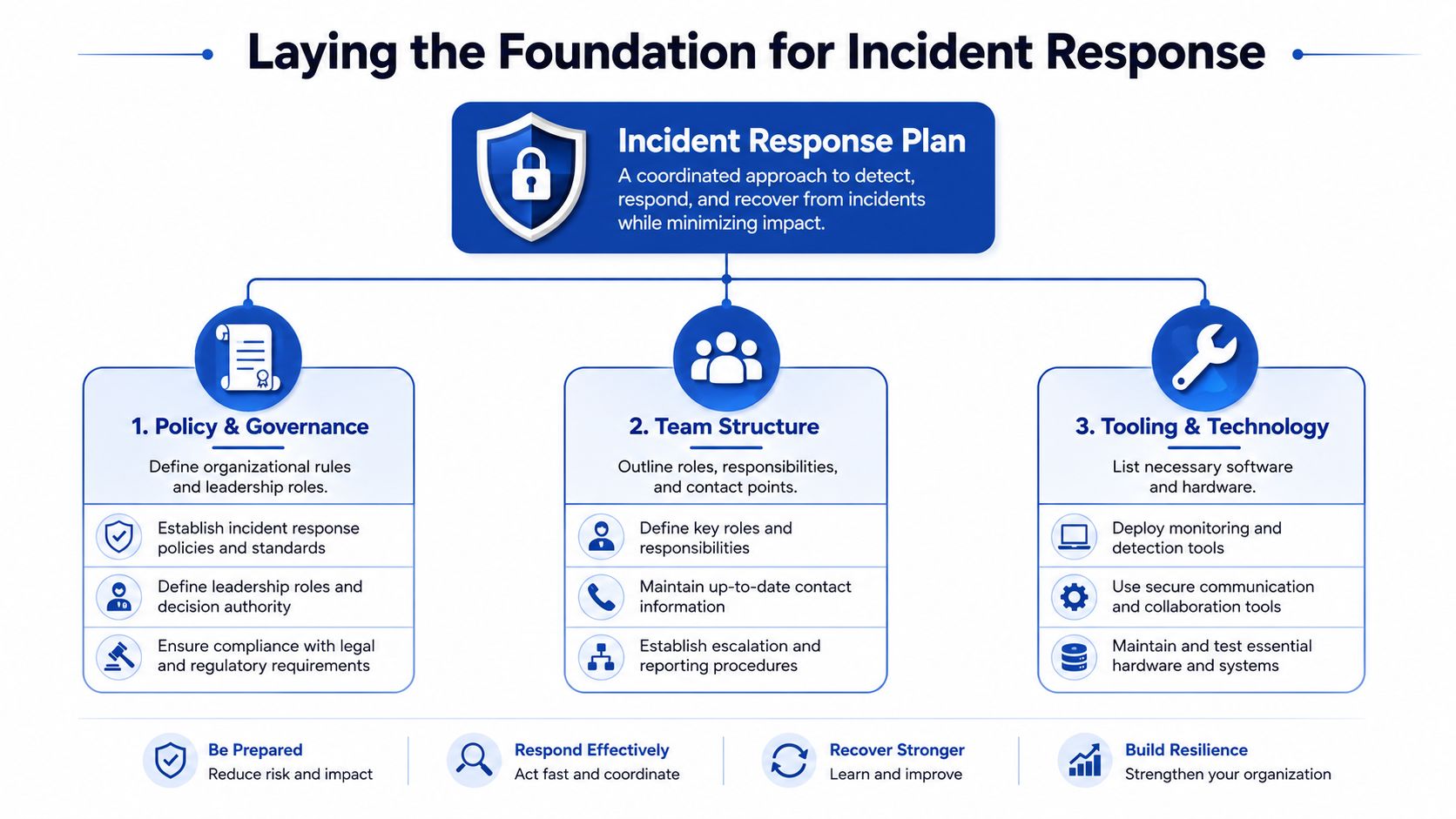
Situational awareness and alerting
Situational awareness means knowing what's happening in your environment before anyone declares a full incident. This includes security alerts, service desk reports, suspicious email activity, failed logins, missing devices, or staff noticing something “off”.
For a small business, that often means pulling together inputs from tools you already use rather than buying a new platform. Microsoft 365 alerts, endpoint protection notifications, firewall logs, cloud admin alerts, and user reports can all feed this phase.
Alerting starts when that information reaches the right people quickly. This sounds obvious, but weak plans fail here all the time. Alerts go to a shared mailbox nobody monitors after hours. A junior technician spots an issue but doesn't know who can authorise containment. A manager gets called but not the person who can disable access.
Keep the alerting layer boring and clear:
- Named contacts: Primary and backup contacts for technical, operational, legal, and executive roles.
- Trusted channels: Mobile numbers and an out-of-band option in case email is affected.
- Activation criteria: Simple statements that tell staff when to escalate immediately.
Assessment and response
Assessment is where your team decides what this event is. Is it a malware infection on one device, a credential compromise, a supplier issue, or something that may involve regulated data? The job here is not perfect certainty. The job is enough confidence to choose the right next action.
A practical assessment should answer:
| Question | Why it matters |
|---|---|
| What happened | Clarifies the incident type |
| What systems or data may be affected | Sets business priority |
| Who needs to know now | Starts coordination early |
| What must stop immediately | Limits further harm |
Response is the action phase. That can include isolating endpoints, disabling accounts, preserving logs, resetting credentials, blocking access, switching services to backups, or instructing staff not to use affected tools.
This is where specialist playbooks matter. If your communications lead has no draft holding statement, or your tech lead has no ransomware checklist, response turns into guesswork.
Good incident response planning reduces decisions under stress. It doesn't eliminate judgement, but it stops teams from reinventing basics in the middle of an incident.
If you need help shaping the communications side before a crisis hits, this guide to learn crisis communications planning is a useful companion resource.
Recovery is not just turning systems back on
Recovery begins once the immediate threat is contained. Many teams rush this phase. They restore access, reconnect systems, or resume normal workflows before they've checked whether the underlying issue is resolved.
A better recovery phase includes:
- Validation: Confirm the threat has been removed or access has been re-secured.
- Business prioritisation: Restore critical services first, not just whichever system is easiest.
- Communication: Tell staff what's available, what's restricted, and what temporary workarounds apply.
- Review: Record what happened while details are still fresh.
A lean plan built on these five phases gives you structure without bureaucracy. It also gives every later element, including roles, playbooks, and comms templates, a place to fit.
Defining Your Incident Response Team and Roles
An incident response plan only works if people know which hat they're wearing. That's true whether you have a formal security team or one office manager, an outsourced IT provider, and a director who ends up approving the hard calls.
The key is to define roles, not job titles. One person may hold two or three roles in a smaller company. That's fine, as long as it's deliberate.
Keep authority clear
Every incident needs one person coordinating the response. Call that person the Incident Commander if you like, or use a plainer label such as Response Lead. The title matters less than the authority. Someone must own priorities, decisions, and updates.
Without that, teams split into parallel conversations. IT tries to contain the issue. Leadership asks for answers in a separate thread. HR hears rumours from staff. Customer support says too much or too little. Good role design prevents that drift.
Sample Incident Response Roles and Responsibilities
| Role | Primary Responsibility | Example Tasks |
|---|---|---|
| Incident Commander | Direct the overall response and make priority calls | Declare the incident, assign owners, approve major actions, brief leadership |
| Technical Lead | Investigate, contain, and coordinate technical recovery | Review alerts, isolate devices, disable accounts, preserve logs, oversee remediation |
| IT Operations Lead | Maintain essential business services during the incident | Switch to fallback systems, manage access changes, support restoration steps |
| Communications Lead | Control internal and external messaging | Draft staff updates, prepare customer notices, manage holding statements |
| Legal or Compliance Lead | Review reporting duties and legal exposure | Assess notification obligations, preserve records, advise on wording and timing |
| HR Lead | Handle employee-related actions | Coordinate internal instructions, support interviews, manage personnel concerns |
| Executive Sponsor | Make business-risk decisions | Approve shutdowns, engage external advisers, align response with business priorities |
| External Partners | Provide specialist support where needed | Forensics, legal counsel, PR support, managed detection and response |
How small businesses should assign these roles
In a compact organisation, the same person may be both Executive Sponsor and Incident Commander, or the outsourced IT partner may act as Technical Lead while an internal operations manager handles coordination. That can work, but only if you document it in advance.
Use a simple worksheet with these fields:
- Primary owner
- Backup owner
- Mobile number
- Out-of-band contact method
- Decision authority
- Unavailable when
That last field is underrated. If your finance director travels often, don't give them a role that becomes a bottleneck.
Common mistake: assigning responsibilities to “the IT team” or “management”. During an incident, people need names, not departments.
Separate action from approval
Another practical rule. Don't make the same person both the one carrying out detailed technical work and the one approving every major business decision if you can avoid it. Those tasks pull attention in different directions.
A useful split looks like this:
- Technical Lead: Focuses on facts, scope, containment, and system status.
- Incident Commander: Prioritises, resolves conflicts, and keeps the response moving.
- Executive Sponsor: Approves business trade-offs when the consequences are material.
This avoids the classic failure mode where the most technical person becomes the default decision-maker for legal, customer, and operational issues outside their remit.
What to write into the plan
At minimum, your team section should include:
- A named roster with backups.
- A contact sheet stored somewhere accessible if normal systems are unavailable.
- An authority map showing who can declare an incident, who can shut down systems, and who can approve customer communications.
- An external support list for your IT provider, cyber insurer, legal counsel, hosting provider, and PR support if relevant.
If those four items are clear, your plan becomes executable rather than aspirational.
Building Your Core Incident Response Playbooks
A plan gives structure. A playbook gives actions.
That distinction matters. If your incident response planning stops at a framework, your team still has to invent the operational steps under pressure. Playbooks close that gap. They tell people what to check, what to preserve, what to shut down, who to notify, and how to verify recovery for a specific incident type.
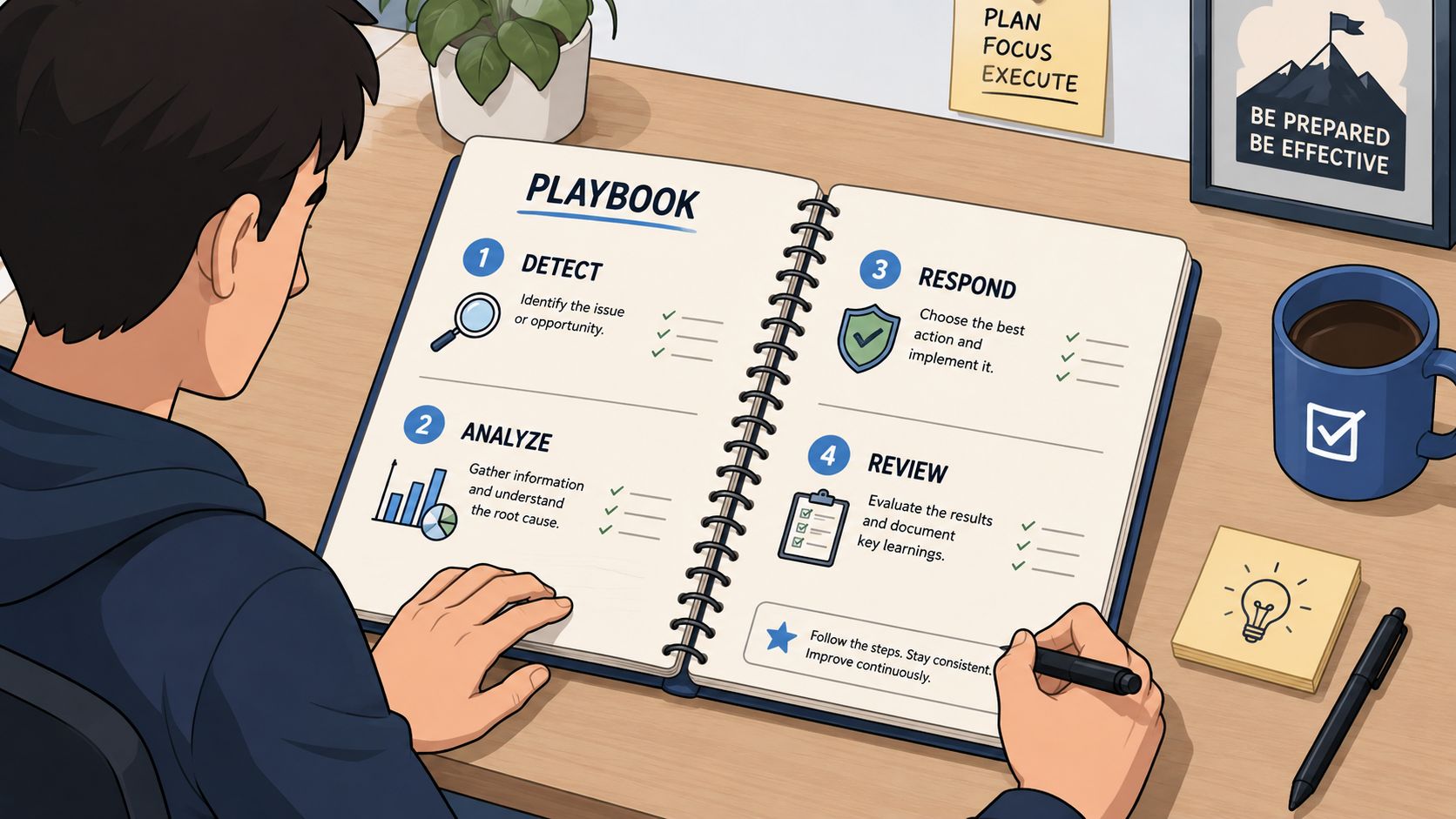
Start with a fill-in template
You don't need ten playbooks on day one. Start with the incidents most likely to hurt your business. For many organisations, that means ransomware and business email compromise.
Use this simple template for each one:
| Playbook section | What to include |
|---|---|
| Trigger | What signs activate this playbook |
| Initial triage | First checks to confirm scope and urgency |
| Containment | Immediate actions to stop spread or misuse |
| Investigation | What evidence to preserve and review |
| Communication | Who must be told, in what order |
| Recovery | Conditions for safe return to service |
| Follow-up | Lessons, control changes, and documentation |
Keep each section short enough to use in real time. A playbook that reads like policy won't help in a live incident.
Example one ransomware
Ransomware is a good starting point because it forces fast decisions and cross-team coordination.
Trigger
The playbook activates when staff report files becoming inaccessible, ransom notes appear, endpoint tools flag encryption behaviour, or critical systems become suddenly unavailable in a way that suggests malicious activity.
Initial triage
The Technical Lead confirms which devices, shares, or servers show signs of impact. The first aim is to distinguish a localised event from a spreading one. The Incident Commander decides whether to declare a major incident based on business criticality, not just technical severity.
Containment
Write these actions in plain language:
- Isolate affected endpoints: Remove them from normal network access without wiping evidence.
- Pause risky access: Temporarily disable compromised accounts or privileged access where needed.
- Protect backups: Confirm backup systems and recovery infrastructure are not exposed through the same credentials or network paths.
- Switch communications if needed: If internal email or chat may be affected, move the response to a pre-agreed channel.
Communication
Ransomware quickly becomes an executive issue. Your playbook should state who briefs leadership, who informs staff not to interact with suspicious messages or affected systems, and who coordinates legal review if data exposure is suspected alongside encryption.
Recovery verification
Recovery is not “files restored”. Recovery means the team has confidence the threat has been contained, affected credentials have been reset where appropriate, restoration sources are trusted, and business owners have approved return to service.
If your ransomware playbook doesn't mention backups, access control, leadership updates, and customer impact, it isn't a business playbook. It's just a technical checklist.
Example two business email compromise
Business email compromise looks less dramatic than ransomware, but it often causes more confusion because the systems still appear to be working.
Trigger
This playbook starts when a user reports a suspicious sent message they didn't author, finance receives unusual payment instructions from an executive account, mailbox rules are altered, or login alerts suggest unauthorised access.
Initial triage
The first questions are practical. Which account is affected. Was multi-factor authentication bypassed or absent. Were any internal or external recipients targeted. Did the attacker create forwarding rules, delete messages, or attempt invoice fraud.
A useful first-hour checklist looks like this:
- Secure the account: Force sign-out, reset credentials, review MFA status, revoke unauthorised sessions.
- Preserve evidence: Save relevant logs, email artefacts, timestamps, and suspicious messages.
- Check for spread: Review whether the attacker targeted shared mailboxes, finance workflows, or additional users.
- Warn internal stakeholders: Finance, leadership, and customer-facing teams may need immediate notice.
- Assess external exposure: Decide whether customers, suppliers, or partners received fraudulent instructions.
Later in the response, this walkthrough can help teams visualise how a practical response should flow:
Communication
Many teams falter. They worry about alarming staff, so they delay. That's a mistake. If a compromised mailbox has been used to send believable messages, the business needs controlled, prompt communication to stop further harm.
A basic internal message can say:
- The organisation is investigating suspicious activity affecting a company email account.
- Staff should not act on unusual payment requests or credential prompts.
- Any suspicious email should be reported through the designated channel.
- Further instructions will follow from the communications lead or IT.
How many playbooks are enough
For a first version, aim for a short set you can maintain. Good candidates include:
- Ransomware
- Business email compromise
- Lost or stolen device
- Data exposure or accidental disclosure
- Third-party supplier incident
That's enough to cover a lot of real-world situations without creating shelfware. Expand only after you've tested the basics.
Managing Communications and Compliance
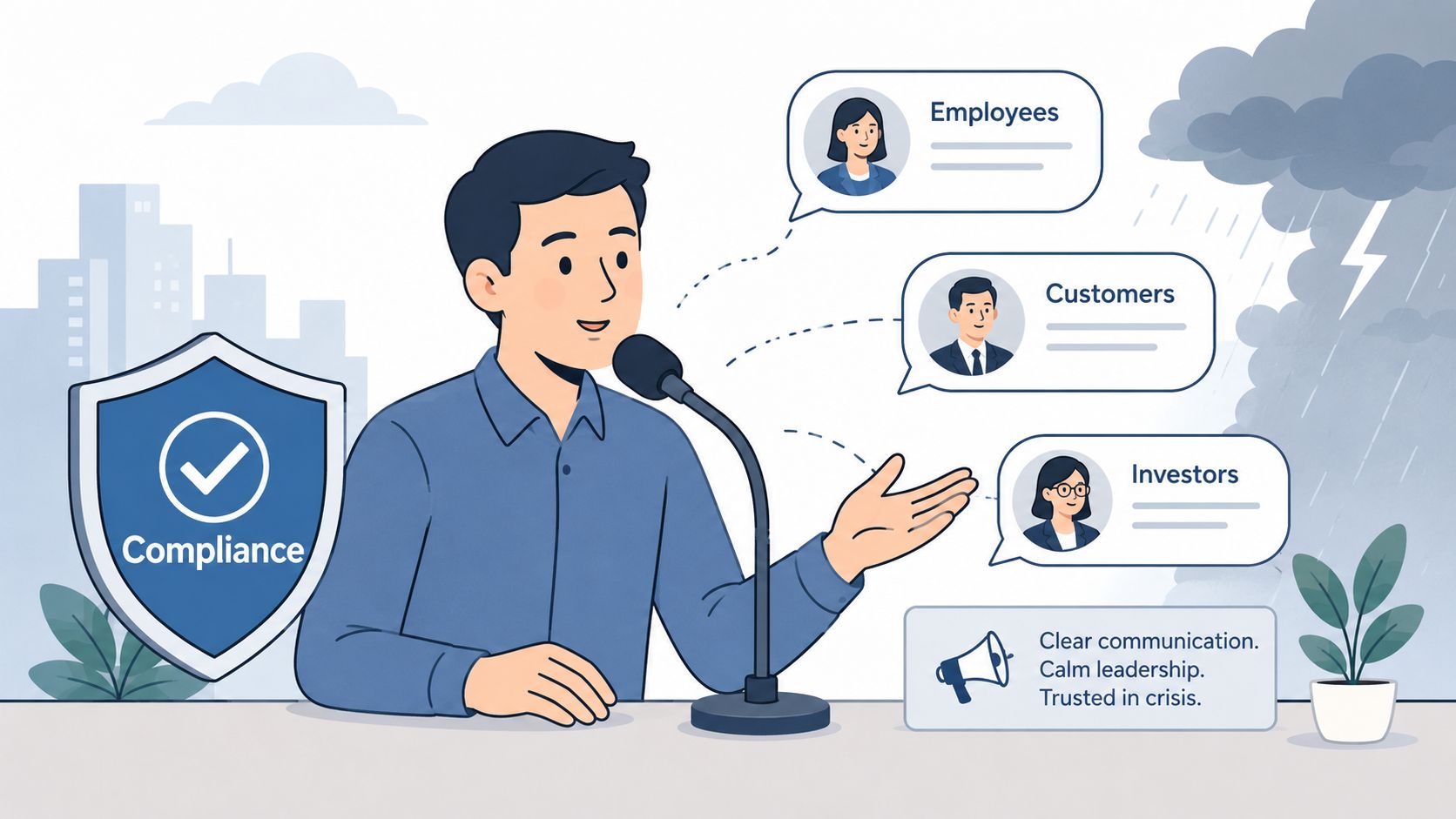
Technical teams often assume the main job is containment. It isn't. Containment matters, but a poorly handled message to staff, customers, regulators, or partners can deepen the damage fast.
UK government guidance specifically notes a gap in incident response planning around practical, non-technical playbooks for coordination with HR, Legal, and PR, leaving many businesses underprepared for the communication and compliance issues that follow a breach, as noted in the Government Cyber Security Policy Handbook.
Why comms belongs in the plan
If legal, HR, and communications only join after the technical team has been working for hours, you get mismatched decisions. Staff might keep using risky systems. Customer support may answer questions with outdated information. Leaders may make public statements before the facts are stable.
Write communications into your plan from the start. That means pre-approved owners, draft templates, and clear review paths.
Three simple templates to reuse
Internal stakeholder update
Use this for leadership, managers, and core responders.
We're investigating a security incident affecting [system or function].
Current status: [known facts only].
Immediate actions taken: [containment steps].
Business impact at present: [service impact or none confirmed].
Required actions for recipients: [pause activity, report issues, await further guidance].
Next update: [time or trigger].
Customer-facing notification
Use this only once facts are reviewed by the appropriate internal owners.
We're investigating an incident affecting [service or account area].
We've taken steps to secure our systems and are working to understand the scope.
If we determine that your information or access is affected, we'll contact you with specific guidance.
In the meantime, please be cautious of unexpected messages claiming to be from our company.
Public holding statement
Use when an incident may become visible before the investigation is complete.
We're aware of a security incident and are investigating urgently.
We've activated our response procedures and are working with relevant internal and external specialists.
We'll provide further updates when we can do so responsibly.
Messaging rule: say what you know, say what you're doing, and don't speculate.
Compliance needs a workflow, not a reminder
Compliance work fails when it exists as a note at the end of the plan. It needs owners, timing, and inputs. Someone must decide whether the incident triggers notification duties. Someone must gather the facts needed to make that judgement. Someone must retain the records.
For businesses operating across jurisdictions, it helps to review wider cyber incident reporting requirements so your plan reflects where you trade, store data, and serve customers.
For payment-heavy businesses, incident handling should also align with cardholder-data obligations. This overview of PCI compliance requirements is useful context when your response has to consider both system security and payment environment controls.
What to document for HR Legal and PR
Don't leave these teams with vague instructions. Give them concrete tasks.
- HR: Staff instructions, insider-risk concerns, interview coordination, disciplinary pathways if policy breaches are involved.
- Legal or Compliance: Breach assessment, record preservation, external counsel engagement, contract review, and notification decisions.
- PR or Communications: Holding statements, media routing, customer message approval, and social response rules.
- Customer Support: Approved scripts, escalation triggers, and a named point of contact for updated guidance.
The technical team may discover the incident, but the organisation resolves it together. Your plan should reflect that reality.
Testing Measuring and Improving Your Plan
A written plan feels like progress. It isn't proof.
One of the main technical pitfalls in incident response is failing to run regular, realistic tabletop exercises, and organisations with plans that aren't updated or tested often lack a proper severity matrix, which leads to weak “first-come, first-served” prioritisation, according to the UK government's Secure Connected Places incident response guidance.
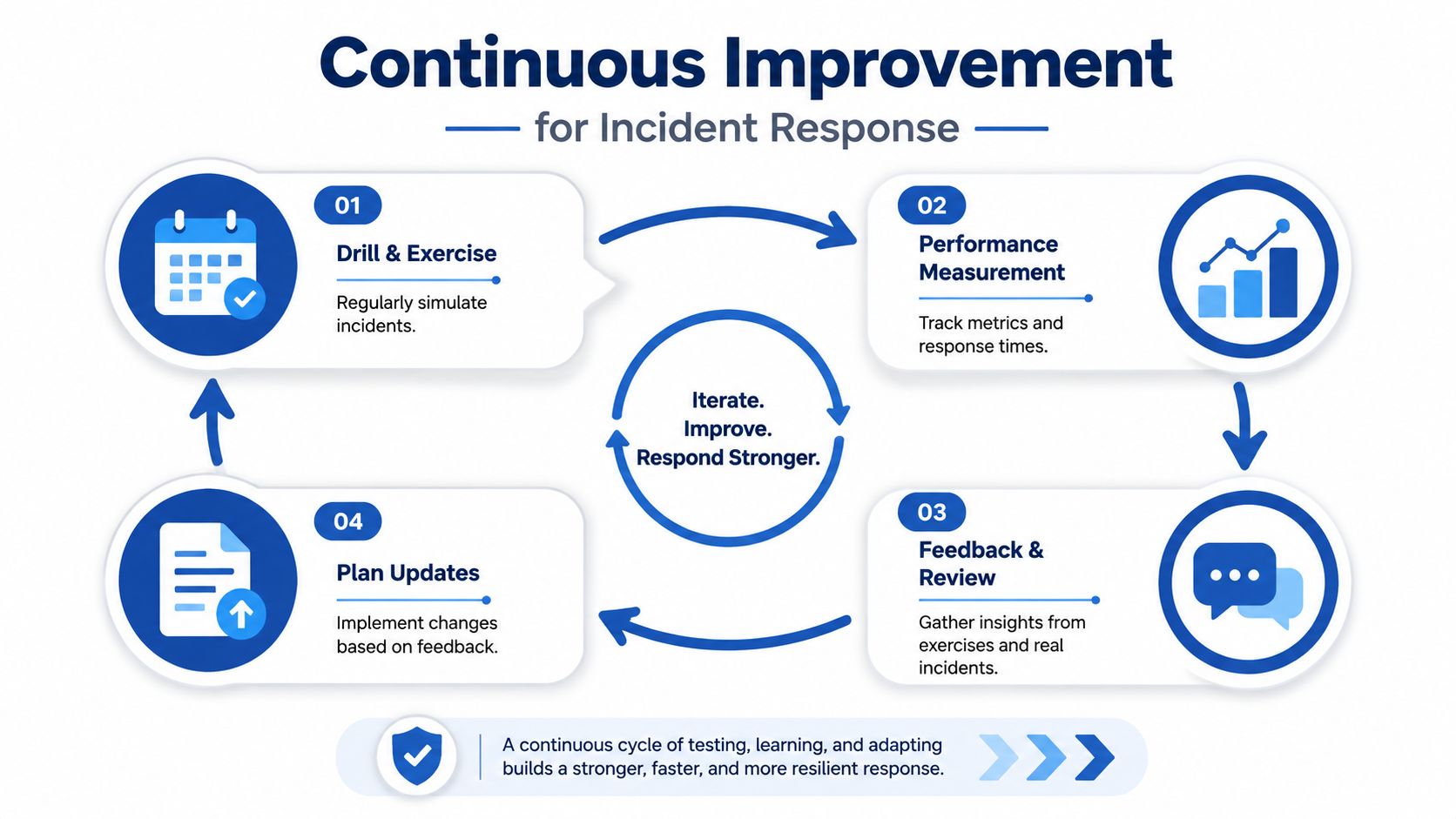
Tabletop exercises show you what the plan missed
A tabletop exercise is a structured discussion. You present a scenario, walk the team through it step by step, and see where confusion appears. You don't need a lab, specialist simulator, or full red-team engagement to get value from this.
A simple exercise can expose serious issues:
- Nobody knows who can declare a formal incident.
- Finance isn't on the call for a business email compromise scenario.
- The backup contact list is out of date.
- Staff would continue using a compromised platform because no one drafted an instruction to stop.
- The team can't prioritise because the plan doesn't define severity clearly.
A sample tabletop scenario
Run this in a meeting room or video call with your core response group.
Scenario prompt
At the start of the business day, several employees report that files on a shared system are inaccessible. One user says a note demanding payment appeared on screen. Around the same time, customer support reports login issues in a key internal platform.
Ask the team:
- Who declares the incident
- Which systems are assumed critical
- What gets contained first
- How staff are told what to stop doing
- When leadership is briefed
- Whether customer communication is needed now or later
- What evidence must be preserved before major changes are made
Don't grade the team on speed. Grade the plan on clarity.
The best tabletop outcome is not “we passed”. It's “we found the gaps while the stakes were low”.
Measure what matters
You don't need an advanced metrics programme to improve. Start by tracking a few operational measures consistently. In many teams, that includes Mean Time to Detect (MTTD) and Mean Time to Resolve (MTTR) because they help show whether visibility and recovery are getting better over time.
Use them carefully. Metrics should support better decisions, not create pressure to close incidents prematurely.
A practical scorecard might include:
| Measure | What it tells you |
|---|---|
| Mean Time to Detect | How quickly issues are noticed |
| Mean Time to Acknowledge | How fast the team starts working the issue |
| Mean Time to Resolve | How long restoration takes |
| Escalation accuracy | Whether incidents were classified at the right level |
| Playbook quality | Whether responders could follow the documented steps |
| Action closure | Whether post-incident fixes were completed |
If your team needs a plain-English way to think about measurement discipline, this guide to statistical significance testing helps explain why trend lines matter more than one dramatic data point.
Set a cadence you can maintain
Most businesses don't fail because they never cared about security. They fail because maintenance work slips.
A realistic routine is better than an ambitious one that dies after a month:
- Quarterly review: Check contact lists, role assignments, and key playbooks.
- Annual tabletop: Run at least one cross-functional exercise with technical and non-technical teams.
- After every real incident: Capture lessons, assign owners, and update the plan while memory is fresh.
- After major business changes: Review the plan when you change systems, providers, leadership, or business model.
Incident response planning is a living process. If the organisation changes, the plan has to change with it.
If your ecommerce team is juggling security, compliance, customer experience, and platform complexity at the same time, Grumspot can help you build a more resilient operation around your Shopify store. From technical audits to scalable storefront architecture, the team focuses on practical execution that keeps growth work and operational discipline moving together.
Let's build something together
If you like what you saw, let's jump on a quick call and discuss your project

Related posts
Check out some similar posts.
- disaster recovery planning
What is disaster recovery planning - Disaster recovery planning keeps your business running after an...
Read more