Hire shopify expert: Grow Your Ecommerce Business
- hire shopify expert
- shopify developer
- ecommerce agency
- shopify plus expert
- shopify seo
Launched
February, 2026

Before you even start looking for a Shopify expert, the most crucial work happens internally. Nailing down your project scope is the bedrock of a successful hire. A vague request like, “I need some help with my Shopify store,” is a recipe for disaster. You’ll get a flood of mismatched applicants, wildly different quotes, and waste a ton of time.
A detailed project brief, on the other hand, acts as your north star. It ensures you attract the right talent, get accurate proposals, and avoid that dreaded scope creep later on. Think of it as the single most important factor in making the partnership work.
Defining Your Project Before You Hire a Shopify Expert
Let's be honest, a simple "help me" post won't cut it. That ambiguity leads to confused experts and quotes that are all over the place, making it impossible to compare apples to apples. You need to translate your big-picture business goals into concrete, actionable tasks.
Imagine you're a film director. You wouldn't just tell your crew to "make a movie." You'd hand them a script, storyboards, and a clear vision. Your project brief is that script.
From Business Goals to Specific Deliverables
Always start with the "why." What's the business problem you're actually trying to solve? Don't just list features you think you need; connect them to the outcome you want. This gives an expert the context to understand the bigger picture and maybe even suggest a better way to get there.
Here are a few real-world examples of how this looks in practice:
Goal: Increase our average order value (AOV).
Deliverables: We need someone to implement a product bundling app, design and code a custom upsell feature on our product pages, and add a tiered "free shipping" progress bar to the cart.
Goal: Improve site performance and the user experience.
Deliverables: We need a full technical SEO and site speed audit. Then, implement image compression and lazy loading, refactor some legacy Liquid code in our theme, and fix three specific UX issues we've identified in our heatmaps.
Goal: Migrate from WooCommerce to Shopify Plus.
Deliverables: We require a full migration of our product catalogue, customer data, and order history. Replicate our current functionality using Shopify-native apps or custom code. Critically, you must set up 301 redirects for all key pages to preserve our SEO rankings.
See the difference? This level of detail shows you've done your homework and allows an expert to give you a far more realistic and accurate proposal.
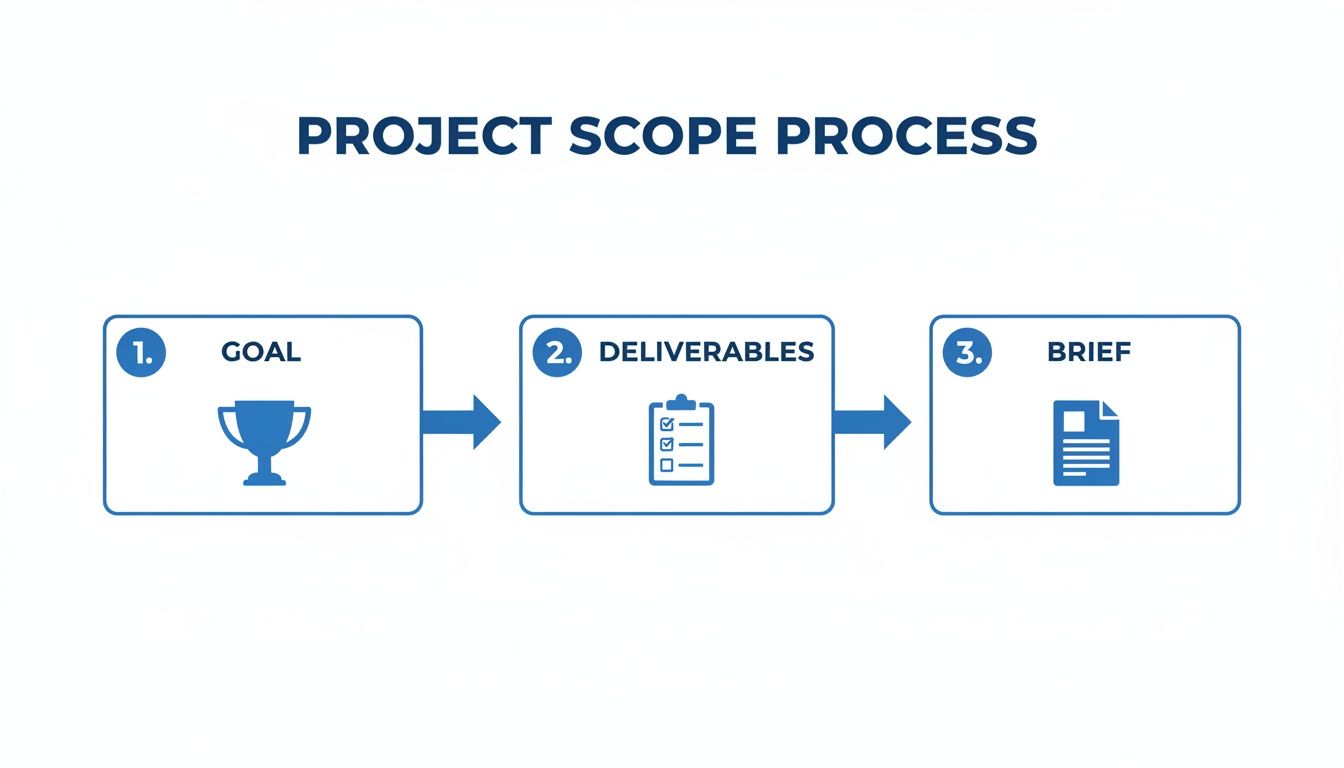
Following this simple flow ensures your project is grounded in real business needs, making it much easier to define and measure success down the line.
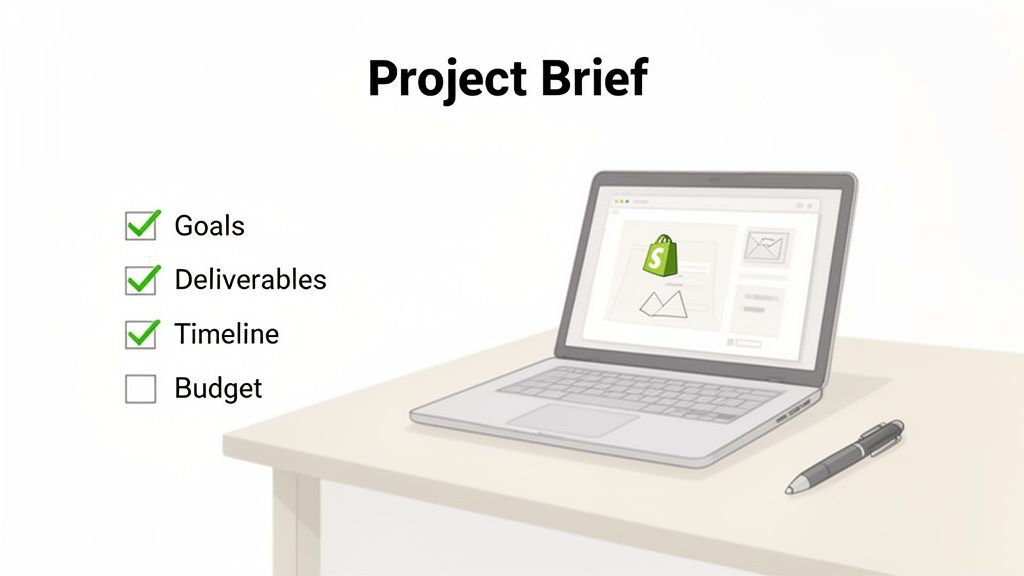
Structuring Your Project Brief
A solid brief is your single source of truth for the entire project. Before you even think about talking to an expert, it’s worth learning how to properly scope a website project to get a clear picture of what's involved.
A detailed brief isn't just for the expert—it's for you. It forces you to clarify your own thinking and define what a "win" looks like before you spend a single pound.
Let’s say a clothing brand wants to add a "shop the look" feature. A good brief would include:
- Project Overview: A quick summary of the goal—to increase AOV and user engagement by letting customers buy multiple items from a single lifestyle image.
- Specific Deliverables: Create a new "Lookbook" page template. Develop a feature where clicking hotspots on an image adds the right products to the cart. This must be fully mobile-responsive.
- Key Performance Indicators (KPIs): We're targeting an increase in AOV by 15% within three months of launch and a 20% increase in pages-per-session for users interacting with the lookbook.
- Budget & Timeline: State your budget range and target launch date. For a better idea of what to expect, check out our guide on the https://grumspot.com/blog/cost-of-ecommerce-website-development.
- Technical Stack: List your current theme (e.g., Impulse), key apps (e.g., Klaviyo, Recharge), and any other tech details that matter.
Doing this prep work transforms the hiring process from a speculative search into a targeted selection. It’s how you find an expert who can deliver exactly what you need, on time and on budget.
Where to Find and Source Top Shopify Talent
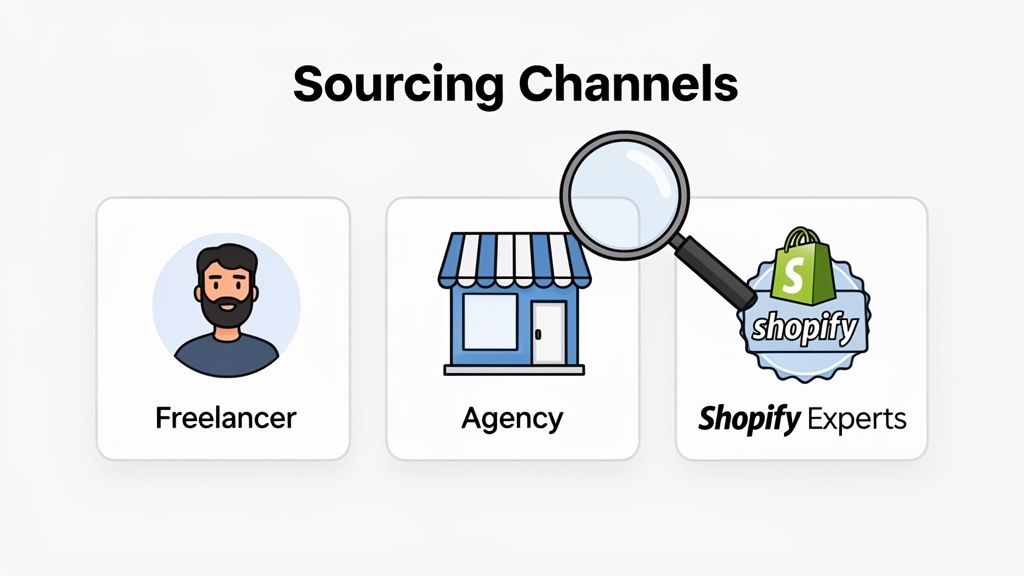
So, you’ve got a crystal-clear project brief ready to go. Now for the hard part: finding the right person or team to make it happen. Knowing where to look is half the battle, and when you decide to hire a Shopify expert, you’ll find most of the talent hangs out in three main places: freelance marketplaces, specialised agencies, and Shopify’s own official directory.
There’s no single "best" place to look. It all comes down to what you need. A nimble freelancer might be perfect for a quick theme fix, but a complex migration to Shopify Plus almost certainly demands the structured support of a full-service agency. The trick is to match the sourcing channel to your project's scale, budget, and complexity.
Freelance Marketplaces like Upwork and Fiverr
For many businesses, platforms like Upwork, Fiverr Pro, or Toptal are the first port of call. They’re teeming with talent at competitive price points, which makes them a great fit for smaller, well-defined tasks. You can find someone for just about anything, from tiny CSS tweaks to setting up a new app.
The biggest draw here is flexibility and value. You can hire for a small, one-off job without locking yourself into a long-term contract. The downside? The sheer volume of applicants can be overwhelming, and properly vetting them takes real effort. You’ll need to meticulously review portfolios, check job success scores, and read every piece of client feedback to separate the pros from the pretenders.
These platforms work best for:
- Small, specific tasks like bug fixes or app configuration.
- Projects with a tight budget and a clear, unchangeable scope.
- Businesses that have the time and experience to manage a freelancer directly.
The Official Shopify Experts Marketplace
If you want a more reliable source of vetted professionals, head straight to Shopify’s own curated directory. To even get listed, experts have to meet Shopify's strict standards for quality, performance, and customer service. That pre-vetting process gives you an immediate layer of confidence.
You can filter experts by service—like store design or marketing—and even by location, which is handy for finding local talent. The UK Shopify scene, for instance, is absolutely booming. There are around 208,000 live stores and over 5,700 on Shopify Plus, making it the second-largest market in the world. This means there’s a deep pool of UK-based experts who really get the nuances of the local market. You can read more about the UK Shopify ecosystem's growth to get a sense of the talent available.
While these experts generally cost more than freelancers on open marketplaces, the quality and reliability are typically much higher. You’re paying for proven skills and a direct stamp of approval from Shopify itself.
The Shopify Experts Marketplace isn't just a list; it's a curated ecosystem of partners who have demonstrated a high level of proficiency and success on the platform. Think of it as your safest bet for finding high-calibre talent.
Specialised Ecommerce Agencies
For big, complex, and business-critical projects, partnering with a specialised ecommerce or Shopify agency is often the smartest move you can make. Agencies bring an entire multidisciplinary team to the table—developers, UX/UI designers, project managers, CRO specialists, and SEO experts—all working in sync.
This integrated approach is non-negotiable for projects like:
- A complete store redesign and build from the ground up.
- A tricky migration from another platform like Magento or BigCommerce.
- Developing a custom application or a complex third-party system integration.
An agency provides strategic oversight that a solo freelancer just can't offer. They help you think through the entire customer journey, not just the technical implementation of one feature. If this sounds like the right path for you, our guide on choosing a Shopify website design agency can help you weigh your options. The investment is significantly higher, but for ambitious brands, the comprehensive support and strategic guidance can deliver a far greater return.
Comparing Sourcing Channels for Shopify Experts
Choosing where to find your expert can feel daunting, but breaking it down helps clarify which path aligns with your specific needs, budget, and project complexity. Each channel offers distinct advantages and comes with its own set of considerations.
| Sourcing Channel | Best For | Typical Cost | Key Advantage | Potential Drawback |
|---|---|---|---|---|
| Freelance Marketplaces | Small, one-off tasks; limited budgets. | £20 - £80 / hour | Huge talent pool, cost-effective, flexible. | Quality is highly variable; requires heavy vetting. |
| Shopify Experts Directory | Medium-sized projects; guaranteed expertise. | £60 - £150+ / hour | Pre-vetted by Shopify, high reliability. | Higher cost, smaller selection than marketplaces. |
| Specialised Agencies | Large, complex projects; ongoing strategy. | £80 - £200+ / hour | Full team, strategic oversight, project management. | Highest cost, less flexible for small tasks. |
Ultimately, the right choice depends on balancing cost, risk, and the level of support your project requires. A simple bug fix doesn't need a full agency, and a major replatforming shouldn't be left to an unvetted freelancer. By matching your project's needs to the right channel, you set yourself up for a much smoother and more successful outcome.
Evaluating Essential Skills and Technical Expertise
Alright, you’ve got a shortlist of potential experts. Now for the hard part: figuring out if they actually have the skills you need.
The title "Shopify expert" gets thrown around a lot. But someone who's a wizard with theme customisations might be completely lost when it comes to a complex API integration. Your job is to peel back the label and match their specific, real-world experience to your project goals.
Don’t just assume they can do it all. I’ve seen projects go completely off the rails because a business hired a great designer for a deep technical job. Mismatched skills are a fast track to blown budgets and missed deadlines.
Core Technical Competencies
First things first, any developer worth their salt needs to have the fundamentals down cold. This isn't just about navigating the Shopify admin; it's about understanding the code that makes a store tick.
Make sure they have a rock-solid grasp of these essentials:
- Shopify Liquid: This is the language of Shopify themes. A true expert needs to be fluent in it to build custom sections, tweak layouts, and hunt down those frustrating little bugs.
- Theme Architecture (OS 2.0): Modern Shopify themes are built on the "Online Store 2.0" framework. It's a game-changer for flexibility, but it’s completely different from older themes. Check that their recent work is on OS 2.0.
- HTML, CSS, and JavaScript: These are the building blocks of the web. Your expert needs to be sharp with all three to implement designs accurately, create engaging user interactions, and ensure everything looks perfect on mobile.
These skills are the baseline for most storefront work. If you're looking for guidance on visuals and user experience, our detailed overview of Shopify store design services is a great place to get more context.
Advanced and Specialised Skillsets
If your project is more ambitious, you'll need to dig deeper for specialised talent. This is where you separate the generalists from the specialists who solve the really tricky, business-critical problems. As you hire a Shopify expert, finding these advanced skills is key to making sure your store can grow with you.
Does your project involve any of the following?
- Custom App Development: If an off-the-shelf app won’t cut it, you need a developer who's built custom apps before. They should be familiar with the Shopify App CLI, Polaris, and backend frameworks like Node.js or Ruby on Rails.
- API Integrations: Need to sync your store with an ERP, a warehouse system (3PL), or a CRM? This requires a developer who really understands Shopify’s APIs (both REST and GraphQL) to make sure data moves between systems without a hitch.
- Headless Commerce: For brands that need ultimate control over performance and user experience, a headless build is the way to go. This involves using Shopify’s Storefront API with a frontend like React or Vue—a very specific and high-demand skill set.
The ability to execute complex integrations is no longer a niche requirement; it's central to scaling an ecommerce business. An expert who can connect Shopify to your wider tech stack is an invaluable asset.
Another fast-growing area is B2B. As of early 2025, it's estimated that over 660,000 Shopify stores are serving B2B customers, which is a massive 65% increase in just a couple of years. This boom means you need experts who know the ins and outs of Shopify's B2B tools for wholesale pricing, company-specific catalogues, and net payment terms. You can find more data on the growth of Shopify stores on Craftberry.
Strategic Expertise Beyond the Code
The absolute best Shopify experts are more than just coders; they're strategic partners. They get that a beautiful site that doesn’t sell is just an expensive hobby. You need to look for someone who thinks about how their technical work directly impacts your bottom line.
Here are three crucial strategic skills to probe for:
- Conversion Rate Optimisation (CRO): Can they show you examples of how their work improved metrics like add-to-cart rate or average order value? A good partner will talk about A/B testing, user experience (UX) principles, and how they use data to make decisions.
- Technical SEO: A great developer builds clean, fast, search-engine-friendly code from the ground up. They should understand things like schema markup, site speed, and how to handle a site migration without destroying your search rankings.
- Internationalisation: If you're selling (or plan to sell) in multiple countries, you need someone who knows their way around Shopify Markets. This means handling multiple currencies, setting up local domains, and managing different shipping rules and content for each region.
In the end, you're hiring for a mix of technical skill and business sense. The right person doesn't just build what you ask for; they understand why you're asking for it and help you get the result you're actually after.
How to Ask the Right Questions in an Interview
You've got your project brief dialled in and a shortlist of candidates who look good on paper. Now for the make-or-break stage: the interview. This is where you separate the genuine problem-solvers from the people who just talk a good game.
The trick is to push past generic questions and get them talking about their actual, hands-on process. Anyone can claim to be an expert; your job is to get them to prove it with real-world examples. Vague, high-level answers are a huge red flag.
Digging into Technical Problem-Solving
This isn't about giving them a pop quiz on Shopify terminology. You want to see how they actually approach and solve technical headaches. It’s all about their methodology—how they diagnose an issue, test a solution, and implement it, especially when the pressure is on.
So, instead of a closed question like, "Do you know Liquid?", frame it as a real-world scenario that forces them to walk you through their thinking.
Let’s try a practical example:
Imagine you told a developer your new theme is missing the "featured blog posts" section that your old theme had on the homepage. How would they handle that?
A solid candidate would lay out a logical troubleshooting process. Something like this:
- "First off, I'd jump into the theme customiser. A lot of modern themes have a pre-built section for this that might just be disabled or needs to be added. That's always the quickest and easiest fix, so I start there."
- "If it’s not an option, I’d explain that this wasn't an oversight but a design decision by the theme creators. Then I’d give you two clear paths forward: we could find a suitable app, or I could build a custom section."
- "For a custom build, I'd create a new Liquid section file. I’d use a
forloop to pull in the latest articles from your chosen blog, make sure it’s styled to match the rest of the site, and double-check it's all perfectly mobile-responsive."
An answer like this is gold. It shows they know their tech (Liquid loops), have a practical workflow (check the easy stuff first), and understand the importance of clear client communication.
Gauging Their Commercial and Strategic Thinking
A truly top-tier expert doesn't just blindly complete tasks. They get the why behind the work. They think like a partner who's invested in your success, not just a hired gun. Your questions need to uncover whether they connect their technical skills to your actual business goals, like boosting revenue or improving the customer journey.
When you hire a Shopify expert, you're looking for someone who sees the entire picture.
Try asking questions that bridge the gap between code and conversions:
- "Can you walk me through a project where your work directly improved a metric like conversion rate or average order value? What exactly did you do, and how did you measure the impact?"
- "Our site speed has taken a nosedive since we installed three new apps. What would be your first three steps to figure out what's wrong and fix it?"
- "We're looking to expand into the German market. From a technical standpoint, what are the key things you'd advise us to consider for our Shopify setup?"
A great answer will go beyond the immediate technical fix and touch on the business logic. For the site speed question, they shouldn't just talk about code. They should mention using diagnostic tools to pinpoint the slow app, asking you about the business case for each one, and suggesting lighter alternatives or custom code if an app is doing more harm than good.
A candidate who starts asking you clarifying questions about your business goals during the interview is a very good sign. It shows they're already thinking strategically about how to deliver real value, not just ticking off tasks on a to-do list.
Spotting the Critical Red Flags
Knowing what to look for is only half the battle. You also need to know which warning signs to listen for. Catching these red flags early can save you from a very expensive and frustrating hiring mistake.
Keep an ear out for these potential issues:
- Vague or Evasive Answers: If you ask for a specific example of their work and they respond with generalities, they might not have the hands-on experience they're claiming.
- A Portfolio with No Measurable Results: A gallery of pretty websites is one thing. But if their portfolio shows zero data—no mention of conversion lifts, speed improvements, or revenue growth—that’s a major concern.
- Reluctance to Provide References: A confident expert with a history of happy clients won't hesitate to connect you with them. Any hesitation here is a sign that something might be off.
- Blaming Clients or the Platform: If their stories are full of complaints about previous clients or they constantly blame Shopify's "limitations", it can point to a difficult personality and an inability to take ownership of challenges.
Navigating Contracts, Pricing, and Onboarding

You’ve found them. The perfect candidate whose skills and experience feel like they were made for your project. But don't pop the champagne just yet. The next steps—sorting out the contract and getting them started—are just as critical as the interview.
A vague contract or a messy onboarding can sour a great relationship before it even has a chance to get going. Let’s make sure that doesn’t happen.
Understanding Common Pricing Models
First things first: how are you going to pay them? When you hire a Shopify expert, you’ll generally come across three main ways to structure the financials. Choosing the right one depends entirely on the nature of your project.
- Project-Based Fees: This is a fixed price for a specific job, like a complete store build or a complex data migration. It’s perfect when you have a super-clear brief and the scope isn't likely to change. The big win here is budget certainty.
- Hourly Rates: Got a list of small fixes or a project that might evolve as you go? Paying by the hour gives you flexibility. You only pay for the time they work, but you’ll need to keep a close eye on hours to avoid costs spiralling.
- Monthly Retainers: For ongoing support—think SEO, conversion rate optimisation, or general site maintenance—a retainer is the way to go. You pay a set fee each month for an agreed number of hours, guaranteeing you’ve got an expert in your corner when you need them.
For one-off projects, a fixed fee is usually the cleanest option. But if you're aiming for a long-term partnership focused on continuous growth, a monthly retainer often delivers the best results.
Crafting a Bulletproof Statement of Work
The Statement of Work (SOW) is arguably the most important document you'll create. It’s the official agreement that spells out exactly what's being delivered, by when, and for how much. A wishy-washy SOW is a fast track to scope creep, arguments, and disappointment.
Your SOW needs to be airtight. It must clearly define:
- Detailed Deliverables: Don't just say "redesign the homepage." Instead, specify "Design and develop a new homepage hero section, a featured collections grid, and an interactive testimonial slider." Be explicit.
- Clear Timelines: Lock in start dates, end dates, and crucial milestones. This creates accountability for everyone involved and keeps the project moving forward.
- Payment Terms: Lay out the payment schedule. Is it 50% upfront and 50% on completion? Milestone-based payments? Or monthly invoicing for retainers?
Getting the financial side of things right is key. For more on this, this guide on invoicing for consultants offers some solid advice on keeping your billing process smooth.
Think of the SOW as the blueprint for your project. A detailed plan prevents misunderstandings and ensures the final result actually matches your vision. It’s your single source of truth.
A Smooth Onboarding Checklist
Contract signed? Great. Now it's time to get your expert set up for success from day one. A proper onboarding means they can start adding value right away, not waste their first week chasing logins.
Here’s a simple checklist to get them started smoothly:
- Grant System Access: First rule: never share your store owner login. Create a new staff account and only grant the permissions they absolutely need (e.g., 'Themes', 'Apps'). Also, give them access to tools like Google Analytics, your project management board, and brand asset folders.
- Share Key Documentation: Hand over your brand style guide, any technical documentation you have, and the original project brief. This context is gold and will help them make much better decisions.
- Introduce Key Stakeholders: Make it clear who their main point of contact is for feedback and approvals. A quick kick-off call with the team is a brilliant way to get everyone aligned from the get-go.
This straightforward approach gives your new Shopify expert everything they need to hit the ground running, turning a great hire into an invaluable partner.
Got a Few More Questions Before You Hire?
It’s completely normal to have a few last-minute questions running through your mind before you commit. Making the right hire is a big deal, so let's tackle the most common queries I hear from merchants.
What’s the Going Rate for a Shopify Expert in the UK?
Pricing can feel all over the map, but it really boils down to the expert’s experience and how you choose to work with them. Here in the UK, the numbers generally shake out like this:
- Freelance Developers: You'll typically find hourly rates between £40-£80. This is a great fit for smaller, clearly defined jobs like bug fixes or minor theme adjustments.
- Senior Experts or Agencies: For more strategic work, expect to see rates from £80-£150+ per hour. You're not just paying for code; you're paying for experience, project management, and a deeper understanding of ecommerce strategy.
- Fixed-Price Projects: A simple theme customisation could be a few thousand pounds. For a full store build or a complex migration from another platform, you’re looking at a range of £10,000 to £50,000+.
- Monthly Retainers: If you need ongoing help with SEO, conversion rate optimisation (CRO), or general maintenance, retainers often start around £2,000 per month and go up from there depending on the work involved.
Ultimately, the cost is a direct reflection of the project's complexity and the value a seasoned expert can bring to your business.
Should I Go with a Freelancer or a Full Shopify Agency?
This is a classic crossroads, and the right path depends entirely on your project's scope and how much heavy lifting your own team can do.
A freelancer is your best bet for specific, one-off tasks. Got a bug that’s driving you mad? Need to get a new app installed and configured properly? That’s prime freelancer territory. They offer great flexibility and are usually more budget-friendly for these smaller, contained jobs.
But if you’re staring down the barrel of a major project, an agency is almost always the smarter choice. Think a complete store redesign, a high-stakes migration to Shopify Plus, or building a custom app from the ground up. An agency brings a whole team to the table—developers, designers, strategists—plus the project management needed to keep everything on track.
Realistically, How Long Does It Take to Build a Custom Shopify Store?
The honest answer? It depends entirely on how complex it is. A well-defined scope from the outset is the key to getting a timeline you can trust.
A fairly straightforward custom store, maybe one that’s heavily customised from a premium theme, could be ready in 4-8 weeks. That usually covers styling everything to match your brand, setting up the core features, and customising the key sections.
For a completely bespoke build—think unique designs, custom-coded functionality, tricky app integrations, or migrating a mountain of data—you should plan for 3 to 6 months, and sometimes even longer. The best thing you can do is ask for a detailed project plan with clear milestones. It keeps everyone on the same page.
A common mistake is rushing the discovery and design phase. Investing more time upfront to perfect the strategy and user experience almost always leads to a faster, smoother development process and a better final product.
What Kind of Access Does a Shopify Expert Actually Need?
Security first, always. You should never, ever share your main store owner login details. It’s a huge security risk.
The proper, secure way to do this is by creating a dedicated staff account for them. Shopify’s system is built for this, allowing you to grant very specific permissions. For most development and design work, an expert will need access to 'Themes', 'Apps', and some parts of 'Settings'. If they’re also helping with marketing or SEO, they might need 'Marketing' and 'Analytics' access, too.
Stick to the principle of least privilege: give them only the permissions they need to do their job, and nothing more. This keeps your store data safe and ensures you always remain in full control.
Ready to stop searching and start growing? At Grumspot, we provide the specialised expertise you need to fix, build, and scale your Shopify store without the agency overhead. Whether you need a full redesign, a complex migration, or an ongoing CRO retainer, our team is ready to deliver. Let's build a better ecommerce experience together.
Let's build something together
If you like what you saw, let's jump on a quick call and discuss your project

Related posts
Check out some similar posts.

- seo and subdomains
Learn how SEO and subdomains interact, from indexing and authority to internationalisation. A practi...
Read more
- technical seo audit
What Is Technical SEO Audit. Learn what a technical SEO audit is, its core components, and how it dr...
Read more
- help center shopify
Learn how to build a help center Shopify merchants trust. Covers native pages vs apps, article struc...
Read more
- shopify seo
Choosing the right SEO app for Shopify means weighing features against speed, scripts, and plan limi...
Read more