Outsource Shopify Development: A 2026 Playbook
- outsource Shopify development
- Shopify agency
- Shopify freelancer
- ecommerce development
- Shopify Plus
Launched
May, 2026
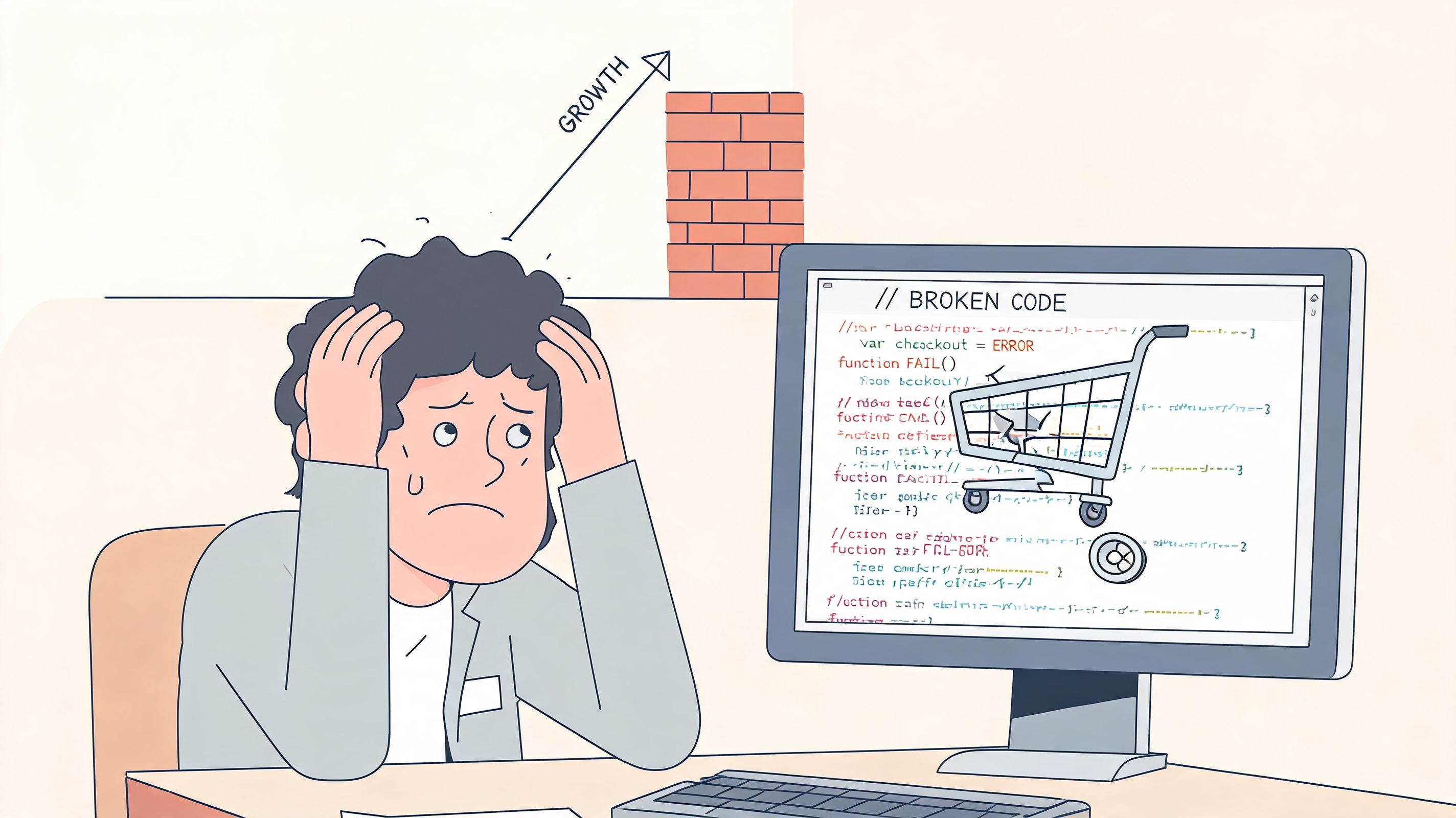
You're usually not looking to outsource Shopify development because everything is calm and under control. You're looking because the store has started to outgrow the setup that got you here.
A theme tweak that used to take an afternoon now touches collection logic, metafields, subscriptions, and a third-party app. The redesign has stalled because nobody internally wants to own the QA. Your marketer wants landing pages faster. Your operations team needs the ERP talking cleanly to Shopify. Black Friday is on the horizon, and the phrase “we'll fix it after launch” no longer feels survivable.
That's the point where outsourcing stops being a staffing question and becomes an execution decision. Done well, it gives you access to specialised Shopify capability without building a full internal team for every migration, integration, redesign, app requirement, or performance issue. Done badly, it creates delays, rework, and the kind of unclear accountability that wrecks launches.
The difference usually isn't talent alone. It's process. A clear brief, the right hiring model, sensible contract terms, disciplined communication, and proper launch governance are what make outsourced Shopify work function effectively.
When to Outsource Your Shopify Development
A lot of merchants wait too long.
They keep patching around technical debt because hiring feels slower than squeezing a bit more from the current setup. Then one project arrives that exposes the ceiling. It might be a Shopify 2.0 rebuild, a migration, a bundle flow, a B2B requirement, a custom app, or a checkout issue that crosses design, Liquid, data, and operations all at once.
In the UK, that decision sits inside a large and highly competitive ecommerce environment. The UK was Europe's largest ecommerce market in 2024, with online retail sales reaching about £127 billion, according to the IMRG Capgemini eRetail Sales Index summary referenced here. That scale helps explain why merchants often outsource builds, migrations, and optimisation work instead of trying to hire for every specialist need in-house.
The signs that outsourcing makes sense
Outsource Shopify development when the constraint is no longer ideas, but implementation.
That usually shows up in a few familiar ways:
- Launches keep slipping: Design is ready, merchandising is ready, but development work sits in a queue because nobody can execute fast enough.
- Your roadmap needs specialist work: Shopify Plus configuration, app development, API integrations, advanced theme architecture, or complex international setups aren't good “learn on the job” tasks during a live trading period.
- Internal teams are doing the wrong work: Marketers end up testing checkout issues, founders chase freelancers for updates, and ecommerce managers become accidental project managers.
- The cost of delay is higher than the cost of outsourcing: A slow migration, a broken promotional mechanic, or unresolved performance issues can hurt trading more than a well-managed external engagement costs.
- You need senior judgment, not just hands: Good Shopify partners don't only build tickets. They spot edge cases, challenge risky requirements, and structure delivery so launch risk stays contained.
What outsourcing is actually for
Merchants often frame outsourcing as a budget move. Sometimes it is. More often, it's about speed, specialist expertise, and focus.
A strong external partner lets your internal team stay close to brand, product, merchandising, and growth while the delivery team handles the technical execution. That matters in UK retail because deadlines are unforgiving. Seasonal campaigns don't wait for hiring cycles.
Outsourcing works best when you already know the business outcome you need, but you don't need permanent payroll for every technical capability required to reach it.
Good reasons and bad reasons
A good reason to outsource is, “We need this store rebuilt properly, with integrations, QA, and launch support.”
A bad reason is, “We want someone cheap to fix everything quickly.”
That second brief usually creates the worst projects. If the scope is unclear, the budget is unrealistic, and nobody on the client side owns decisions, outsourcing won't save the project. It will move the mess to someone else's Jira board.
Choosing Your Partner Agency vs Freelancer
The wrong comparison is “agency expensive, freelancer affordable”.
The right comparison is “which delivery model matches the risk, complexity, and support needs of this project?” A freelancer can be excellent. An agency can be excessive. It depends on what you're asking them to carry.
The simple rule
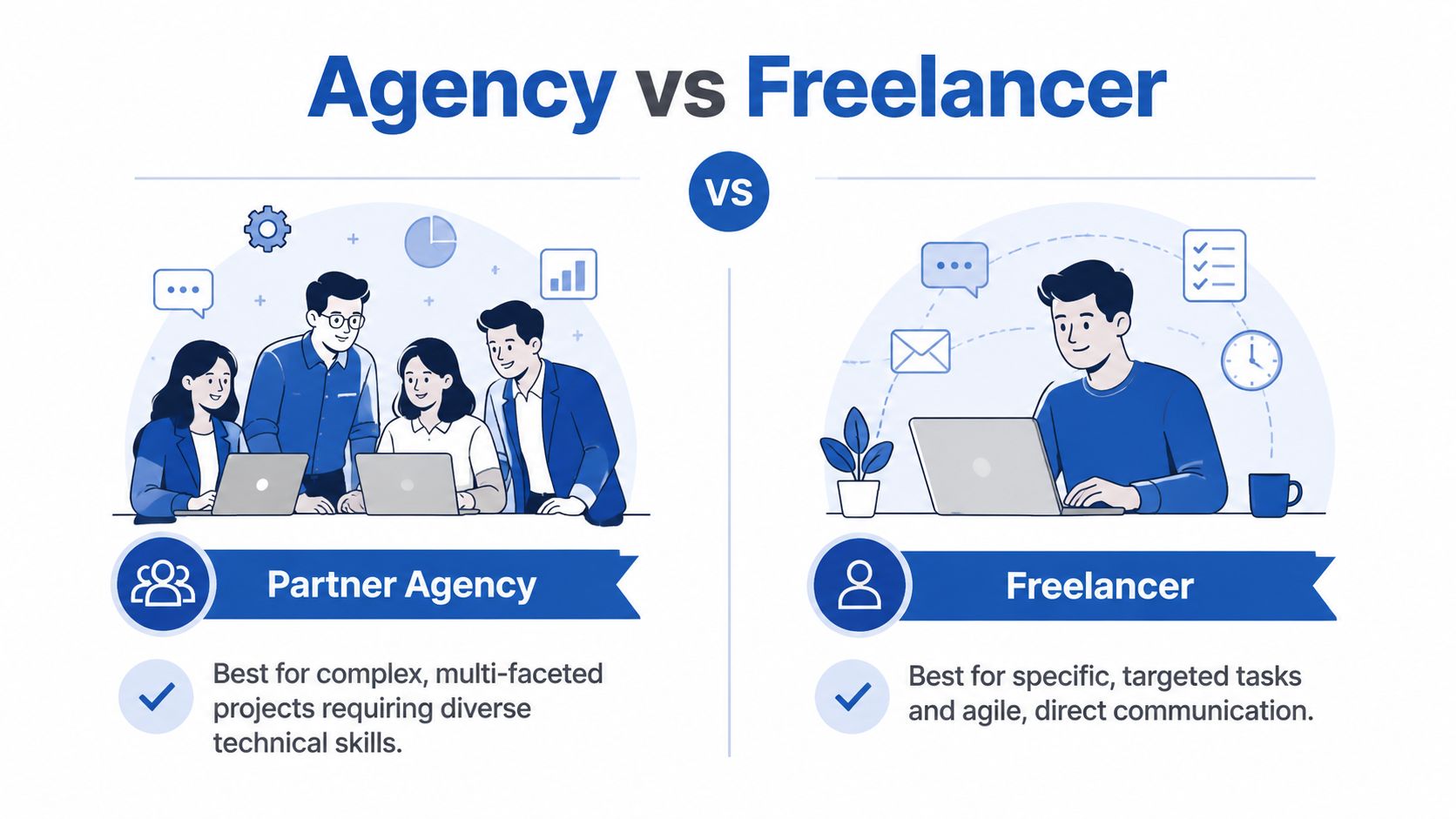
Choose an agency for complex projects and long-term strategy; choose a freelancer for well-defined, smaller tasks.
That rule holds up surprisingly well.
Where agencies usually fit better
Agencies make sense when the project needs multiple disciplines at once. That might mean UX, theme development, app integration, QA, analytics implementation, SEO migration support, and launch coordination. One capable freelancer can cover part of that. Very few can cover all of it without creating operational fragility.
Agency support is usually the safer choice for:
- Replatforming or migrations: These projects involve data, redirects, theme logic, app parity, SEO checks, payment testing, and post-launch support.
- Shopify Plus work: Checkout extensibility, B2B requirements, advanced workflows, and systems integration need more structured delivery.
- Complex integration projects: ERP, CRM, subscription, fulfilment, and returns systems often require technical discovery before build even starts.
- Ongoing optimisation: If you'll need design, dev, QA, and strategic input month after month, an agency model is usually more stable than re-briefing freelancers repeatedly.
A good agency also gives you redundancy. If one developer is away, the project doesn't stop. That matters more than most merchants realise.
Where freelancers often fit better
Freelancers are often the better answer when the task is narrow, the brief is clear, and the consequences of delay are contained.
That could include:
- a small theme section build
- a bug fix in an existing theme
- app configuration support
- minor UX improvements
- short-term overflow work for an internal ecommerce team
In those cases, direct access to one experienced person can be efficient. Communication is shorter. Decision-making is simpler. Overhead is lower.
The catch is that freelancers are easiest to work with when you, the client, are organised. If your brief is fuzzy or the project keeps changing, the speed advantage disappears fast.
Shopify Development Partner Comparison Agency vs Freelancer
| Criterion | Best for Agency | Best for Freelancer |
|---|---|---|
| Project complexity | Multi-layered builds, migrations, systems integration | Narrow tasks with clear boundaries |
| Team coverage | Projects needing design, development, QA, strategy | Single-skill or tightly scoped execution |
| Timeline risk | High-stakes launches where continuity matters | Smaller tasks with flexible deadlines |
| Communication style | Structured updates, multiple stakeholders, reporting | Direct communication with one operator |
| Long-term support | Retainers, CRO, ongoing development roadmaps | Ad hoc implementation support |
| Internal capability | Teams that need outside leadership and process | Teams that can manage the work closely |
| Budget structure | Merchants willing to pay for process and resilience | Merchants prioritising lean execution |
A useful decision filter
Ask three questions before choosing either model:
If this goes wrong, what breaks?
If the answer includes revenue, fulfilment, customer experience, or SEO, lean towards an agency.How many moving parts are there?
More stakeholders, systems, and dependencies usually mean you need a more structured partner.Will this end at launch?
If the relationship is likely to continue into testing, iteration, and growth work, pick the team that can support the whole lifecycle.
For merchants still weighing whether they need specialist support at all, this guide on hiring a Shopify expert helps clarify what level of capability different projects require.
What clients often underestimate
Freelancers fail less often because they lack skill than because the project around them lacks structure. Agencies fail less often because they lack process than because they become too heavy for the problem.
That's why the best choice is usually not about who sounds more impressive. It's about who fits the work.
Defining Your Project and Finding Talent
Most outsourcing problems start before anyone writes a line of code.
They start in the brief. A merchant says they need a “custom Shopify store” when they need a redesign, migration planning, subscription rebuild, search overhaul, and a NetSuite integration. Or they say they want “ongoing support” when what they really mean is a weekly allocation for CRO experiments, bug fixes, landing pages, and campaign implementation.
That ambiguity is expensive. The UK's digital economy has remained under strain from high hiring costs and demand for specialist ecommerce skills, which makes outsourcing attractive for Shopify work. Market listings for outsourcing firms commonly cite hourly rates around $20 to $50, while more complex custom builds can run into the tens of thousands of dollars, as noted in this overview of Shopify development outsourcing companies. If you're paying for external expertise, the brief needs to be good enough to protect both timeline and budget.
What a strong brief includes
Treat your brief like an operating document, not a sales enquiry.
The best briefs answer five things clearly:
- What the business is trying to achieve
- What has to be built or fixed
- What must integrate with Shopify
- What “done” looks like
- How decisions will be made
If one of those is missing, expect confusion during scoping.
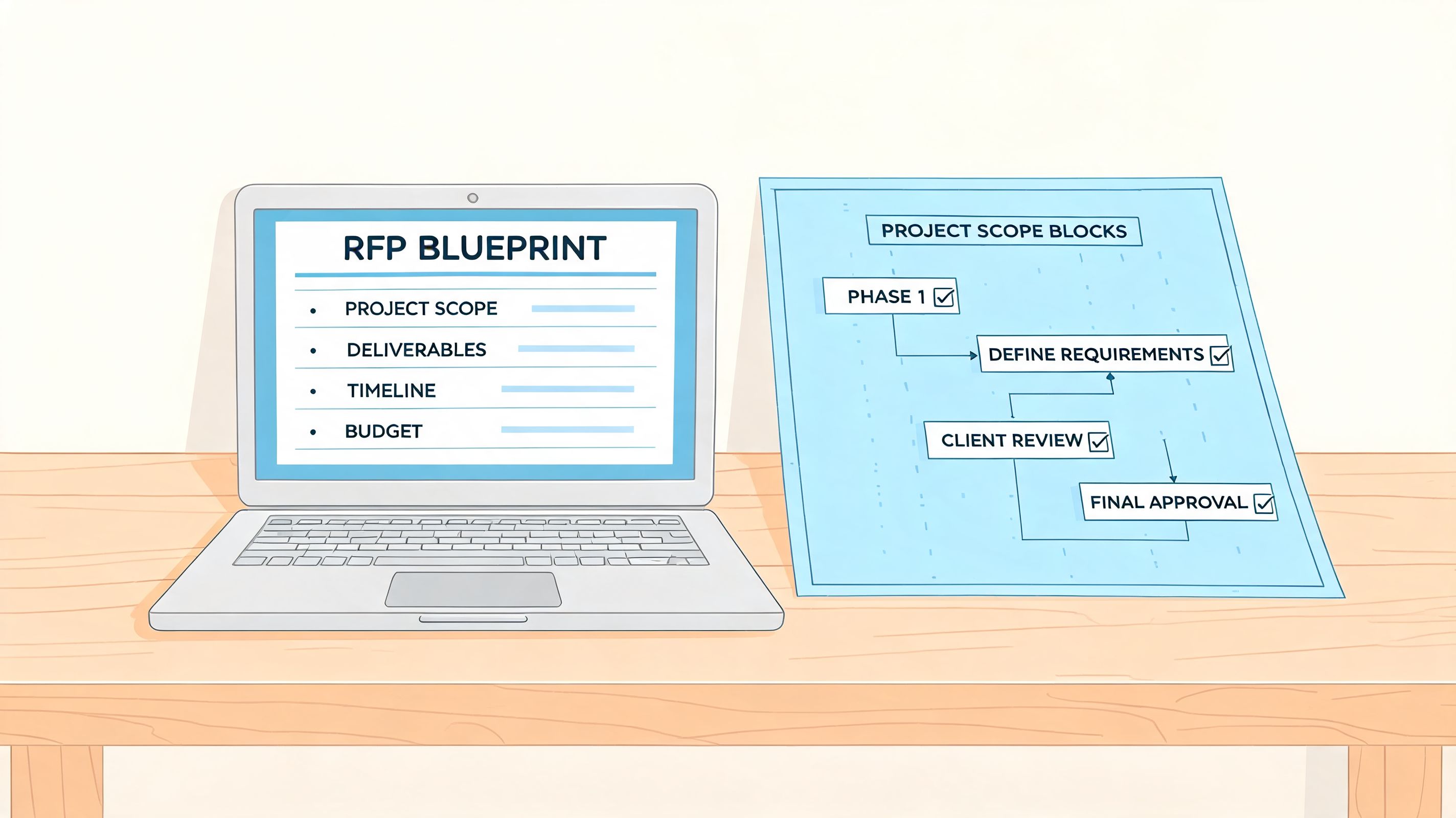
A practical RFP template
You can use this structure as-is.
1. Company context
Write a short summary of the business.
Include:
- Brand and product context: What you sell, to whom, and in which markets.
- Current platform state: Existing Shopify store, another platform, or new build.
- Internal team setup: Who owns ecommerce, design, ops, and approvals.
Example prompt:
We sell ________.
Our current setup is ________.
The people involved in approvals are ________.
2. Business goals
Don't lead with features. Lead with outcomes.
Examples:
- Reduce friction in the mobile buying journey
- Rebuild the store on Shopify 2.0
- Support subscriptions and bundles cleanly
- Improve merchandising flexibility for internal teams
- Integrate Shopify with ERP or CRM workflows
3. Project scope
Break this into categories so suppliers can estimate properly.
| Scope area | What to define |
|---|---|
| Design | Full redesign, partial refresh, or development-only |
| Theme | New theme, rebuild of existing theme, or extension of a purchased theme |
| Content | Who enters products, pages, redirects, blogs, and meta content |
| Apps | Which apps stay, which go, and which workflows they support |
| Integrations | ERP, CRM, subscriptions, search, reviews, returns, loyalty, fulfilment |
| International | Markets, currencies, languages, tax and content differences |
| Launch | Soft launch, phased rollout, or full switch-over |
4. Non-negotiables
By doing this, you save everyone time.
List:
- required integrations
- mandatory launch date windows
- accessibility or brand constraints
- legal or operational restrictions
- systems that can't be interrupted during migration
5. Deliverables
Be explicit. “New site” isn't a deliverable.
Better examples:
- approved UX and UI files
- Shopify theme configured and deployed
- migration of products, collections, and key pages
- tested app stack
- redirect map implemented
- launch support and post-launch bug fixing
- documentation for internal handover
A brief that prevents scope creep
Practical rule: If a supplier can't tell what is in scope, they also can't tell what is out of scope.
That's where projects drift. Every “small change” feels reasonable in isolation, but collectively those changes become an unpaid rebuild or a resentful client-vendor relationship.
Add one final section to your RFP:
6. Change control expectations
Use plain language:
- Any work outside the approved scope must be documented.
- Impact on timeline and cost must be confirmed before work starts.
- Verbal approvals don't count.
That single paragraph prevents a lot of pain.
Where to find credible Shopify talent
Once the brief is solid, distribute it where quality is easier to assess.
Good starting points include:
- The Shopify Experts Marketplace: Useful when you want platform-specific providers.
- Clutch: Helpful for comparing reviews, service focus, and project fit.
- Partner referrals: Often strong when another merchant with similar complexity can recommend a team directly.
- Specialist agencies and consultancies: Better for higher-complexity work where discovery matters.
When reviewing options, don't ask first, “How much do you charge?” Ask, “Have you solved this exact class of problem before?”
That question filters providers faster than any credentials page.
Vetting Candidates and Making the Hire
A polished proposal tells you very little on its own. Most agencies and freelancers know how to write one. Vetting is about finding out how they think when requirements are incomplete, pressure rises, and trade-offs need to be made.

Operational issues usually cause more damage than code quality alone. Common outsourcing pitfalls include reduced control, communication gaps, and quality drift. This summary on the advantages and disadvantages of outsourcing ecommerce site development makes the point plainly: quality control remains the client's responsibility, so governance has to be built into the engagement from the start.
What to inspect in a portfolio
Don't stop at screenshots. Open live stores.
Check for:
- Speed and stability: Does the storefront feel clean and coherent, or overloaded with scripts and app clutter?
- Theme quality: Are collection pages, product templates, filters, and content sections built with modern Shopify patterns?
- Mobile execution: A desktop mock-up can hide weak mobile hierarchy and awkward interactions.
- Integration realism: Ask what systems were involved. A pretty storefront isn't proof of technical depth.
- Merchandising flexibility: Can the merchant team manage content without a developer every week?
If a candidate can't explain their role in a portfolio piece, treat that as a warning.
Interview questions that reveal how they really work
Use questions that force specifics.
Tell me about a Shopify project that changed scope halfway through. What did you do?
You're listening for change control, not bravado.How do you handle QA before launch?
Good answers mention structured testing, not “we test everything”.What access do you need in week one, and what can wait?
Strong operators are careful with permissions and sequencing.How do you decide whether to use an app, custom code, or native Shopify features?
This shows commercial judgment, not just technical skill.What risks do you see in our brief right now?
A serious partner will identify blind spots quickly.Who will do the work day to day? Critical for agencies. Sales teams often sound different from delivery teams.
What would make this project fail?
Mature partners answer this without flinching.How do you document decisions and change requests?
You need a process, not memory.
If you're still narrowing the field, this guide on how to hire a Shopify developer is useful for comparing role types and evaluation criteria.
Red flags that usually predict trouble
These aren't subtle.
- They promise certainty too early: If someone quotes quickly on a messy brief without clarifying questions, they're either guessing or trying to land the deal first and sort reality out later.
- They avoid discussing QA: That usually means QA is informal, rushed, or left to the client.
- They can't explain trade-offs: You want judgment calls, not yes-to-everything energy.
- They rely on one communication channel only: If everything happens in ad hoc messages, accountability fades fast.
- They don't ask about commercial context: Teams that ignore promotion cycles, merchandising dependencies, and acquisition plans often build the wrong thing.
The best partners challenge the brief. The worst ones just agree with it.
A related practical point: if your acquisition strategy depends heavily on Google Ads, landing-page speed, conversion paths, and feed quality often need to align with development decisions. That's why merchants planning store changes alongside paid acquisition should also understand how a paid search marketing agency structures campaign strategy and landing-page performance.
Video walkthrough for evaluating Shopify development partners
Before you make a final decision, it helps to see how other merchants think through the hiring process and partner fit.
Contract clauses worth insisting on
You don't need a massive legal document. You need a clear one.
Include these clauses:
- Intellectual property ownership: Final code, design assets defined in scope, and deliverables transfer to the client upon payment.
- Payment milestones: Tie payments to concrete outputs or project stages, not vague calendar dates alone.
- Scope and change control: New requests need written approval with timeline and cost impact.
- Termination terms: Define notice periods, payment for completed work, and handover obligations.
- Post-launch warranty: Clarify what bug-fixing period is included after go-live.
- Access and security: State how accounts, credentials, and permissions will be handled.
- Documentation handoff: Require core implementation notes, app inventory, and deployment details at close.
A short hiring scorecard
Use a simple weighted view after interviews:
| Area | What good looks like |
|---|---|
| Technical fit | Relevant Shopify experience for your specific scope |
| Communication | Clear answers, sensible cadence, honest risk discussion |
| Process | QA, change control, documentation, escalation paths |
| Commercial judgement | Knows when not to overbuild |
| Team reliability | Named delivery team, continuity, realistic availability |
If two candidates are similarly capable, hire the one who communicates more clearly about risk. That's usually the safer operator.
Managing the Project and Launching Successfully
Once you've chosen a partner, the work shifts from selection to control. Many solid hires still fail at this stage. This happens not because the team lacks capability, but because nobody builds a proper delivery system around them.
Shopify's outsourcing guidance recommends setting clear guidelines and using a strong SLA with ecommerce-specific metrics such as website load times and checkout conversion rates. It also recommends regular video calls, defined points of contact, and tracking performance against pre-agreed targets, as outlined in Shopify's guide to what outsourcing is and how to manage it.
Start with a disciplined kickoff
A kickoff meeting shouldn't be a friendly intro call and a vague promise to “get started”.
It should lock down five things:
Owners
Name one client-side owner and one delivery-side owner. If too many people can approve work, nobody really owns it.Communication rhythm
Decide where daily updates live, where decisions are documented, and when live calls happen.Scope baseline
Confirm what is in phase one, what is deferred, and what would count as a change request.Access plan
Sequence permissions carefully. Shopify admin, theme access, app dashboards, analytics, tag managers, and third-party systems should be granted intentionally, not all at once in a panic.Success criteria
Agree how launch readiness and post-launch performance will be judged.
A practical communication model
You don't need endless meetings. You need predictable ones.
A structure that works well:
- Daily async updates: Short progress notes in Slack, Teams, or your project system.
- Weekly delivery call: Review progress, blockers, upcoming decisions, and open risks.
- Decision log: Record approved scope changes, app selections, content dependencies, and launch decisions.
- Issue escalation rule: If something threatens timeline, QA, or launch quality, it gets raised immediately, not saved for the weekly call.
The worst delivery rhythm is silence followed by reassurance.
Build your SLA around operational reality
A weak SLA says “deliver a new site by launch date”.
A useful SLA includes measures that reflect how an ecommerce store functions.
Track things like:
- Website load times
- Checkout conversion rate
- Uptime and downtime
- Response windows for critical issues
- Bug severity and resolution handling
- Acceptance criteria for templates and user flows
If the only milestone is “site launched”, teams can technically hit the date and still leave you with broken merchandising, fragile checkout behaviour, or unresolved edge cases.
A pre-launch QA checklist you can copy
Experienced teams earn their keep by managing these details. Launches usually fail on the unglamorous details.
Storefront and UX checks
- Navigation: Main menu, footer, breadcrumbs, and collection navigation all work as intended.
- Template coverage: Product, collection, page, article, cart, and search templates are checked across all key variants.
- Responsive behaviour: Test common device widths, not just one mobile size.
- Content integrity: Headings, copy blocks, metafields, imagery, and legal pages are complete and correctly styled.
Merchandising and product checks
- Product options: Variants, swatches, subscription choices, bundles, and upsells behave correctly.
- Collection logic: Automated and manual collections display the expected products.
- Promotional behaviour: Sale labels, discount messaging, free gift logic, and campaign content appear where expected.
- Search and filtering: Facets, sorting, predictive search, and zero-result states are reviewed.
Checkout and order flow checks
- Test orders: Run test orders across core payment and shipping combinations.
- Discounts: Promotional codes, automatic discounts, and exclusions behave correctly.
- Tax and shipping logic: Confirm rate selection and checkout totals where relevant.
- Notifications: Order confirmation and operational notifications trigger correctly.
App and integration checks
- Third-party apps: Reviews, loyalty, subscriptions, search, returns, and analytics tools are tested in the actual theme.
- ERP or CRM syncs: Confirm expected data movement for orders, customers, and fulfilment events.
- Tracking: GA4, ad platform tags, and required events are firing in the intended places.
- Fallback plans: Know how to disable or bypass a failing integration at launch if needed.
Performance and technical checks
- Theme QA: No broken sections, console noise worth fixing, or unreviewed duplicate code.
- Speed checks: Test key templates and high-traffic paths.
- Redirects: Legacy URLs resolve correctly.
- Indexation controls: No accidental noindex rules, password states, or staging artefacts remain.
Run a staged launch if risk is high
Not every store should switch over in one clean motion.
For higher-risk projects, staged launch planning is safer:
- freeze content at an agreed point
- complete final regression testing
- launch during a lower-risk trading window where possible
- assign named people to monitor checkout, order flow, and integrations
- hold a live support window after go-live
This matters especially when the store has lots of apps, custom logic, or connected back-office systems.
Post-launch support should be defined before launch
Merchants often assume support is included. Providers often assume launch marks the end of scope. That mismatch causes tension fast.
Clarify:
- how long the immediate support window lasts
- what counts as a launch bug versus a new request
- how priority issues will be handled
- when reporting shifts from daily to weekly
- which KPIs get reviewed after launch
A clean post-launch routine usually includes an early review of:
- checkout performance
- customer support issues and transcripts
- reported UX friction
- order anomalies
- speed and uptime
- any revenue-affecting defects
What good project management feels like
It doesn't feel dramatic.
You know what is being built. Decisions are documented. Risks surface early. QA is visible. Nobody needs to guess whether the site is ready. That calm is usually the result of tight operating discipline, not luck.
Building a Long-Term Development Partnership
The best outsourcing relationships don't end at launch. They mature after launch.
That's because the true commercial value rarely comes from the initial build alone. It comes from what happens once the new foundation is live and the team can start improving merchandising, speed, user journeys, international experiences, and conversion friction without rebuilding the relationship every time.
Move from project mode to operating rhythm
A one-off project works when the need is isolated. Most established merchants aren't dealing with isolated needs. They're dealing with a constant stream of them.
New campaigns need landing pages. Product launches need template support. Ops wants a workflow adjusted. Marketing wants experiments shipped. Customer support highlights friction that should be fixed in the theme. A monthly development model is often a better fit than repeated one-off scopes.
For merchants considering that shift, this overview of a Shopify monthly development plan shows what ongoing support can look like when work is prioritised continuously rather than procured from scratch each time.
What a healthy long-term partner actually does
A useful partner doesn't just wait for tickets.
They help you:
- prioritise the roadmap
- keep technical debt under control
- review app sprawl before it becomes a performance problem
- ship UX improvements in smaller, safer iterations
- support marketing and merchandising teams during live trading periods
- maintain QA discipline as the store evolves
That's where outsourced Shopify support becomes more than outsourced labour. It becomes an extension of ecommerce operations.
One example in this space is Grumspot, which offers Shopify design, development, migrations, audits, app work, and ongoing monthly support for merchants that need delivery capacity without building a full in-house team.
The partnership test
Ask yourself this after the first engagement:
- Do they surface risks early?
- Do they understand the commercial context behind requests?
- Do they document properly?
- Do they make your internal team faster, or more dependent and confused?
- Would you trust them during a peak trading period?
If the answer is yes, you probably don't need to restart the vendor search every time a new Shopify need appears.
Strong outsourcing frees the merchant to focus on brand, product, growth, and customer experience while experienced specialists handle execution.
That's the point of the whole exercise. Not to hand off responsibility, but to put the right people on the right work.
If you need a Shopify partner for a rebuild, migration, custom app, or ongoing development support, Grumspot is one option to consider. They work on bespoke storefronts, Shopify 2.0 upgrades, integrations, and monthly support models for merchants that want structured execution and clear communication.
Let's build something together
If you like what you saw, let's jump on a quick call and discuss your project

Related posts
Check out some similar posts.

- ecommerce site search
Discover how ecommerce site search boosts conversion, UX, and SEO. Learn core features, implementati...
Read more
- Shopify Store Launch Checklist
Use this Shopify store launch checklist to cover design, payments, shipping, SEO, analytics, complia...
Read more
- shopify website examples
Explore 7 Shopify website examples and learn the UX, conversion features, and practical lessons merc...
Read more
- cro best practices
Apply cro best practices to Shopify stores with 10 actionable tactics for testing, product pages, ch...
Read more