Headless Commerce Shopify: A 2026 UK Merchant's Guide
- headless commerce Shopify
- Shopify Plus
- Shopify Hydrogen
- ecommerce performance
- composable commerce
Launched
May, 2026

Your Shopify store probably didn't start as the problem. It was the solution.
A standard theme got you live quickly. Your team could launch campaigns without filing tickets for every homepage tweak. Merchandising lived inside Shopify. Checkout worked. The whole thing was sensible.
Then the business grew.
Now the same store that once felt efficient starts to feel tight. Paid traffic lands on pages that look fine but don't quite move fast enough. The design team wants richer landing pages and interactive buying flows. Marketing wants more control over content. Operations wants one commerce engine behind web, mobile, and other touchpoints. During peak periods, every extra app script and theme workaround starts to show.
That's usually when “headless” enters the conversation. Often through a developer, a platform rep, or a competitor's rebuild.
The problem is that headless commerce Shopify discussions are usually split between two extremes. One side treats it like magic. The other treats it like needless engineering theatre. Neither is helpful if you're a UK merchant trying to decide whether this is a smart commercial move or an expensive distraction.
A more useful way to think about it is this. A traditional Shopify theme keeps the dining room and kitchen in the same building, with the same layout rules. Headless separates them. Shopify still runs the kitchen, meaning products, inventory, checkout, orders, and core commerce logic. Your team gets a custom dining room, meaning the storefront experience customers see.
That separation can be powerful. It can also create cost, complexity, and new responsibilities.
The right question isn't “Is headless the future?” It's “Is headless the right operating model for our business, team, and growth stage?”
Introduction Is Your Shopify Store Hitting a Wall?
A common pattern shows up when a merchant moves from healthy growth into serious scale. The storefront still works, but every improvement starts taking longer and costing more than it should.
The team wants a campaign page that doesn't look like a slightly modified collection template. The merchandising lead wants content blocks that behave differently across device types. The performance team wants fewer scripts and more control over what loads first. None of those requests are unreasonable. The issue is that a standard theme has limits, and once you're past them, every new workaround adds friction.
For some brands, the pain shows up during sales peaks. A promotion goes live, traffic jumps, and the storefront starts feeling heavier than it should. For others, the pain is organisational. Marketing, design, and development all want speed, but they're working inside a setup where frontend experience and backend commerce are tightly linked.
That's the moment headless starts making sense as a business discussion rather than a technical trend.
The practical meaning of the wall
This wall isn't always dramatic. It often looks like this:
- Campaign delays: Launches depend on developer time because the theme can't support what marketing wants cleanly.
- Performance drag: Too many app scripts, template workarounds, and legacy decisions slow key pages.
- Experience limits: Product discovery, bundling, subscriptions, or localisation need flows the current theme struggles to support.
- Channel sprawl: Web, mobile, content, and retail touchpoints don't share one flexible presentation layer.
Headless becomes relevant when your growth goals stop matching the operating limits of your storefront.
That doesn't mean every ambitious merchant should rebuild. Many shouldn't. But when the commercial cost of staying inside a theme starts outweighing the simplicity benefits, you need a different framework for the decision.
Why this matters for UK merchants
For UK businesses, the decision tends to be more operational than ideological. You're not just weighing design freedom. You're weighing build cost, agency dependence, app compatibility, content workflows, internal team capability, and whether the projected upside is large enough to justify a more custom stack.
That's where most headless content falls short. It explains the architecture but skips the board-level question.
If you're evaluating headless commerce Shopify in 2026, the useful lens is simple. Will this help you sell better, move faster, and scale more cleanly than your current setup? If the answer is yes, it can be worth serious attention. If not, Shopify's native stack may remain the better business decision.
What is Headless Commerce on Shopify?
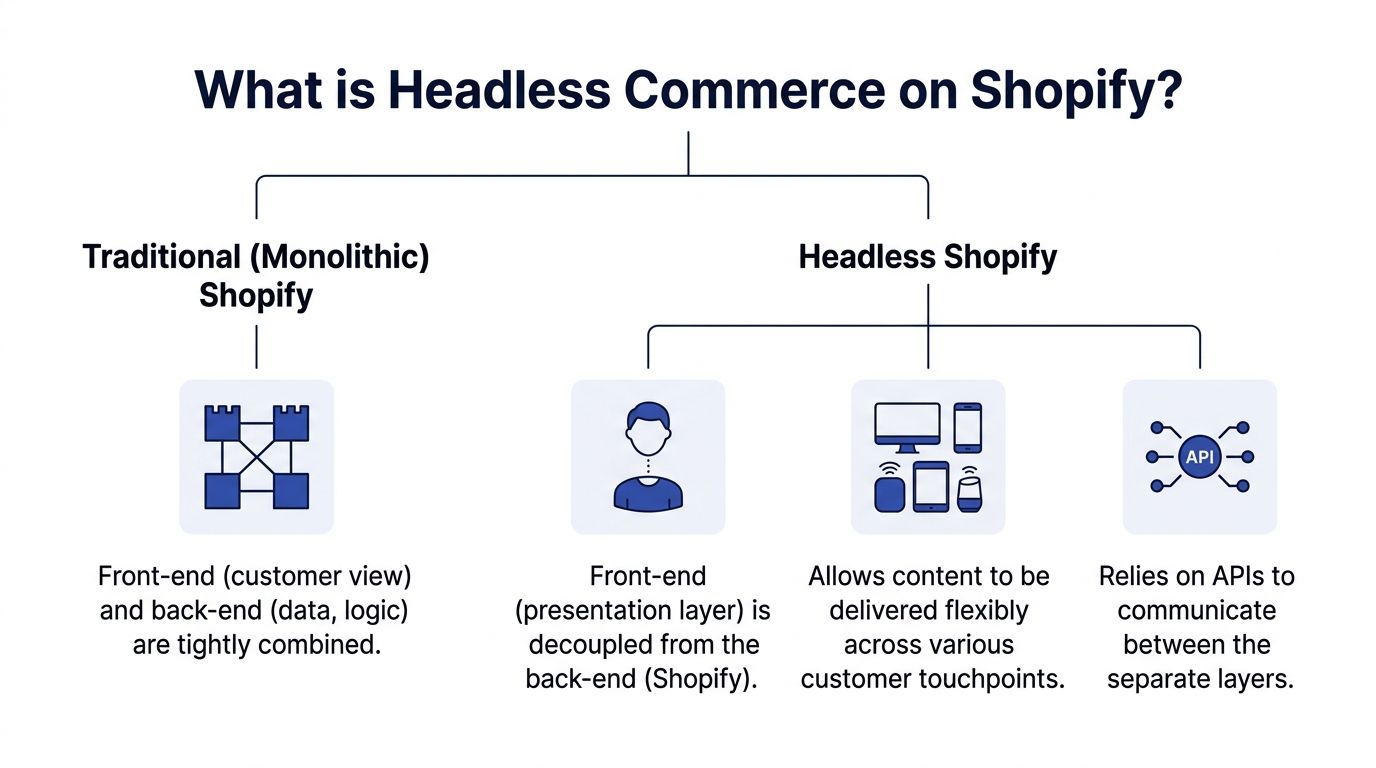
Headless commerce on Shopify means separating the customer-facing storefront from Shopify's backend commerce engine. Shopify still manages products, inventory, checkout, customers, and orders. A custom frontend handles the presentation layer.
Definition: Headless commerce on Shopify is a decoupled setup where the storefront is built separately from Shopify's native theme layer and communicates with Shopify through APIs.
The restaurant analogy works because it reflects the operating model. Shopify remains the kitchen. It stores the catalogue, processes orders, and handles checkout. The storefront is the dining room. That's where branding, storytelling, browsing, and buying experience happen. In a traditional setup, kitchen and dining room are built as one system. In a headless setup, they're connected but independent.
What actually gets separated
In a normal Shopify theme, Liquid templates, theme sections, app blocks, and frontend rendering all live inside Shopify's storefront layer. That's efficient because it's simple and tightly integrated.
Headless removes that coupling. Your frontend might be built in Hydrogen, Next.js, or another modern framework. Instead of rendering pages through Liquid, the frontend requests product and commerce data from Shopify through APIs, most commonly the Storefront API.
That changes who controls what:
- Shopify backend: Products, variants, collections, carts, checkout, discounts, orders.
- Custom frontend: Layout, interaction design, content presentation, animations, page composition.
- API layer: The bridge that moves commerce data between the two.
If your leadership team is evaluating broader content architecture at the same time, Sight AI's CMS comparison is useful because it shows where Shopify's native content model ends and where a dedicated CMS may start to make sense.
Why the separation matters
The benefit isn't “more tech”. It's more control.
A decoupled frontend gives teams more freedom to shape landing pages, product discovery, storytelling, and cross-device journeys. It also changes how you deploy. Frontend developers can work in a modern component-based stack without being boxed into theme architecture. Content teams can gain more structured publishing workflows if a headless CMS is added.
That said, separation isn't automatically better. It replaces convenience with flexibility. You gain room to build what a theme can't. You also lose some of the defaults that make standard Shopify easy to run.
For a more foundational explanation of the model itself, this overview of headless ecommerce is a good companion if you want the concept stripped back even further.
The short version a CEO can use
If your team asks for the non-technical version, use this:
- Traditional Shopify: One system for storefront and commerce.
- Headless Shopify: Shopify runs commerce. A custom app-like frontend runs the experience.
- Why merchants do it: To gain more control over performance, design, content, and omnichannel delivery.
- Why merchants hesitate: Because control comes with cost, implementation risk, and a bigger technical surface area.
That trade-off is the entire story.
Key Implementation Paths for Headless Shopify
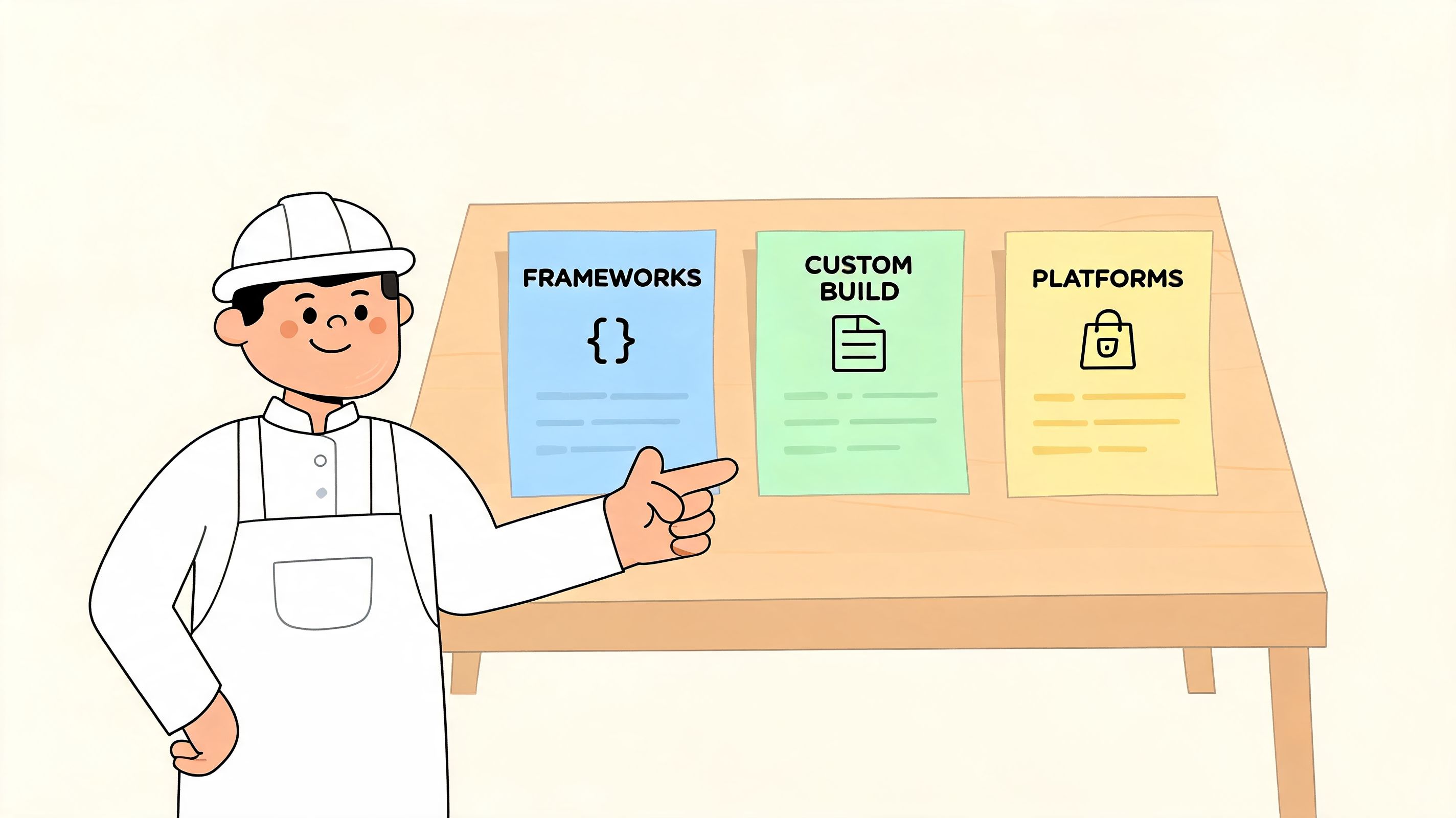
There isn't one way to build headless commerce Shopify. There are three common paths, and the right one depends less on fashion and more on team shape, delivery speed, and how much control you need.
Hydrogen and Oxygen
This is Shopify's native route. Hydrogen is Shopify's React-based framework for headless storefronts. Oxygen is Shopify's hosting layer for those storefronts.
For many teams, this is the cleanest place to start because the stack is designed specifically for Shopify commerce patterns. You're not forcing a generic frontend framework to behave like a commerce engine. You're using a framework built around Shopify data and buyer journeys.
Why teams choose it:
- Tighter Shopify alignment: The tooling is designed around Storefront API usage and Shopify-specific commerce behaviour.
- Fewer translation layers: You're closer to the platform's intended headless path.
- Simpler hosting decisions: Oxygen reduces the operational overhead of choosing and tuning a separate deployment model.
Where it fits best: A brand wants a custom storefront, plans to remain committed to Shopify, and doesn't have a strong internal reason to standardise on another frontend stack.
Where it can frustrate: A team already has strong internal capability around another framework, or it wants broader control over hosting, infrastructure, and frontend architecture choices.
Next.js or another third-party framework
This is the route many engineering-led businesses prefer. Instead of using Hydrogen, the team builds the storefront in a framework such as Next.js and connects it to Shopify via the Storefront API.
That approach is attractive when the business wants flexibility beyond Shopify's native stack, or when the development team already knows the framework well. Familiarity matters. A stack your team can operate confidently is usually better than a “recommended” stack nobody wants to maintain.
A cited UK-focused summary notes that custom React/Next.js storefronts can power one backend across web, mobile apps, and in-store kiosks, and that GraphQL queries can minimise payload by 70% versus REST. The same source states that headless builds for scaling brands have produced a 25% sales uplift, with 90+ Lighthouse scores compared with 60-70 for themes, and reports £80K-£400K build costs with ROI in 6-9 months for £5M+ ARR stores in those scenarios, according to this headless Shopify guide.
That's useful evidence, but it should be read in context. Those economics tend to make sense for larger, scaling businesses. They are not a blanket argument for every merchant.
A well-executed custom storefront also gives you room to shape UX in ways a theme rarely can. If you want to understand what that means at the design layer, this custom Shopify storefront design guide is a practical reference.
Adding a headless CMS
A headless CMS is not mandatory. Many merchants don't need one.
But if your brand is content-heavy, campaign-heavy, or managed by multiple teams across regions, a dedicated CMS can solve a real workflow problem. Shopify is good at commerce. It's not always the ideal editorial system for complex publishing operations.
A CMS such as Contentful or Sanity typically enters the stack when teams need:
- Structured content models: Reusable modules for landing pages, buying guides, editorial hubs, or market-specific content.
- Approval workflows: Marketing and content teams need staged publishing, governance, and role-based control.
- Separation of duties: Commerce data stays in Shopify. Rich content operations live elsewhere.
How to choose between the three
The decision usually comes down to your real bottleneck.
| Path | Best fit | Main advantage | Main compromise |
|---|---|---|---|
| Hydrogen and Oxygen | Shopify-first brands | Native alignment and a streamlined stack | Less freedom if your team prefers another framework |
| Next.js or similar | Engineering-led teams | Maximum control over frontend architecture | More implementation and maintenance responsibility |
| CMS plus headless frontend | Content-led brands | Better publishing and editorial workflows | More systems to govern and integrate |
The strongest implementation path is usually the one your team can ship, maintain, and improve without constant reinvention.
A weak decision framework is “What's most advanced?” A strong one is “What helps us launch faster, operate cleanly, and support the next stage of growth?”
The Business Case Performance SEO and CRO
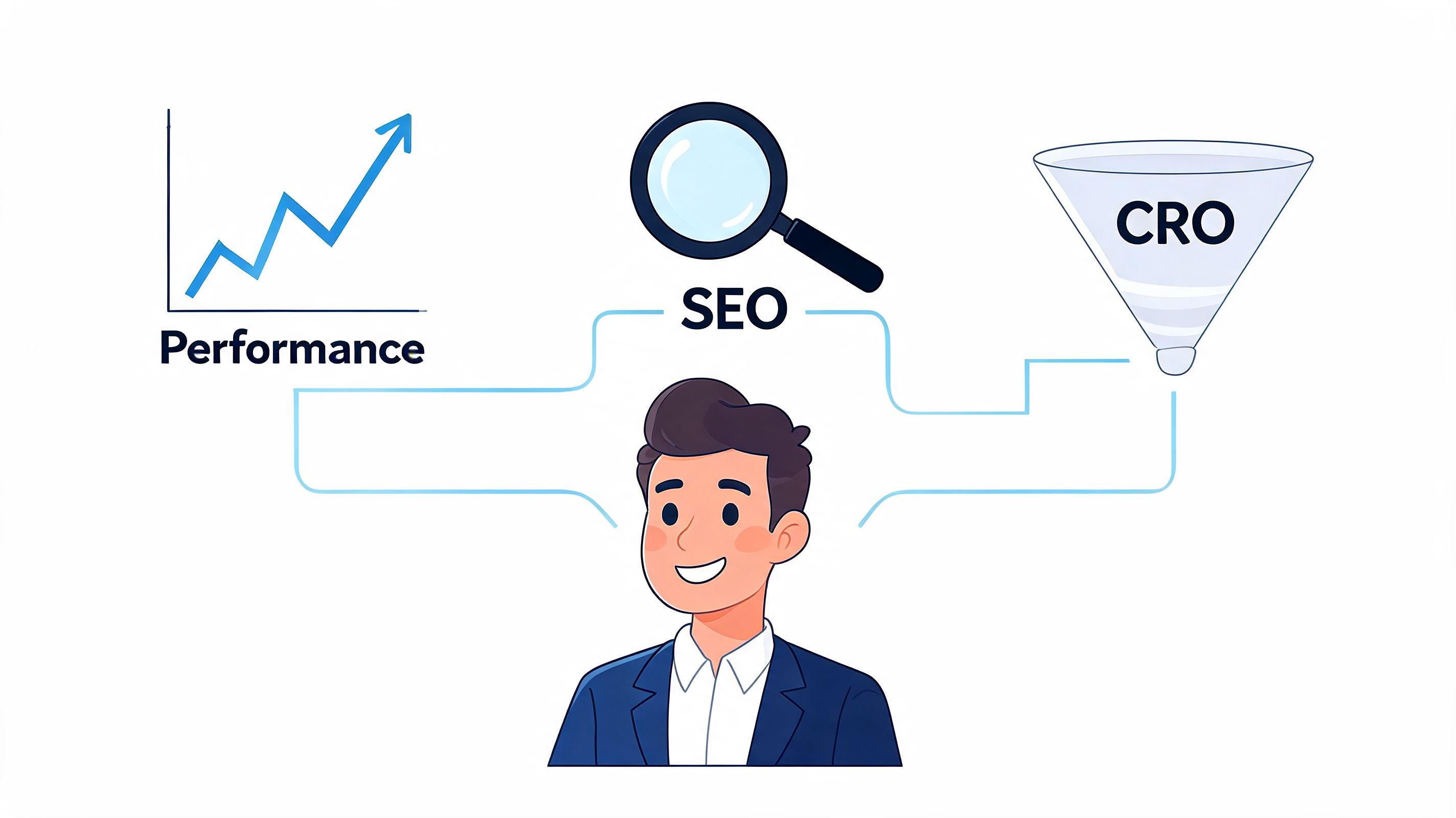
Headless only matters commercially if it improves the customer journey in ways that standard Shopify can't deliver efficiently. The business case usually rests on three levers: performance, SEO, and conversion rate optimisation.
Performance that affects revenue
Performance is where many executives first feel the argument.
A cited UK implementation summary states that using Shopify's GraphQL Storefront API with edge caching via Oxygen can achieve sub-50ms product page load times, compared with 300-800ms for traditional Liquid themes, and that this can reduce bounce rates by up to 20% for high-traffic retailers. The same source says this has supported 15% conversion gains through personalised PWAs in those builds, according to this headless Shopify development article.
Those numbers won't apply to every store. But the underlying mechanism is credible and important. When you decouple the frontend, cache aggressively, and control what the browser loads, you can create a far lighter customer experience than a theme burdened by legacy code and app scripts.
The practical consequence is simple. Customers reach product pages faster, browse with less friction, and encounter fewer delays during high-intent moments.
For merchants already seeing signs of slowdown, this Shopify performance optimisation guide helps separate theme-level fixes from the cases where a deeper architectural change may be justified.
SEO gives you more control, not free wins
A headless build can be stronger for SEO, but only if the team knows what it's doing.
The upside is control. You can shape page architecture, structured data, metadata handling, internal linking logic, content rendering, and template behaviour with much more precision than in a standard theme. That matters if SEO is central to your acquisition model and your current store is boxed in by template limitations.
The risk is equally real. Shopify themes come with sensible defaults. In a headless build, your team owns more of the implementation detail. If developers mishandle rendering, canonical logic, redirects, pagination, or content delivery, you can create SEO problems rather than solve them.
Practical rule: Headless can outperform a theme for SEO, but only when the frontend team treats technical SEO as part of the build, not as a post-launch patch.
This is why I usually treat SEO as a secondary reason to go headless. It strengthens the business case. It rarely carries it on its own.
CRO is where the upside becomes strategic
The strongest commercial case for headless often sits in conversion design.
A standard Shopify theme can support testing and iteration. But once you want unusual page flows, dynamic merchandising logic, personalized landing experiences, richer bundling interactions, or heavily customised mobile journeys, theme architecture starts resisting the business.
Headless removes much of that resistance.
You can build landing pages that behave more like high-performing product experiences than static templates. You can test interaction patterns that would be painful inside Liquid. You can support buying journeys that reflect how your category sells, not how the theme expects products to be merchandised.
That matters most for brands that have already squeezed the obvious gains out of design refreshes and app-based optimisation. If you're in that phase, these strategies for ecommerce growth plateaus are useful because they frame CRO as an operating discipline rather than a one-off redesign.
A quick explainer is worth watching if your leadership team wants the mechanics in plain language:
When the business case is weak
Headless is a weak commercial decision when the store's main problem is basic execution. If the site is slow because of unmanaged apps, poor imagery, weak templates, messy analytics, or confused merchandising, a rebuild won't fix the operating discipline behind those issues.
It's also weak when the business won't use the flexibility it's paying for. If you don't need custom journeys, content differentiation, or complex frontend control, a standard Shopify setup often wins on simplicity.
In other words, headless becomes compelling when the gains are structural, not cosmetic.
Weighing the Trade-offs Cost and Team Structure
Many headless projects encounter difficulties. The architecture may be sound. The business case may even be plausible. But the operating model isn't thought through.
Headless changes more than the storefront. It changes who owns what, how features are launched, how content gets published, and how problems are diagnosed when something breaks. If your team still wants the convenience of standard Shopify while expecting the freedom of a custom application, disappointment arrives quickly.
The cost reality for UK merchants
The most useful sobering data point is cost.
A cited UK SMB-focused source says headless setup costs are 2-3x higher than traditional Shopify, with £20,000-£50,000 initial build costs versus £5,000-£15,000 for traditional Shopify. It also says annual maintenance can average £30,000, and that Shopify's native Online Store 2.0 can deliver a 20-30% better total cost of ownership for many merchants. The same source adds that headless may underperform for 75% of SMBs that don't have the scale to justify it, according to this analysis of headless Shopify trade-offs.
That's the part many merchants need to hear early. Headless isn't just a bigger build. It's a more expensive system to live with.
Architecture comparison
| Factor | Monolithic (Online Store 2.0) | Headless (Shopify Hydrogen) | Headless (Third-Party Stack) |
|---|---|---|---|
| Initial build cost | Lower | Higher | Higher, often with more implementation variables |
| Ongoing maintenance | Lower and simpler | Higher, but with Shopify-native alignment | Higher, with broader infrastructure ownership |
| Team skill required | Theme developer, designer, marketer | React-capable frontend team with Shopify API knowledge | Strong frontend engineering plus integration capability |
| App compatibility | Broadest out-of-the-box support | Mixed, depends on API support | Mixed, often needs custom work |
| Launch speed | Faster | Slower than a theme build | Often slowest if heavily customised |
| Content workflow | Native Shopify editor | Customised around the build | Often strongest when paired with a CMS |
| Best fit | Most SMBs and straightforward stores | Shopify-first brands needing a custom experience | Engineering-led businesses with complex requirements |
The app gap is real
This is the trade-off merchants often underestimate.
In a theme-based Shopify store, many apps install into the storefront with minimal effort. In headless, that convenience disappears unless the app was built for API-first use cases. Review tools, subscriptions, search, personalisation, loyalty, and merchandising can all still work, but implementation tends to be less plug-and-play.
That doesn't mean headless stores can't have a rich app ecosystem. They can. It means you need to audit each dependency before committing to the architecture.
A sensible way to start is to review your current stack and ask which apps are truly essential, which are redundant, and which can be replaced with cleaner patterns. This guide for Shopify operators to streamline apps is useful for that exercise because many storefront problems are really stack-sprawl problems.
Team structure matters more than ambition
A high-performing headless build usually needs one of two things:
- A capable in-house product and engineering function that can own the stack after launch.
- A long-term agency or specialist partner that can operate as an extension of the business.
What doesn't work well is launching headless and then treating it like a low-maintenance theme. It isn't. Someone needs to own frontend releases, API changes, QA, performance monitoring, and cross-system coordination.
If your team isn't ready to own software, don't buy software-shaped problems.
That's why the best decision framework includes organisational readiness alongside commercial upside. The storefront may be customer-facing, but the consequences of headless are internal first.
Real-World Examples and Your Next Steps
The most useful examples aren't “famous brand went headless”. They're cases where the reason is clear.
A content-led brand may choose headless because editorial storytelling is central to how it sells. A product-led brand may choose it because speed and buying flow drive revenue. A multi-touchpoint retailer may choose it because one commerce backend needs to support more than a website.
Those are strategic reasons. “We want a more modern stack” isn't.
What successful headless projects usually have in common
The patterns are consistent even when the brands are very different.
- A defined business problem: Faster landing pages, stronger mobile journeys, better content operations, or omnichannel consistency.
- A smaller first release: Smart teams don't always rebuild everything at once. They prove the model on a meaningful slice of the customer journey.
- Clear ownership: Product, design, development, and marketing know who makes decisions and who maintains what after launch.
- A realistic app and integration audit: Nothing important is assumed. Everything is checked.
A practical migration checklist
If you're evaluating headless commerce Shopify seriously, these are the questions worth answering before any statement of work is signed:
Audit app dependencies List every app affecting the storefront, checkout-adjacent flows, merchandising, subscriptions, reviews, search, loyalty, and analytics. Then mark which ones are API-ready, which need custom work, and which should be removed.
Define critical user journeys Don't start with the homepage. Start with revenue paths. Product discovery, PDP behaviour, bundle flows, subscription enrolment, localisation, and mobile checkout handoff matter more.
Clarify your content model If campaigns, buying guides, and editorial content are major revenue drivers, decide whether Shopify alone can support that workflow or whether a dedicated CMS is required.
Set success criteria Decide what “better” means before the rebuild starts. Faster page delivery, improved flexibility, stronger CRO capability, reduced operational friction, or support for multiple touchpoints are all valid. Vague goals aren't.
Secure senior buy-in Headless projects usually touch budget, process, and team structure. If leadership sees it as only a design project, the initiative is already unstable.
The best next step is rarely a full rebuild
Most merchants don't need to leap straight into a complete replatforming-style project. A more disciplined path is to run a technical audit, a CRO review, and a dependency assessment first. In some cases the answer will be “stay on Online Store 2.0 and fix the basics”. In others, the answer will be “build a proof of concept around a high-value landing flow or product journey”.
That's a much better way to evaluate risk than buying into a full headless roadmap on excitement alone.
Frequently Asked Questions about Headless Shopify
Does headless Shopify keep Shopify checkout
Yes. In most headless setups, Shopify still handles checkout. That's one of the biggest advantages. You can customise the storefront experience heavily while continuing to rely on Shopify for secure commerce operations, order processing, and the checkout flow customers already trust.
Will my Shopify apps still work
Some will. Some won't.
Apps that rely on theme injection or Liquid-based storefront placement often need a different implementation in headless. API-first apps tend to fit much better. This is why app auditing has to happen before architecture decisions, not after them. If reviews, subscriptions, search, loyalty, personalisation, and tracking are essential to your business, each one needs to be checked against the proposed stack.
Is headless better for SEO
It can be, but only when implemented properly.
A headless storefront gives your team more control over rendering, metadata, structured data, content architecture, and page performance. That can produce a stronger SEO setup than a standard theme. But a poor implementation can just as easily create indexing, duplication, or rendering issues. Headless gives you more responsibility as well as more freedom.
How do content teams manage the site without the Theme Customiser
There are a few models.
Some teams manage content directly through Shopify where that's sufficient. Others use a headless CMS for richer editorial workflows, reusable content blocks, approvals, and governance. The right answer depends on how content-heavy the business is and how many teams need to publish safely.
Is headless only for enterprise merchants
No, but it isn't automatically right for mid-market or smaller brands either.
The strongest candidates usually have at least one of these characteristics: a genuine need for a custom buying experience, a meaningful content operation, complex integration requirements, multiple customer touchpoints, or a business where frontend performance has a direct commercial effect. If none of those apply, standard Shopify is often the better tool.
How should a merchant decide
Use a simple filter:
- Stay standard if your main goals are speed to market, ease of use, and lower maintenance.
- Go headless if your current storefront is limiting growth in ways that a theme can't solve cleanly, and your team is ready to operate a more custom system.
The quality of the decision matters more than the sophistication of the stack.
If you're weighing whether headless is the right move, Grumspot can help you assess it properly before you commit. Their team handles Shopify Plus design, development, CRO, migrations, and technical audits, so you can pressure-test the business case, review app and integration risk, and decide whether to optimise your current build or move to a custom storefront with a clear plan.
Let's build something together
If you like what you saw, let's jump on a quick call and discuss your project

Related posts
Check out some similar posts.
- ecommerce site search
Discover how ecommerce site search boosts conversion, UX, and SEO. Learn core features, implementati...
Read more
- Shopify Store Launch Checklist
Use this Shopify store launch checklist to cover design, payments, shipping, SEO, analytics, complia...
Read more
- shopify website examples
Explore 7 Shopify website examples and learn the UX, conversion features, and practical lessons merc...
Read more
- cro best practices
Apply cro best practices to Shopify stores with 10 actionable tactics for testing, product pages, ch...
Read more