Mastering Shopify ERP Integration in 2026
- shopify erp integration
- shopify plus
- erp integration
- ecommerce automation
- shopify development uk
Launched
April, 2026
Your Shopify store is trading well. Orders are up, the paid team wants to push harder, wholesale is asking for a separate catalogue, and operations is holding things together with spreadsheets, CSV exports, and too many Slack messages.
Then the cracks show.
A customer buys an item that was already allocated to another channel. Finance can’t reconcile refunds cleanly. Warehouse staff are checking two systems before they ship anything. Someone updates pricing in Shopify, someone else updates it in the ERP, and neither trusts which number is right. If you’re running multiple warehouses in the UK, post-Brexit stock movement and VAT handling add another layer of friction.
We’ve seen this moment often. It doesn’t mean the business is broken. It usually means the business has outgrown manual coordination.
That’s where shopify erp integration stops being an IT side project and becomes an operating decision. Done properly, it gives the business one dependable flow of data across commerce, stock, finance, fulfilment, and reporting. Done badly, it creates a more expensive version of the same chaos.
For UK merchants, the stakes are a bit sharper. Multi-location inventory logic, VAT treatment, channel expansion, and local ERP preferences all affect how the integration should be designed. Generic advice from US-focused content often skips the bits that cause project pain here.
The Tipping Point for Growth
A lot of merchants reach the same threshold in slightly different ways.
For one brand, it starts with inventory. The storefront says a variant is available, but the warehouse team knows part of that stock is already reserved. For another, it starts with finance. Orders are flowing, but month-end still depends on manual exports and hand-checked VAT entries. For another, it’s fulfilment. Sales are healthy, but every spike creates operational drag instead of momentum.
What growth looks like before integration
Our clients often find the warning signs aren’t dramatic. They’re repetitive.
- Order handling starts to lag: Teams re-enter order data into back-office systems or correct records after the fact.
- Stock confidence drops: Merchants hesitate to push campaigns because they don’t fully trust available inventory.
- Reporting becomes political: Ecommerce, finance, and operations each defend a different version of the truth.
- Expansion gets harder: Adding another warehouse, marketplace, or B2B workflow feels risky instead of exciting.
That last point matters. Growth should create an advantage. Without connected systems, it usually creates admin.
Why UK merchants hit this wall differently
In the UK, complexity often shows up around warehouse allocation, VAT, and channel mix. A merchant might be selling direct-to-consumer on Shopify, listing on Amazon UK, dispatching from more than one warehouse, and dealing with stock that’s technically on-hand but not sellable. That distinction matters operationally, and it matters even more once returns, pre-orders, and transfer stock enter the picture.
Practical rule: If your team spends more time checking whether data is correct than using it to make decisions, you’re already paying the price of a missing integration.
Shopify ERP integration gives the business a way to run with fewer manual handoffs. That doesn’t just clean up operations. It lets leadership push growth with more confidence because stock, orders, and finance move in sync instead of in fragments.
What Is a Shopify ERP Integration Really
An ERP is the back-office system that runs the operational side of the business. Shopify is the storefront. It manages the shopping experience, checkout flow, merchandising, and channel-facing commerce activity. The ERP manages the records and workflows that keep the business stable behind the scenes.
If Shopify is the sales floor, the ERP is the operations room.
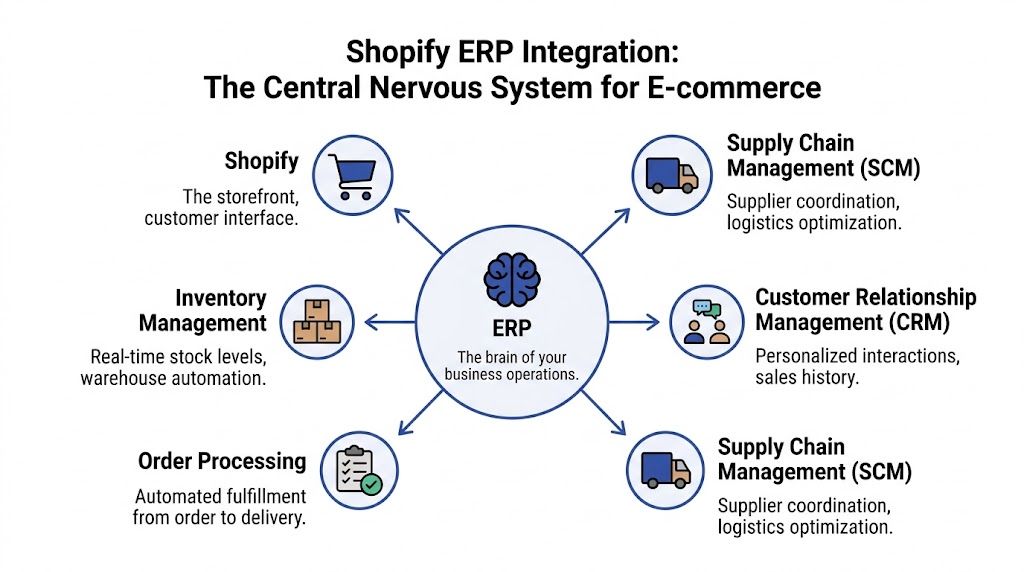
One storefront, one operations brain
A proper shopify erp integration connects those two layers so they exchange the right data, in the right direction, at the right time.
That usually includes:
- Products and variants: SKUs, titles, pricing structures, product status, and attribute logic
- Inventory records: On-hand, available, allocated, incoming, and location-based stock
- Orders: Line items, shipping data, discounts, taxes, payments, and fulfilment updates
- Customer data: Account records, company relationships, address data, and order history
- Finance data: Revenue, VAT, shipping charges, refunds, and reconciliation events
The point isn’t just to “connect systems”. The point is to create a single source of truth for data that multiple teams rely on.
When that’s missing, people build workarounds. Someone owns a spreadsheet. Someone does a daily export. Someone in operations becomes the human API between systems. That can work for a while. It doesn’t scale well.
Why this matters beyond technical neatness
The commercial upside is real when the integration is designed around business workflows rather than feature lists. Shopify reports that implementations complete 20% faster on average and brands are 66% more likely to launch on time when using Shopify enterprise approaches, with one UK brand example reporting a 22% increase in conversion rate and a 38% reduction in total cost of ownership after integration, according to Shopify’s enterprise data on integration challenges and outcomes.
That doesn’t mean every merchant will see the same outcome. It does mean the integration can affect more than ops. It can influence launch speed, cost structure, and trading performance.
ERP doesn’t have to mean enterprise bloat
One misconception still causes delays. Merchants hear “ERP” and assume it’s only relevant for very large businesses with huge teams and long procurement cycles. In practice, many growing merchants need ERP discipline before they need ERP complexity.
If you’re assessing whether you need full ERP capability yet, or something lighter that still brings structure to stock, finance, and process control, this guide to ERP for small companies is a useful starting point.
The integration only works if you’re clear about system ownership. Decide which platform owns products, which owns pricing, which owns inventory truth, and which merely displays the result.
That ownership model is what separates a clean implementation from a messy one.
Key Business Drivers and Strategic Benefits
Most merchants don’t start this project because they love systems architecture. They start because operations has become a constraint.
The strongest business case for shopify erp integration is simple. It removes avoidable manual work from high-frequency processes and gives teams cleaner operational control.
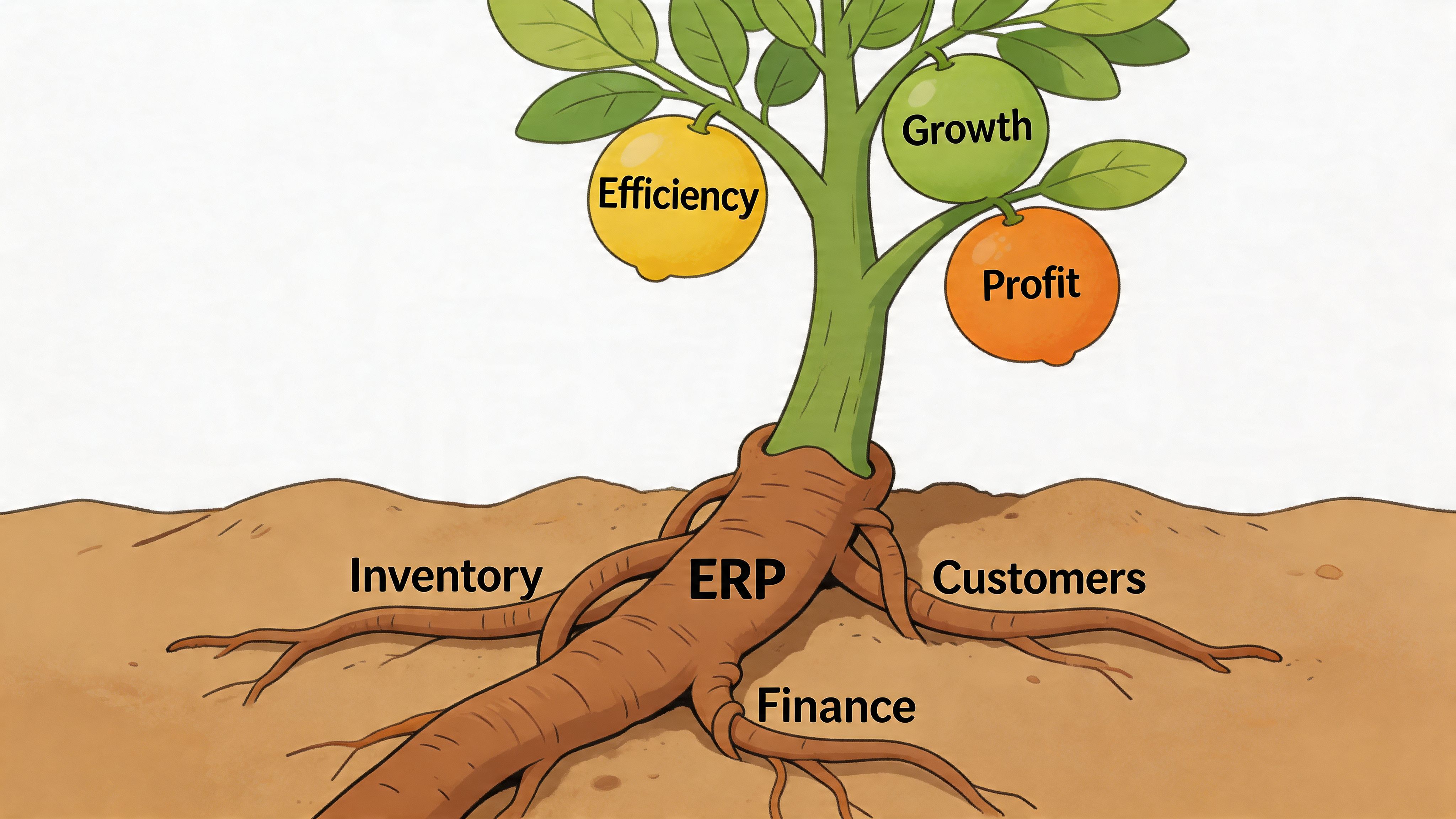
Inventory that the business can actually trust
Before integration, stock tends to become a negotiation between systems. After integration, it becomes an operational asset.
UK Shopify partner audits cited by Ringly.io found brands reported up to 90% improvement in inventory accuracy after integration, while ERP-connected setups reduced order fulfilment errors by 75%, accelerated processing by 50% on average, and saved 30-50 hours per week in manual tasks for mid-sized stores, as outlined in this analysis of Shopify ERP integration outcomes.
Those gains matter because stock errors have a ripple effect. They don’t just create cancellations. They distort purchasing, warehouse planning, customer service workload, and cash allocation.
For merchants trading on multiple channels, inventory discipline becomes even more important. Teams trying to master inventory management and avoid costly stockouts usually find the same root issue appears across platforms. Stock is only as reliable as the system logic underneath it.
Cleaner finance and less reconciliation pain
When sales, VAT, shipping charges, refunds, and payment events flow properly into the back office, finance stops chasing ecommerce records after the fact. That changes the rhythm of the business.
We’ve seen merchants move from reactive cleanup to controlled close processes once the ERP receives structured commerce data instead of partial exports. Finance gets better visibility. Operations spends less time explaining anomalies. Leadership gets reporting they can use without caveats.
Better fulfilment without hiring around bad systems
A lot of scaling brands accidentally staff around system gaps. They add more ops support, more customer service handling, more manual checks, and more exception management.
That works until peak hits.
With ERP integration, fulfilment teams usually gain speed because order data arrives in a more usable state. Warehouse staff aren’t checking two or three tools to confirm the same order. Allocations and fulfilment statuses are more consistent. That shortens the path from order placement to dispatch.
What changes first: not strategy, but friction. Teams stop doing repeat admin and start spending more time on exceptions that actually need human judgement.
A stronger customer experience from back-office discipline
Customers don’t care whether the issue started in Shopify or the ERP. They only see the result. Wrong stock, split records, delayed fulfilment, and incorrect order status all feel like one brand problem.
That’s why the operational side of commerce affects conversion and retention more than many teams expect. Better integrations create fewer avoidable customer-facing mistakes. They also make it easier to support complex workflows like B2B terms, multi-warehouse shipping, and marketplace expansion without making the storefront experience feel clumsy.
Understanding Technical Integration Patterns
Every ERP project eventually gets to the same architectural question. How are we going to connect Shopify and the ERP?
There are three common patterns. Pre-built connectors, middleware or iPaaS tools, and fully custom API integrations. None is automatically right. The best choice depends on workflow complexity, internal technical capacity, latency requirements, and how much control the business needs over data behaviour.
Real-time versus batch synchronisation
At the technical level, Shopify ERP integration is API-driven. The core sync model is usually either real-time synchronisation, where events update immediately, or batch synchronisation, where data moves at scheduled intervals. The trade-off is practical. Real-time helps prevent overselling and keeps records current, but it demands stronger handling of API rate limits and concurrency, which matters a lot for high-velocity stores, as explained in this guide to Shopify ERP integration architecture.
For UK merchants with active promotions, multi-location stock, or marketplace traffic, this decision has operational consequences. If inventory updates can wait, batch may be fine. If the business can’t tolerate allocation mistakes, you usually need near real-time handling for the critical flows.
Comparison of Shopify ERP Integration Approaches
| Approach | Implementation Speed | Flexibility & Customisation | Initial Cost | Ongoing Maintenance |
|---|---|---|---|---|
| Pre-built connector | Usually fastest for standard use cases | Limited to supported fields, workflows, and connector logic | Lower | Lower, but constrained by vendor roadmap |
| Middleware or iPaaS | Moderate, especially when multiple systems are involved | Good flexibility for mapping, routing, and orchestration | Moderate | Moderate, with platform dependency |
| Fully custom API integration | Slowest upfront | Highest control over business logic and edge cases | Higher | Higher, because custom code needs active support |
Where each pattern works
Pre-built connectors work well when the business model is relatively standard. If you’re syncing core product, order, and inventory data between Shopify and something like NetSuite or Dynamics without unusual field logic, they can get a project moving quickly. They’re especially useful when speed matters more than deep customisation.
They break down when merchants assume “supported” means “customized”. It doesn’t. Supported usually means the connector handles common use cases.
Middleware and iPaaS platforms sit in the middle. Tools in this category can translate data, orchestrate flows, and support multiple endpoints. For UK businesses that need Shopify, ERP, 3PL, Amazon, and finance systems to cooperate, middleware often gives the cleanest control layer without going fully custom.
This is also where agencies often build a practical advantage. If the merchant has repeatable workflows but needs specific mapping and monitoring, middleware can be the right middle ground.
Custom API integrations are best when operational logic is distinctive. B2B catalogue rules, market-specific tax treatment, complex warehouse allocation, or heavily customised ERP objects often require code-level control. Custom builds also make sense when the integration itself becomes part of the merchant’s operational advantage.
For teams evaluating custom build routes, the same thinking applies to adjacent tooling. This overview of Shopify public app development is useful if you’re comparing what should live inside an integration layer versus what should become a maintainable Shopify app.
The trade-offs that matter in real projects
A lot of technical discussions get lost in platform names. The core questions are simpler.
- How fast must stock update? If the answer is “immediately”, architecture choices narrow quickly.
- How messy is your data model? Variant logic, bundle logic, and customer pricing rules often decide the build path.
- How many systems are involved? Two systems are one thing. Shopify, ERP, WMS, 3PL, and marketplace feeds are another.
- Who will maintain this? The cheapest launch option can become the most expensive support model later.
Don’t choose the integration pattern based on a demo. Choose it based on failure modes. Ask what happens when an order partially syncs, an update collides, or a warehouse status arrives out of sequence.
That’s usually where the right architecture reveals itself.
Your Shopify ERP Implementation Roadmap
ERP projects fail when teams treat them like a plugin install. They succeed when they run like operational change projects with a technical delivery layer.
The cleanest way to approach shopify erp integration is in phases. Not because that sounds organised, but because each phase answers a different risk.
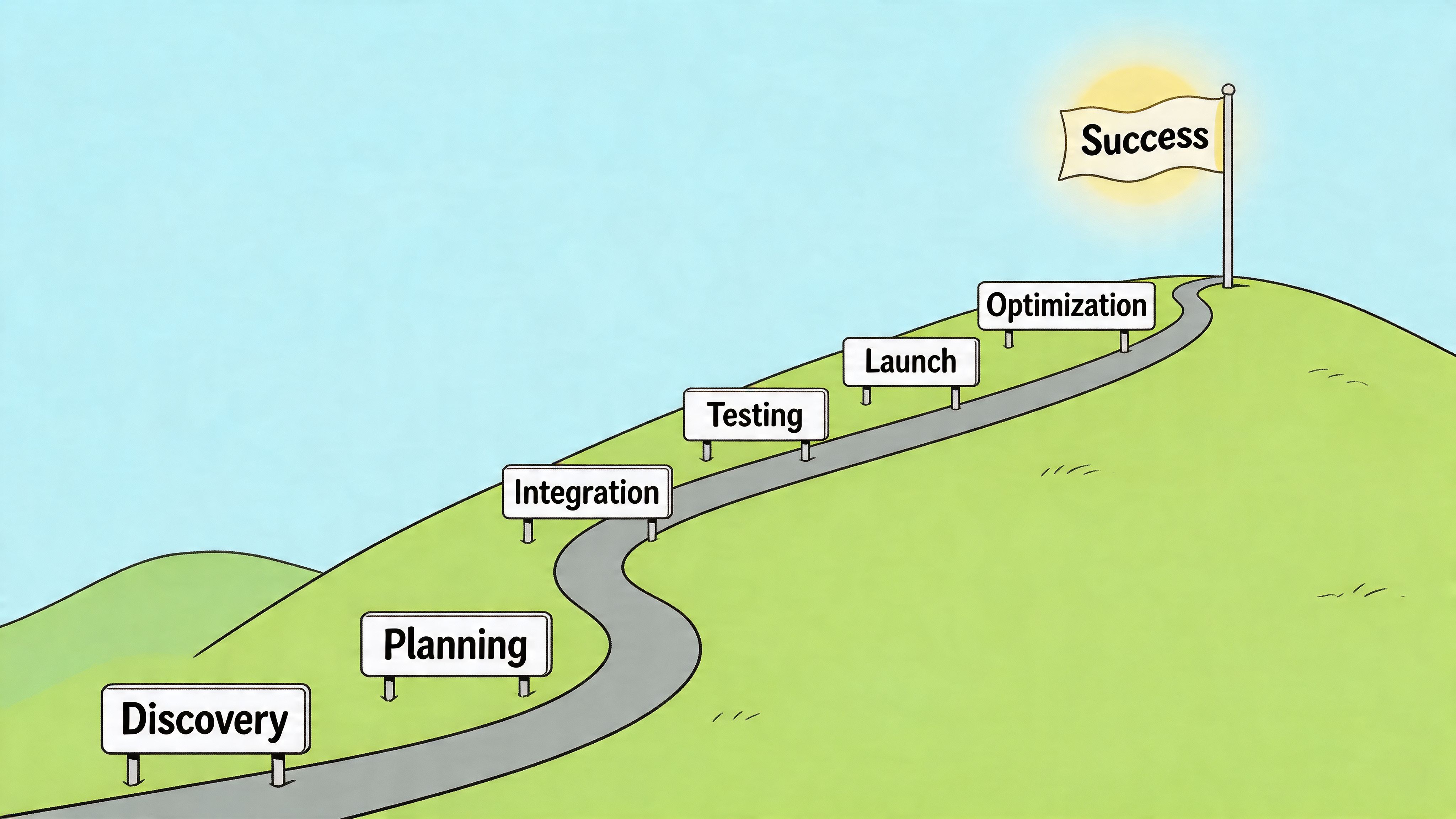
Discovery and planning
At this stage, the project is either set up properly or undermined.
The main objective is to define business ownership, system ownership, and operational scope before anyone starts building. That means deciding which platform owns products, pricing, inventory, customer records, tax logic, and fulfilment status.
A solid discovery phase usually includes:
- Workflow mapping: Document how orders, refunds, stock updates, returns, and financial postings should move.
- System-of-record decisions: Be explicit about whether Shopify displays data or owns it.
- Exception handling rules: Identify what happens with partial refunds, cancelled orders, held stock, split shipments, and channel-specific logic.
- Stakeholder alignment: Pull in ecommerce, ops, finance, warehouse, and anyone who will live with the process later.
Our clients often find this is the phase where hidden complexity appears. Bundles, kits, B2B accounts, legacy SKU logic, and VAT edge cases don’t show up in sales decks. They show up in discovery.
Design and configuration
Once scope is agreed, the integration needs a data model. At this stage, many projects slow down, and for good reason.
A major bottleneck is data mapping. The team has to define how product SKUs, customer information, pricing details, and order statuses are structured across Shopify and the ERP. It also has to configure CRUD operations, meaning the create, update, and delete rules that control how orders, payments, discounts, and taxes sync between systems, as described in this breakdown of Shopify ERP integration mechanics.
That sounds technical because it is. But it’s also operational. If the mapping is wrong, the business will feel it in stock, reporting, and fulfilment.
A practical checklist here looks like this:
- Map every critical field. Don’t stop at the obvious fields. Include tax classes, fulfilment statuses, payment states, and refund structures.
- Define sync direction. For each field, decide whether Shopify sends, receives, or both.
- Write business rules for exceptions. Include delayed payments, manual orders, draft orders, and edge-case fulfilment scenarios.
- Plan observability. Decide how failed syncs are logged, surfaced, retried, and resolved.
If the merchant needs bespoke behaviour beyond standard connectors, this is often where teams commission Shopify custom app development to support integration logic that sits outside off-the-shelf tools.
The mapping workshop is where assumptions go to die. That’s a good thing. Better to find conflicts in a spreadsheet than after go-live.
Development and testing
This phase is where architecture becomes behaviour.
The build should cover not only the happy path, but the messy path. That includes edited orders, failed payments, duplicate customer records, stock transfers, and returns. We’ve seen teams test clean sample data and then wonder why launch week is chaotic. Real stores produce imperfect inputs.
The most useful test plan includes both technical and operational scenarios:
- Functional tests: Does the sync work as specified?
- Negative tests: What happens when data is missing, malformed, or duplicated?
- User acceptance tests: Can finance, ops, and warehouse teams complete their real tasks confidently?
- Cutover rehearsal: Has the team practised the launch sequence and rollback plan?
A useful explainer for merchants preparing for this phase is below.
Go-live and optimisation
Launch is not the finish line. It’s the beginning of live operational learning.
The best go-lives use a hypercare period with active monitoring. That means someone is watching order flow, inventory syncs, refunds, financial postings, and user behaviour closely for the first trading window. Teams should know who owns triage, who can fix mapping issues, and who signs off on process adjustments.
After launch, the smartest merchants don’t ask “is the integration done?” They ask whether the integration is helping the business run better than before. That’s the standard that matters.
Common Pitfalls and How to Mitigate Them
Most failed integrations don’t collapse because APIs are impossible. They fail because the project model is sloppy.
We’ve seen merchants approve broad requirements, assume a connector will cover edge cases, and only discover the gaps once stock, finance, and fulfilment start disagreeing in production. At that point, the business is debugging live operations.
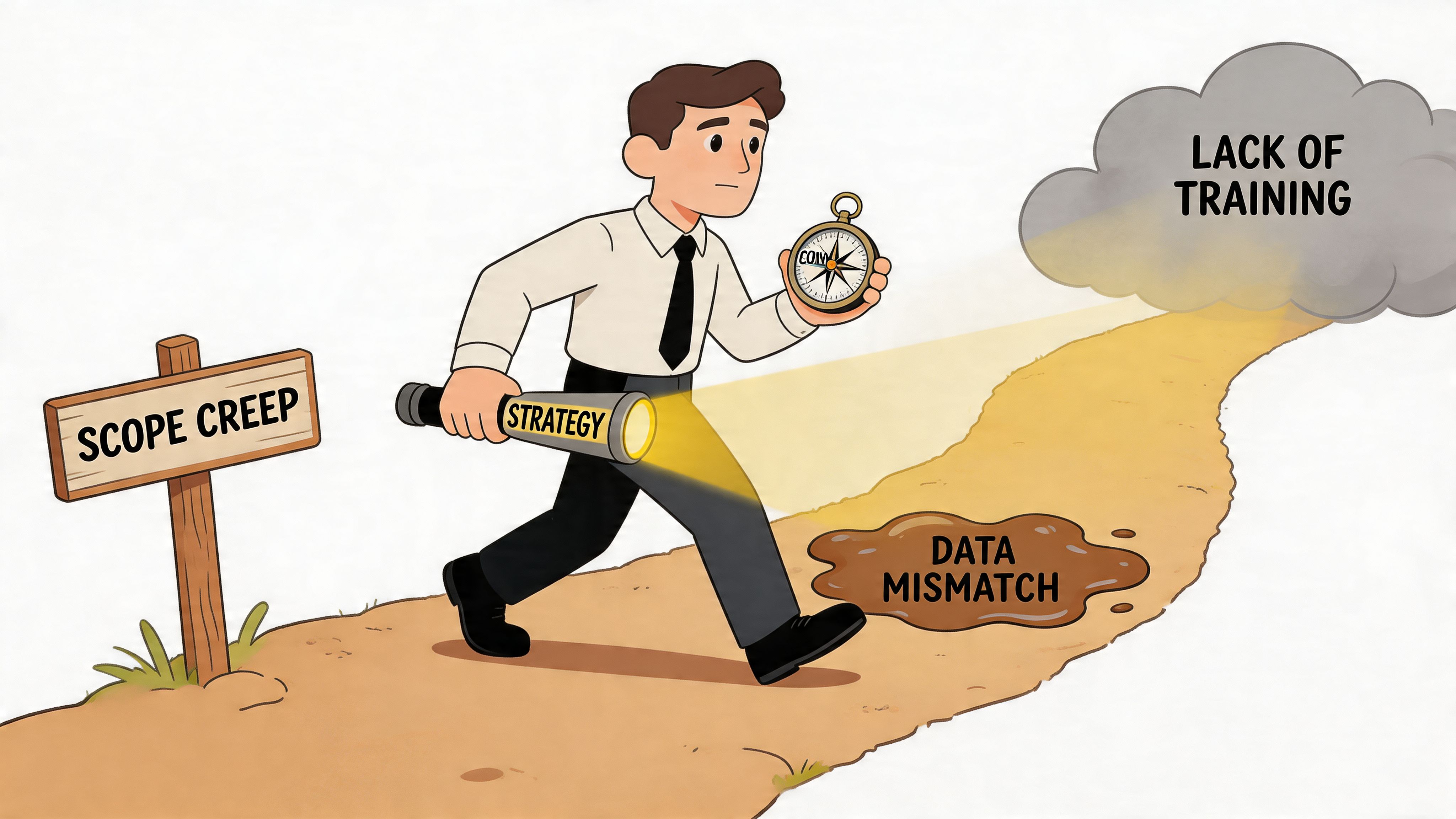
Reserved stock and available stock are not the same thing
This is one of the most common UK-specific mistakes. Merchants often map “inventory” as if it were one neat number. It rarely is.
A 2025 report cited by Flatline Agency notes that 42% of UK mid-market retailers experience inventory discrepancies after integration due to poor mapping of ERP allocation logic, especially around reserved versus available stock, in its discussion of ERP API documentation and unified commerce.
If your ERP tracks on-hand, reserved, committed, quarantined, or transfer stock, Shopify needs the right representation of what is available for sale. Otherwise, overselling is almost inevitable.
Scope creep usually starts with “while we’re at it”
ERP projects attract additional requests because they touch core business processes. Finance wants reporting changes. Ops wants warehouse refinements. Ecommerce wants bundle logic reworked. None of those requests is irrational. They just don’t all belong in the same phase.
Mitigation is straightforward, even if it’s not glamorous:
- Write a proper scope document: Include a “not included” section, not just deliverables.
- Separate launch-critical from nice-to-have: If a feature doesn’t affect safe go-live, it may belong in phase two.
- Control approvals: One decision-maker should own change acceptance, budget impact, and timeline impact.
Dirty data becomes expensive data
Product records that don’t match. Legacy customer data with duplicates. Inconsistent VAT categories. Old SKU conventions nobody fully understands. These issues don’t disappear when you integrate systems. They become more visible and more disruptive.
Field note: Data cleansing is rarely the glamorous part of the project, but it’s often the part that decides whether the integration behaves predictably.
A realistic mitigation plan includes pre-launch data review, SKU standardisation where possible, and agreement on what historical records need to be migrated versus archived.
Teams get trained too late
This is another predictable mistake. The build gets attention. Internal enablement gets squeezed.
Warehouse staff, customer service, finance, and ecommerce managers all need to understand not just what changed, but why. If they don’t know where data now lives, they’ll rebuild manual workarounds inside a few weeks.
The best mitigation is simple. Run process training by role. Show each team the actual workflow they’ll use after launch. Then keep support close during the first live trading period.
Shopify ERP Integration in Action
The easiest way to judge an integration strategy is to look at the business problem it solves.
A UK fashion retailer with multiple warehouses usually hits the stock problem first. Shopify says one thing, the warehouse system says another, and reserved inventory sits in a grey area. In projects like this, the fix is rarely “sync more data”. It’s mapping stock states properly, deciding which system owns availability, and making fulfilment updates visible fast enough for the trading model. Once that logic is clean, overselling pressure tends to drop and the team can trust merchandising decisions again.
A B2B merchant has a different challenge. The issue usually isn’t just orders. It’s customer-specific catalogues, pricing rules, account structures, and fulfilment terms. In those projects, the ERP often remains the source of truth for account logic while Shopify handles the buying experience. The integration has to preserve commercial rules without making the storefront feel like a patched-together portal.
We’ve also seen rescue projects where the first implementation “worked” technically but failed operationally. Orders synced. Stock moved. But no one had properly defined exception handling, and finance still had to intervene constantly. Those projects are a reminder that integration success isn’t about whether records move. It’s about whether the business runs better after launch.
If you want to compare how different merchants approach technical complexity, fulfilment workflows, and custom Shopify builds, these Shopify project case studies are a useful reference point.
Frequently Asked Questions
Will Shopify ERP integration slow down my storefront
Not if it’s built correctly. Most ERP integrations run through APIs, middleware, or background services rather than forcing the live storefront to wait on ERP responses for normal customer actions.
Can one ERP support multiple Shopify stores
Yes, if the data model is designed for it. The key question is how the ERP separates inventory, pricing, customer groups, tax logic, and reporting across stores or regions.
Should we migrate historical data too
Only if there’s a clear operational reason. Many merchants are better off migrating the data needed for live operations and keeping older records accessible elsewhere for reference or compliance.
Who needs to be involved internally
At minimum, ecommerce, operations, finance, and whoever owns warehouse or fulfilment processes. If one of those teams is missing from discovery, the project usually inherits blind spots.
Is a native connector always enough
No. Native connectors can be a good fit for standard workflows, but they often struggle once the merchant has unusual stock logic, B2B requirements, marketplace complexity, or strict reporting rules.
If your store is trading well but operations is lagging behind, Grumspot can help you assess whether a connector, middleware layer, or custom integration is the right fit for your Shopify setup. The useful starting point isn’t a generic demo. It’s a practical review of your systems, stock logic, fulfilment flow, and the places where manual work is still doing the job software should be doing.
Let's build something together
If you like what you saw, let's jump on a quick call and discuss your project

Related posts
Check out some similar posts.
- shopify store credit
Learn how to set up Shopify store credit with built-in tools or apps. Covers policy design, refund w...
Read more
- unified commerce platform
Learn how a unified commerce platform connects channels, ERPs, and CRMs to drive growth. Practical g...
Read more
- composable commerce platform
Learn what a composable commerce platform is, how it differs from monoliths, and how UK Shopify Plus...
Read more
- b2b ecommerce platform
Discover how a B2B ecommerce platform helps scaling brands streamline operations, boost sales, and g...
Read more