Shopify Structured Data Setup: Win Rich Snippets in 2026
- Shopify structured data setup
- Shopify SEO
- JSON-LD for Shopify
- Rich Results
- Technical SEO
Launched
May, 2026

You’re probably looking at Google results for your own products and seeing a competitor show up with price, availability, and review stars while your listing looks plain. Same category. Similar products. Worse presentation.
That gap usually isn’t copywriting. It’s a Shopify structured data setup problem.
On Shopify, this is one of those jobs merchants often postpone because the code looks obscure, the app market is noisy, and most guides stop at “add schema markup” without telling you what to implement, where to put it, or how to handle localisation properly. That last part matters more than most guides admit, especially if you sell in the UK, work with VAT-inclusive pricing, or run regional product variants.
Why Structured Data is a Non-Negotiable for Shopify Stores
Structured data is the layer that tells search engines what a page contains. Not in a vague, inferential way. In a machine-readable format with defined fields like product name, price, availability, SKU, brand, and reviews.
For Shopify stores, Product structured data is the highest-priority implementation tier, with the recommended hierarchy being Organization schema on the homepage, CollectionPage or OfferCatalog plus BreadcrumbList on category pages, and Product schema with aggregateRating on product pages, according to Go Fish Digital’s Shopify structured data guide. That hierarchy is practical because it mirrors how customers browse a store and how Google interprets commercial pages.
What it actually does
Think of structured data as a translator. Your theme already renders content for people. Structured data turns that same content into explicit fields search engines can parse reliably.
That matters because search engines don’t reward ambiguity. A heading that looks like a product title to a human might still be unclear in code. JSON-LD removes that ambiguity.
Practical rule: structured data doesn’t create better content. It makes your existing content easier for search engines to classify and display correctly.
When merchants ask whether schema “improves rankings”, I usually frame it differently. It improves eligibility for richer search presentation. On product pages, that can mean price, stock status, and review stars when the underlying data is valid and supported.
If you want a plain-English refresher on structured data for better SEO, that resource is useful because it explains the concept without getting lost in implementation details.
Why Shopify merchants feel the impact fast
Ecommerce traffic quality matters more than raw impressions. If Google can show price and availability before the click, the person arriving on the page is better qualified.
That’s why this isn’t a “nice when there’s time” task. It sits closer to technical merchandising than to cosmetic SEO. The same way you wouldn’t hide your product price from shoppers, you shouldn’t hide it from search engines in ambiguous markup.
A proper implementation also forces discipline. You quickly spot mismatches between what the page says, what the feed says, and what the schema says. Those inconsistencies often show up during a technical review alongside other issues that a proper Shopify SEO audit would uncover.
The priority order that works
If a store has limited dev time, this is the rollout order I’d use:
- Homepage first: add Organization schema so the brand entity is clearly defined.
- Collection pages next: use CollectionPage or OfferCatalog with BreadcrumbList so category structure and product groupings are clear.
- Product pages after that: implement Product with the fields Google needs to understand commercial intent, including aggregateRating when review data is present and valid.
This order works because it covers store identity, taxonomy, and conversion pages without over-marking up the entire site.
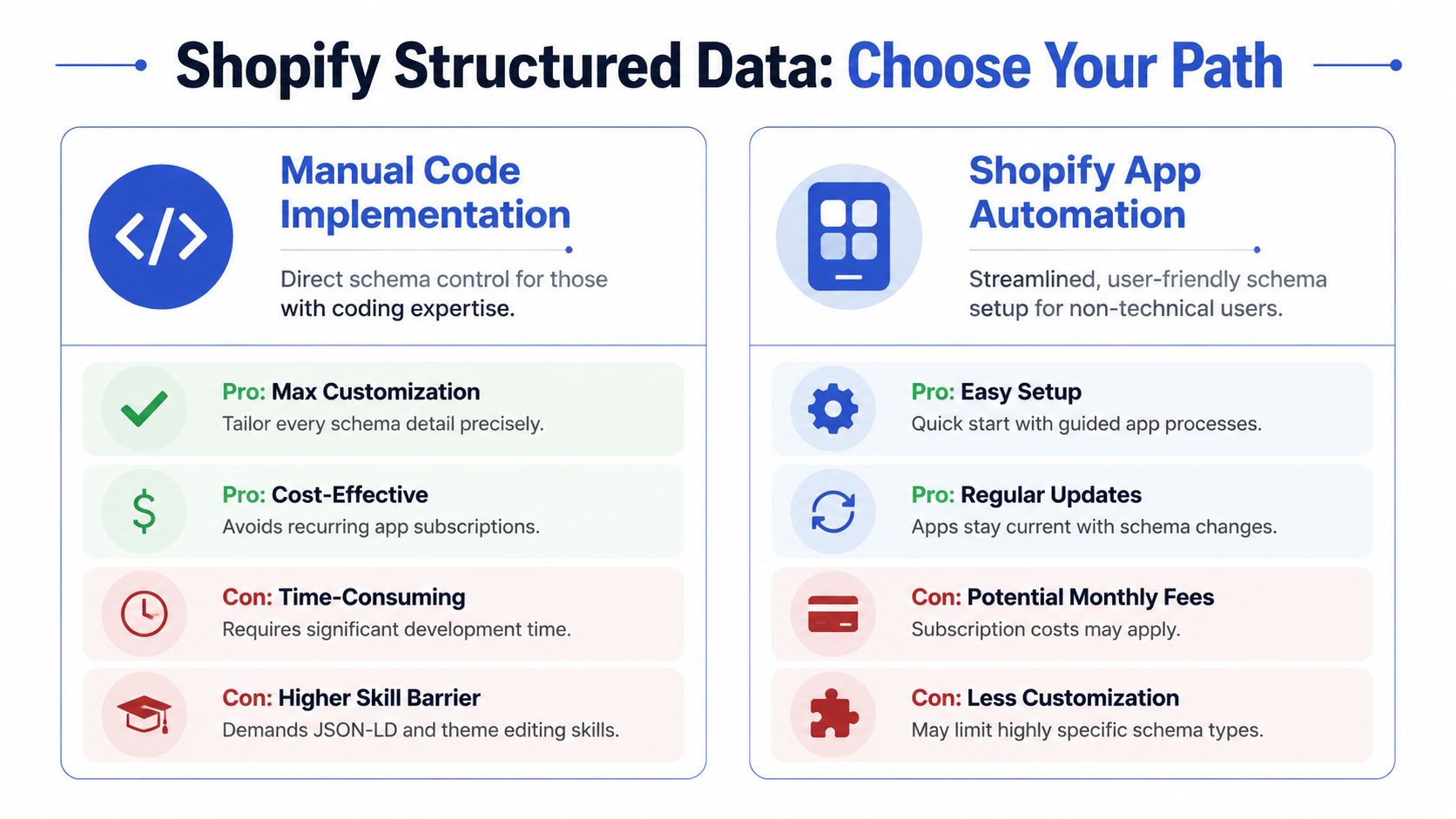
The Two Paths to Implementation Manual Code vs Shopify Apps
Shopify gives you two realistic routes. You either code the markup directly into the theme, or you use an app to inject and manage it.
Both can work. Both can fail badly.
The wrong choice usually isn’t technical. It’s choosing a method that doesn’t match the store’s internal resources. A merchant with no developer support shouldn’t be hand-editing Liquid files. A Shopify Plus team with a custom stack usually shouldn’t rely entirely on a black-box app for core schema logic.
Shopify’s native support only covers product and basic article schema types, so anything beyond that typically needs theme snippet-based JSON-LD using Liquid variables or app-based schema injection, as noted in the Shopify community discussion on structured data support.
The short version
Manual JSON-LD gives you control. Apps give you speed.
If you need custom logic for variants, localisation, review provider mapping, or schema on unusual templates, manual is usually cleaner. If you need something deployed quickly across a broad catalogue and the team isn’t technical, apps are often the right call.
Shopify Structured Data Methods Compared
| Factor | Manual JSON-LD Setup | Shopify App Setup |
|---|---|---|
| Control | Full control over schema type, field logic, and output | Limited to the app’s feature set and UI |
| Performance | Leaner if coded cleanly into the theme | Can add overhead depending on app behaviour |
| Setup speed | Slower because you’re editing templates and testing manually | Faster for most merchants |
| Technical skill | Requires Liquid, JSON-LD, and debugging ability | Suitable for non-technical teams |
| Localisation logic | Easier to tailor for VAT, variants, and market-specific fields | Possible, but depends on app flexibility |
| Ongoing maintenance | Managed by your team or developer | App vendor handles many updates |
| Cost profile | No recurring schema app fee, but development time is higher | Usually subscription-based |
| Risk profile | Risk comes from coding mistakes or theme updates | Risk comes from duplication, app conflicts, or shallow customisation |
When manual code is the better option
Manual implementation is the better choice when the store has any of these traits:
- Custom product logic: variants have region-specific SKUs, size systems, or complex availability rules.
- Multiple integrations: review apps, feeds, ERP data, or metafields need to feed schema conditionally.
- Performance sensitivity: the store already runs a tight theme and doesn’t want another app touching output.
- Development ownership: there’s a developer who can maintain the schema after theme changes.
This route also gives you a cleaner mental model. You know exactly what’s on the page because you wrote it.
Good manual schema is boring. It maps visible content to valid fields and stays out of the way.
When an app is the better option
Apps are the right answer when the business needs reliability and pace more than absolute flexibility.
That usually means a lean ecommerce team, a fast-moving content workflow, or a migration where technical priorities are already stacked. A decent app can handle Product and Organization schema, and some can extend into collection-level output and other types without you touching code.
App setups are also easier to hand over internally. A marketer can often manage updates inside the app dashboard without opening the theme editor.
What tends to go wrong
Manual builds fail when developers overcomplicate them. They create giant schema blocks for every possible edge case, hardcode values that should be dynamic, or forget to escape output correctly.
App builds fail in a different way. The app injects schema while the theme already outputs its own markup, and now Google sees duplicates or conflicting values. Or the app handles simple products well but breaks down once localisation enters the picture.
A blunt decision rule helps:
- Choose manual if your store is customised, international, or dev-supported.
- Choose an app if speed, simplicity, and easy administration matter most.
- Avoid hybrid chaos where the app outputs some product schema and the theme outputs overlapping fields unless you know exactly which source owns each schema type.
The Manual Method Injecting JSON-LD into Your Shopify Theme
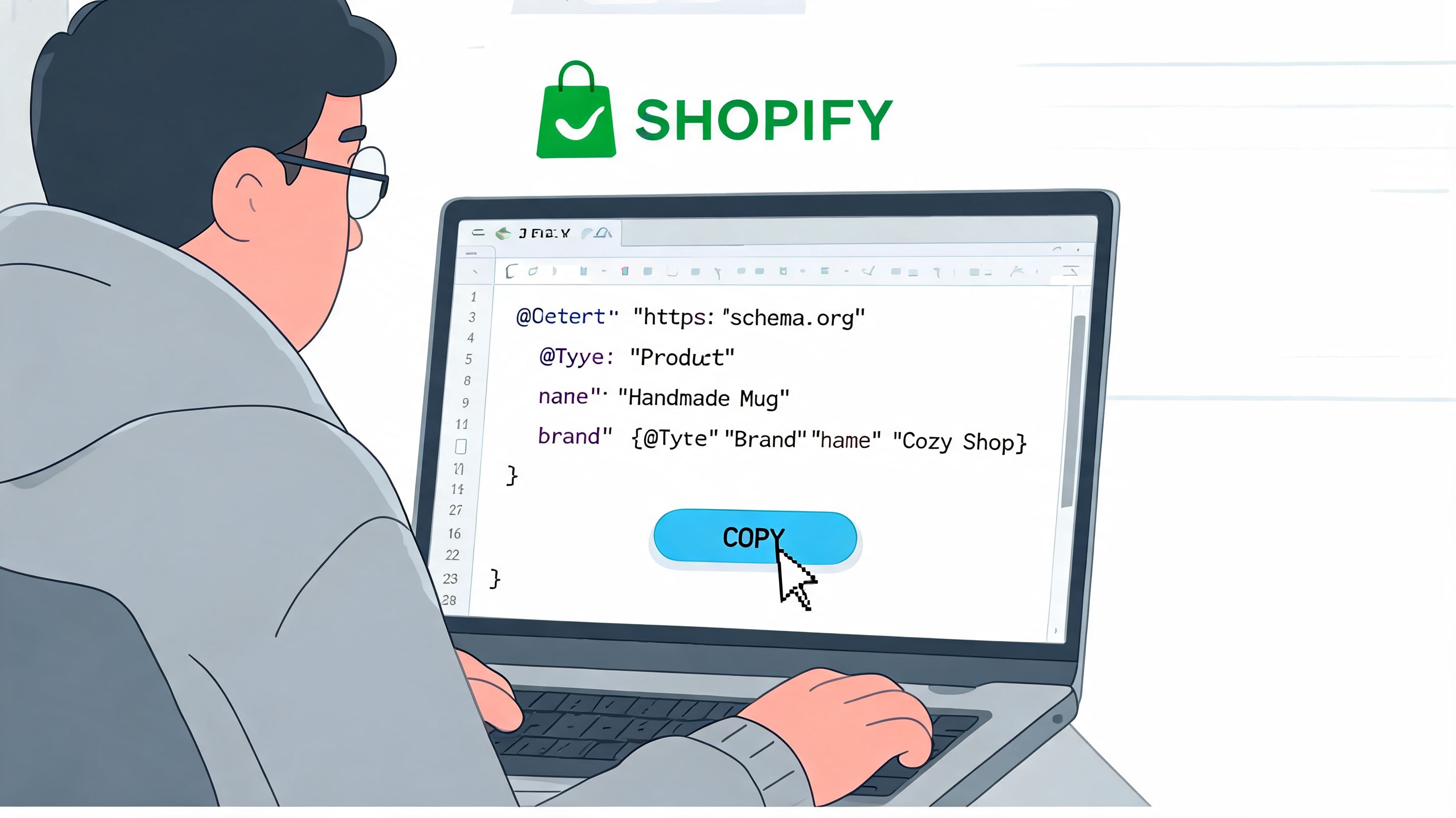
Manual implementation is still the cleanest route when you need precision. On Shopify 2.0 themes, that usually means placing global schema in theme.liquid and page-specific schema in the relevant section or template file, such as main-product.liquid, product.liquid, or the section used by your product template.
Before touching code, back up the theme. Then test the current output in Google’s Rich Results Test so you know whether the theme already emits schema.
Where the code should live
I keep the placement simple:
theme.liquid: global brand-level schema like Organization- Product section file: Product schema because the Liquid objects are already available there
- Collection template or section: BreadcrumbList and collection-level catalog schema
- Article or blog template: only if the theme doesn’t already output Article markup and the content requires it
If you’re working in a modern OS 2.0 build, it also helps to understand how sections and JSON templates relate. This matters during theme rebuilds, especially if your store is already moving toward a more modular Shopify 2.0 theme development setup.
The core Product schema pattern
For manual implementation, the reliable pattern is to locate product.liquid or the relevant section file and insert a JSON-LD script using Liquid variables such as 'name': {{ product.title | json }} and 'price': {{ product.price | money_without_currency | json }}. One of the most common mistakes is unescaped Liquid output, and the | json filter prevents JSON parse errors, as explained in Shero Commerce’s Shopify structured data implementation guidance.
A practical baseline looks like this:
<script type="application/ld+json">
{
  "@context": "https://schema.org/",
  "@type": "Product",
  "name": {{ product.title | json }},
  "image": {{ product.featured_image | image_url: width: 1200 | prepend: "https:" | json }},
  "description": {{ product.description | strip_html | json }},
  "sku": {{ product.selected_or_first_available_variant.sku | json }},
  "brand": {
    "@type": "Brand",
    "name": {{ product.vendor | json }}
  },
  "offers": {
    "@type": "Offer",
    "url": {{ canonical_url | json }},
    "priceCurrency": {{ cart.currency.iso_code | json }},
    "price": {{ product.selected_or_first_available_variant.price | money_without_currency | json }},
    "availability": {% if product.selected_or_first_available_variant.available %}"https://schema.org/InStock"{% else %}"https://schema.org/OutOfStock"{% endif %}
  }
}
</script>
Why each line matters
A lot of schema tutorials paste code without explaining the data model. That’s how teams end up shipping invalid markup.
Key implementation notes:
nameshould come from the actual product title on the page.descriptionshould be stripped of HTML unless you’re intentionally passing controlled markup.skushould map to the currently relevant variant, not a random fallback if variants differ materially.priceCurrencymust reflect the market context the customer sees.availabilityhas to resolve to the correct schema URL, not a boolean.
If the page shows variant-specific data to the customer, your schema should reflect that same variant logic as closely as the template allows.
Organisation schema for the homepage
Homepage schema should be simpler than most implementations make it. You’re defining the brand entity, not narrating the entire business.
A clean example:
<script type="application/ld+json">
{
  "@context": "https://schema.org/",
  "@type": "Organization",
  "name": {{ shop.name | json }},
  "url": {{ shop.url | json }},
  "logo": {{ settings.logo | image_url: width: 600 | prepend: "https:" | json }}
}
</script>
That usually lives in theme.liquid, but I conditionally render it only on the homepage to avoid unnecessary repetition.
BreadcrumbList for navigational clarity
Breadcrumb schema is low effort and high utility because it reinforces hierarchy. On collection and product pages, I often render a BreadcrumbList based on actual navigational context rather than inventing a path.
Example:
<script type="application/ld+json">
{
  "@context": "https://schema.org",
  "@type": "BreadcrumbList",
  "itemListElement": [
    {
      "@type": "ListItem",
      "position": 1,
      "name": "Home",
      "item": {{ shop.url | json }}
    }
    {% if collection %}
,{
      "@type": "ListItem",
      "position": 2,
      "name": {{ collection.title | json }},
      "item": {{ shop.url | append: collection.url | json }}
    }
,{
      "@type": "ListItem",
      "position": 3,
      "name": {{ product.title | json }},
      "item": {{ canonical_url | json }}
    }
    {% endif %}
  ]
}
</script>
That’s better than hardcoding breadcrumb paths that don’t match the page route.
Handling reviews and aggregateRating
Manual setups frequently become fragile. The Product schema is straightforward. Review data is not, because the rating data usually comes from an app such as Judge.me or another review platform.
If the review app exposes rating values in metafields or Liquid objects, map them directly. If it doesn’t, don’t fake it and don’t scrape the DOM into schema. Only output aggregateRating when the numbers are real, current, and visible to users on the page.
After you’ve got the basics in place, this walkthrough is worth watching because it helps visualise how schema is injected and validated in practice:
Manual builds that stay maintainable
The best manual schema setups share a few traits:
- They’re modular. Separate snippets for Organization, Product, and BreadcrumbList are easier to maintain.
- They use real Liquid data. No hardcoded prices, no static stock values.
- They respect template boundaries. Product schema belongs on product pages, not sitewide.
- They’re validated after every theme change. Theme edits often break schema accidentally.
If you code it once and never revisit it, it will drift. Product templates change. Variant selectors change. Review apps change. Good schema maintenance is part of theme maintenance.
The App-Driven Method Automating Your Schema Setup
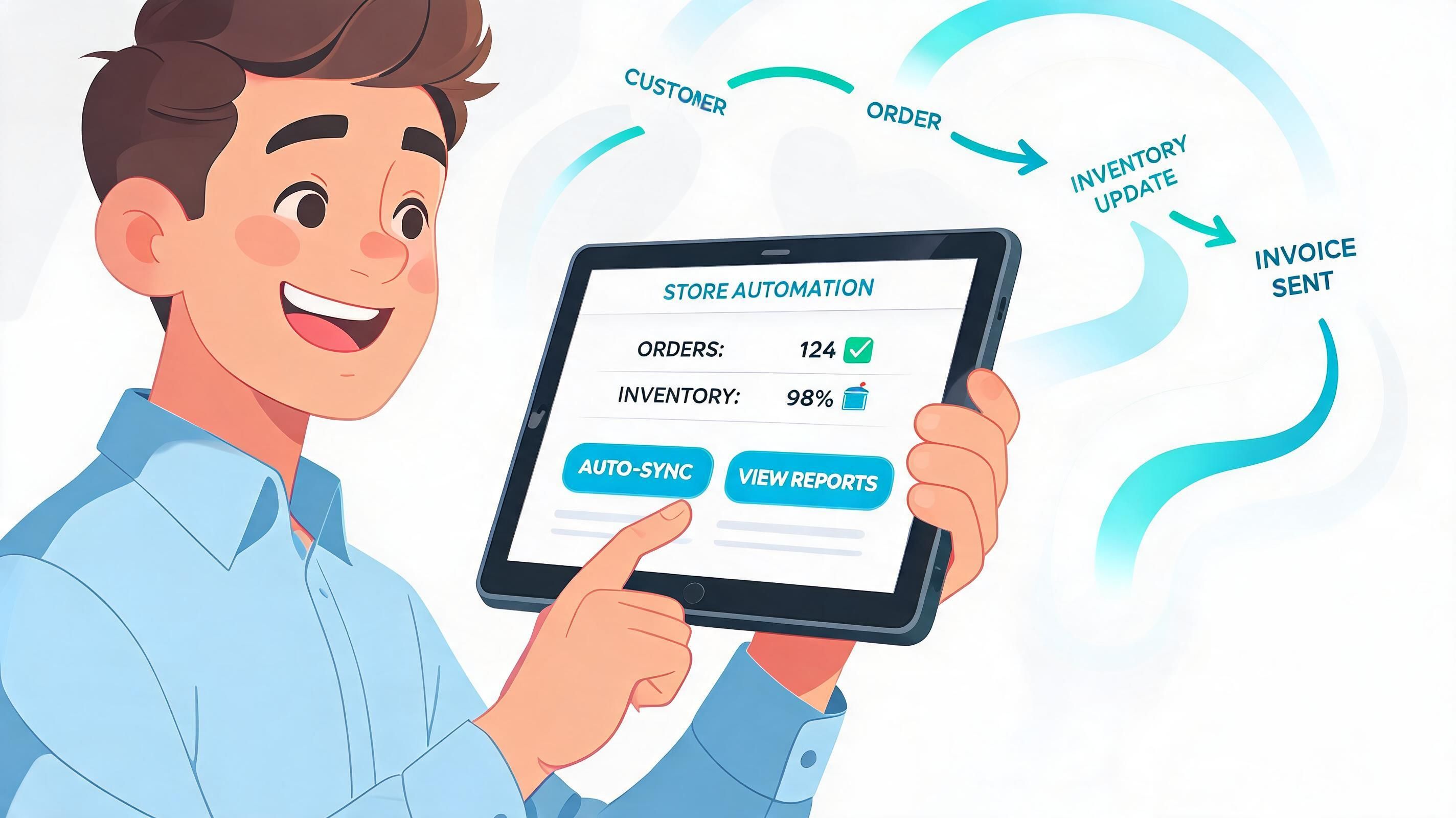
App-based setup is the practical option when the business needs deployment speed and lower technical overhead. For Shopify Plus stores in particular, apps can offer 3x faster deployment, and one data point cited in the source notes that 76% of rich results adopted via apps yielded a 28% organic traffic growth, with app proxy conflicts being a known issue that can often be fixed through theme.liquid exclusions, according to Venntov’s structured markup guidance.
That doesn’t mean every app implementation is good. It means a well-configured app can get a store operational faster than a manual build.
What a good app workflow looks like
The process is less about clicking install and more about defining ownership.
A good setup usually follows this sequence:
Install the app and identify existing markup Check whether the theme already outputs Product, Article, or Organisation schema. If it does, decide whether the app will replace that output or only supplement it.
Configure core schema types Start with Product and Organization. If the app supports collection-level output, enable that only after reviewing how it maps products and links.
Map real store data Review fields like vendor, SKU, rating sources, and metafields. Don’t accept defaults blindly if the store uses custom data structures.
Validate output by template Test homepage, collection, and product URLs separately. Some apps behave well on product pages and poorly on collection or content templates.
What to check in the app settings
The app UI matters less than the underlying logic. I’d focus on these questions:
- Does it support Product and Organization cleanly?
- Can it handle collection-level OfferCatalog output if needed?
- Can it pull review data from your actual review provider?
- Can you disable overlapping theme schema?
- Does it let you manage custom fields or metafields without hacks?
An app is only as good as its data mapping. If the store’s products rely on metafields for details the theme uses heavily, the app needs to understand that data source too.
Where app setups usually break
The biggest issue is duplication. The theme already emits Product schema. Then the app injects another Product block with slightly different values. Google now has to decide which one to trust, and sometimes it ignores both.
The second issue is shallow localisation support. Many apps handle a standard single-market setup well enough, but once you need market-specific prices, regional variant identifiers, or stricter UK formatting, the defaults can become unreliable.
Use the app for automation, not for blind trust. Always inspect the rendered page source and test the output URL directly.
When I’d avoid an app
I wouldn’t rely on an app as the primary schema owner if the store has:
- highly customised variant selection logic
- bespoke product bundles with unusual offer relationships
- region-specific compliance requirements
- multiple overlapping SEO or review apps already altering page output
In those cases, the app often becomes a layer of abstraction between the team and the markup. That’s fine until something breaks and nobody knows where the schema is really coming from.
Still, for many merchants, app-driven setup is the right answer. The key is managing it like infrastructure, not like a plug-and-play decoration.
Advanced Structured Data Tactics and Localisation
Most Shopify schema guides stop at Product markup. That gets you through the front door, but it doesn’t solve the messy parts of a real ecommerce stack.
The advanced work starts when you need richer page types, review integration, and localisation that matches how your store sells across markets.

FAQ schema done properly
FAQPage schema can work well on product pages, collection pages, and content pages, but only when the questions and answers are present on the page for users.
On Shopify, the cleanest implementation is usually driven by metafields. Store the FAQ content in product or page metafields, render it visibly in an accordion or content block, and then output matching JSON-LD from the same source. That keeps content and schema aligned.
A simple pattern is:
- create product metafields for FAQ entries
- render those entries in the template
- loop through the same metafield content in a JSON-LD block
That’s safer than hardcoding FAQ schema in the theme while merchants edit different copy in the actual page content.
Reviews and aggregateRating without guesswork
Review schema belongs to the product page only when the rating and review count are accurate and visible. If your review platform exposes those values via metafields or Liquid snippets, you can map them into aggregateRating.
What doesn’t work well is stitching together rating output from several apps or injecting stale review values. If the page has moved to a new review provider and the old schema still outputs legacy counts, Google may ignore the markup or treat it as inconsistent.
The UK localisation problem most guides skip
Many implementations fall apart at this stage. A UK-focused structured data guide cites a 2025 UK Shopify Merchant Survey showing that 68% of UK-based sites had unparsable structured data errors due to missing priceCurrency localisation to GBP and incorrect shippingDetails. The same source notes that Shopify’s native schema doesn’t auto-populate region-specific GTINs or MPNs for UK variants, which creates real issues for Merchant Center and international merchandising.
Those aren’t edge cases. They’re common storefront realities.
VAT-inclusive pricing and regional variants
For UK merchants, the schema price has to reflect what the customer is shown. If your storefront displays VAT-inclusive pricing, your structured data should align with that customer-visible price context. The schema shouldn’t output a base value that doesn’t match the page.
This gets harder when the same product behaves differently across markets. Common examples include:
- UK and EU size conventions on apparel
- market-specific SKUs
- separate GTINs or MPNs for region-specific variants
- pricing that shifts with Shopify Markets or localised storefront logic
If your variant data changes by region, don’t assume one global schema block can describe every market cleanly. In practice, you often need conditional output based on the active market, currency, or variant context.
A practical localisation checklist
When working on international stores, I review these points before signing off schema:
- Currency correctness:
priceCurrencymust match the active market, not the shop default. - Variant identity: SKU, GTIN, and MPN values should map to the correct regional variant where applicable.
- Visible price parity: schema price should match what the customer sees on the page, especially when VAT is included.
- Shipping-related fields: if you output them, they must reflect real market rules rather than placeholder values.
- Metafield governance: if regional identifiers live in metafields, the theme or app needs a dependable fallback strategy.
Localised schema isn’t about adding more fields. It’s about preventing mismatches between market logic, page content, and machine-readable output.
OfferCatalog and collection intelligence
Collection pages are another missed opportunity. Many stores leave them as plain category pages with no structured explanation of what products live there.
OfferCatalog is useful when you want search engines to understand a category as a grouped commercial set rather than just a navigational archive. It’s especially helpful on well-organised collections where product names, URLs, prices, and descriptions are consistently available.
I also pair this thinking with broader ecommerce SEO best practices, because category-page schema works best when taxonomy, internal linking, and collection content are already sound.
Advanced schema isn’t about maximal markup. It’s about accurate markup on the pages that matter, with localisation logic that reflects how the store trades.
Testing Troubleshooting and Fixing Common Errors
A schema implementation isn’t finished when the code is published. It’s finished when the output validates, matches the visible page, and stays stable after theme or app changes.
The first pass should always use Google’s Rich Results Test on three page types: homepage, one collection page, and one product page. That catches most structural problems quickly because each template tends to fail differently.
The validation workflow that saves time
Use this order:
Test the rendered URL Don’t validate only pasted code. Test the live URL so scripts, app injections, and theme output are all included.
Inspect detected items Check which schema types Google finds. If you expected one Product item and Google reports two, you likely have duplication.
Compare markup to visible content Price, availability, breadcrumbs, and reviews should match the page the customer sees.
Monitor Search Console Once valid markup is live, keep an eye on enhancement reporting and page-level indexing behaviour. That’s where recurring template issues tend to surface.
Common errors and the real fixes
| Error | What usually causes it | What to do |
|---|---|---|
| Unparsable structured data | Broken JSON, missing commas, unescaped Liquid output | Run the output through the Rich Results Test and use the ` |
| Duplicate Product schema | Theme and app both inject markup | Disable one source and make ownership explicit |
| Missing price or availability | Wrong Liquid object or variant mapping | Use the selected or first available variant carefully and confirm the value exists on the template |
| Review warnings | Review app data isn’t mapped correctly or no visible reviews exist | Only output review-related schema when the displayed data is current and real |
Clean troubleshooting starts with one question: which system owns the schema on this page, the theme or the app?
If you can’t answer that instantly, debugging gets slow.
Ongoing maintenance
Schema breaks can be subtle. A theme update removes a snippet. A review app changes its output. A new market launches and currency logic no longer matches.
That’s why I treat schema like any other production feature. Re-test after theme edits, app installs, migrations, and localisation changes. If the store changes, the structured data needs a fresh check too.
Shopify Structured Data FAQs
Does structured data directly improve rankings
Not directly. The source material earlier notes that structured data doesn’t create automatic ranking improvements. It translates page content into defined schema fields that search engines can interpret more reliably. The value is usually indirect through richer visibility and better-qualified clicks.
Can one Shopify page use more than one schema type
Yes, if the page genuinely supports them. A product page can use Product schema and BreadcrumbList together. It may also support FAQPage if the FAQs are visible on the page and the markup matches that content. The rule is accuracy, not volume.
What happens to schema during a theme migration
It often gets lost, duplicated, or partially rewritten. Theme migrations are a common point of failure because snippet locations, section files, and app hooks change. After any migration, re-test homepage, collection, and product templates before assuming the old schema still works.
If your store needs a clean Shopify structured data setup, especially across Shopify Plus builds, international storefronts, or UK-specific localisation, Grumspot can audit the current markup, fix the theme or app conflicts, and implement schema that matches how your store sells.
Let's build something together
If you like what you saw, let's jump on a quick call and discuss your project

Related posts
Check out some similar posts.

- seo technical audit checklist
Use this SEO technical audit checklist to find and fix 10 ecommerce issues across crawling, speed, i...
Read more
- internal linking strategy
Build a high-impact internal linking strategy that boosts rankings and conversions. Learn auditing, ...
Read more
- breadcrumb navigation
Learn what breadcrumb navigation is, why it matters for UX and SEO, and how to implement it correctl...
Read more
- image optimization
Practical image optimization for web that improves Core Web Vitals, SEO and conversions. Format choi...
Read more