Magento to Shopify Migration: Your 2026 Guide for a Flawless Transition
- magento to shopify migration
- ecommerce replatforming
- shopify migration guide
- magento migration
- shopify seo
Launched
March, 2026

Feeling stuck with Magento? If its complexity and ever-increasing costs are wearing you down, you’re in good company. A Magento to Shopify migration isn't just about escaping a difficult platform; it's a deliberate choice thousands of businesses are making to build a more manageable, growth-oriented future.
Why Retailers Are Leaving Magento for Shopify
The move from Magento to Shopify has become a well-trodden path for a reason. It's a strategic shift driven by very real frustrations and the need for a more efficient way of doing business. Many retailers, once attracted by the promise of Magento's open-source customisation, eventually find themselves wrestling with the sheer effort it takes just to keep the lights on.
It’s rarely about a lack of features. The real story is about the total cost of ownership and how quickly you can get things done.
Think of a UK-based fashion brand we worked with. They were on Magento, and their team was pouring huge amounts of time and budget into security patches, server upkeep, and navigating complex updates. Launching a simple weekend promotion needed a developer, which meant they were always a step behind fast-moving trends. This is a story we hear all the time.
The Hidden Costs of Magento
While Magento Open Source might be "free" to download, the real costs stack up fast. These hidden expenses are usually the final push that leads a business to Shopify.
- Development and Maintenance: You’re constantly paying for specialised (and expensive) developers for security patches, version upgrades, and performance tweaks.
- Hosting Complexity: Whether you self-host or use a managed Magento host, it's a world away from the simpler, all-in-one SaaS model. It's pricier and requires a lot more technical oversight.
- Extension Overload: Piling on third-party extensions often leads to a house of cards. Conflicts, security holes, and a sluggish website are common side effects.
Shopify just works differently. You pay a predictable monthly fee that covers hosting, security, and maintenance. This lets you shift your budget and your focus from just maintaining your store to actively growing it.
The decision to migrate often boils down to this: businesses want to spend their time marketing and selling, not managing servers and debugging code. Shopify gives them that power back.
Embracing Speed and Simplicity
In ecommerce, speed is everything. That doesn't just mean how fast your pages load; it’s about how quickly your business can react and adapt. A Magento to Shopify migration is, at its core, a move towards agility.
With Shopify's intuitive dashboard and massive app store, marketing teams can build new landing pages, switch up promotions, and add new features without getting a developer involved. It's a game-changer.
This ability to move quickly is a huge competitive advantage, and the data backs it up. In the UK alone, the number of Shopify stores grew from around 176,800 in early 2025 to over 208,000 by 2026—that’s an 18% jump in just one year.
Even more telling is the trend among bigger businesses. The number of UK-based Shopify Plus stores went from roughly 1,000 in 2023 to over 5,700 in 2026. It’s clear that established brands are ditching cumbersome systems for Shopify’s powerful, streamlined approach. You can dive into the specifics in this UK market report on Shopify migrations. It confirms that making the switch is a proven strategy for building a more scalable and user-friendly operation.
Building Your Migration Blueprint
A successful Magento to Shopify migration is won or lost in the planning. Jumping straight into the technical work without a solid blueprint is the fastest way to blow your budget and timeline. This initial phase is your chance to get everything straight: what you’re building, what it will cost, and how it will be a genuine step up from your old Magento store.
Your first move should be a ruthless audit of your current Magento setup. It’s a common mistake to think you need to clone every feature and workflow you currently have. Instead, treat this as a chance for a much-needed spring clean. Get your team together and go through every extension, customisation, and integration.
Ask the hard questions. Which features actually make you money or improve the customer journey? Which ones were installed five years ago and now just bog down your site speed? Be honest. Every piece of functionality you decide to bring across adds time, complexity, and cost to the project. For instance, a complex custom module for B2B tiered pricing might be non-negotiable, but that little-used loyalty points extension could probably be retired.
Creating Your Functionality Map
Once you've whittled down your list to the essentials, the next job is to figure out how they’ll work in the Shopify world. We call this a "functionality map," and it’s a critical document for making sure nothing important gets left behind.
You’ll quickly find that your old Magento features will fit into one of three buckets on Shopify:
- Native Shopify Features: You might be surprised how much is included out of the box. Things that often required a paid extension on Magento—like basic gift cards or abandoned cart recovery—are standard on many Shopify plans. For merchants selling to other businesses, Shopify's own B2B features on the Plus plan can often replace what was once a clunky, expensive Magento B2B module.
- Shopify App Store Solutions: For everything else, your first stop is the Shopify App Store. There’s a high-quality app for almost anything you can think of, from advanced subscription models and loyalty programmes to intricate product customisers. Your task here is to research and vet these apps to find the best fit for your needs and budget.
- Custom Development: If you have a feature that is truly unique to your business—your "secret sauce"—and no app can do the job, then you’re looking at custom work. This could be a private app or a theme customisation. Just be aware that this is the most expensive and time-consuming option, so save it for features that give you a real competitive edge.
This mapping exercise does more than just prevent gaps in functionality. It helps you design a leaner, more modern tech stack, often replacing old Magento extensions with slicker, more integrated Shopify apps.
A well-defined functionality map is your best defence against "scope creep." It forces you to make deliberate decisions upfront, preventing last-minute additions that can derail your timeline and budget.
Scoping Your Timeline and Budget
With your functionality map complete, you can finally start putting together a realistic timeline and budget. These are, without a doubt, the two most underestimated parts of any migration project. People often get caught out by how slow, complex, and costly the move can be, especially when dealing with years of Magento baggage.
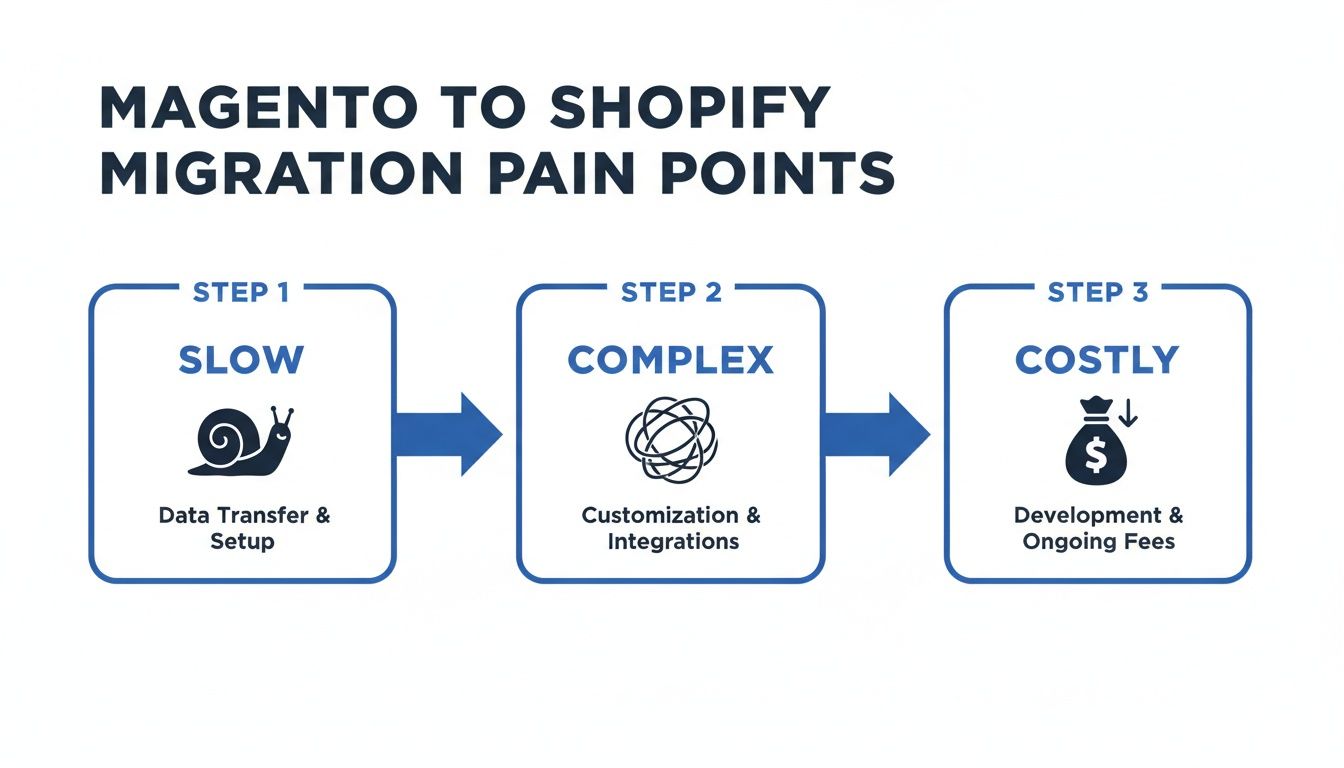
The inherited complexity from Magento often means the project feels sluggish, tangled, and more expensive than you first thought. Several key factors will have a direct impact on both the cost and the duration of your Magento to Shopify migration:
| Cost & Timeline Factor | Impact on Your Project |
|---|---|
| Data Complexity | A huge catalogue of products, customers, and order history will extend migration time and increase the potential for errors. |
| Design Customisation | Using a pre-built theme is fast. A completely bespoke, custom-designed storefront will require significant design and development hours. |
| App & Integration Needs | The more complex apps and third-party systems (like an ERP or PIM) you need to connect, the longer the integration and testing phase will be. |
| SEO Strategy | A large site with thousands of URLs demands a meticulous and time-intensive 301 redirect mapping process to preserve your search rankings. |
To put it in perspective, a small store with a few hundred products using a standard theme might be able to migrate in a few weeks. In contrast, a large enterprise with complex integrations and a fully custom design could be looking at a multi-month project costing tens of thousands of pounds. By taking the time to build a proper blueprint, you give yourself the clarity needed to scope the project accurately and invest your resources wisely.
2. Handling the Data Migration: Products, Customers, and Orders
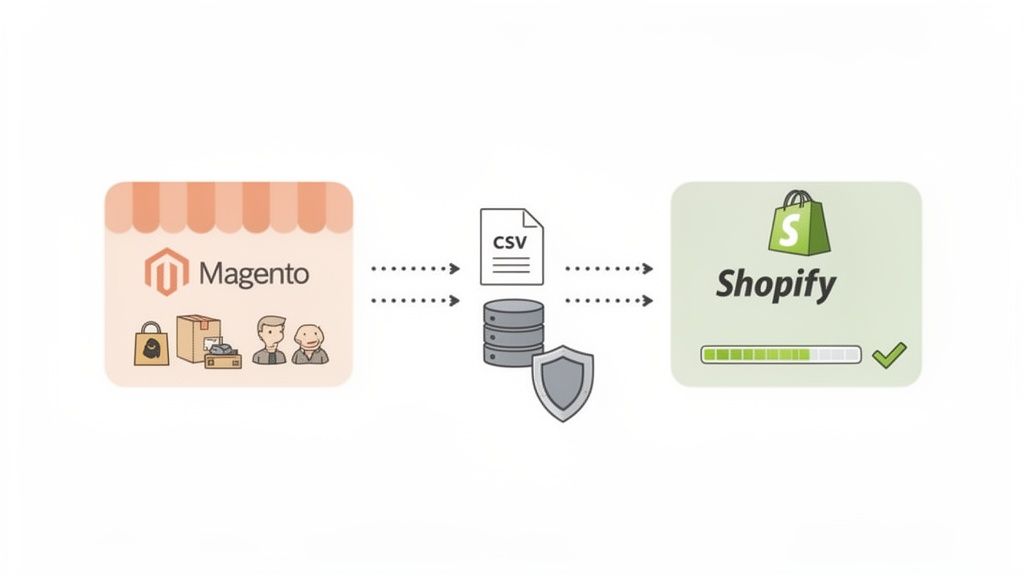
This is it—the part of the project that often feels the most daunting. Moving your precious data—products, customer histories, and years of order records—is the technical core of any Magento to Shopify migration. A slip-up here can mean lost information and a chaotic launch day. But with a bit of planning, you can get it done smoothly.
There’s no one-size-fits-all solution. The right method really comes down to your store's size, the complexity of your data, and your budget.
Choosing Your Migration Method
The path you take for moving data will have a big impact on your project's timeline and cost. For a tiny store with a handful of products, a manual approach might work just fine. But for most established businesses, you’ll need something more robust.
To help you decide, here’s a look at the three main ways you can tackle this.
Migration Method Comparison
Choosing the right approach is crucial. This table breaks down the common methods to help you find the best fit for your store.
| Method | Best For | Pros | Cons |
|---|---|---|---|
| Manual CSV Import | Very small stores with a simple product catalogue and few orders. | It's free and gives you total control over the data you bring across. | Extremely time-consuming, high risk of human error, and doesn't support order history migration. |
| Automated Migration Apps | Most small to medium-sized businesses (SMBs). | Fast, cost-effective, and reliable. Handles complex data mapping automatically. Apps like Cart2Cart, LitExtension, or Matrixify are popular choices. | May not handle highly customised data structures or unique Magento extensions. |
| Custom Agency Migration | Large, enterprise-level stores with complex data, B2B functionality, or years of history. | The most flexible and powerful option. Can handle any data complexity and ensures a complete transfer. | The most expensive and time-intensive route, requiring specialist developers. |
For most businesses I work with, an automated migration app hits the sweet spot. It provides a great balance of power, cost, and reliability. Only go down the custom route if your data is truly unique or you're dealing with an enterprise-scale operation.
Navigating Data Mapping and Cleaning
Getting data from A to B is only half the battle. You have to make sure it fits into Shopify's structure when it arrives. This is where data mapping comes in, and it's a common stumbling block.
Think of it like moving house. You can't just dump the contents of your old kitchen drawers into your new ones—they won't fit. You have to reorganise.
A classic example is customer groups. Magento's system is highly customisable, but Shopify doesn't have a direct equivalent. The solution? Use Shopify’s customer tagging system. You'll need a plan to turn a Magento group like ‘Wholesale Tier 1’ into a simple Shopify tag like wholesale-tier-1. You can then use that tag to create segmented email lists or grant access to special pricing.
Before you even think about starting the transfer, you need to do a data audit and clean-up.
- Get rid of the junk. Do you really need to migrate test orders from 2018 or products you discontinued five years ago? Ditching irrelevant data makes the whole process faster and cleaner.
- Standardise everything. Make sure fields like SKUs and phone numbers follow a consistent format. Inconsistencies here will cause errors during the import.
- Flag the tricky stuff. Make a list of things like gift card balances, store credit, and loyalty points. These almost always require a separate, manual process to move across.
Understanding the fundamentals behind a solid data transfer is key to protecting your information. Reading up on database migration best practices can give you a solid foundation for this critical phase. A clean, well-mapped data migration is the bedrock of a successful launch.
Designing and Building Your New Shopify Store
With the technical data plan in place, we can finally turn to the more creative side of the coin: actually designing and building your new Shopify store. A lot of merchants see this as a simple 'lift and shift' job, trying to make their new site a pixel-perfect copy of the old one. This is a huge missed opportunity.
Think of your move from Magento as a complete fresh start. It's your chance to iron out all the old kinks in your customer experience, boost your site's performance, and build a storefront that’s genuinely geared for conversions from day one.
The first big decision you'll face is your theme. This isn't just about aesthetics; your theme is the very foundation of your store. It has a massive knock-on effect on everything from page speed and mobile usability to how easily customers can buy from you. My strong recommendation? Stick exclusively to themes built on Shopify's Online Store 2.0 (OS 2.0) architecture.
OS 2.0 themes introduced "sections on every page," which is a game-changer. It gives you incredible drag-and-drop flexibility over page layouts that were previously hard-coded and rigid. This means your team can spin up custom-looking landing pages for a new campaign without ever needing to bug a developer.
Choosing the Right Shopify Theme
Your theme is the engine of your customer experience, not just a coat of paint. As you're browsing, keep an eye out for these key qualities:
- Blazing Fast Performance: Seek out themes from reputable developers known for clean code. The Shopify Theme Store often lists performance scores, so you can see real data before you commit. A slow site is a conversion killer.
- A Flawless Mobile Experience: With over 70% of ecommerce traffic now coming from smartphones, your site has to be perfect on a small screen. Don't just trust the demo's 'mobile view'—pull it up on your own phone and click around.
- Smart Built-in Features: Does the theme include things like a mega menu, quick-view pop-ups, or advanced product filtering out of the box? Choosing a theme with these features can save you from having to install (and pay for) extra apps later on.
- Solid Reviews and Support: Read the recent reviews. Is the developer responsive? Do they offer reliable support? You don't want to be stuck when you hit a technical snag down the line.
Once you’ve installed your chosen theme, it's time to mould it to your brand. This involves setting up your typography and colour palettes and, of course, getting your navigation right. A crystal-clear main menu and footer are absolutely vital for helping shoppers find what they need. Get this wrong, and your bounce rate will suffer.
This isn't just a redesign; it's a fundamental re-evaluation of your entire customer journey. Use this as a golden opportunity to simplify how people navigate your store, make products easier to discover, and eliminate all those little friction points you know existed on your old Magento site.
Replacing Extensions with a Modern App Stack
One of the most satisfying parts of a Magento to Shopify migration is cleaning up your tech stack. You might be used to juggling dozens of clunky, and often conflicting, Magento extensions. On Shopify, you can build a far leaner and more powerful setup from the Shopify App Store.
I see this all the time with B2B merchants. On Magento, they often rely on a complex, custom-built module for wholesale functionality. When they move to Shopify Plus, they're often surprised to find that core features like company profiles and wholesale pricing are already built-in. For any extra functionality, a single, dedicated B2B app can fill the gaps with a much cleaner, more reliable integration.
Your goal here is to replace, not just replicate. Make a list of your old Magento extensions and actively look for modern Shopify app equivalents that do the job better, faster, and more intuitively. This could mean swapping an old loyalty extension for a modern platform like LoyaltyLion or Yotpo, or replacing a clunky product customiser with a slick app like Product Options by Bold.
If you want to go deeper into app selection, our guide on how to build a successful Shopify store from the ground up is a great place to start. Adopting this mindset ensures your new site isn't just a copy of the old one—it's a genuine upgrade across the board.
Protecting Your SEO During the Transition
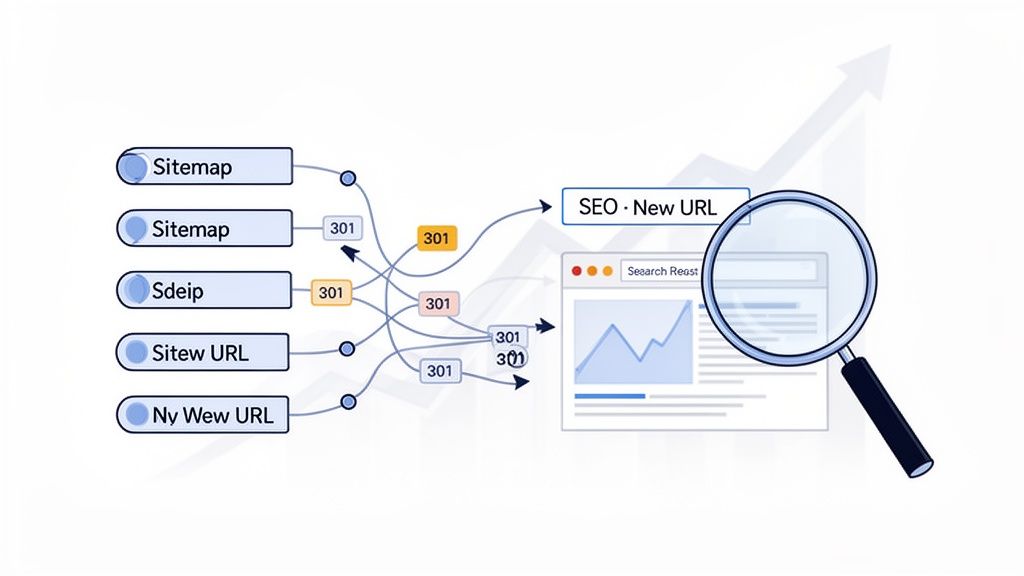
Let's be honest: this is the part of a Magento to Shopify migration that gives marketing teams sleepless nights. The thought of losing years of hard-earned organic traffic is terrifying, but it's a risk you can absolutely manage. While a clumsy SEO transition can torpedo your rankings, a meticulous plan will not only protect your authority but can actually improve it.
Failing to redirect your old URLs correctly is easily the biggest and most costly SEO mistake you can make. Every single link pointing to your old Magento site—whether from other websites or from Google's own index—carries ranking power, often called link equity. If those links suddenly hit a 404 "Not Found" error after you go live, that equity vanishes. Your rankings will follow.
Crafting a Bulletproof 301 Redirect Map
The answer is a comprehensive 301 redirect map. Think of a 301 redirect as a permanent change-of-address notice for search engines and browsers. It says, "This page has moved for good, and here’s the new address," passing the vast majority of that precious link equity from the old URL to the new one.
Your task is to build a master spreadsheet that maps every valuable URL from your Magento store to its new home on Shopify. This isn't something to rush through on a Friday afternoon; it’s a detailed, painstaking process.
- Export All Magento URLs: Use a site crawler like Screaming Frog to pull a complete list of every indexed page on your live Magento site. Don't forget products, categories, blog posts, and any custom landing pages.
- Identify the New Shopify URLs: Once your Shopify store is taking shape (even on a development domain), crawl it to get the corresponding list of new URLs.
- Map Old to New: In your spreadsheet, set up two columns: "Old Magento URL" and "New Shopify URL." Now, carefully match every old page to its direct replacement.
This gets especially fiddly with category pages. Magento often uses a deep, nested URL structure (like /mens/shirts/formal-shirts), while Shopify’s collections typically have a flatter structure (like /collections/formal-shirts). You have to map these many-to-one relationships correctly to consolidate their ranking power.
A thorough redirect map is your insurance policy against lost traffic. Every minute spent creating and verifying it is an investment in preserving the SEO authority you've worked so hard to build.
Migrating Your On-Page SEO Elements
Redirects are the foundation, but they're not the whole house. You also need to migrate all the on-page SEO details that tell Google what each page is about. Skipping this step is like moving to a new house but leaving the door numbers and mailbox labels behind.
This means you need to systematically transfer your existing:
- Meta Titles and Descriptions: These are vital for your click-through rate in search results. An app like Matrixify can be a lifesaver for bulk-exporting these from Magento and importing them into Shopify.
- Image Alt Text: Descriptive alt text is crucial for image search rankings and for accessibility. Make sure your migrated product images keep their optimised alt text.
- Blog Content: Your blog is a goldmine of SEO value. All those posts need to come across with their content, metadata, and internal links fully intact.
The SEO stakes are even higher if you're also changing your domain name during the move. To safeguard your SEO during the transition, it's essential to understand the complete process, including learning how to change domain name on Shopify properly. This ensures a smooth handover and helps you transfer your domain authority correctly.
Post-Launch Monitoring and Clean-up
Your SEO work doesn't stop on launch day. Far from it. In the first few weeks after your Magento to Shopify migration, you need to be on high alert.
Your best friend here is Google Search Console (GSC). As soon as you launch, submit your new Shopify sitemap to GSC. Then, keep a very close eye on the "Coverage" report. This is where Google reports any problems it has crawling your new site.
Pay special attention to any spikes in 404 errors, as this is a dead giveaway that you missed some redirects. Find those broken links, add the correct 301 redirects in Shopify's "Navigation" section, and then mark the errors as fixed in GSC. Proactively hunting down and fixing these issues shows Google you're on top of things, which will help your new site solidify its rankings much faster. To build on this, you might want to explore other ecommerce SEO best practices for long-term growth.
The Go-Live Checklist and Igniting Post-Migration Growth
This is it. The final sprint before launch and the critical first few weeks that follow are what separate a decent migration from a truly successful one. Getting the new site live is the climax of all your hard work, but the job isn't finished. Now, it’s all about ensuring a smooth launch and immediately shifting your focus to growing on the new Shopify platform.
A bumpy launch can destroy customer confidence in an instant. To sidestep that disaster, you need a meticulous pre-launch checklist. This isn’t just a quick scan; it's a systematic run-through to validate every single critical function of your store before any real customers land on it.
The Final Pre-Launch Checks
In the final hours before you point your domain to Shopify, your team needs to be hammering the password-protected version of the site with a final round of tests. This is your last chance to squash any minor bugs before they turn into major public headaches.
Your final user acceptance testing (UAT) should zero in on the complete customer journey:
- The Full Purchase Path: Place several test orders. Seriously. Use different payment gateways like Shopify Payments, PayPal, and any express options. Test your discount codes and gift cards. Does the order confirmation email look right and arrive promptly?
- Customer Accounts: Walk through creating a new customer account from scratch. Then, try the 'forgot password' flow to make sure that crucial function is working perfectly.
- Key App Functionality: Check your most important third-party apps. Is your loyalty program showing points correctly? Is your advanced search feature returning the right products?
Think of this final checklist as a pilot's pre-flight inspection. You’re methodically confirming that every single system is online and functioning exactly as expected before take-off. This is not a step you can afford to skip.
Once UAT is signed off, it's time for one last look at your core settings. Make absolutely sure your shipping zones and rates are correctly set up for all your key markets. Double-check that your tax settings are accurate. A single misconfiguration here can grind sales to a halt or create a massive accounting problem down the line.
Launch Day and What to Do Immediately After
On launch day, the name of the game is minimising downtime and disruption. The sequence of events is vital. First, you’ll put your old Magento store into maintenance mode. Then, you'll run a final "delta" migration to pull over any last-minute orders or customer accounts that were created while you were doing your final tests.
With all the data synced, you'll point your domain's DNS records to Shopify. After a short wait for propagation, your new Shopify store will be live to the world. The very first thing you should do? Place a real, live order with a real credit card to confirm everything is working perfectly.
Now, your mindset needs to shift from technical migration to active growth. Your Magento to Shopify migration wasn’t just about moving house; it was about moving into a better neighbourhood with more opportunities. It's time to start cashing in.
Fuelling Growth with Post-Migration CRO
The days and weeks immediately after launch are the perfect time to kick off a Conversion Rate Optimisation (CRO) programme. Your new Shopify 2.0 theme is almost certainly faster and more mobile-friendly than your old site, which gives you a fantastic starting point. Now, you can use Shopify's native analytics and A/B testing apps to fine-tune the experience.
Here are a few high-impact tests to consider running in the first couple of months:
- Homepage Hero: Test different calls-to-action (CTAs) and imagery. Does a lifestyle shot outperform a product-focused one? Does "Shop The Collection" work better than "Discover What's New"?
- Product Page Layout: Experiment with the arrangement of your product images, descriptions, and the "Add to Cart" button. Sometimes, small tweaks here—like making the ATC button sticky on mobile—can produce a significant lift.
- Checkout Enhancements: If you're a Shopify Plus merchant, you have the power to customise your checkout. Try adding trust badges (like "Secure SSL Checkout") or reordering express payment options to see if it reduces cart abandonment.
Keep a close watch on your store's performance using Shopify's built-in speed reports. Don't let your fast new site get bogged down over time. Regularly audit any new apps you install and make image compression a standard part of your process. The migration is your launchpad; these ongoing optimisation efforts are the fuel that will drive your growth long after the technical work is done.
Your Questions About Migrating to Shopify, Answered
Thinking about a big move from a platform like Magento over to Shopify is bound to bring up some questions. It's a major project, after all. We get asked about the nuts and bolts of this process all the time, so we've put together some straight-talking answers to the most common queries we hear from business owners.
How Long Does a Magento to Shopify Migration Really Take?
This is usually the first question on everyone's mind, and the honest answer is: it depends entirely on the complexity of your store. It's not a one-size-fits-all timeline.
For a very basic shop with a handful of products and no complex custom features, you might be looking at a couple of weeks. But for most established businesses, that's rarely the case. A more realistic timeframe for a medium-sized store—think several thousand products, a decent order history, and a few key app integrations—is somewhere in the region of 2 to 4 weeks.
If you're running a larger, enterprise-level operation with masses of data, B2B functionality, or a completely bespoke theme design, you should plan for the project to take 4 to 8 weeks, sometimes longer. The main things that stretch the timeline are the sheer volume of data, the intricacy of the design, and how many third-party integrations you need to get right.
What Are the Main Costs Involved in This Migration?
Your Shopify subscription is just the starting point. To get a true picture of the investment, you need to account for a few other key areas to avoid any budget surprises down the line.
- The Migration Itself: You'll need a tool or a team to handle the heavy lifting. Automated apps like LitExtension or Matrixify are great budget-friendly options. For a completely hands-off experience, a full-service agency migration will cover every detail, though it comes at a higher price point.
- Theme & Design: A premium Shopify theme will typically set you back a few hundred pounds. If your brand needs significant design tweaks or a totally custom-built theme from scratch, your development costs will naturally be a much bigger slice of the budget.
- App Subscriptions: Many features you're used to from Magento extensions will be replaced by dedicated Shopify apps. It’s crucial to add up the monthly costs for tools that manage subscriptions, loyalty programmes, advanced product reviews, or other specific functions you rely on.
Try to see the migration cost as an investment, not just an expense. Moving to Shopify often means swapping the high and unpredictable costs of Magento maintenance, security patching, and developer fees for a more stable and often lower total cost of ownership.
Will I Lose My Customer and Order Data?
Absolutely not—as long as the migration is handled correctly. All of your crucial customer information and your complete order history can and should be transferred safely.
One key thing to note is that customer passwords can't be moved across due to security and encryption standards. This is normal practice. Your customers will simply need to reset their passwords the first time they log in to the new site. Most merchants handle this with a simple, well-timed email campaign.
Professional migration tools and agency-led projects are built specifically to map Magento's data to Shopify's structure. This ensures your valuable historical data—order dates, what was purchased, customer contact details—is all preserved and ready for you to use.
Can I Keep My Existing Domain Name When Moving to Shopify?
Yes, and you absolutely should. Keeping your domain name is vital for protecting your brand identity and all the SEO equity you've built up over the years.
The process is quite straightforward. It involves updating your domain's DNS settings to point from your old Magento hosting to Shopify's servers instead. This is a standard procedure and is usually one of the very last things you do on launch day to make the switch seamless.
Ready to make your Magento to Shopify migration a stress-free success? The expert team at Grumspot specialises in building high-performance Shopify Plus stores that are engineered to convert. We manage every single detail, from flawless data migration and SEO preservation to beautiful bespoke theme development, so you can focus on growing your business. Get in touch with Grumspot today to start your journey.
Let's build something together
If you like what you saw, let's jump on a quick call and discuss your project

Related posts
Check out some similar posts.
- shopify to magento 2 migration
Shopify to magento 2 migration - Learn how to migrate from Shopify to Magento 2 with this practical ...
Read more
- seo and subdomains
Learn how SEO and subdomains interact, from indexing and authority to internationalisation. A practi...
Read more
- technical seo audit
What Is Technical SEO Audit. Learn what a technical SEO audit is, its core components, and how it dr...
Read more
- help center shopify
Learn how to build a help center Shopify merchants trust. Covers native pages vs apps, article struc...
Read more