WooCommerce to Shopify Migration The Definitive 2026 Guide
- woocommerce to shopify migration
- shopify migration guide
- ecommerce replatforming
- shopify seo
- uk ecommerce
Launched
March, 2026

If you’re running a store on WooCommerce, you know the routine. The constant juggling of plugin updates, security patches, and performance tweaks can feel like a full-time job in itself.
Making the move from WooCommerce to Shopify isn't just about swapping one system for another. It’s a deliberate decision to trade that endless maintenance cycle for a platform that’s secure, stable, and built to scale. You get to stop being a part-time developer and get back to what you do best: selling great products.
Why Smart Retailers Leave WooCommerce For Shopify
The decision to leave WooCommerce is rarely a snap one. It’s usually a slow burn, a build-up of small frustrations that eventually make it clear the platform is holding the business back. While the open-source nature of WooCommerce gives you total freedom, that same freedom becomes a major headache as your brand grows.
Think of it this way: on WooCommerce, you're not just running the shop; you’re also the landlord, the plumber, and the security guard. You have to vet every plugin, fix conflicts when they break, and constantly worry about keeping the site secure. A single dodgy update can throw your entire operation into chaos, and it’s all on you to fix it.
Shopify, on the other hand, is like moving into a high-end retail unit in a managed shopping centre. Security, site speed, and the core infrastructure are all handled by a dedicated team of experts. This lets you step away from the technical firefighting and focus entirely on your customers and sales.
Before we dive into the 'how', it's helpful to understand the core differences that often prompt this move. Here’s a quick breakdown:
WooCommerce vs Shopify Key Differences for Migrating Merchants
| Aspect | WooCommerce | Shopify |
|---|---|---|
| Maintenance | Self-managed. You are responsible for all updates, security, and hosting. | Fully hosted and managed. Shopify handles all technical maintenance and security. |
| Scalability | Dependent on your hosting plan and site optimisation. Can be costly and complex to scale for high traffic. | Built to handle massive traffic spikes (like Black Friday) out of the box, even on basic plans. |
| Security | Your responsibility. Relies on you and third-party plugins to secure the site. | PCI compliant by default. Shopify manages all security protocols and updates globally. |
| Core Costs | "Free" software, but requires paid hosting, premium plugins, and often developer fees. | Monthly subscription fee that includes hosting, security, and core features. Clear, predictable pricing. |
This table really highlights the shift in responsibility. With WooCommerce, you're paying with your time and effort; with Shopify, you're paying a subscription to get that time back.
The True Cost of 'Free' Software
The penny often drops for merchants when they start tallying up the real cost of running a "free" platform. WooCommerce may not have a price tag, but running it successfully certainly does. These costs are often hiding in plain sight:
- Plugin Chaos: Many stores are propped up by a fragile ecosystem of third-party plugins. Each one is a separate subscription fee, a potential security risk, and another thing that can break after an update.
- Wasted Hours on Maintenance: Every hour you spend testing updates, troubleshooting conflicts, or applying security patches is an hour you’re not spending on marketing or customer service.
- Scalability Nightmares: When traffic surges during a big sale, the responsibility for keeping the site online is 100% yours. A crash during a Black Friday flash sale can wipe out thousands in revenue and damage your brand's reputation.
We’re seeing this trend accelerate across the UK. In fact, WooCommerce is the single most common platform merchants migrate from when they move to Shopify. With over 208,000 live stores and a dominant market share, British businesses are clearly choosing Shopify for growth. This is especially true for ambitious brands; the number of UK-based Shopify Plus stores is projected to jump from around 1,000 in 2023 to over 5,700 by 2026.
You can dig deeper into these figures in the 2026 UK Shopify Migrations Report.
Migrating isn’t just about escaping the technical headaches of WooCommerce. It's about embracing a platform built from the ground up for one purpose: to convert visitors into customers efficiently and reliably. Shopify's streamlined checkout, mobile-first design, and integrated tools are all geared towards maximising revenue.
Laying the Groundwork: Your Pre-Migration Strategy
Diving into a WooCommerce to Shopify migration without a solid plan is a recipe for disaster. From our experience, a successful move is about 90% strategy and only 10% technical work. Before a single customer record is touched, you need to get under the bonnet of your current WooCommerce store. This initial audit is what defines the project's scope, timeline, and budget, ensuring there are no nasty surprises down the line.
This isn't just about listing products and pages. You have to create a complete inventory of everything that makes your store tick—content pages, blog posts, hidden features buried in custom code, and, most importantly, every single plugin you're running. We often find that merchants are sitting on a complex web of dependencies that need to be carefully untangled and mapped to new Shopify solutions.
This planning stage almost always shines a light on the very reasons retailers want to leave WooCommerce. The frustrations are common, from endless plugin conflicts and security headaches to simply hitting a wall when it's time to scale.
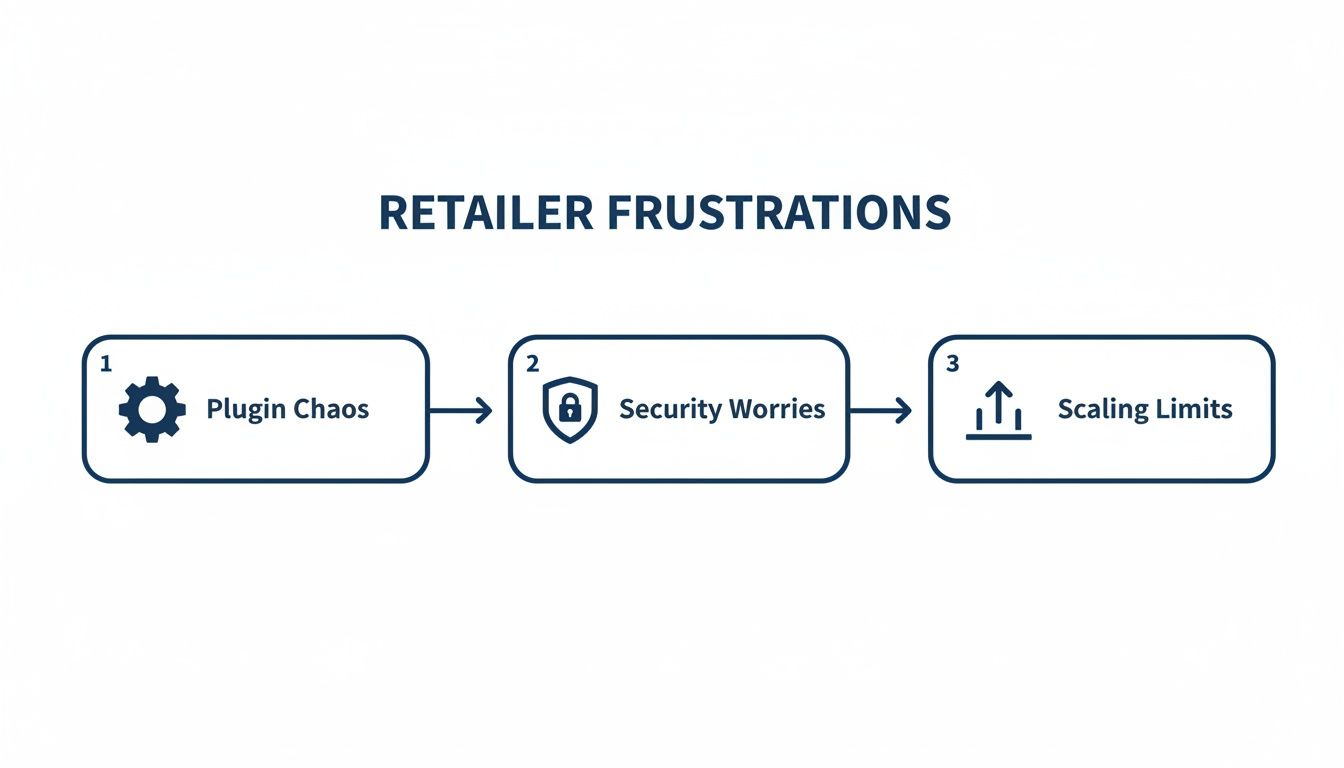
It’s a familiar story for many WooCommerce merchants: what starts as plugin chaos eventually leads to hitting a growth ceiling. This is where moving to a more robust, stable platform becomes less of a choice and more of a strategic necessity.
Auditing Your Current WooCommerce Store
Your first real task is to perform a deep dive into your existing setup. This isn't just about creating lists; it's about making decisions. You need to figure out what’s essential to bring across, what could be improved in the process, and what you can finally leave behind. I always recommend using a master spreadsheet to track every single item.
Make sure your audit meticulously covers these areas:
- Products & Collections: Go deeper than just the basics. Document any custom fields, unique product types like bundles or subscriptions, and how your categories (collections) are organised. Make a note of any complex logic that might need a specific Shopify app to replicate.
- Customer & Order History: This is a good time for a data clean-up. Look for duplicate customer records or incomplete profiles. For orders, pay close attention to any custom statuses you've created, as they won't have a direct equivalent in Shopify. You'll need a plan for managing that historical data.
- Content & SEO: Catalogue every single page, blog post, and resource on your site. This is absolutely critical for preserving your SEO rankings later, as you’ll need to map every old URL to its new home on Shopify.
- Apps & Integrations: This is often where things get complicated. List every plugin and third-party service your store relies on. For example, your current WooCommerce QuickBooks integration needs to be audited to ensure you can re-establish that financial data flow seamlessly on the new platform.
Mapping Features and Defining Your Scope
Once the audit spreadsheet is complete, the real strategic work begins: mapping your current functionality to the Shopify ecosystem. For every WooCommerce plugin and custom-coded feature, you need to find its Shopify counterpart.
You'll generally have three paths to choose from for each feature:
- Shopify Native Functionality: Can Shopify handle this out of the box? Things like basic discount codes or gift cards are already built-in.
- Shopify App Store: Is there a well-regarded app that does what you need? Spend time researching alternatives and, most importantly, reading recent reviews.
- Custom Development: For truly unique functionality that sets your brand apart, you might need a custom-built app or a specific theme modification. If you're exploring this route, our guide on how to build a Shopify store gives a good overview of the process.
This mapping exercise is what will ultimately define your project’s scope and budget. It gives you a clear picture of what can be handled with standard tools versus where you might need to bring in specialist agency support or invest in custom solutions.
A Word of Advice: Be ruthless here. A migration is the perfect chance to simplify. Ask yourself if every single feature you have now is genuinely adding value or driving sales. Shedding unnecessary complexity will result in a cleaner, faster, and far more manageable store on Shopify.
The business case for making this move is powerful. Shopify's checkout is proven to convert better than WooCommerce's by an average of 15-17%. On top of that, a new storefront on Shopify can be built 41% faster on average, and its all-in-one platform helps you sidestep the convoluted integrations that often lead to 49% higher setup costs on WooCommerce. These are the kinds of numbers that prompted 8,993 WooCommerce stores to migrate to Shopify in a single 90-day period.
Right, you’ve done the strategic thinking. Now it’s time to get down to the brass tacks: how are you actually going to get your data out of WooCommerce and into Shopify?
This is a make-or-break moment. The path you pick here will directly shape your project's timeline, budget, and, most importantly, the integrity of your store's data. There's no single "best" way to do it; the right choice hinges on how complex your data is, your team's technical confidence, and how much you're prepared to invest.
Broadly speaking, you have three routes: using an automated migration app, doing it all manually with CSV files, or bringing in a specialist Shopify agency. Each has its pros and cons, and knowing where they shine will help you make the right call for your business.
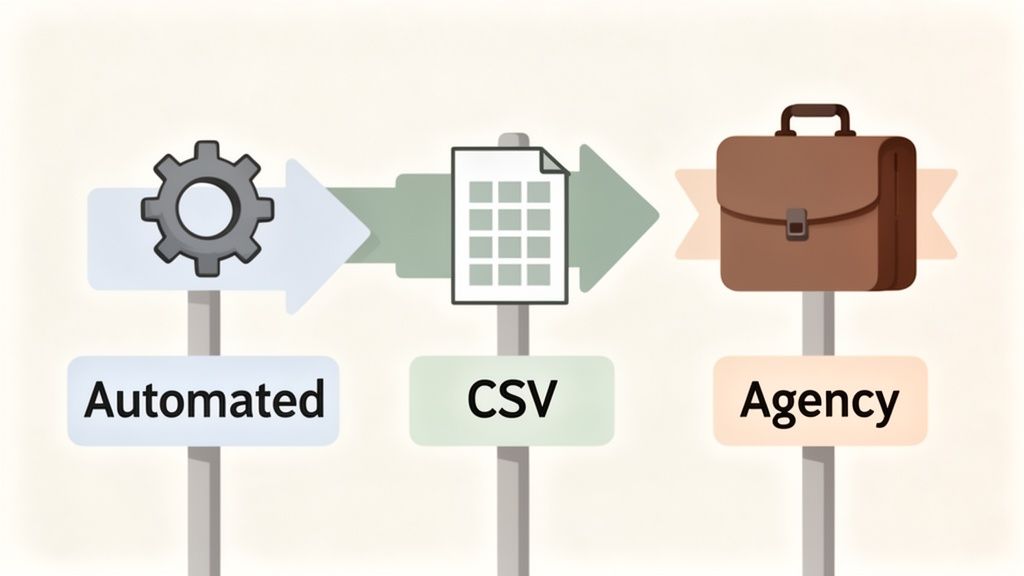
This decision is especially timely for UK retailers. We're seeing a major shift in the market, with established UK businesses moving away from platforms like WooCommerce to take advantage of Shopify’s power and scalability. The momentum is undeniable. Between 2024 and 2026, the number of Shopify Plus stores in the UK surged by 78%, jumping from over 3,200 to more than 5,700. You can dig deeper into the growth of Shopify in the UK to see the full picture. This trend underscores why so many ambitious brands are planning their own WooCommerce to Shopify migration.
Automated Migration Apps
For many smaller stores with a pretty standard setup, automated tools like Cart2Cart or LitExtension can feel like the perfect, easy solution. These apps essentially build a bridge from your old WooCommerce site to your new Shopify store, pulling across products, customers, and orders with very little manual effort.
The process is designed to be straightforward. You typically install a connector plugin on your WooCommerce site, tweak a few settings in the migration app's dashboard, and hit 'go'.
- Best For: Stores with standard data structures (think simple products without tons of variants), a manageable number of SKUs, and no heavy customisations. If your WooCommerce store is fairly 'out of the box', this can be a quick and budget-friendly option.
- Key Consideration: These tools are great for the basics but often trip up on the finer details. Custom post types, unique order statuses, or complex product options might not make it across cleanly, leaving you with a manual clean-up job. Always, always run a free demo migration first to see exactly what gets left behind.
Manual CSV Export and Import
The manual route means you’ll be exporting your products, customers, and orders from WooCommerce into CSV files. From there, you have to meticulously reformat those spreadsheets to match Shopify's specific structure before you can import them. Shopify gives you templates, but it's a painstaking process.
The big upside here is total control. It's the perfect chance to give your data a proper spring clean—ditching old products, fixing inconsistent naming conventions, and standardising everything before it touches your shiny new Shopify store.
A manual transfer is less a test of technical skill and more a test of patience and attention to detail. One misplaced comma or an incorrectly named column in a CSV with thousands of rows can bring the whole import crashing down.
We often find this works well for merchants who are incredibly organised and want to personally inspect every piece of data. It forces you to get intimately familiar with your information, which is a valuable exercise in itself. Be warned, though: it is by far the most time-consuming path you can take.
Partnering with a Shopify Agency
When your data is messy, your catalogue is huge, or you simply can't risk any downtime or errors, working with a specialist Shopify agency is the safest bet. This is the standard choice for established businesses where the cost of a mistake is far greater than the investment in getting it done right.
An agency takes the entire technical headache off your plate. They use a combination of their own scripts and battle-tested methods to guarantee a smooth and accurate transfer. They’ve seen all the common pitfalls and already have the solutions.
An Agency-Led Migration Is Your Best Bet When You Have:
- Complex Data: This covers everything from customer passwords (which can't be moved directly and need a smart re-engagement strategy) to subscriptions, product bundles, and countless custom fields.
- A Huge Volume of Data: Trying to manually wrangle hundreds of thousands of orders or products is a recipe for disaster. It's just not practical and is riddled with the risk of human error.
- Limited In-House Resources: If your team is already running at full capacity, outsourcing the migration frees them to focus on the high-value launch activities, like marketing, merchandising, and customer communication.
A good agency won't just 'lift and shift' your data. They'll help you structure it properly for Shopify, recommend the best apps to replace your old plugins, and ensure every bit of information lands exactly where it should. This white-glove approach transforms your WooCommerce to Shopify migration from a daunting technical chore into a genuine strategic upgrade for your business.
Rebuilding Your Storefront and Protecting Your SEO
With your data ready to go, the most visible part of your WooCommerce to Shopify migration is next: rebuilding your storefront. This isn't just a copy-paste job. Think of it as a golden opportunity to create a far superior customer experience, boost site speed, and build a solid foundation for future growth.
It all starts with picking the right theme. We always recommend starting with a Shopify Online Store 2.0 (OS 2.0) theme. These modern themes give you incredible flexibility with "sections and blocks," letting you build custom page layouts without ever touching a line of code. It’s a massive upgrade from the often rigid structure of older themes or the complex world of WordPress page builders.
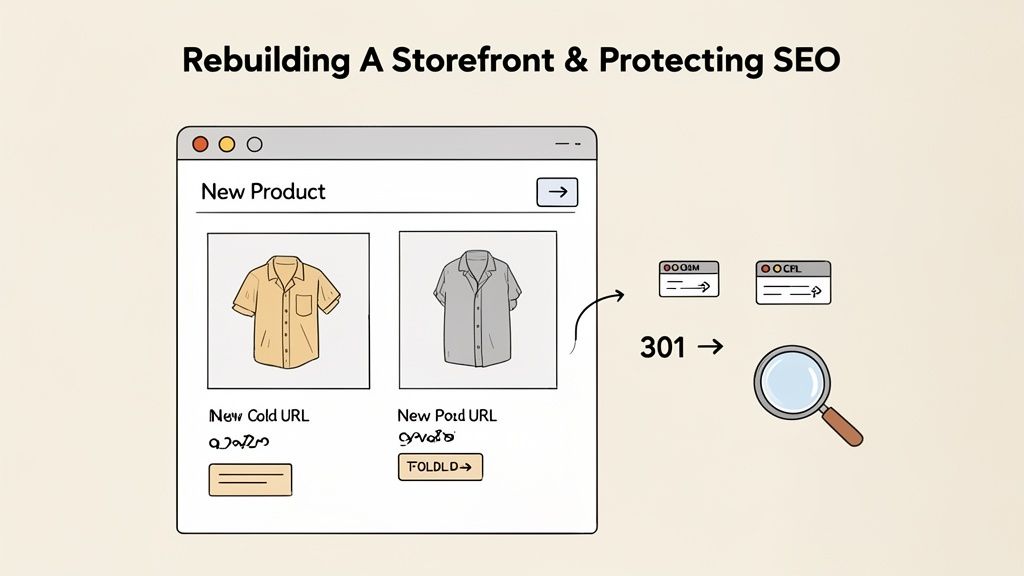
As you build out the pages, you can get creative. Use OS 2.0's features to add rich content to product pages, design compelling landing pages with dynamic sections, and craft collection pages that make browsing a genuine pleasure.
Developing Your SEO Preservation Plan
Get this next part wrong, and you can undo years of hard-earned SEO authority. Losing your search engine rankings is one of the biggest risks in any replatforming project, but it’s completely avoidable with a careful, methodical plan. Your main goal here is to make sure both search engines and your customers are passed from your old WooCommerce URLs to their new Shopify ones without a hitch.
The cornerstone of this plan is the 301 redirect. A 301 is a permanent redirect that tells search engines like Google that a page has moved for good, passing most of its ranking power over to the new URL. Skipping this step is like changing your shop's address without telling anyone; customers (and Google's crawlers) will just find an empty space.
To pull this off flawlessly, you need to create a comprehensive URL map. This is usually done in a spreadsheet with two columns:
- Old WooCommerce URL: Every single product, collection, page, and blog post URL from your old site.
- New Shopify URL: The new, corresponding URL on your Shopify store.
This mapping process is meticulous and absolutely non-negotiable. Every important URL must be accounted for to prevent broken links and the dreaded 404 "Page Not Found" errors, which kill the user experience and your SEO.
Expert Tip: Whatever you do, don't just redirect all your old URLs to your new homepage. It's a lazy approach that frustrates users and tells Google you couldn't be bothered to find the right page. Map every old URL to its most relevant new equivalent to preserve as much link equity as possible.
Migrating Metadata and Finalising Technical SEO
Beyond just the URLs, your on-page SEO elements have to come along for the ride. This includes your meta titles, meta descriptions, and image alt text. These bits of text are vital for how your pages look in search results and for accessibility. Most migration tools will attempt to bring this data across, but you absolutely must verify it.
Once your redirects are set up and the metadata is confirmed, there are a few final technical SEO tasks to tick off:
- Generate and Submit a New Sitemap: After going live, submit your new
sitemap.xmlfile to Google Search Console. This tells Google to get crawling your new site structure. - Update Google Search Console: Remember to add and verify your new Shopify store as a property in your Google Search Console account.
- Accessibility: As you rebuild, making sure your new Shopify site is accessible is crucial for all users and for SEO. A comprehensive WCAG compliance checklist is a great resource to guide your design and development.
Protecting your SEO during a WooCommerce to Shopify migration isn't about one single trick. It's about a series of deliberate, carefully executed steps. If you're thinking about the move but feel overwhelmed by the technical details, exploring professional Shopify migration services can bring in the expertise needed for a smooth transition. A well-managed process ensures you don't lose the valuable traffic you've worked so hard to build.
The Ultimate Go-Live Checklist For A Perfect Launch
You’ve built the new Shopify store, migrated the data, and now you’re standing on the precipice of launch. This is the moment of truth. Believe me, I've seen brands rush this final stage, and it almost always ends in lost sales, unhappy customers, and a frantic scramble to patch bugs.
A methodical, rigorous pre-launch check is what separates a seamless transition from a chaotic one.
This whole process should take place on your development store – a password-protected clone of what will become your live site. Think of it as your private sandbox where you can try your best to break things without a single real customer being affected. The goal here is to simulate every possible action a visitor could take, from browsing to buying.
Core Store Functionality Testing
Before digging into the finer details, you need to be 100% certain the absolute basics are working perfectly. This is the foundation of your customer journey; any friction here will kill your conversion rates.
Start by walking through the most common user paths. Look at your key product pages. Is all the information correct? Do the images load properly? Are the prices right? Try adding items to the basket from different places – the product page, a collection page, and any quick-add features you’ve built.
From there, get forensic with your site navigation and filtering:
- Collection Pages: Double-check that all your product collections are showing the correct items. Test every single sorting and filtering option to make sure they behave as expected.
- Site Search: Run searches for specific product names, SKUs, and even general terms a customer might use. Does the search deliver relevant results quickly? Look for any strange behaviour or empty results pages where there should be products.
- Informational Pages: Click through all your static pages like 'About Us', 'Contact', 'Shipping', and 'Returns'. Are the links working and is all the content up to date?
This initial sweep is designed to catch the most glaring issues, clearing the path for a deeper dive into your store's more complex functions.
The Checkout and Customer Account Gauntlet
The checkout is where the money is made. It has to be flawless. This is the single most critical flow to test, and you should run through it repeatedly using different scenarios. Shopify Payments has a handy test mode you can enable, which lets you simulate transactions without charging a real card.
Crucial Insight: Don't just run one perfect test order. Actively try to break the process. Enter an invalid discount code, try to pay with an expired card number, and abandon a basket midway through to check if your abandoned cart emails are triggered. Your goal is to find the edge cases before your customers do.
You'll want to create a comprehensive list of tests to run before launch. Here’s a good starting point for what that might look like.
Essential Pre-Launch Testing Checklist
This table covers the mission-critical functions to test on your development store before making the final switch. Go through it line by line – don't cut corners.
| Area of Focus | Key Checks | Status (Pass/Fail) |
|---|---|---|
| Product & Collections | View product pages (images, price, description) | |
| Add to basket from product & collection pages | ||
| Check collection page filtering & sorting | ||
| Navigation & Search | Test main menu links & footer links | |
| Perform searches for products, SKUs, & keywords | ||
| Verify all internal links on content pages | ||
| Checkout Process | Test each payment method (Shopify Payments, PayPal, etc.) | |
| Apply discount codes (percentage, fixed, free shipping) | ||
| Verify shipping rate calculation for different UK regions | ||
| Complete a full checkout from start to finish | ||
| Customer Accounts | Create a new customer account | |
| Log in and log out successfully | ||
| View test order history and saved addresses | ||
| Email Notifications | Receive order confirmation email | |
| Receive shipping confirmation email (simulated) | ||
| Test abandoned cart email sequence |
Completing this checklist gives you the confidence that your core systems are solid and ready for real customers.
The Final Go-Live Sequence
Once your testing is complete and you’ve squashed any bugs, you’re ready for the technical go-live. This should be timed to cause minimal disruption, which for most businesses means late at night or very early in the morning during a low-traffic window.
The final sequence involves one last data sync to pull across any new orders or customers that have appeared on your WooCommerce store since the main migration. After that, the big step is updating your domain's DNS records to point away from your old hosting and towards Shopify's servers.
After you make the DNS change, there’s a propagation period that can last a few hours. During this time, some visitors will see the old site and some will see the new one. Once propagation is complete, you can remove the password from your Shopify store, and your WooCommerce to Shopify migration is officially complete. Your new store is live for the world to see.
Now for the Fun Part: Growing Your New Shopify Store
Getting your new Shopify store live is a huge achievement, but don't pop the champagne just yet. The migration itself isn't the finish line; it’s the starting block. You've just traded up to a more powerful platform, and now the real work—and the real growth—can begin.
Those first few days post-launch are all about being hyper-vigilant. Your top priority is to make sure nothing got broken in the move, especially when it comes to your SEO and customer experience. This isn't a time to sit back and watch; it's a time for proactive quality control.
Your First Week: Monitoring and Protecting Your Hard Work
As soon as you flip the switch, it’s time to run a full health check. Head straight over to Google Search Console and look for any sudden spikes in 404 "Not Found" errors. A few might pop up as Google re-crawls your new site, but a large number is a red flag that something’s wrong with your redirects.
Speaking of redirects, you need to confirm your 301s are working in the wild. You tested them on the staging site, of course, but things can behave differently on a live server. Grab a list of your most valuable old URLs—top-selling products, cornerstone blog content, high-traffic categories—and run them through a free redirect checker to be absolutely certain they’re landing in the right place.
Don't underestimate this step. A stray 404 error isn't just a broken link; it's a lost customer and a negative signal to Google. Staying on top of these issues in the first 72 hours is critical for protecting both your revenue and your rankings.
Keep a close watch on your analytics, whether that's Google Analytics 4 or Shopify's own dashboard. Are you seeing any unexpected nosedives in organic traffic? Are bounce rates climbing or conversion rates dipping? Small fluctuations are normal after a replatform, but a sustained drop means it's time to investigate, fast.
Tapping into Shopify's Growth Engine
Once you're confident the site is stable and your SEO is secure, you can switch gears from defence to offence. This is where you’ll really start to feel the difference between Shopify and WooCommerce. Shopify is built to help you scale, and it gives you the tools to do it.
Your new best friend is Shopify Analytics. It gives you clean, easy-to-understand data on everything from product performance to customer behaviour. Use these insights to find your first big opportunities. For example, if you see that shoppers are consistently abandoning their carts at the shipping stage, you know exactly where to focus your first A/B test.
Next, it’s time to explore the Shopify App Store, but do it with a plan. Don’t just start adding apps that look cool. Instead, look for tools that solve a specific problem or unlock a capability you couldn't easily manage on WooCommerce.
- Launch a Subscription Service: Apps like ReCharge or Skio make it incredibly simple to add recurring revenue streams.
- Build a Real Loyalty Programme: Tools such as LoyaltyLion or Yotpo let you reward your best customers, which is a proven way to increase their lifetime value.
- Supercharge Your Site Search: An advanced search app can deliver a much smarter, faster experience, helping customers find what they want instantly and giving your conversion rate a nice bump.
Building a CRO Programme to Boost Profit
Ultimately, the goal of this entire migration is to make your business more profitable. The best way to do that is with a structured Conversion Rate Optimisation (CRO) programme. This is a simple, repeatable process: analyse behaviour, form a hypothesis, test your idea, and roll out the winner.
Your new Shopify store is the perfect environment for this. The platform's stability means you can run A/B tests without constantly worrying that a new plugin will crash the entire site. You can test small things, like the colour of your 'Add to Basket' button, or go big and test entirely new product page layouts.
Let the data guide you. If you notice, for example, that your mobile conversion rate is lagging behind desktop, you can focus your efforts on a series of tests to improve the mobile checkout flow. For a deeper dive on this, our guide on how to increase your Shopify sales is a fantastic resource for building out your own CRO roadmap.
Making the move from WooCommerce to Shopify is a massive step forward. You’re trading a platform that often requires constant maintenance for one that’s built for opportunity. By carefully monitoring your launch and then systematically using Shopify's growth tools, you’ll ensure this move pays for itself for years to come.
A successful migration is the first step. Scaling your store is the next. At Grumspot, we specialise in turning Shopify stores into high-velocity revenue engines through expert design, development, and data-driven CRO. If you're ready to unlock your store's full potential, let's talk.
Let's build something together
If you like what you saw, let's jump on a quick call and discuss your project

Related posts
Check out some similar posts.
- shopify to magento 2 migration
Shopify to magento 2 migration - Learn how to migrate from Shopify to Magento 2 with this practical ...
Read more
- seo and subdomains
Learn how SEO and subdomains interact, from indexing and authority to internationalisation. A practi...
Read more
- technical seo audit
What Is Technical SEO Audit. Learn what a technical SEO audit is, its core components, and how it dr...
Read more
- help center shopify
Learn how to build a help center Shopify merchants trust. Covers native pages vs apps, article struc...
Read more