Shopify Plus Custom Bundle App: A Complete Build Guide
- Shopify Plus custom bundle app
- Shopify Functions
- Shopify development
- ecommerce bundling
- increase AOV
Launched
April, 2026

You’re usually considering a Shopify Plus custom bundle app at the point where simpler fixes have started to pile up.
The merchandising team wants a build-your-own bundle. Marketing wants the bundle page to match the campaign landing page exactly. Operations needs component-level inventory to stay accurate. Finance cares about VAT handling, discount presentation, and margin protection. Then someone installs an app that almost works, until it collides with subscriptions, breaks cart logic, or turns the product page into a widget that looks bolted on.
That’s the underlying context for this project. A custom bundle app isn’t just a development exercise. It’s a revenue, operations, and UX project that happens to require careful engineering. Done well, it becomes part of how the brand sells. Done badly, it becomes another source of checkout risk and admin overhead.
Deciding if a Custom Bundle App is Right For You
A typical trigger looks like this. The brand launches a “build your routine” offer before a peak trading week, the merchandising team wants collection-based rules, finance wants the discount shown one way in cart and another on invoices, and operations expects stock to deplete at component level across Shopify and the ERP. An app can get the bundle live. It often cannot carry all of that logic cleanly once order volume rises.
That is the key decision point. The question is not whether a bundle app exists. The question is whether bundling has become important enough to justify its own architecture, support process, and roadmap.
Shopify’s native Bundles feature is a reasonable fit for simple fixed sets and predictable rules. App Store tools also make sense when speed matters more than edge-case control. I usually recommend those paths first because they are cheaper to test and easier to retire.
The trade-off shows up later. What looks inexpensive in month one can become expensive in month six if the team is compensating with manual QA, support tickets, inventory corrections, or custom scripts around the app.
Signs the standard options have stopped fitting
The strongest signal is not “we need more features.” It is “we need the bundle to behave differently from how the app was designed.”
That tends to show up in a few specific ways:
- The storefront experience is constrained. The bundle UI feels bolted onto the theme, and simple changes to layout, selection states, messaging, or mobile behavior require CSS overrides and JavaScript workarounds.
- Commercial logic starts colliding. Bundle pricing conflicts with automatic discounts, subscription logic, loyalty rewards, shipping thresholds, or older checkout customizations still hanging around in the stack.
- Inventory becomes a trust problem. The storefront says a bundle is available, but one component is constrained in the warehouse or in the ERP sync, so the order is technically sellable but operationally messy.
- One app cannot support all bundle models. A merchant wants fixed kits, mix-and-match, “pick any 3,” and guided routine builders, but the chosen app only handles one or two patterns without compromises.
- Reporting is too shallow. The team can see bundle revenue, but not which child SKUs drive attach rate, margin, repeat purchase, or stock pressure.
Here is the rule I use with clients. If operations is fixing bundle problems by hand after launch, the business already owns the complexity. The only question is whether the software reflects that complexity properly.
For larger Shopify merchants, checkout reliability is part of this decision. Analysts at Stay.ai note in their review of Shopify bundling apps and implementation constraints that complex setups can run into serious checkout failure rates during peak sales when merchants stretch standard app patterns too far. I would not use a single stat as the whole business case, but the pattern is familiar. Peak traffic exposes weak cart logic, slow frontend rendering, and brittle discount interactions very quickly.
A practical comparison
| Feature | Shopify Native Bundles | App Store Apps | Custom Build |
|---|---|---|---|
| Speed to launch | Fast | Usually fast | Slowest |
| Theme control | Limited | Varies by app | Full control |
| Complex mix-and-match logic | Basic | Sometimes possible | Strong fit |
| ERP-specific inventory handling | Limited | Often partial | Designed around your flow |
| Subscription compatibility | Depends on setup | Often inconsistent | Can be planned deliberately |
| Checkout and cart behaviour | Constrained by product | Vendor-dependent | Tailored to your rules |
| Maintenance responsibility | Low | Shared with app vendor | Yours or your agency’s |
| Strategic flexibility | Modest | Moderate | Highest |
Custom is justified when bundles sit close to core trading logic. That usually means one or more of these are true: bundles affect a meaningful share of revenue, they need bespoke UX, they rely on system integrations, or the business cannot tolerate operational drift between what the customer buys and what the warehouse fulfils.
The business case for custom
The upside is real, but it only shows up when the build matches the catalogue and the buying journey.
Bundle offers can increase average order value because they change how customers discover products, compare value, and commit to a larger basket. The gain does not come from “having a bundle app.” It comes from getting the rules, merchandising, and UX right for the specific category. Beauty, fashion, supplements, and gifting all behave differently.
That is why I treat a custom bundle app as a commercial system, not just a frontend feature. It affects pricing logic, cart behavior, inventory reservation, analytics, fulfilment, and customer support. If any of those layers are weak, the storefront may still look good while margin, stock accuracy, or checkout reliability deteriorate.
If the team is still validating whether bundling deserves that level of investment, this guide on understanding the power of Shopify bundle apps is a useful companion because it frames the decision from the merchant growth side as well as the implementation side.
When custom is the wrong call
I would push back on a bespoke build in three common situations.
- The bundle is a short-lived campaign. A fixed holiday kit or a limited test offer usually does not need custom architecture.
- No one owns the workflow after launch. If ecommerce, operations, and support all assume someone else will manage bundle rules, the app will decay quickly.
- The business rules are still vague. If the team cannot answer how stock, discounts, returns, or substitutions should work, development just hard-codes unresolved decisions.
A custom bundle app is the right move when the merchant needs control, not novelty. If bundling is becoming part of how the brand sells, fulfils, reports, and optimises, building around that reality usually costs less than continuing to patch around a tool that was never designed for the job.
Requirements Gathering and Strategic Planning
Most bundle app projects go wrong before development starts.
The failure point isn’t usually code quality. It’s unclear business logic. Teams say “we want bundles”, but they haven’t decided whether inventory depletes per component, whether the bundle gets its own PDP, whether discounts stack, or what should happen when one child SKU goes out of stock.
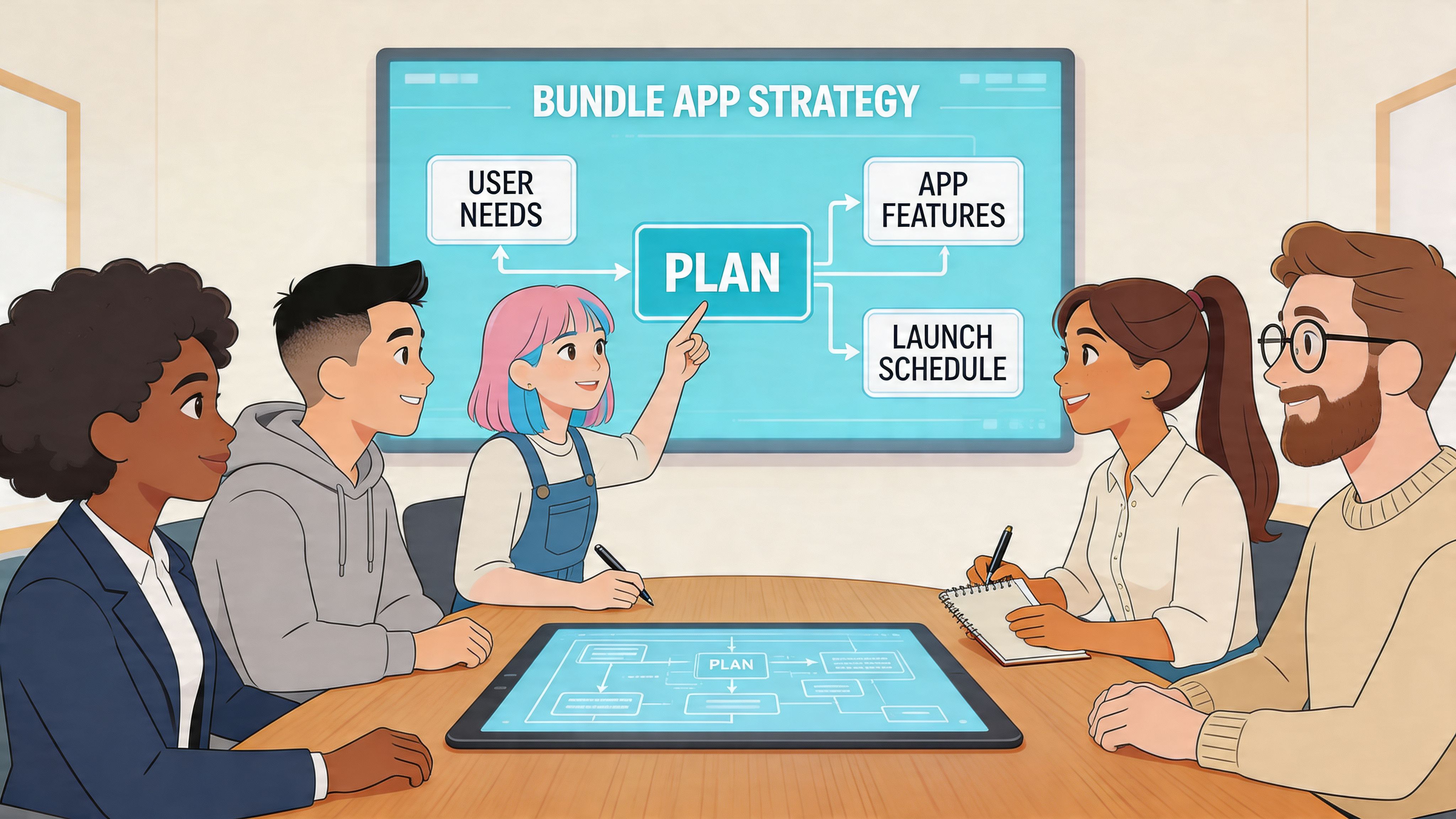
The planning phase needs adults from ecommerce, operations, finance, and marketing in the same room, working through the rules until they’re unambiguous.
Start with the bundle model
There are several distinct bundle types, and each creates different technical consequences.
Ask these first:
Is this a fixed bundle or configurable bundle?
A fixed bundle behaves more like a curated kit. A configurable bundle needs selection rules, validation, and dynamic price updates.Does the customer choose from a constrained set?
“Pick any 3 from this collection” is very different from “choose one cleanser, one serum, one moisturiser”.Where does pricing logic live?
Flat discount, tiered discount, volume-based incentive, or hidden effective saving all shape implementation.How should stock be tracked?
At the bundle parent level, component level, or both for reporting purposes.What does fulfilment need to see?
A clean parent line item, exploded components, or a hybrid representation.
Define rules before screens
The biggest planning mistake is wireframing the bundle page before writing the bundle rules.
Document the logic in plain language first:
- Eligibility rules: Which products can appear in each bundle slot.
- Selection rules: Minimums, maximums, required categories, optional extras.
- Pricing rules: Fixed bundle price, percentage discount, spend threshold, or graduated discount.
- Inventory rules: How the app blocks unavailable combinations.
- Order representation: What appears in cart, order admin, packing workflow, and analytics.
If the team can’t describe the bundle rules in one page of plain English, the developers can’t implement them safely.
Involve the right stakeholders
A bundle app touches more than the storefront. Bring in the people who’ll inherit the consequences.
- Ecommerce lead: Owns the commercial objective and customer journey.
- Operations manager: Validates stock, fulfilment, returns, and edge cases.
- Finance or commercial team: Signs off VAT treatment, discount display, and margin logic.
- CRM or marketing team: Aligns landing pages, campaign messaging, and offer mechanics.
- Technical owner: Maps integrations, admin workflows, and maintenance expectations.
This discipline matters more now because Plus merchants are treating bundle performance as a tracked strategic lever. In the UK, Shopify Plus adoption surged 40% year-over-year by Q4 2025, and custom bundle apps were cited in 72% of high-growth stores as key for AOV optimisation. That increase has been supported by Shopify’s enhanced bundle analytics, which gives teams better visibility into performance data for decision-making (Shopify bundle metrics in Analytics).
Plan the first release properly
A custom app doesn’t need every feature in version one. In fact, it usually shouldn’t.
A strong first release tends to include one bundle pattern, one clear merchant workflow, and reporting that lets you learn quickly. If your team needs a helpful framework for scoping that first version, this practical guide on how to build an MVP is useful because it forces hard prioritisation before build cost expands.
A good strategic brief for a Shopify Plus custom bundle app should leave very little open to interpretation. It should tell the development team what the customer can select, how the discount behaves, how the cart should look, how stock is reserved, and what the merchant can edit without developer help.
The Technical Architecture of a Custom Bundle App
Once the rules are stable, the architecture becomes much clearer.
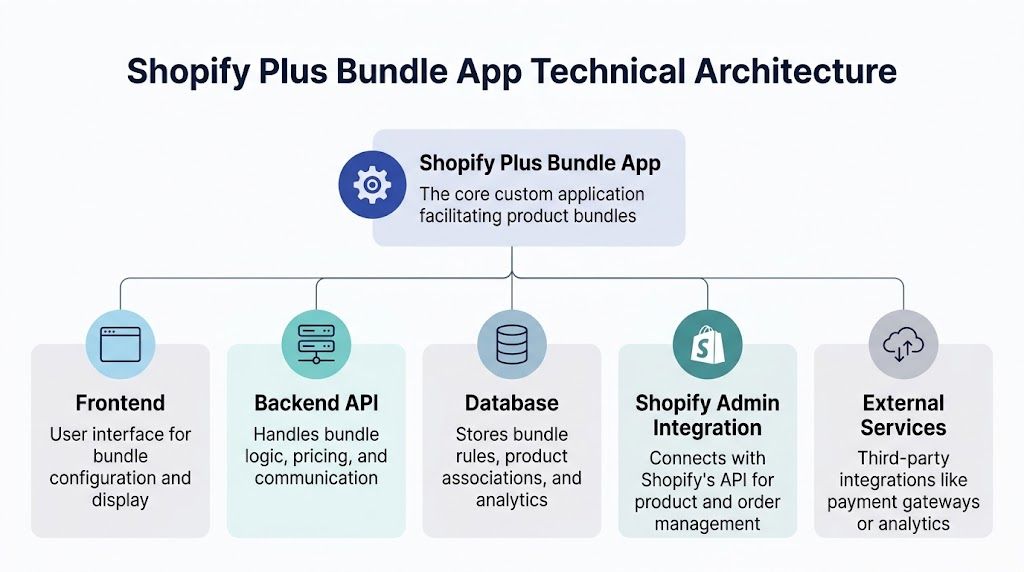
A modern Shopify Plus custom bundle app should not be built around brittle theme hacks, browser-side trust, or legacy assumptions about checkout extensibility. The architecture needs to separate storefront interaction, secure bundle logic, admin configuration, and inventory-aware order representation.
That usually means four core layers. Shopify Functions for cart transformation. Metafields for trusted configuration. An embedded admin app for merchant control. Theme app extensions or app blocks for storefront rendering.
Cart Transform Functions are the core engine
For dynamic bundle behaviour, Cart Transform Functions are the right backbone. They allow server-side cart manipulation in a way that’s more durable than old script-heavy approaches.
A common pattern is to use linesMerge logic to combine selected component lines into a bundle representation at cart level. That’s especially useful for mix-and-match and build-your-own flows where you don’t want to pre-create every possible product variant.
The implementation path Shopify documents is rigorous for good reason. Building a custom bundle app involves a 10-step methodology using Cart Transform Functions and secure variant metafields. It supports up to 150 components and is intended to avoid problems such as inventory desync, which affects 22% of custom implementations that lack real-time sync hooks (Shopify’s custom bundle function documentation).
Use metafields, not line item properties, for trusted bundle data
This is one of the most important architecture decisions.
Line item properties are easy to prototype with, but they’re browser-modifiable. That makes them a weak source of truth for bundle logic that affects pricing, inventory, or fulfilment. For serious implementations, bundle relationships and validation metadata should live in metafields, often on variants or other app-owned resources.
That gives you:
- Data integrity: The server trusts the bundle definition.
- Safer validation: The app can verify parent-child relationships before cart transformation.
- Cleaner integration paths: ERPs and internal tools can read structured data more reliably.
- Less fraud and tampering risk: Customer-side manipulation is easier to reject.
A practical pattern is to store component references in a namespace such as custom.component_parents or a similar app-governed schema, then let the function validate incoming selections against those records.
Build the bundle so the browser can request a configuration, not define the truth of it.
The storefront layer needs to be flexible but thin
The storefront should do two jobs well. Present choices clearly and send valid selections into the cart flow. It shouldn’t carry the business logic that decides whether a bundle is legitimate.
For Online Store 2.0 themes, that usually means app blocks or theme app extensions. The block renders the bundle builder UI on product pages, landing pages, or dedicated bundle templates. The app can expose merchant-configurable settings for labels, slot descriptions, display order, and optional style choices.
Good storefront implementation usually includes:
- Dynamic pricing display
- Selection feedback
- Availability handling for out-of-stock components
- Slot-based validation messages
- Cart submission tied to trusted bundle configuration
This is also where agency teams often build reusable components rather than one-off templates. If you want a reference point for the wider embedded architecture side, this piece on Shopify embedded app development covers the admin and integration patterns that sit behind app-based workflows.
Admin UX matters more than most teams expect
If the merchant can’t manage the app comfortably, the build will become a support burden.
The admin side should be built as an embedded app, typically using App Bridge for Shopify-native behaviour and Polaris-style patterns for consistency. The goal is to give the ecommerce team a clear interface to:
- Create bundle definitions
- Choose eligible products or collections
- Set selection limits
- Attach discount rules
- Control publication status
- Review bundle configuration errors
This isn’t just for convenience. Merchant UX affects how quickly the team can launch new offers without developer involvement. Bad admin design creates accidental misconfiguration, and bundle systems are unforgiving when the wrong SKU is linked or the wrong slot rule is published.
Integration design is where projects become real
Bundle apps rarely live in isolation. They sit among subscriptions, VAT tools, ERPs, WMS platforms, loyalty systems, and analytics layers.
That means the architecture should answer questions like:
| Integration area | Key decision |
|---|---|
| ERP or inventory platform | Will inventory sync per component in real time, and where is the source of truth? |
| Subscriptions | Can bundled items coexist with subscription products, or must flows be separated? |
| Tax and VAT apps | Will price adjustments and line representation remain compliant and visible? |
| Analytics | What counts as bundle revenue, component revenue, and attach behaviour? |
| Fulfilment | Does the warehouse receive exploded lines, a parent line, or both? |
The hard part isn’t writing code that works in isolation. It’s designing code that still works when those systems all assert their own logic.
Scalability constraints should shape architecture early
Complex bundles can create heavy cart and storefront states fast, especially with large catalogues.
Shopify’s documented support for up to 150 bundle components and three options gives a useful ceiling for design choices, but experienced teams don’t treat the ceiling as a target. For mobile-heavy shopping sessions and fast decision-making, simpler selection structures usually outperform maximal flexibility.
A strong architecture for high-scale merchants tends to include:
- strict payload validation
- capped option structures
- explicit fallback states for unavailable components
- synchronous or near-real-time inventory checks
- logging around function failures and cart anomalies
- a clear rollback path if the bundle function misbehaves
The best bundle builds don’t just support complexity. They contain it.
UX and Conversion Best Practices for Bundles
A customer opens a bundle PDP on mobile, likes the offer, taps a few options, and still hesitates. The usual cause is not the discount. It is uncertainty. They are not sure what is required, what is in stock, what the final price will be, or what will appear in the cart.
That hesitation shows up in conversion before it shows up in analytics.
Customers judge a bundle by how quickly they can understand the rules and complete the build. The underlying Shopify Functions work matters, but the commercial result depends on whether the interface reduces decision effort and keeps trust intact from first click to add-to-cart.
What high-converting bundle interfaces do well
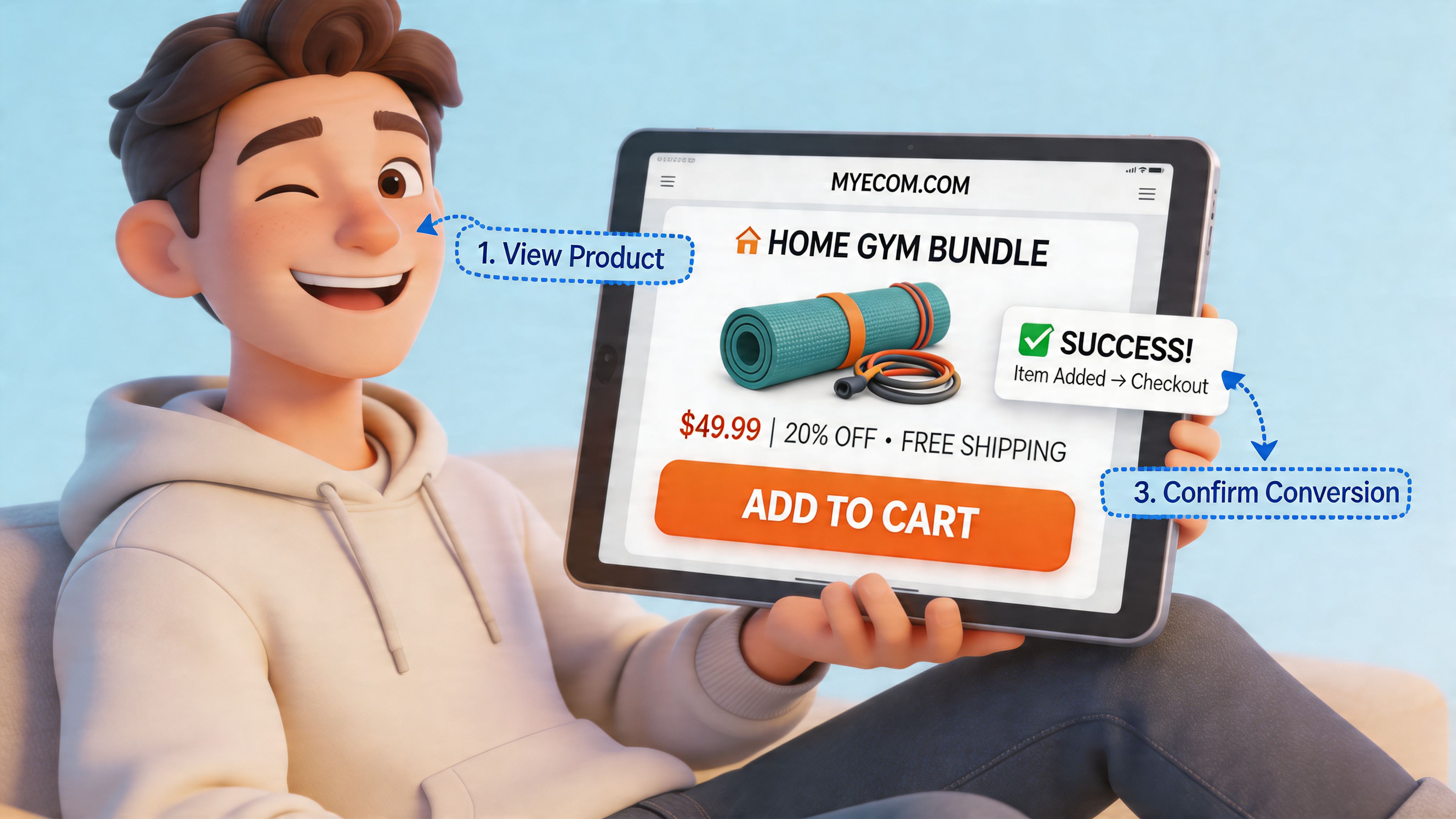
The best-performing bundle flows make four things clear immediately.
- What the customer is building. A fixed-kit bundle, mix-and-match set, and threshold discount each need different UI language.
- What is required next. Slot counters, completed states, and clear validation remove guesswork.
- What the current price is. Live totals and visible savings prevent the common “I’ll check in cart” drop-off.
- What happens if an option is unavailable. Disabled states and suggested substitutes preserve momentum better than late failure messages.
On Shopify Plus builds, those details affect more than aesthetics. They determine whether the bundle feels native to the storefront or like a bolted-on configurator. That distinction matters when the goal is higher AOV without adding friction.
Design patterns that usually improve bundle conversion
Some patterns hold up across apparel, beauty, food, and gifting projects.
Lead with the offer logic
State the promise before the catalogue. “Build your 3-step routine” or “Choose any 4 for £X” gives the customer a rule set they can follow.Use slot-based selection for role-based products
If the bundle includes a cleanser, serum, and moisturiser, present those as distinct steps. A flat grid of mixed SKUs increases scanning time and selection errors.Keep the commercial summary persistent
Show selected items, running total, savings, and remaining required picks in a sticky panel or footer. Customers should not have to remember the deal while scrolling.Make required states visually obvious
A missing component needs stronger treatment than a subtle text warning. Use state changes the customer can spot in under a second.Design for thumb-driven mobile behaviour
Large tap targets, compressed summaries, and predictable scroll depth usually matter more than adding more recommendation modules.
One rule is consistent across projects. The interface should hold the bundle logic for the customer, not ask the customer to hold it in their head.
What usually hurts conversion
Bundle UX often degrades because the product team tries to preserve every merchandising option in the UI.
That leads to familiar problems:
- oversized option sets with weak filtering
- inconsistent savings labels between PDP, drawer, and cart
- tiny swatches or thumbnails that make comparison harder
- selectors that allow invalid combinations without clear feedback
- cart output that looks different from what the customer thought they bought
Frontend performance and CRO directly overlap here. Bundle UIs often introduce client-side state management, variant lookups, media swaps, pricing recalculation, and cart validation in the same interaction. If that work causes delayed renders or jumpy layout shifts, the customer feels it immediately.
In practice, the strongest implementations keep the interaction close to the theme’s existing patterns. Use the same spacing system, typography, button treatment, and cart behaviours where possible. That lowers cognitive friction and reduces the visual cues that make third-party interfaces feel untrustworthy.
If your team is also reviewing broader basket-building tactics, this guide on ways to increase average order value across bundling, upsells, and merchandising is a useful companion. It helps frame bundles as one part of a wider conversion system rather than a standalone feature.
Development Testing and Launching Your App
Bundle apps fail in production for predictable reasons.
The cart logic works in a dev store, but a tax app changes line behaviour. The bundle selector looks fine on desktop, but mobile rendering breaks required states. The order lands in Shopify correctly, but the subscription app interprets the cart differently and the bundle fails downstream. None of that is rare.
That’s why a professional launch process matters more than speed.
Build in a controlled environment
Start with Shopify CLI, a proper development store, and versioned deployment discipline. Don’t prototype critical bundle behaviour directly in the live theme.
The development workflow should separate:
- Function logic from storefront rendering
- Admin config from published merchant data
- Feature flags from the final release state
This makes rollback possible if the production behaviour diverges from testing.
Test the failure paths, not just the happy path
Many teams test whether a bundle can be added to cart. They don’t test what happens when stock changes mid-session, when a VAT app rewrites line data, or when a customer mixes bundle items with subscription products.
UK Shopify Partner audit data shows that custom bundle apps have a 65-85% deployment success rate, but they also face recurring implementation problems. Those include script conflicts with UK VAT apps, causing 15% of order failures, plus incompatibility with subscription apps in some stores. That’s exactly why rigorous pre-launch testing matters (Shopify partner audit findings on bundle app deployment).
A launch checklist that reflects real risk
I’d treat these as essential before launch:
- Function validation: Confirm the Cart Transform handles valid, invalid, partial, and manipulated bundle states.
- Theme testing: Test the bundle UI across the live theme, any alternate templates, and core device widths.
- App compatibility review: Check VAT, subscriptions, loyalty, and cart drawer behaviour.
- Operational testing: Verify what operations sees in order admin, fulfilment exports, and refund workflows.
- Analytics verification: Make sure bundle sales and component behaviour are visible in a way the business can use.
A stable bundle launch depends less on whether the code compiles and more on whether every adjacent system keeps behaving once bundles are introduced.
Use phased rollout, not a full switch
For most Plus stores, I’d avoid a hard cutover.
A safer approach is to release the bundle app to a limited set of products, one market, or one campaign landing page first. That gives the team a contained environment to monitor cart behaviour, support tickets, and order representation before wider rollout.
It also creates a cleaner feedback loop. If something goes wrong, you can isolate whether the issue sits in the storefront UI, the function logic, or the integration layer.
Post-launch monitoring is part of the build
Launch isn’t the finish line. It’s the point where real customer behaviour starts generating useful evidence.
At minimum, track:
| Area | What to watch |
|---|---|
| Cart reliability | Failed adds, invalid bundle states, unusual abandonment points |
| Operational integrity | Inventory sync anomalies, fulfilment exceptions, refund edge cases |
| Commercial performance | Bundle take-up, AOV movement, top components, low-performing combinations |
| UX signals | Mobile friction, confusion around required selections, support themes |
For teams comparing build approaches, this overview of Shopify public app development is also helpful because it clarifies where platform-grade engineering discipline differs from one-off feature coding.
When to Partner with a Shopify Plus Agency
A custom bundle app looks manageable when you only describe the frontend.
Once you include Cart Transform logic, merchant admin UX, metafield design, inventory sync, tax handling, subscriptions, testing, rollout, and monitoring, it becomes obvious that this is a multi-disciplinary build. Most in-house teams can cover part of that. Fewer can cover all of it without trade-offs elsewhere.
An agency is usually the right call when bundling is commercially important and internal bandwidth is already committed to trading, roadmap work, or platform maintenance.
What an experienced partner changes
A specialist team doesn’t just write the app. They reduce the chances of building the wrong app.
That matters because the project decisions are interconnected. The way you model bundle data affects reporting. The way you render the cart affects subscriptions and tax behaviour. The way merchants configure bundles affects operational stability. Teams that’ve been through those trade-offs can usually spot the dangerous shortcut before it reaches production.
A good partner should bring:
- technical architecture for Shopify Plus constraints
- UX judgment for bundle conversion flows
- testing discipline across adjacent apps and systems
- practical rollout planning
- support after launch when edge cases show up under real traffic
When in-house still makes sense
If your team already has strong Shopify Functions experience, app development capability, QA bandwidth, and a clear internal product owner, building in-house can be the right move.
But if any of those pieces are weak, the custom app can quickly become a maintenance liability. That’s where external support earns its keep. Grumspot is one example of an agency model that handles custom Shopify app work, bundle builders, and adjacent Plus implementation support with either project-based delivery or retainer-style iteration, depending on how the ecommerce team wants to run the work.
The key decision isn’t agency versus in-house in the abstract. It’s whether your current team can take ownership of the whole bundle lifecycle, not just the launch.
Frequently Asked Questions
How long does a Shopify Plus custom bundle app take to build
It depends on the complexity of the bundle logic, the admin tooling required, and the number of integrations involved. A fixed bundle with light merchant controls is far simpler than a mix-and-match builder with ERP sync, VAT-aware pricing, and subscription edge cases.
The better way to estimate is by scope layers. Core cart logic is one layer. Storefront UX is another. Merchant admin, integrations, and testing often take longer than stakeholders expect.
Should we build custom or start with an app first
If your bundle use case is simple and you need speed, start with a proven app. If bundling is part of your long-term merchandising model and the app already creates compromises in UX, operations, or promotions, custom usually becomes the cleaner route.
A lot of teams spend too long trying to force an app into a role it wasn’t designed for. That often costs more than making the architecture decision earlier.
What’s the biggest technical mistake in bundle projects
Trusting the storefront too much.
If bundle logic depends on browser-side data without proper validation, the system becomes fragile. Secure data modelling, server-side cart transformation, and disciplined inventory handling matter far more than a flashy selector UI.
Can a custom bundle app work with subscriptions and ERP systems
Yes, but that compatibility shouldn’t be assumed. It needs to be designed and tested deliberately.
The main risk isn’t whether a connection exists. It’s whether all systems agree on line-item structure, inventory updates, pricing treatment, and order representation.
Do merchants need a custom admin interface
Usually, yes.
If the merchandising team can’t create and manage bundle rules safely inside Shopify, every new campaign turns into a developer request. A good admin interface reduces launch time, configuration errors, and long-term maintenance overhead.
If your store has reached the point where bundle logic affects merchandising, stock, fulfilment, and conversion at the same time, it’s worth treating the project as infrastructure rather than a quick add-on. Grumspot works on Shopify Plus design, development, and custom app builds, including bundle experiences that need tighter UX control and more dependable operational logic than off-the-shelf tools usually provide.
Let's build something together
If you like what you saw, let's jump on a quick call and discuss your project

Related posts
Check out some similar posts.

- shopify bundle builder
Learn how to build a Shopify bundle builder that lifts AOV without breaking inventory. App vs custom...
Read more
- project scope definition
Master project scope definition with clear deliverables, boundaries, and change control. Includes Sh...
Read more
- Shopify developer on demand
Find your Shopify developer on demand. This guide compares freelancers, agencies & retainers, covers...
Read more
- Shopify 2.0 theme development
Master Shopify 2.0 theme development. Learn to set up, build, migrate, & optimize themes with JSON t...
Read more