DTC Brand Shopify Store: A Founder's Build & Scale Guide
- DTC brand Shopify store
- Shopify Plus agency
- Shopify UK
- ecommerce guide
- CRO
Launched
April, 2026

You’re probably in one of two places right now. Either the brand exists in your head, a Figma file, or a spreadsheet, and you’re trying to avoid building the wrong DTC brand Shopify store. Or you already launched, sales are uneven, the app stack feels stitched together, and every new requirement seems to create another operational problem.
Both situations need the same mindset. Treat the store as a commercial system, not a design project.
A founder can get surprisingly far with a clean theme, a decent product, and paid traffic. That’s not the hard part. The hard part is building a Shopify operation that still works when returns increase, VAT complexity shows up, subscriptions need proper logic, the CRM stops matching order data, and your team can’t tell whether a drop in conversion came from speed, offer, or fulfilment friction.
A strong DTC brand Shopify store starts before theme selection and keeps evolving long after launch. In practice, the brands that scale usually make fewer early mistakes in positioning, architecture, and systems. They don’t just “go live”. They build something that can survive growth.
Blueprint Your DTC Strategy Before Building
A lot of founders start with theme demos and app lists. That’s backwards.
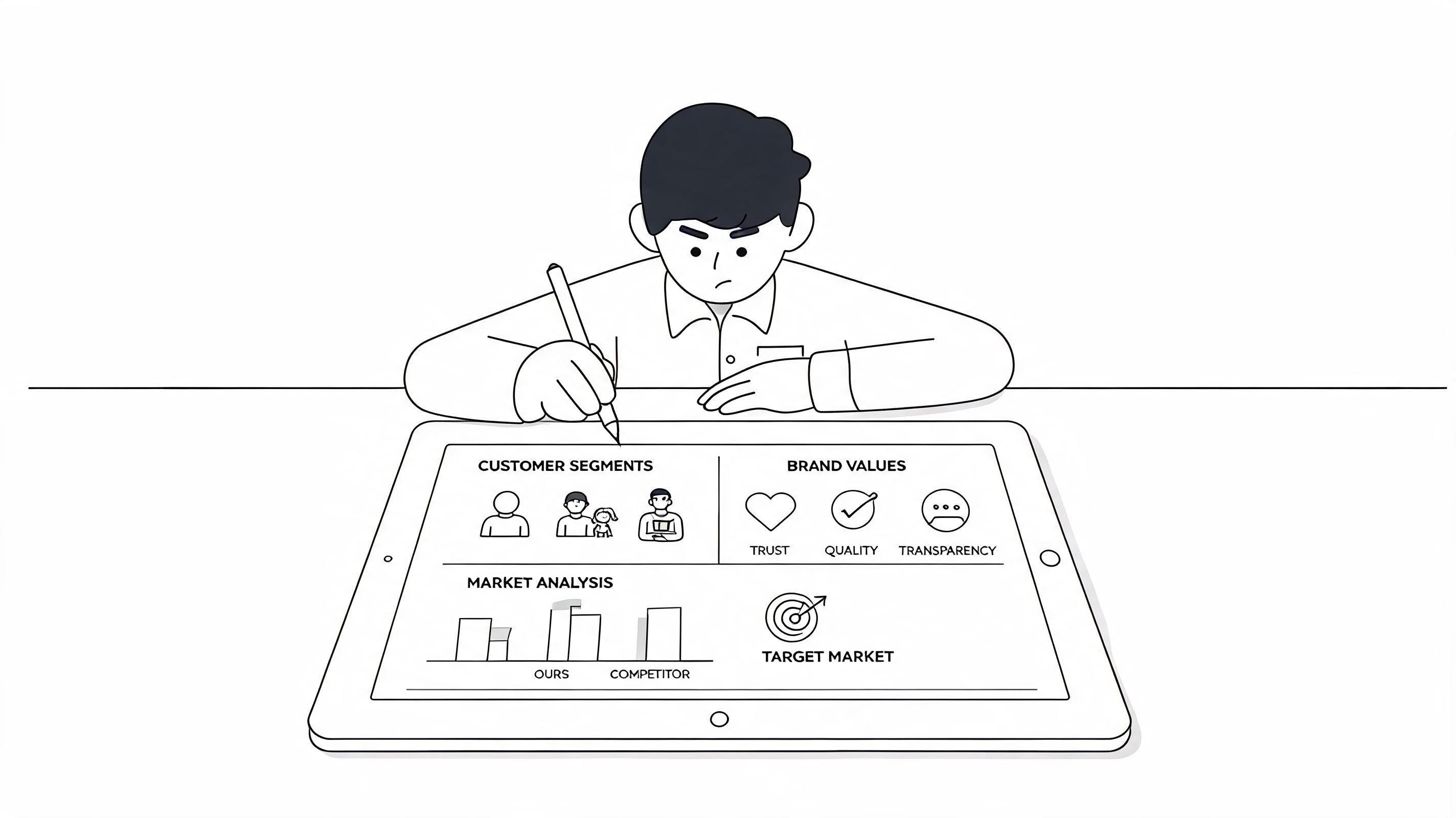
The first decision isn’t visual. It’s commercial. What exactly are you selling, to whom, and why should they buy from your brand instead of a marketplace, a retailer, or the ten other brands saying similar things? If that answer is fuzzy, the store build becomes expensive guesswork.
The urgency is real. Success rates hover at just 5-10% for new UK Shopify stores, often due to pitfalls like poor marketing and inadequate customer service. Brands with a clear strategy perform far better, with 81% of well-planned UK stores remaining active after two years, according to Shipaid’s breakdown of Shopify success rates.
Define the customer before the catalogue
Most weak stores have a product catalogue. Fewer have a real customer model.
You need to know what the buyer is trying to solve, what objection stops purchase, and what information they need before trust kicks in. For a skincare brand, that could be routine confusion. For food and beverage, it might be repeat purchase timing. For fashion, fit anxiety tends to dominate product page behaviour and returns.
That affects everything:
- Messaging: Your homepage headline should answer the buyer’s core problem, not just announce the brand.
- Merchandising: Collections should mirror how customers shop, not how your internal stock file is organised.
- Retention: The post-purchase flow should reflect use case and replenishment logic, not generic “thanks for ordering” emails.
Practical rule: If your product pages could belong to three competing brands with only the logo swapped, your positioning isn’t ready.
Build the economics before the design
A DTC brand Shopify store lives or dies on unit economics. Founders often know gross revenue goals but haven’t built a realistic view of what each order needs to contribute after shipping, packaging, discounting, support, returns, and media.
Start with four working assumptions:
- Your first offer won’t be your final offer. Leave room to test bundles, starter kits, or subscription variants.
- Your best customers may not come from your highest-click channel. Acquisition quality matters more than surface-level traffic.
- Customer service is part of conversion. Slow responses create hesitation before purchase and frustration after it.
- Margin determines strategic freedom. It affects whether you can afford samples, bundles, subscriptions, loyalty mechanics, or faster shipping.
A practical financial model doesn’t need to be complicated. It does need to connect product margin to channel strategy and repeat purchase behaviour. If you can’t explain how a first order becomes profitable over time, your marketing budget is built on hope.
Make the first stack decisions with growth in mind
Tech choices made early tend to linger. A founder installs five apps to move quickly, then six months later the store is slower, reporting conflicts, and no one knows which script affects the cart.
The cleaner approach is to choose tools by function, not by novelty.
Use a first-pass stack like this:
- Commerce core: Shopify as the operating platform.
- Email and lifecycle: A retention platform that supports segmented flows, not just campaigns.
- Support: A helpdesk that unifies email, returns questions, and shipping issues.
- Analytics: Clear event tracking and a reporting layer your team will effectively use.
- Reviews and social proof: Something stable, visible, and easy to syndicate on product pages.
- Subscriptions or bundles: Only if they match the product model from day one.
Decide what not to build yet
Founders save money here.
Don’t force subscriptions if the product isn’t naturally repeatable. Don’t buy a bespoke theme before your brand language is clear. Don’t bolt on advanced personalisation before your product data and photography are strong enough to support it.
A pre-launch roadmap should separate what is essential from what is merely appealing.
| Priority | Build now | Leave for later |
|---|---|---|
| Brand clarity | Core story, offer hierarchy, customer promise | Expanded editorial content |
| Conversion basics | Homepage, PDPs, cart, mobile UX, reviews | Experimental landing page trees |
| Operations | Payments, shipping rules, support workflows | Advanced automation layers |
| Data | Clean tracking, channel tagging, basic dashboards | Complex attribution projects |
The strongest early-stage stores are rarely the most feature-rich. They’re the most coherent. Every page, offer, and process points in the same direction.
Constructing Your High-Performance Shopify Storefront
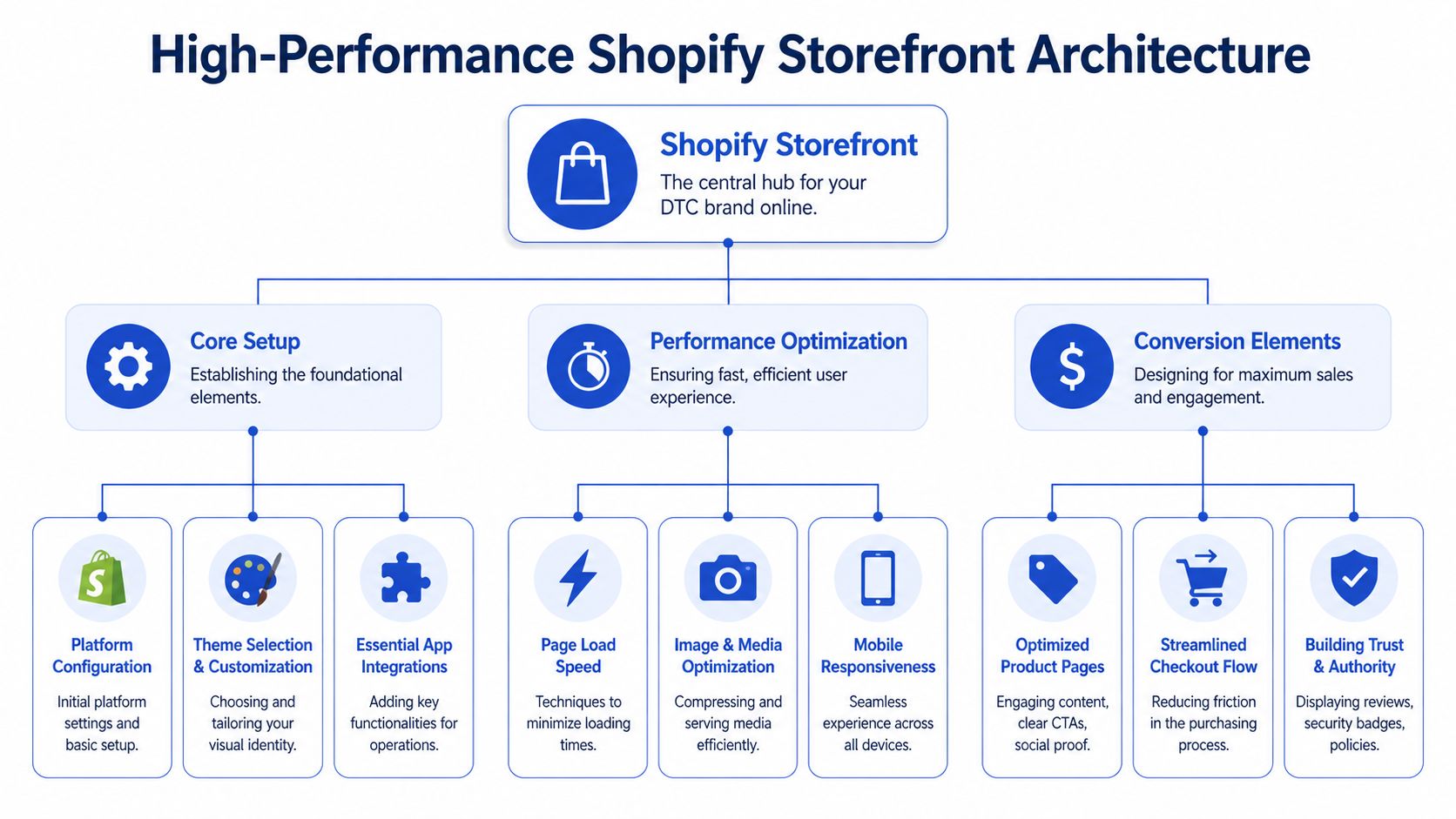
Once the strategy is sound, the build choices start to matter fast. A DTC brand Shopify store can feel polished and still underperform because the architecture underneath is wrong for the brand’s current stage.
The most important build decisions are rarely about appearance alone. They’re about how much complexity you need now, how much flexibility you’ll need later, and how much technical debt you’re willing to carry in between.
Standard Shopify or Shopify Plus
Founders often ask this too early or too late.
If you’re validating a concept, standard Shopify is usually enough. It gives you the core commerce engine, theme flexibility, app ecosystem, and admin simplicity you need to get the fundamentals right. The mistake is assuming Plus is a badge of seriousness. It isn’t. It’s an operational decision.
Shopify Plus makes sense when your growth plan requires deeper custom logic, broader system integration, or more advanced international execution. That includes scenarios where checkout extensibility, advanced automation, custom app behaviour, or headless architecture become commercially useful, not just technically interesting.
There’s also a performance case. For scaling UK DTC brands, Shopify Plus with headless commerce via Hydrogen can enable load times under 100ms. That matters because 70% of UK traffic comes from mobile, and slow sites can lose up to 53% of potential conversions, based on Brenton Way’s Shopify marketing statistics summary.
The trade-off is straightforward:
- Standard Shopify: Faster to launch, lower complexity, easier for lean teams to manage.
- Shopify Plus: More room for customized commerce logic, but only worth it if the team can use that capability well.
Buy capability when the business is ready to exploit it, not when the roadmap merely sounds impressive.
Premium theme or custom storefront
This choice trips up a lot of brands because both options can be right.
A premium theme is often the smartest route for early traction. The good ones ship with mature section logic, enough flexibility for merchandising, and fewer surprises in QA. If your team has clear brand direction and disciplined content, a premium theme can absolutely support a strong DTC launch.
A custom storefront becomes the better decision when the brand needs tighter control over layout, storytelling, conversion paths, or front-end performance. It’s also the right move when your product model doesn’t fit standard theme assumptions. Bundles, education-heavy product pages, ingredient explainers, or complex routine builders often push brands beyond template comfort.
Here’s the practical comparison:
| Choice | Best fit | Main benefit | Main risk |
|---|---|---|---|
| Premium theme | Early-stage or focused catalogue brands | Faster deployment | Brand starts to look like everyone else |
| Custom theme | Brands with a clear identity and distinct UX needs | Better control over conversion and presentation | More scope, more QA, more maintenance |
| Headless build | High-complexity brands with internal or agency support | Maximum front-end flexibility | Higher technical overhead |
For founders reviewing design direction, this guide to Shopify ecommerce website design decisions is useful because it frames design as a commercial system rather than an aesthetic layer.
Mobile-first UX is not optional
Desktop mock-ups still dominate too many approval cycles, even though the buyer often meets your brand on a phone first.
Mobile UX for a DTC brand Shopify store should reduce decisions, not add them. Keep navigation shallow. Make variant selectors obvious. Put delivery expectations where the buyer can see them without hunting. Don’t bury reviews, returns information, or payment messaging behind multiple taps.
The product page usually carries the heaviest load. It needs to do several jobs at once:
- Clarify the product quickly
- Answer practical objections
- Build trust
- Move the buyer toward cart without friction
That’s why strong PDPs usually include concise benefit-led copy, clear media sequencing, real review placement, and a purchase module that doesn’t feel like a puzzle.
Build for speed, but don’t worship speed alone
Founders sometimes chase performance scores while ignoring conversion basics. A fast site with weak copy and poor merchandising still loses sales.
The better approach is to prioritise speed where it changes user behaviour most:
- Compress and control media so image-heavy pages don’t drag.
- Audit app impact because front-end bloat often comes from unnecessary scripts.
- Use sections deliberately rather than stacking homepage blocks no one scrolls through.
- Keep templates lean so collection pages and product pages load consistently across devices.
A high-performance storefront isn’t the one with the fanciest architecture. It’s the one that loads quickly, explains the product clearly, and gets a customer from curiosity to checkout with minimal resistance.
Executing a Flawless Launch and Driving Early Traffic
Launch week exposes every shortcut. Payment settings that looked fine in staging fail in production. Redirects are missed. Tracking events fire twice. Someone notices the returns policy only after ads are already live.
That’s why a launch should run like an operations exercise, not a celebration.

The pre-launch checks that actually matter
A proper launch checklist starts with money and trust. If either is shaky, traffic doesn’t help.
Use a final review like this:
- Payments: Test successful orders, failed payments, refunds, and confirmation emails.
- Shipping logic: Check rates, delivery windows, and any edge cases by postcode or product type.
- Tax setup: Confirm how tax appears in cart and checkout for the markets you’re serving.
- Policy visibility: Make returns, delivery, and contact information easy to find.
- Form handling: Test newsletter signups, contact forms, back-in-stock forms, and support routes.
- Analytics: Verify key events so you’re not launching blind.
- Redirects: If you’re migrating, map old URLs properly before traffic lands on 404 pages.
The hidden problem at launch isn’t usually one large failure. It’s ten small ones that stack into buyer hesitation.
Get technical SEO right before media spend compounds mistakes
Early traffic often comes from paid channels, but technical SEO still matters from day one because it shapes crawlability, product discovery, and how your pages appear in search.
A good Shopify launch should include:
- Clean site structure so collections and products follow a logical hierarchy.
- Clear metadata written for real search intent, not keyword stuffing.
- Product data that supports rich search presentation, especially on core PDPs.
- Indexation checks so important pages are discoverable and duplicate pages aren’t competing with each other.
- Redirect hygiene if the store replaced another platform or older URL structure.
This is also the point to tighten page templates. Thin collection copy, duplicate product descriptions, and bloated page builders create problems that become harder to untangle once campaigns are running.
Performance work starts immediately after go-live
Some founders think launch is the finish line. It’s not. It’s when your real data starts.
A particularly important technical upgrade is architecture. Migrating to Shopify’s OS 2.0 can boost site speeds by an average of 30%. For the top 10% of UK performers, that contributes to conversion rates as high as 4.7%, far above the 1.4% baseline, according to The Hub Content’s UK DTC Shopify statistics summary.
That doesn’t mean every brand needs a rebuild on day one. It does mean your team should know whether the current setup supports fast iteration or traps you in workarounds.
Here’s a practical walkthrough worth reviewing with your team before or after launch:
Early CRO should focus on friction, not gimmicks
A new DTC brand Shopify store doesn’t need complicated experimentation immediately. It needs the obvious blockers removed first.
Start with user confidence:
- Place reviews near the buy box rather than hiding them lower on the page.
- Show delivery and returns information early so the buyer doesn’t have to search for reassurance.
- Reduce cart surprises by being clear about charges and timing.
- Audit mobile checkout flow because thumb friction and clutter kill intent quickly.
- Use urgency carefully only where stock, offer windows, or delivery cut-offs are real.
Launch data is most useful when you treat it like diagnosis. Don’t ask “how do we get more traffic?” before asking “where exactly are people losing confidence?”
The first wave of optimisation should come from session behaviour, support tickets, and checkout drop-off patterns. Founders who jump straight to heavy ad spend without that feedback loop usually end up paying to expose avoidable site problems.
Integrating Systems for Scalable UK and EU Operations
Once orders start moving, the store stops being just a storefront. It becomes the centre of an operational network. Inventory, fulfilment, support, finance, tax, returns, and customer data all need to agree with each other.
If they don’t, growth feels chaotic long before revenue looks impressive.
For a UK-based DTC brand Shopify store, this becomes especially obvious when EU expansion enters the picture. Post-Brexit compliance is a top barrier to EU expansion, with 68% of merchants reporting challenges in 2025. Without expert integration for VAT and customs, brands face average delays of 4-6 weeks and 22% cart abandonment from tax miscalculations, according to Sozo Design’s UK Shopify scaling analysis.
Why disconnected systems slow growth
A founder can manage around disconnected tools for a while. Staff can patch exports, update stock manually, and reconcile order issues through Slack messages and spreadsheets. That works until volume rises.
At that point, the actual issue isn’t inconvenience. It’s decision quality.
When the ERP doesn’t reflect real-time storefront activity, purchasing gets distorted. When the CRM misses order and support context, retention messaging becomes generic or mistimed. When fulfilment systems lag behind Shopify, customer service teams end up apologising for problems they didn’t create.
Operations become customer experience the moment your backend data falls out of sync.
What to integrate first
The right integration order depends on business model, but most scaling brands need the same backbone.
- ERP connection: This keeps inventory, product data, purchasing, and financial workflows aligned with storefront activity.
- CRM sync: Customer records should reflect orders, support interactions, and marketing consent in one place.
- Fulfilment link: Shipping status, stock movement, and order routing need to update reliably.
- Tax and compliance layer: VAT treatment and customs logic should be applied consistently at checkout and in downstream documentation.
For teams planning these workflows, this overview of Shopify ERP integration considerations is a useful operational starting point.
The payment and international admin layer
A surprising amount of “expansion strategy” fails on admin detail. Founders think about translation, ads, and shipping, then get held up by how money moves, how tax is calculated, and how cross-border transactions are reconciled.
If you’re selling internationally, it’s worth understanding the operational side of managing SEPA payments internationally, especially if your setup involves multiple European payment scenarios, settlement considerations, or questions around merchant-of-record structure.
That work sits alongside VAT and customs setup. It’s not glamorous, but it directly affects checkout confidence and finance accuracy.
Shopify migration checklist
If you’re moving to Shopify from another platform, migration quality matters more than migration speed.
| Phase | Task | Why It Matters |
|---|---|---|
| Discovery | Audit products, customers, orders, apps, and URL structure | Prevents critical data and functionality from being missed |
| Data mapping | Match legacy fields to Shopify data models | Reduces messy imports and reporting confusion later |
| Front-end planning | Rebuild key templates around real customer journeys | Avoids recreating old UX problems on a new platform |
| Integration setup | Connect ERP, CRM, fulfilment, and tax tools before launch | Stops manual workarounds becoming permanent |
| Redirect planning | Preserve high-value URLs and legacy search equity | Protects traffic and customer access |
| QA | Test edge cases across checkout, shipping, tax, and notifications | Finds operational failures before customers do |
| Post-launch review | Monitor syncs, exceptions, and support patterns daily | Catches integration gaps while order volume is still manageable |
A scalable DTC brand Shopify store isn’t just easier to manage. It’s easier to trust. Your team trusts the data, customers trust the checkout, and expansion stops feeling like a series of risky workarounds.
Powering Sustained Growth with CRO and Subscriptions
The biggest mistake founders make after launch is treating optimisation like a short project. They run a redesign, fix a few product pages, test one offer, then move on.
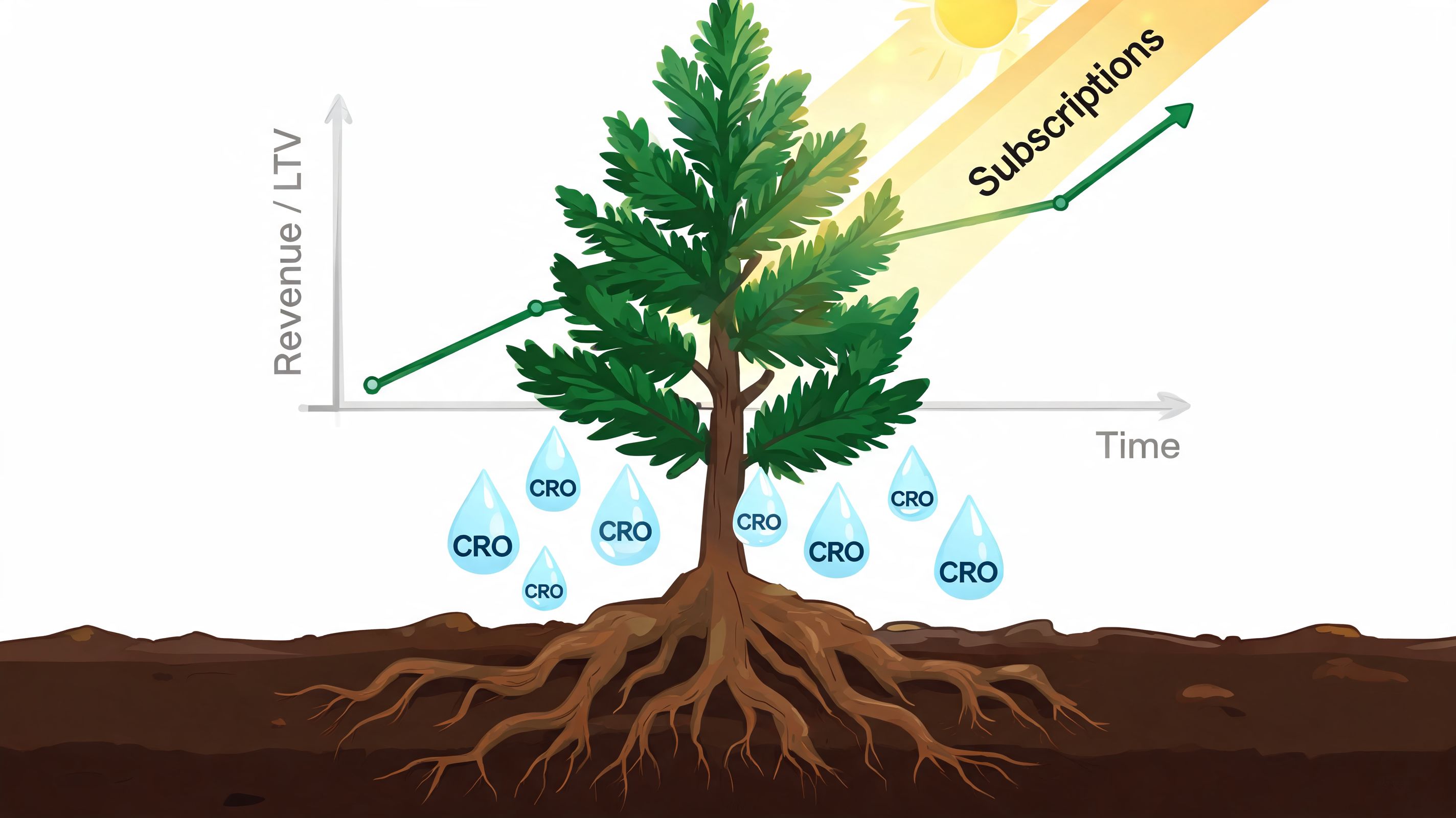
That’s not how sustained growth works. A DTC brand Shopify store grows through repetition. Audit, test, learn, implement, repeat.
Retention is where the economics improve
Acquisition gets attention because it’s visible. Retention is where margin usually gets healthier.
UK DTC brands on Shopify see an average customer retention rate of 28%, and top stores understand that 60% of their revenue can come from repeat customers, according to Rivo’s UK Shopify retention statistics. That’s why the post-purchase experience deserves the same rigour as the initial conversion path.
A founder should ask:
- Are customers buying once because the offer is shallow?
- Do they understand how to use the product after purchase?
- Are replenishment prompts timed to real customer behaviour?
- Does support friction kill the chance of a second order?
- Is the account experience helping loyalty, or doing nothing?
What mature CRO actually looks like
Real CRO isn’t button-colour theatre. It’s a structured programme built around user evidence.
The useful toolkit usually includes:
- A/B testing for offer structure, PDP hierarchy, cart messaging, and subscription presentation
- Heatmaps and session recordings to spot hesitation, dead clicks, and missed content
- On-site survey inputs to capture objections that analytics alone won’t show
- Support ticket analysis because recurring questions often point to conversion friction
- Merchandising reviews across collections, bundles, and recommendation logic
If you want an external primer on the practical side of how teams boost your conversion rate, that resource is useful because it stays focused on applied improvements rather than abstract advice.
The best CRO work usually looks boring from the outside. Cleaner page structure, better sequencing, stronger offer clarity, fewer unanswered questions.
Subscriptions work when the offer earns the commitment
Subscriptions aren’t a retention hack. They’re a product and experience model.
They work well when the product has natural repeat cadence, the customer understands usage timing, and the subscription value is obvious. They fail when brands force a recurring option onto a product that customers still want to try casually, gift occasionally, or reorder unpredictably.
A strong subscription setup usually includes:
- A reason to subscribe beyond a generic discount
- Flexible controls so customers can skip, swap, or adjust without friction
- Clear delivery expectations before the first order is placed
- Lifecycle messaging that supports usage, replenishment, and retention
If the product supports routine behaviour, subscriptions can become one of the cleanest ways to stabilise revenue and increase customer lifetime value. If the product doesn’t, forcing the model often adds churn and support burden.
Why retainers often beat one-off project work
At this point, growth strategy becomes a resourcing question.
A founder rarely needs just one thing after launch. They need design tweaks, dev support, test implementation, app decisions, reporting cleanup, merchandising iteration, and the discipline to keep moving through a roadmap. That’s hard to achieve through isolated project briefs.
A monthly retainer works because growth problems are continuous. One week the issue is checkout friction. Next week it’s a subscription widget conflict. Then it’s feed quality, landing page performance, or a broken integration affecting customer comms.
For brands that want a structured optimisation partner, Shopify conversion rate optimisation services can support that ongoing loop of audits, design changes, dev work, and testing. Grumspot is one example of an agency model built around that type of recurring execution, including Shopify builds, migrations, CRO, subscriptions, and systems integration.
The point isn’t that every brand needs an agency forever. It’s that serious growth needs ongoing execution capacity. Without that, even a good DTC brand Shopify store starts to stall.
If you’re planning a new Shopify build, fixing an underperforming store, or preparing for a more complex UK and EU setup, Grumspot provides Shopify Plus design, development, migrations, CRO, subscriptions, and integration support in a flexible project or retainer model.
Let's build something together
If you like what you saw, let's jump on a quick call and discuss your project

Related posts
Check out some similar posts.

- headless commerce agency
Discover what a headless commerce agency does, when to choose headless over Shopify Plus themes, typ...
Read more
- best web design agency london
Searching for the best web design agency London has? Our 2026 guide reviews 7 top agencies for ecomm...
Read more
- Shopify performance optimization
Boost your Shopify store's speed & sales with our Shopify performance optimization guide. Audit, fix...
Read more
- ecommerce website design Shopify
Ecommerce website design Shopify - Master ecommerce website design Shopify with our 2026 playbook. G...
Read more