Composable Commerce Platform: A Practical Guide for 2026
- composable commerce platform
- headless commerce
- shopify plus
- ecommerce architecture
- composable vs monolith
Most advice about a composable commerce platform starts with the wrong question. It asks how quickly you can replace a monolith, when the better question is which part of your commerce operation is holding back revenue, delivery speed, or customer experience.
For UK Shopify Plus merchants, composable commerce is best treated as an integration strategy first and a frontend choice second. Shopify can remain the commerce engine while specialist services handle search, content, personalisation, fulfilment, or international complexity. The right architecture externalises the parts that create measurable friction and keeps native the parts that already work.
The UK market has moved well beyond purely theoretical interest. One industry synthesis reports 85% headless adoption in the UK, compared with Australia at 72% and the US at 68%, and says 72% of retailers have already implemented composable commerce while 99% are either adopting it or planning to adopt it. Those figures come from Swell's composable commerce statistics synthesis, so they should be read as market signals rather than a universal procurement rule.
Why Composable Is Not Always the Answer
The popular assumption is that every growing brand should make composable commerce its next platform step. That advice confuses architectural freedom with business progress. A modular stack can remove platform constraints, but it can also introduce more contracts, more failure points, more monitoring, and more work for a team that only wanted a faster storefront.
I've seen a fashion brand replace a reliable Shopify checkout with a slower custom build because the team wanted complete frontend control. A B2B supplier added separate CMS layers that made routine merchandising harder for the people responsible for publishing products and campaigns. A mid-market retailer replaced one broad licence with five specialist vendors and found that its total cost of ownership had doubled once integration work, support, and change management were included.
Those projects didn't fail because composable technology is structurally flawed. They failed because the architecture solved an imagined future rather than a current constraint.
Practical rule: Externalise a capability only when the benefit is clear enough to justify owning its integration, monitoring, release process, and vendor relationship.
The 2023 Mercaux and Censuswide survey shows why this distinction matters. 91% of retailers considered composable architecture important, but only 2% said they were fully composable at that time, while support in the UK subset was 86%. Payment services were the most decomposed area at 52%, whereas fiscal services were at 27%, according to the published survey summary. Interest was ahead of implementation, and simpler, more separable services were easier starting points.
| Scenario | Went composable | Stayed native |
|---|---|---|
| Fashion storefront | Replaced checkout and added a slower custom path | Kept Shopify checkout and improved the presentation layer |
| B2B merchandising | Added CMS complexity that disrupted publishing workflows | Kept product and operational data close to Shopify |
| Mid-market retail stack | Added multiple vendors and heavier coordination | Used Shopify Plus with selective specialist services |
The practical question is therefore narrower: which pieces of your stack should be externalised, and which should stay native inside Shopify Plus? For most merchants, checkout, orders, customer accounts, and core commerce rules deserve a high burden of proof before replacement. Search, editorial content, and selected experience services are usually easier to isolate without destabilising the commercial centre.
The Building Blocks of a Composable Commerce Platform
Think of composable commerce as a set of Lego bricks, not a grand diagram that demands every brick be replaced at once. Each service has a defined job, and APIs provide the connection points between them.
A UK Shopify Plus team will usually work across five layers:
- Commerce engine. Shopify Plus owns products, variants, carts, checkout, orders, customers, discounts, and much of the merchant administration. It should remain the centre unless a specific requirement exposes a genuine limitation.
- Presentation layer. Hydrogen or a Next.js storefront can control layout, interaction, performance, and channel-specific experiences while calling Shopify through APIs.
- Content layer. Sanity or Contentful can manage editorial pages, buying guides, campaign modules, and structured storytelling without forcing all content into the commerce platform.
- Search and discovery. Shopify Search & Discovery may be enough for a straightforward catalogue. Algolia or another specialist service can support more advanced ranking, filtering, synonym management, and merchandising.
- Supporting services. Payments, tax, personalisation, reviews, loyalty, fulfilment, and analytics can sit around the core when their specialist capabilities justify the added coordination.
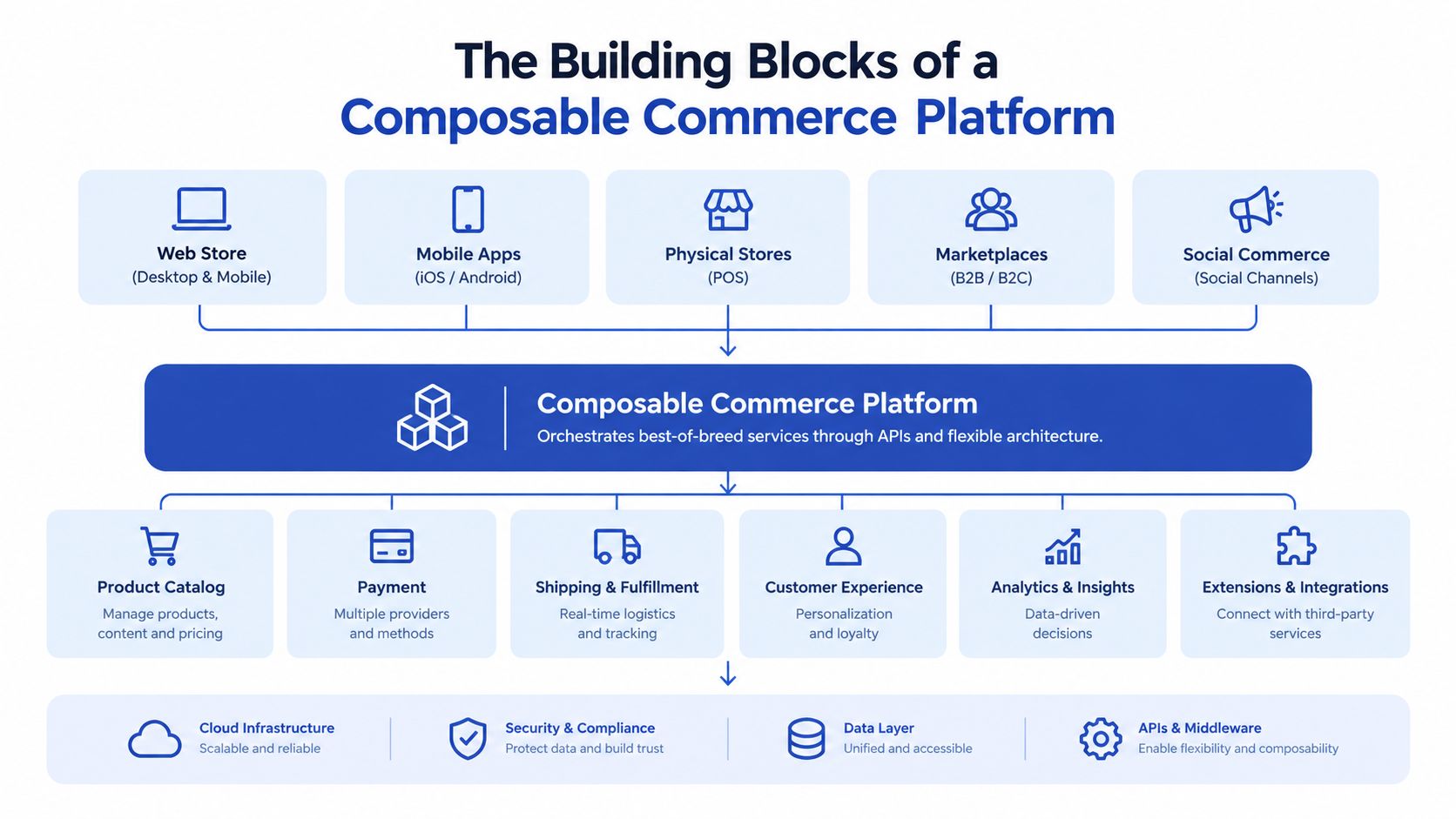
The API boundary matters more than the label. A storefront requests product and availability data, sends cart actions to Shopify, and passes the customer into the appropriate checkout flow. A CMS returns structured content for a page template. A search service returns ranked product references, while Shopify remains the source of truth for product and order operations.
For a more detailed explanation of this model, see this guide to API-first ecommerce architecture. The key test is simple: can you replace one layer without rewriting its neighbours?
Native, externalised, or hybrid
Shopify Plus should usually remain native for checkout, orders, discounts, customer identity, and core product transactions. These areas carry operational and commercial risk, and Shopify's native tooling often provides more reliability than a custom alternative.
External services earn their place when they solve a defined problem. A specialist CMS makes sense when editorial teams need structured content workflows. A search platform makes sense when discovery is a major conversion constraint. A headless frontend makes sense when the customer experience needs interaction, speed, or channel flexibility that the standard theme architecture can't deliver efficiently.
The architecture becomes composable only when those seams are intentional. A collection of disconnected apps isn't composability. It's an unmanaged dependency graph.
Composable vs Monolithic Commerce
The monolith has an unfair reputation. For an early-stage merchant, one platform can be faster to launch, cheaper to operate, and easier to support when something breaks. A single vendor reduces the number of commercial relationships and gives a small team one operational centre.
Composable commerce changes the trade-off rather than eliminating it. The merchant gains independent control over selected services, but the team also takes responsibility for the joins between those services.
| Dimension | Composable | Monolithic |
|---|---|---|
| Time to launch | Slower when several services and interfaces need building | Faster when the required capability already exists |
| Total cost over three years | Can rise through implementation, support, contracts, and integration ownership | Easier to forecast, although platform limitations can create future project costs |
| Operational risk | Failures can be isolated, but teams must monitor more dependencies | Fewer moving parts, with wider impact when the central platform has an issue |
| Team capability | Requires integration ownership, API literacy, testing, and governance | Easier for a smaller team to administer and hand over |
| Scaling | Individual services can evolve independently | The platform usually determines the scaling model |
| Product freedom | Easier to change CMS, search, or experience tooling | More dependent on the platform's native roadmap |
A pre-Series A brand usually needs monolith speed. It rarely needs a separate service for every commerce capability, and it may not have an engineer who can own integrations after launch. Shopify Plus, a disciplined theme architecture, and carefully selected apps can provide more value than a custom composable build.
Mature Shopify Plus merchants hit different walls. International pricing, market-specific content, advanced search, complex fulfilment, and rapid experience testing can expose limits in a tightly coupled setup. In those cases, composable architecture can let the storefront evolve without turning every change into a full platform release.
The right answer depends on growth stage, operational capability, and the constraint you're removing. It doesn't depend on whether composable sounds more modern.
The video below offers another perspective on the architectural model. Treat it as background, not as a substitute for mapping your own stack.
Integration Patterns That Actually Work
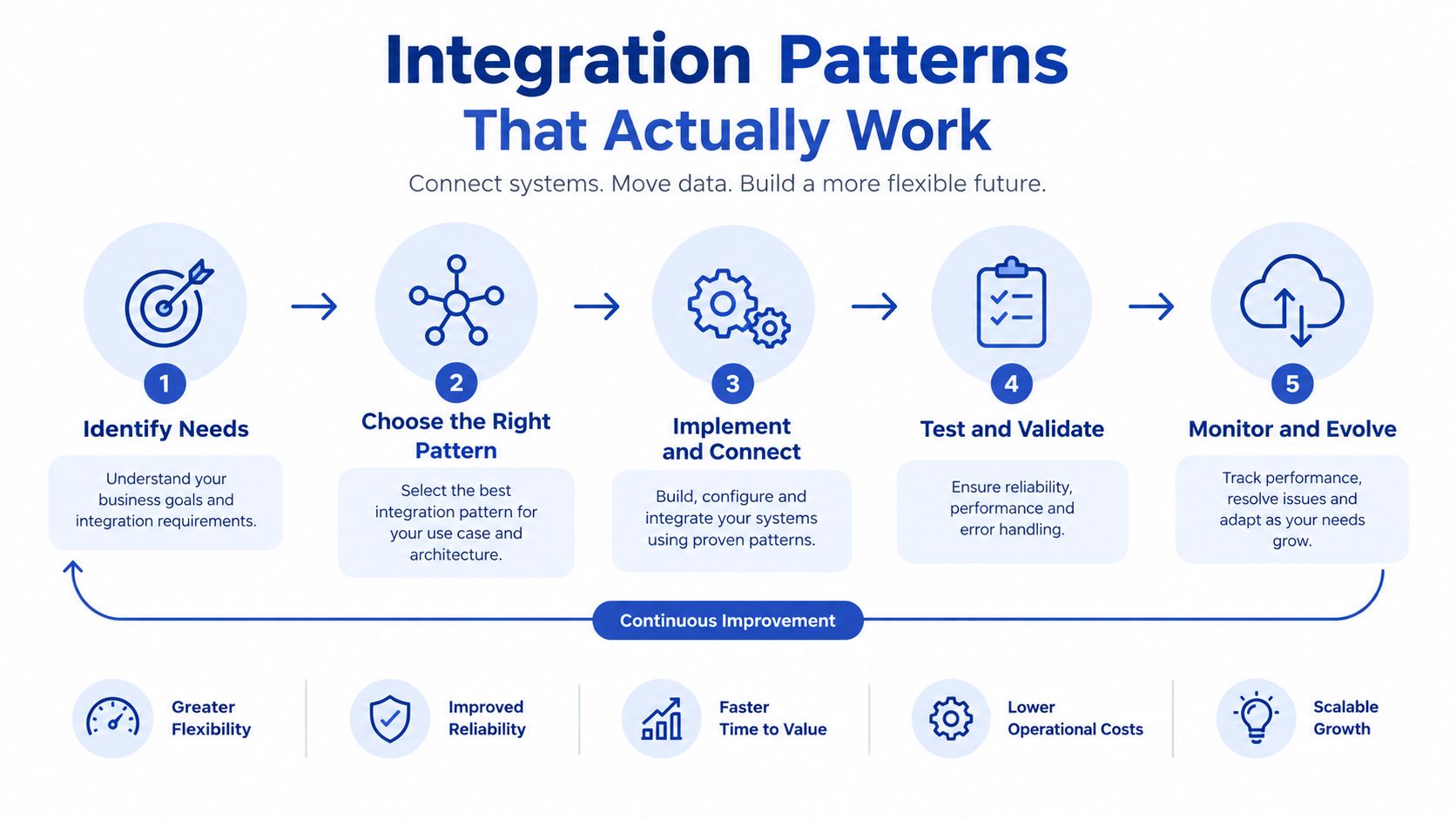
Composable projects succeed or fail at the handoffs. The components are rarely the hardest part. The difficult work sits in deciding which system owns each record, when data moves, what happens when a request fails, and who investigates an inconsistency.
Storefront to checkout
A Hydrogen or Next.js storefront can use Shopify's Storefront API for products, collections, carts, and customer-facing commerce actions. The storefront owns presentation and interaction, while Shopify continues to own the checkout transaction.
This is the safest way to gain frontend freedom without rebuilding the commercial core. It also creates a clear boundary for testing. The experience layer can change independently, but cart and checkout behaviour still needs end-to-end monitoring.
OMS to ERP
Order management and ERP integrations should usually use asynchronous event handling. Shopify emits an order event, an integration layer validates and transforms it, and the ERP receives the record through a queue or controlled sync process. NetSuite, for example, might receive order events on a debounced schedule rather than forcing every storefront action to wait for an ERP response.
Webhooks are preferable to constant polling when the source system supports reliable event delivery. Polling still has a role for reconciliation, recovery, and systems that cannot publish events, but it should not become the default for every data flow.
Search and content
A federated search index can combine product fields, availability signals, editorial metadata, and merchandising rules. Algolia may return search results while Shopify remains responsible for product data, cart actions, and checkout. The integration must handle stale records, deleted products, changed prices, and unavailable variants.
A headless CMS such as Sanity can own landing page content without owning the product graph. Editors can assemble campaign pages and buying guides, while product references resolve back to Shopify. This preserves editorial flexibility without duplicating the catalogue as a second source of truth.
Events and revenue recovery
A central event bus becomes useful when several downstream services need the same event. Rather than building separate point-to-point connections from Shopify to every destination, the integration layer can publish a normalised event and let approved consumers subscribe to it. That makes ownership clearer, although the bus itself needs observability, access control, retry handling, and documentation.
Revenue recovery deserves its own integration review. If checkout events, customer consent, and order status are inconsistent across services, even a capable recovery tool will struggle. Teams assessing ways to recover revenue on Shopify should first map the events and permissions the service needs.
For practical guidance on selecting implementation support, this overview of Shopify third-party integration services is a useful reference. The operating principle is direct: choose asynchronous flows for resilience, synchronous calls only where the customer needs an immediate answer, and a hub when repeated point-to-point links would become difficult to govern.
The Vendor Ecosystem and How to Evaluate It
Vendor categories matter more than vendor slogans. A company may describe its product as fully composable while retaining proprietary data structures, restrictive contracts, or migration costs that make replacement unrealistic.
Start with the capability, then evaluate the service against your Shopify Plus operating model.
What each category should prove
- Experience layer: Can the frontend support your interaction model, caching, analytics, accessibility, and release process without creating a second commerce administration system?
- Search and merchandising: Does the service expose transparent indexing, ranking, synonyms, filters, rules, and fallback behaviour? Check how quickly it reflects catalogue changes.
- CMS: Can editors model content without developer intervention for routine work? Test previews, localisation, permissions, structured references, and export options.
- OMS and fulfilment: Does it handle split orders, returns, inventory states, and exception workflows without forcing operations teams into spreadsheets?
- Payments: Review supported payment methods, token portability, fraud controls, reconciliation, and the consequences of changing provider later.
- Personalisation: Ask what data it requires, where profiles are stored, how consent is handled, and whether the output can be tested independently of the storefront.
- ERP and finance: Validate order, tax, refund, stock, and settlement flows with realistic edge cases. A clean demo says little about operational exceptions.
- Data and analytics: Confirm event schemas, retention, identity resolution, export access, and compatibility with the reporting tools your team already uses.
| Category | What It Owns | Key Evaluation Criteria | Common Traps |
|---|---|---|---|
| Frontend | Customer-facing experience | API latency, rendering, accessibility, deployment model | Rebuilding commerce logic in the frontend |
| Search | Indexing and discovery | Freshness, ranking controls, fallback, export | Proprietary index with costly exit |
| CMS | Editorial content | Modelling, permissions, preview, portability | Editors need developers for basic changes |
| OMS | Order orchestration | Returns, splits, inventory, exceptions | Unclear ownership between OMS and ERP |
| Payments | Transaction processing | Methods, reconciliation, token portability | Difficult migration from stored payment data |
| Personalisation | Audience decisions and recommendations | Consent, explainability, testing, data access | Buying a profile platform without a real use case |
| ERP | Finance and operational records | Reliability, mappings, recovery, auditability | Treating ERP synchronisation as a simple export |
| Analytics | Events and reporting | Schema control, identity, retention, access | Vendor-controlled data that can't be exported |
Use a short scorecard for every shortlisted service. Rate API quality, latency, contract flexibility, exit cost, data portability, webhook support, Hydrogen compatibility, Shopify Plus compatibility, and operational support as strong, acceptable, or weak. Then record the evidence, not just the sales answer.
A vendor that cannot explain how you would export your data, replay failed events, or operate during an outage is not ready for a central role in your commerce stack.
Migration Considerations for Shopify Plus Teams
A move towards composable commerce is a change programme, not a replatforming ceremony. The team should first identify the business problem, then isolate the smallest architectural change that can address it.
Start with the constraint
Audit the current stack with operators, developers, merchandisers, and finance teams in the same room. Look for repeated manual work, slow publishing, search complaints, checkout limitations, catalogue inconsistencies, and integration failures. Don't begin with a preferred vendor or a fashionable frontend framework.
Externalise the least dangerous layer first. For many Shopify Plus teams, that means search or editorial content. Checkout should not be the first experiment unless the existing checkout creates a documented commercial or regulatory problem that Shopify cannot solve.
Build the backbone before the showcase
Create an integration inventory before writing a new storefront. Document the source of truth for products, prices, stock, customers, orders, content, and consent. Define event names, retry behaviour, monitoring ownership, and reconciliation procedures.
A pilot should stay narrow. Use one market, one storefront section, or one content type. Keep the pilot reversible and measure operational impact, not just visual quality. A beautiful headless page that makes publishing slower is not a successful migration.
The non-technical checkpoints are just as important:
- Secure sponsorship: A senior owner must be able to resolve conflicts between commerce, technology, operations, and finance.
- Test partner capability: Ask an agency to explain ownership, monitoring, rollback, and post-launch support, not only the build plan.
- Review contracts: Align renewal dates and exit clauses before adding services that may become difficult to replace.
- Close capability gaps: Decide who owns APIs, observability, release management, data quality, and incident response.
- Protect workflows: Merchandising and customer service teams need training, documentation, and a clear route for reporting problems.
Common failures include selecting a CMS before settling the content model, purchasing a PIM before catalogue complexity justifies it, and treating a new frontend as proof that the underlying architecture is sound. A migration should make the organisation easier to operate, not merely more impressive to demonstrate.
For teams assessing the wider platform move, this Shopify migration guide provides a useful starting point. Your pre-flight checklist should cover data ownership, API limits, test environments, observability, user permissions, team capacity, vendor contracts, contingency plans, and the cost of ongoing change.
A Decision Framework You Can Use This Quarter
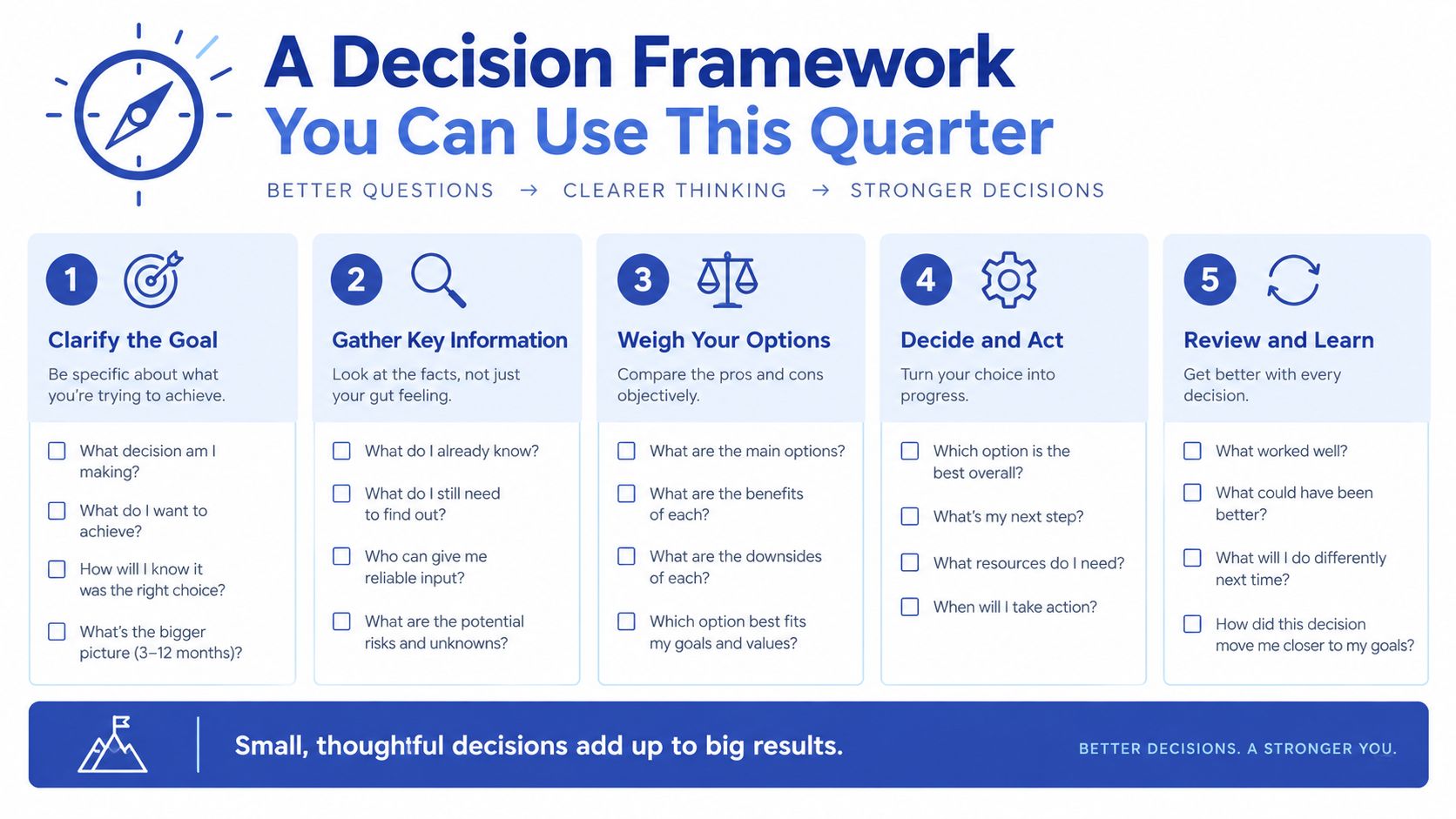
Run this test before commissioning a composable commerce platform. Answer each question with yes, no, or unclear.
- Is there a clear revenue, conversion, operational, or customer-experience problem that the current platform cannot solve?
- Does your team include at least one engineer who can own integrations for the long term?
- Is the budget realistic for both implementation and recurring vendor fees?
- Do you have a genuine multi-channel, international, content, search, or personalisation need rather than a hypothetical future requirement?
Interpret the result plainly:
- Three or four yes answers: Composable commerce is justified. Start with the layer closest to the business problem and keep Shopify Plus native where it already performs well.
- Two yes answers: Take a phased route. Externalise one layer, such as search or CMS, and review the operating impact before adding more services.
- Fewer than two yes answers: Stay with the monolith for now. Improve the native Shopify Plus setup, remove unnecessary apps, and revisit the decision when the constraint becomes real.
This framework should be revisited quarterly because team capability, channel requirements, contracts, and operational pressure change. The architecture is not a badge of maturity. It's a way to give the right team control over the right capability.
The core risk isn't choosing Shopify Plus or composable commerce. It's underestimating the operating cost of multiple vendors.
Grumspot helps Shopify Plus teams assess whether to stay native, move headless, or adopt a hybrid composable route, then delivers the storefront, integrations, audits, and migration work required to make that decision operational. Visit Grumspot to discuss your current stack, identify the right layer to externalise, and plan a pragmatic next step.
Want this kind of work on your store?
Send us the URL and what is slowing it down. We look at the store before we reply.
Related posts
Check out some similar posts.

- shopify store credit
Learn how to set up Shopify store credit with built-in tools or apps. Covers policy design, refund w...
Read more
- headless commerce agency
Discover what a headless commerce agency does, when to choose headless over Shopify Plus themes, typ...
Read more
- unified commerce platform
Learn how a unified commerce platform connects channels, ERPs, and CRMs to drive growth. Practical g...
Read more
- b2b ecommerce platform
Discover how a B2B ecommerce platform helps scaling brands streamline operations, boost sales, and g...
Read more