Master Your Shopify Subscription Store Setup
- Shopify subscription store setup
- Shopify subscriptions
- Recurring revenue
- Ecommerce subscriptions
- Shopify Plus
Launched
May, 2026

Most advice on Shopify subscription store setup gets one thing badly wrong. It treats subscriptions like a theme feature. Install an app, add a widget, offer a small discount, then wait for recurring revenue to arrive.
That approach usually creates recurring operations, not recurring loyalty.
A subscription business only works when the customer experience keeps earning the next order. The mechanics matter, of course. Billing schedules, checkout logic, customer accounts, and payment retries all need to function cleanly. But the stores that hold up over time are built around a harder question: why should a customer keep this relationship going next month?
That’s the difference between selling a product on repeat and building a subscription model. The first is a checkout decision. The second is an ongoing service promise.
For UK brands, that gap shows up quickly. A merchant can launch a polished subscription offer in days, then spend months dealing with avoidable cancellations because the portal feels restrictive, the post-purchase emails are weak, or the billing rules don’t match how customers buy. Good subscription setup isn’t only technical. It’s operational, behavioural, and closely tied to retention.
The Reality of Building a Subscription Business on Shopify
The subscription app isn’t the strategy.
That sounds obvious, but a lot of builds still start with software selection before anyone has defined refill logic, skip behaviour, cancellation handling, or what a subscriber should experience between order one and order two. If those decisions are fuzzy, the build gets expensive and the retention curve gets worse.
Shopify is absolutely a strong base for subscriptions. The opportunity is large. By 2028, the global online subscription market is projected to reach $2.3 trillion according to Red Stag Fulfillment’s Shopify statistics roundup. But market size doesn’t protect a weak subscription offer. Customers stay because the model fits their routine, not because the category is growing.
Subscriptions are a service model
A one-off store can survive some friction. A subscription store usually can’t. Every rough edge gets revisited again and again by the same customer.
That changes what “good enough” means:
- Product selection has to be durable: A product that sells well once may not justify a recurring commitment.
- Frequency has to match usage: Monthly sounds tidy internally, but many customers need flexibility.
- Account management must be simple: If customers can’t pause, skip, or edit without support, they’ll cancel instead.
- Communication carries part of the value: Reminders, education, and replenishment timing all shape retention.
Practical rule: If a customer needs to contact support to manage a normal subscription action, the setup is doing too little.
A useful way to sanity check the model is to look at brands where the cadence feels natural to the product. For example, Canadian coffee subscriptions work because replenishment, variety, and routine all line up with how customers already consume coffee. That’s the standard to aim for. The subscription should feel like the easiest version of buying, not a commitment customers have to tolerate.
What usually breaks first
The first failure usually isn’t checkout. It’s mismatch.
A merchant offers too many frequencies, too little flexibility, or a discount-led proposition with no real reason to stay. Then the team blames churn on the app. In practice, the stack may be fine. The offer just wasn’t built around customer behaviour.
The healthiest subscription setups share three traits. The value proposition is clear, the management experience is friction-light, and the post-purchase journey actively reinforces why staying subscribed makes sense.
Choosing Your Subscription Model Native vs Third-Party Apps
The first major build decision is the subscription engine. At this stage, many merchants either keep things sensibly lean or create a migration project they’ll regret later.
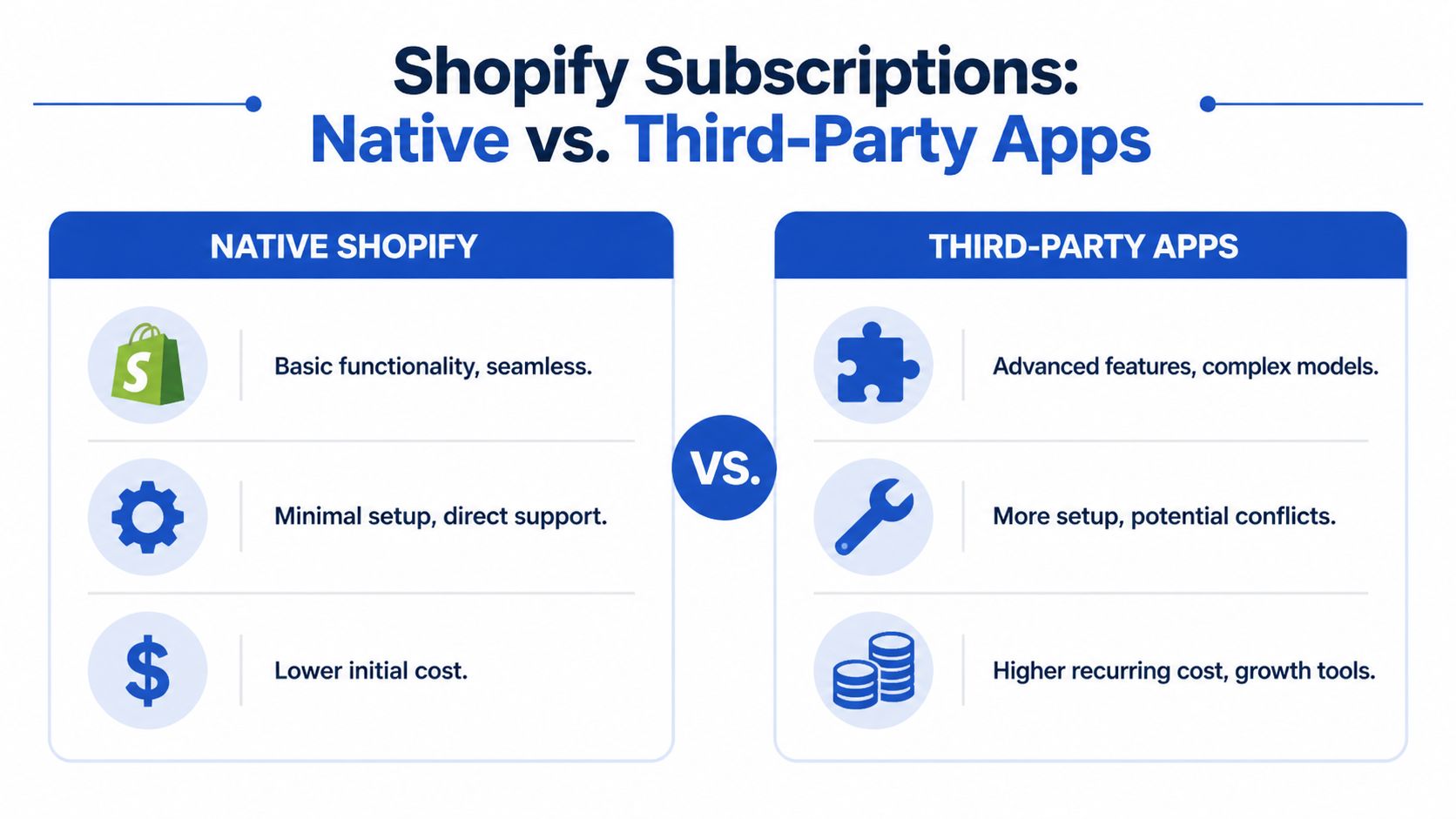
In simple terms, you’re choosing between Shopify’s native subscription framework and a third-party subscription app such as Recharge, Smartrr, or Skio. Both can work. Neither is automatically better. The right choice depends on how much complexity your business model needs.
Start with the business model, not the feature list
Merchants often compare apps by looking for the longest features page. That’s the wrong lens. A better lens is operational reality.
If you sell a straightforward replenishment product with fixed cadence options, a native-leaning setup can be enough. If you’re planning bundles, build-a-box logic, advanced cancellation flows, extensive portal branding, mixed cadence subscriptions, or subscriber-specific merchandising, you’ll usually want a specialist app.
The payment layer is rarely the bottleneck here. Approximately 1.85 million Shopify merchants currently utilise Shopify Payments, and it works smoothly with both native and third-party subscription setups, as noted in the earlier market data. The critical question is experience control.
Where native Shopify works well
Native Shopify is a good fit when you want simplicity and your team doesn’t want another large app dependency. It’s usually the safer choice for an early subscription launch when the model is still being tested.
Native works best when your offer looks like this:
- Single-product replenishment: Coffee, supplements, pet consumables, skincare staples.
- Limited frequency options: For example, every two, four, or six weeks.
- Minimal portal customisation: Customers need core actions, not a heavily branded account centre.
- Low operational complexity: The support team can manage exceptions without a complex rules engine.
What native doesn’t give you is depth. You may find yourself wanting more control over bundle logic, portal UX, upsells, cancellation interventions, analytics, or merchandising rules than the base setup comfortably supports.
Where third-party apps earn their cost
Specialist apps become worthwhile when subscriptions are central to the business, not an add-on. Recharge, Smartrr, and Skio each have different strengths, but they all exist because recurring commerce gets complicated fast.
Third-party tools tend to make more sense when:
- You need a serious portal: Branded, intuitive, and easy to extend.
- Your catalogue is configurable: Build-a-box, rotating flavours, product swaps, subscriber perks.
- Retention requires workflow control: Dunning, cancellation surveys, save offers, dynamic win-back logic.
- You expect scale pressure: More customer service volume, more exceptions, more operational edge cases.
A subscription app should reduce support load. If it forces your team to handle common account actions manually, it’s the wrong tool or the wrong implementation.
Shopify Native Subscriptions vs. Third-Party Apps Feature Comparison
| Feature | Shopify Native Subscriptions | Third-Party Apps (e.g., Recharge, Smartrr) | Best For |
|---|---|---|---|
| Initial setup complexity | Lower | Higher | Native for fast validation |
| Core recurring billing | Yes | Yes | Both |
| Portal customisation | Limited | Stronger | Third-party for branded UX |
| Build-a-box and advanced bundles | Basic or constrained | Better suited | Third-party |
| Cancellation interventions | Limited | Usually stronger | Third-party |
| Dunning and failed payment handling | Basic depending on setup | More mature options | Third-party |
| Mixed business rules | Harder to extend | Easier to model | Third-party |
| Ongoing app cost | Lower upfront burden | Higher recurring spend | Native for lean launches |
| Migration risk later | Higher if you outgrow it | Lower if chosen well early | Depends on roadmap |
The questions that actually decide it
When I’m reviewing a subscription brief, these are the questions that sort the choice quickly:
Will customers need to swap products often?
If yes, native setups can start to feel rigid.Do you want one-time and subscription products to work cleanly together?
Mixed-cart behaviour needs careful handling either way, but app maturity matters.Will the portal be part of the brand experience?
If the portal needs to feel premium, that pushes towards a stronger app layer.How painful would migration be in a year?
If subscriptions are likely to become a core revenue stream, choosing only for launch speed can be shortsighted.
What doesn’t work
The worst path is choosing a third-party app with enterprise-level complexity for a simple offer, then never using half the feature set. The second worst path is launching with a lightweight setup while already knowing the model will need bundle logic, portal design control, and retention workflows.
Choose the tool that matches the next stage of the business, not just this month’s deadline.
Core Subscription Configuration and Billing Workflows
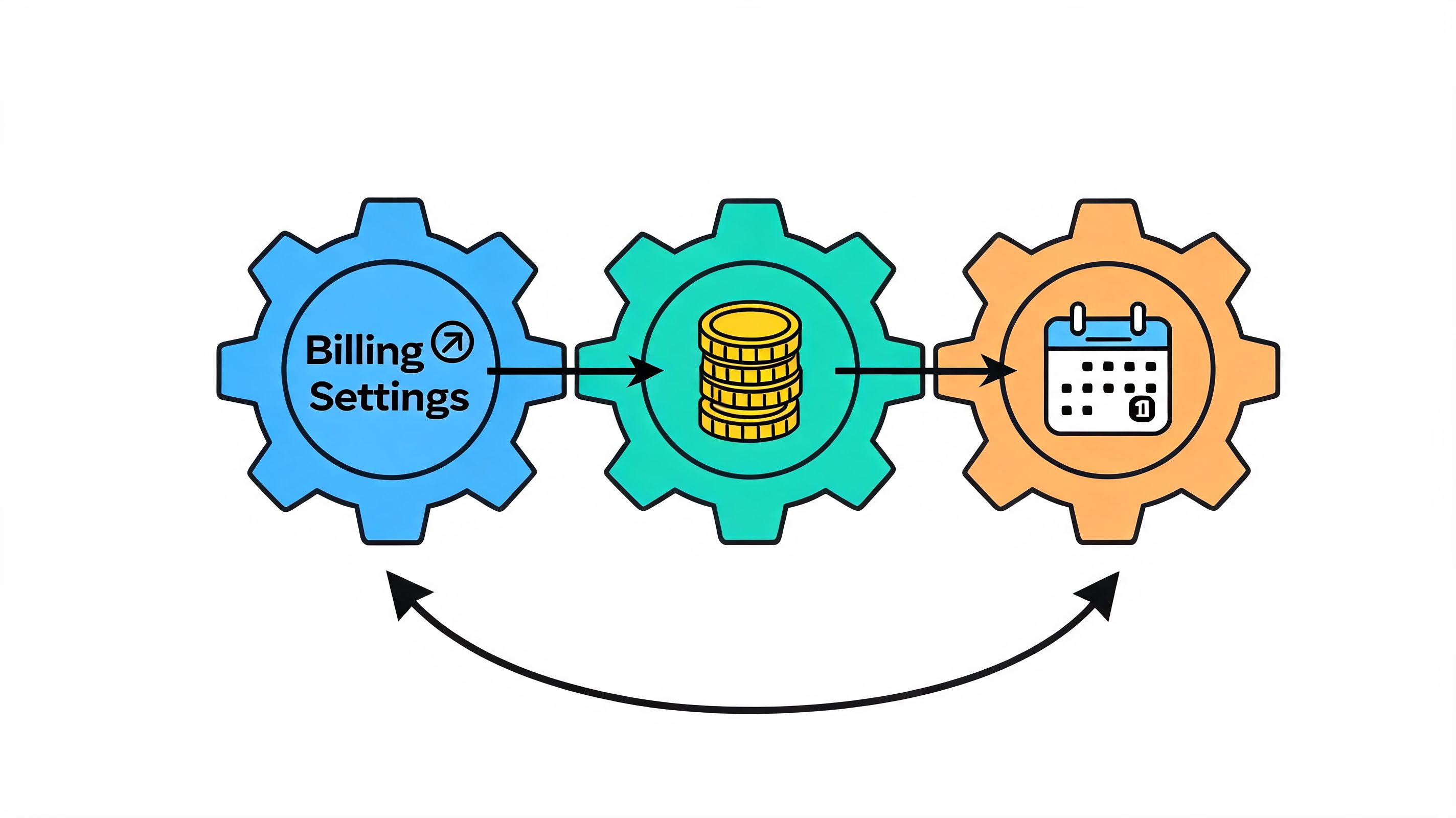
Once the platform choice is made, configuration starts deciding whether the store feels dependable or fragile. At this point, small decisions create downstream problems. Billing anchors, shipping cadence, mixed-cart rules, and notification timing all affect support load and subscriber trust.
A clean setup starts with subscription products, but it doesn’t end there.
Structure subscription products properly
Most merchants should avoid creating a messy mix of duplicated products unless the platform absolutely requires it. Keep the catalogue understandable. Customers should know whether they’re buying once or subscribing, and operations should be able to trace what was sold without decoding product sprawl.
For a coffee subscription, a sensible structure might be:
- Base product: House blend beans
- Purchase options: One-time purchase or subscribe
- Frequency choices: Every 2, 4, or 6 weeks
- Variant logic: Grind type and bag size
- Subscriber incentive: A clear ongoing benefit, not a gimmicky discount ladder
This is also where teams need to decide whether one-time and recurring items can sit together in the same cart. Mixed-cart checkout sounds minor, but it changes fulfilment, customer expectations, and discount logic. If the implementation is clumsy, you create confusion before the first recurring charge even happens.
Billing dates need operational logic
A lot of stores just accept default recurring schedules. That’s risky. Billing frequency should map to fulfilment capacity and product usage.
If you bill on one cadence and ship on another without making it obvious, customers will assume something has gone wrong. If you allow too many frequency combinations, support tickets rise. If all subscriptions fire on the same day, warehouse operations get slammed.
Good configuration usually means deciding:
- Whether billing and shipping happen together
- How renewals behave on weekends or bank holidays
- What happens when a customer edits before a charge date
- Whether prepaid subscriptions need different workflows
The cleaner your billing logic is internally, the easier it is to write customer-facing rules that don’t need explanation.
Checkout behaviour matters here too. Subscription products add more decisions at product page and cart stage, so the checkout flow needs less friction, not more. If you’re also refining cart and conversion steps, optimising Shopify checkout flows is worth treating as part of the same project, not a separate one. The same goes for the wider subscription funnel — dedicated work on Shopify subscription CRO tends to surface conversion gaps a checkout audit alone won't catch.
Build notifications before you need them
Many merchants leave emails until late because they feel secondary to the actual billing setup. In practice, they’re one of the first retention safeguards.
At minimum, configure:
Order confirmation emails
Make the recurring nature of the purchase obvious. Don’t let customers wonder what they agreed to.Upcoming charge reminders
Especially important for products with larger order values or less frequent cycles.Payment failure notifications
These should be calm, clear, and action-oriented.Subscription update confirmations
If a customer skips, swaps, or pauses, reassure them immediately.
Here’s a useful walkthrough to pair with implementation planning:
Use a real scenario to test the workflow
Take a build-a-box subscription. The customer picks three coffee bags, chooses a four-week cadence, adds a mug as a one-time item, then checks out. After purchase, they want to swap one coffee before the second renewal and delay the shipment by a week.
That’s not an edge case. That’s a normal subscriber journey.
If your configuration can’t handle that cleanly, the issue isn’t customer behaviour. The billing and account logic weren’t adequately planned. Strong Shopify subscription store setup accounts for ordinary mid-cycle changes before the first real subscriber ever sees the site.
Optimising the Customer Portal and Retention Flows
The customer portal is where subscription businesses keep or lose customers.
Many setup guides mention flexibility in passing, but they rarely go far enough on portal design. That’s a mistake. The portal isn’t a utility page hidden after checkout. It’s the operational face of your subscription offer. Customers use it when something changes in real life, and that’s exactly when your UX gets judged most harshly.
Research highlighted by Recharge’s discussion of subscription app implementation points to a familiar problem: shoppers will drop plans that “won’t adapt to their schedules, budgets, or pantry space”, yet most guidance stops short of showing how portal usability affects retention in practice.
The portal should remove reasons to cancel
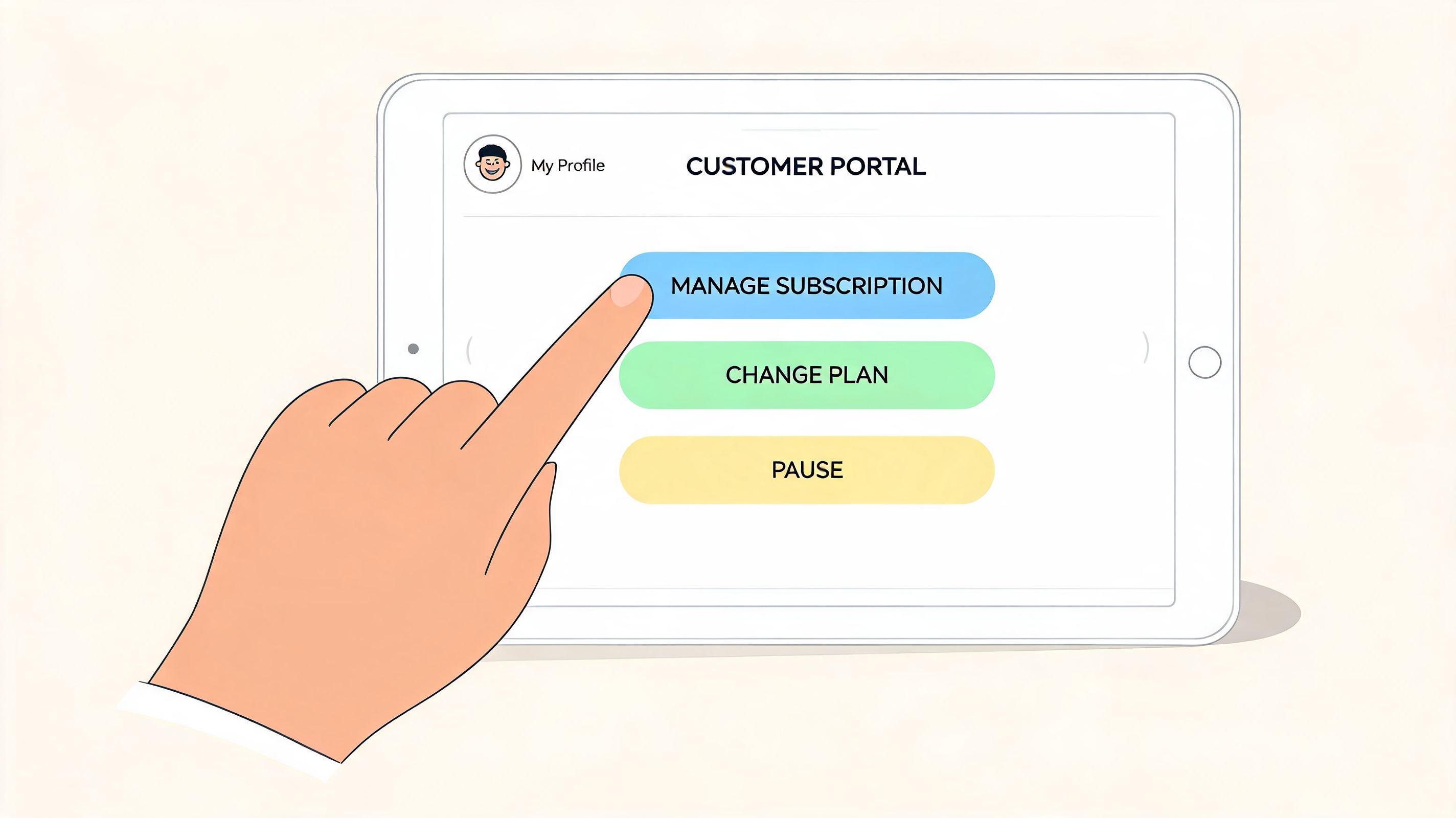
A bad portal corners the customer. It hides actions, adds friction, or forces support contact for common tasks. When that happens, cancellation becomes the fastest path.
A good portal does the opposite. It gives customers enough control to stay.
The essentials are not controversial:
- Skip a shipment without digging through menus
- Pause the subscription when usage slows down
- Swap products without rebuilding the whole subscription
- Change frequency based on actual consumption
- Update payment details without support intervention
- See the next charge clearly so there are no surprises
What matters is how these actions are presented. If “cancel” is obvious but “skip” is buried, you’re nudging churn. If “pause” exists but feels risky, customers won’t trust it. If product swaps require too many clicks, they won’t bother.
Design for the customer’s stressed state
Portal sessions often happen under mild frustration. The customer has too much product, a card expired, travel plans changed, or they need to cut spend this month.
That means portal UX should favour clarity over cleverness.
Use these principles:
- Place high-frequency actions first: Skip, pause, reschedule, and payment update should be visible without hunting.
- Use plain labels: “Skip next order” outperforms vague wording.
- Show consequences before confirmation: Customers should know what will happen to billing and shipment dates.
- Keep account pages fast and sparse: A portal isn’t the place for decorative complexity.
A useful benchmark is any subscription account area that makes self-service feel ordinary. For a live consumer-facing example, look at how customers can manage your Skout Organic subscriptions. The important lesson isn’t the brand itself. It’s the expectation it reflects: customers now assume account changes should be quick and self-directed.
If a subscriber opens the portal with a problem, the interface should offer a stay path before the customer starts looking for an exit.
Retention starts immediately after purchase
Portal optimisation without retention flows is incomplete. The customer account gives control. The post-purchase journey gives context.
New subscribers should not disappear into a billing cycle with one confirmation email and silence. They need guidance, reminders, and timely prompts that reinforce value. This matters most between the first and second orders, when uncertainty is highest.
Strong post-purchase retention usually includes:
A welcome sequence
Confirm what was purchased, when the next charge happens, and how to manage the subscription.Usage education
Particularly useful for supplements, skincare, food, and any category where routine affects perceived value.Pre-renewal reminders
These reduce surprise and create a natural moment to skip rather than cancel.Cancellation interruption logic
If someone tries to cancel, offer alternatives that fit the reason. Pause for budget concerns. Swap products for taste fatigue. Delay for stock build-up.
Failed payments need their own flow
Voluntary cancellation and involuntary churn are different problems.
Expired cards, payment failures, and authorisation issues should trigger a dedicated dunning flow with clear messaging and low-friction account recovery. Don’t lump those emails into generic marketing automation. They need direct action paths and precise account links.
In practice, subscription retention improves when the portal and email system work together. The portal gives customers control. The emails bring them back at the right moment to use it.
Analytics Compliance and Advanced Integrations
Once subscriptions are live, instinct stops being enough. You need to know where subscribers are holding, where they’re slipping, and which interventions are working.
A lot of merchants track revenue and call that visibility. It isn’t. Subscription performance needs a more specific operating view, especially once recurring orders start interacting with inventory, support, finance, and lifecycle marketing.
Research from Stay.ai’s subscription audit guidance highlights the issue well: many brands launch subscriptions and let churn drain growth, even though targeted interventions can reduce churn by up to 28%. That only helps if your reporting is organised enough to spot the right intervention point.
Track health, not just sales
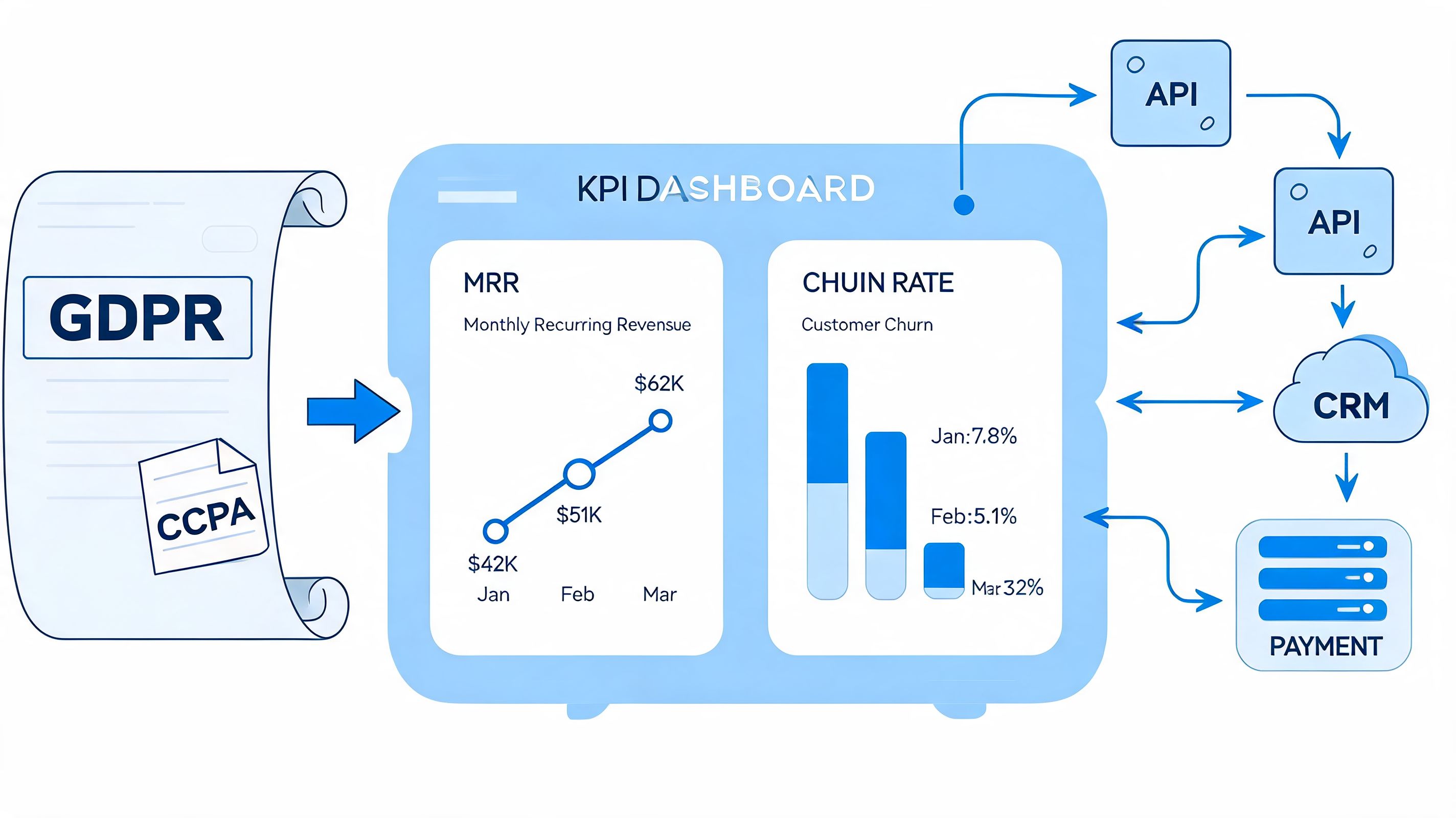
For a maturing subscription programme, the most useful dashboard usually combines commercial, behavioural, and operational signals.
Watch these closely:
- Churn rate: Segment voluntary cancellations from failed-payment losses.
- Customer lifetime value: Especially by acquisition source and subscription product type.
- Average revenue per user: Useful for spotting whether subscribers are trading down, upgrading, or maintaining value.
- Cohort retention: Month-one and month-two behaviour often reveal offer quality faster than topline revenue.
The key is to read these together. If sign-up volume looks healthy but early churn is rising, the problem may sit in onboarding, not acquisition. If retention is stable but support tickets spike, the portal or billing communication may be creating avoidable friction.
Operational insight: A subscription dashboard should help the team decide what to change next. If it only reports what already happened, it’s incomplete.
Compliance is part of the build, not admin afterwards
Recurring orders create repeated handling of customer data, billing information, consent states, and cross-system records. That means compliance can’t be treated as an afterthought.
For UK merchants especially, pay attention to:
- Customer communication consent: Separate marketing permission from transactional necessity.
- Data flow mapping: Know which systems hold billing, order, and account management data.
- Cancellation clarity: Terms, schedules, and account actions should be understandable before purchase.
- Retention policy alignment: Subscriber data tends to spread across apps quickly.
App sprawl poses a significant risk. The more tools added to patch over weak architecture, the harder it becomes to keep customer records consistent.
Integrations decide whether scale stays clean
A subscription business that grows beyond a basic setup almost always needs stronger integrations. That usually means connecting Shopify to CRM, ERP, 3PL, support tools, and sometimes custom middleware.
The common integration priorities are:
CRM sync
Subscriber status should feed lifecycle email and support context.ERP or inventory systems
Recurring demand needs cleaner stock visibility than one-off orders alone.Fulfilment platforms and 3PLs
Subscription cadence changes are only useful if downstream fulfilment receives them properly.Custom operational logic
Some brands need bespoke workflows for bundle composition, subscription tagging, or account status handling.
If your stack is heading in that direction, Shopify third-party integration services are usually where recurring commerce either gets stabilised or starts accumulating hidden process debt.
What mature teams do differently
Strong operators don’t only ask, “How many subscribers do we have?” They ask which cohorts are retaining, which reasons drive cancellation, where payment recovery stalls, and whether support demand points to UX flaws.
That’s the shift from launching subscriptions to running them.
Your Pre-Launch and Go-Live Checklist
A subscription launch should feel boring internally. That’s a good sign. It means the obvious failure points were tested before customers found them.
The final stretch of Shopify subscription store setup is less about adding features and more about proving the whole system behaves properly under normal conditions.
Test the complete customer journey
Don’t stop at a successful checkout. Test what happens after it.
Run through the flow as a customer would:
- Add subscription and one-time items together: Confirm cart and checkout behaviour is clear.
- Place a test order: Check confirmation content and account creation logic.
- Edit the subscription afterward: Try skip, pause, swap, and frequency changes.
- Trigger a failed payment path: Make sure recovery messaging arrives and links correctly.
- Review renewal communication: Upcoming charge reminders should be understandable and timely.
The important part is sequence. Many issues only show up when one action affects the next. A portal edit that looks fine on screen can still break fulfilment timing or create billing confusion later.
Prepare the team, not just the storefront
A go-live fails subtly when the support team doesn’t know the subscription rules.
Make sure internal teams can answer these questions without guessing:
- What can customers change themselves?
- When is the billing cut-off for edits?
- How are pauses and skips handled operationally?
- What’s the policy for refunds on recurring orders?
- Which issues belong to support, fulfilment, or development?
A documented operating guide matters more than a polished Slack thread. If your wider launch includes structural store work, Shopify store setup services usually give a good sense of the broader implementation areas that need ownership before traffic starts flowing. Additionally,
Launch-day confidence comes from repeatable answers. If support, ops, and marketing all explain subscriptions differently, customers will feel the inconsistency immediately.
Plan the first month after launch
A subscription programme doesn’t prove itself on day one. It proves itself in the first renewal cycle.
Before launch, decide:
- Who reviews early churn signals
- Who checks failed payment recovery
- Who monitors support themes
- Who owns portal fixes if customers struggle
- Who updates merchandising if a frequency or offer underperforms
Marketing also needs a realistic message. Don’t frame the subscription purely as a discount. Lead with convenience, control, and continuity. That attracts customers who want the model, not shoppers who only want the first order incentive.
Frequently Asked Questions
Can Shopify handle subscriptions without a specialist app?
Yes, for simpler models. If the offer is straightforward and the customer account actions are limited, native tooling can be enough. If you need richer portal control, retention workflows, or complex bundle logic, a third-party app is usually the better long-term choice.
Should I offer one-time purchase and subscription on the same product page?
Usually, yes. Customers want a clear choice at the point of purchase. The key is clarity. Don’t make the subscription option feel hidden or make the one-time option look like a downgrade. Both paths should be easy to understand.
What’s the biggest mistake in Shopify subscription store setup?
Treating setup as a checkout feature instead of an ongoing experience. The most expensive problems usually appear after the first order. Weak onboarding, poor portal design, and unclear renewal communication create avoidable churn.
How important is the customer portal really?
It’s critical. Customers judge the subscription by how easy it is to manage when their routine changes. If they can skip, pause, swap, or update payment details easily, they’re more likely to stay. If they feel trapped, they cancel.
Does Shop Pay help with subscription conversion?
Yes. Shop Pay now has 200+ million users, which makes sign-up and recurring transactions easier for a large existing user base, according to Chargebacks911’s Shopify statistics roundup. In practice, faster checkout reduces friction at the point where a customer is deciding whether to commit.
How long should I test before going live?
Long enough to complete full end-to-end scenarios, not just checkout tests. You should be able to place a subscription order, edit it in the portal, trigger customer emails, handle a failed payment case, and verify what reaches operations. If any of that is still uncertain, it’s too early.
If you need a team to plan, build, or stabilise a subscription experience on Shopify Plus, Grumspot helps brands launch cleaner subscription flows, improve portal UX, and connect recurring commerce properly with the rest of their stack.
Let's build something together
If you like what you saw, let's jump on a quick call and discuss your project

Related posts
Check out some similar posts.
- subscription examples
Explore 7 subscription examples across Shopify, pricing and retention models, with practical lessons...
Read more
- shopify website examples
Explore 7 Shopify website examples and learn the UX, conversion features, and practical lessons merc...
Read more
- cro best practices
Apply cro best practices to Shopify stores with 10 actionable tactics for testing, product pages, ch...
Read more
- ecommerce subscription platform
Learn how an ecommerce subscription platform works, which models drive retention, and how to choose,...
Read more