Voice Search Optimization for Shopify Stores: Playbook 2026
- voice search optimization
- shopify seo
- ecommerce seo
- technical seo
- local seo
Launched
June, 2026
Google's AI Overviews have changed the economics of voice search. A 2025 study from the UK's Digital Marketing Forum found that AI Overviews now suppress 42% of organic click-throughs for voice queries, and 58% of UK merchants reported a 15–30% drop in mobile conversion rates after product data started appearing directly in results. Voice search optimization isn't just about getting mentioned. It's about keeping discovery connected to revenue.
For Shopify stores, that means two things. First, spoken queries need a different content and UX model than typed searches. Second, you can't treat all voice behaviour as one bucket. A customer asking Siri a product question on a phone behaves differently from someone asking a smart speaker in the kitchen. If you optimise both the same way, you usually underperform on both.
Why Voice Search Matters for Your Shopify Store
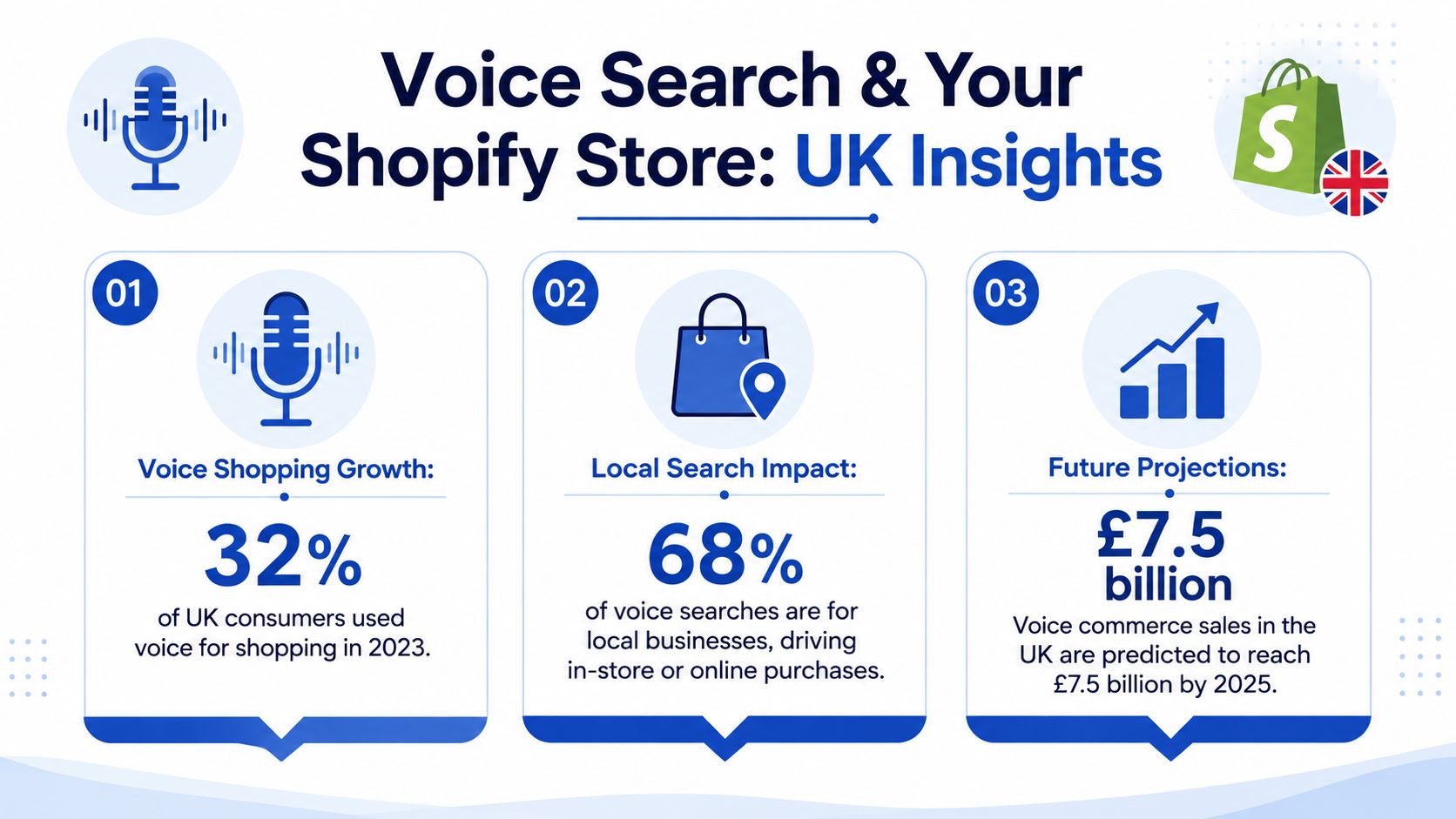
Voice is already part of normal shopping behaviour, not an edge case. In the UK, 18% of adults aged 16+ used voice search on a smartphone in the previous three months in 2024, and 55% of UK adults used a voice assistant on any device in the same period, according to Ofcom context cited here. For Shopify merchants, that matters because customers aren't waiting for a “voice commerce future”. They're already asking devices for product help, local options, opening hours, delivery answers, and comparison questions.
Voice traffic isn't one user journey
The mistake I see most often is treating voice search like a single acquisition channel. It isn't. The query format may be conversational in both cases, but the path after the query changes by device.
On mobile, the shopper often still has a screen, a thumb, and intent to act quickly. They might ask “best waterproof tote bag for commuting” and then scan a product grid, tap filters, or open a location page. On a smart speaker, the user has no visual context. They need a direct answer first, and only sometimes move to another device later.
That difference changes what you should optimise:
- Mobile voice queries need concise page titles, strong above-the-fold relevance, tappable filters, and obvious next actions.
- Speaker-led queries need clearer explanatory copy, stronger FAQ formatting, and answers that make sense without visuals.
- Both need clean structured data, but the surrounding UX should not be identical.
Practical rule: If a spoken query is likely to lead to an immediate visit, optimise the landing page like a mobile conversion page. If it's likely to be answered aloud, optimise the content like an answer source first.
Revenue matters more than visibility
A lot of generic voice search advice still chases mentions, impressions, or snippet ownership without asking the only useful question. Did the query move a shopper towards purchase?
For Shopify, voice search optimization should support commercial intent at different stages:
| Query type | Likely stage | Best Shopify destination |
|---|---|---|
| “What's the best yoga mat for sweaty hands?” | Consideration | Collection intro, buying guide, featured products |
| “Are these mats non-toxic?” | Product evaluation | Product page FAQ, materials section |
| “Yoga mats near me” | Local intent | Store locator, location page, Google Business Profile support |
| “How do I clean a cork yoga mat?” | Post-purchase or trust building | Help article or blog post with product links |
That's why voice work increasingly overlaps with answer engine work. If you're thinking about how product information gets surfaced in AI-driven results, this practical resource on AI search optimization for Shopify is worth reviewing alongside your SEO plan.
Mastering Conversational Keyword Research
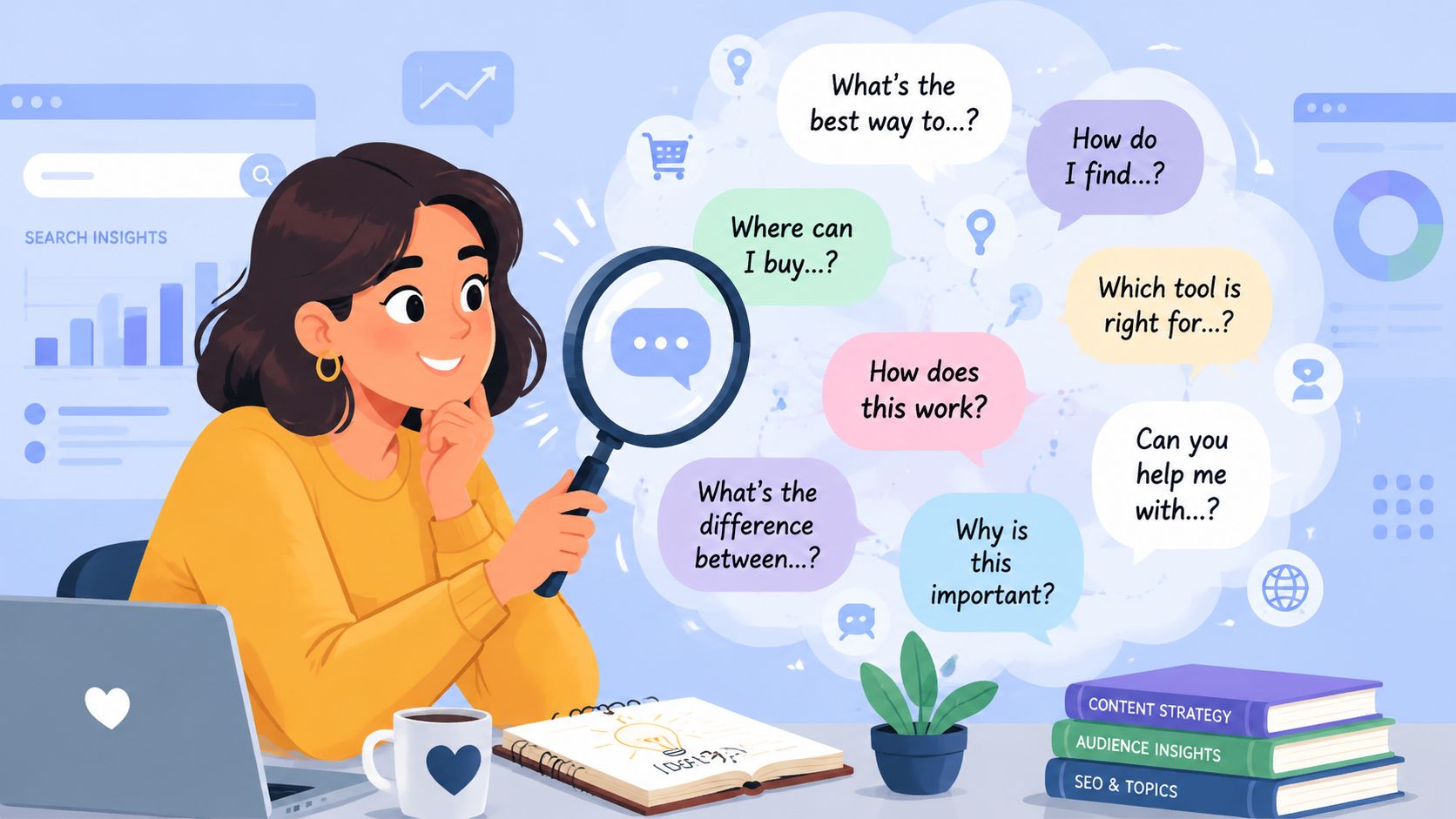
Traditional keyword research usually starts with compressed phrases like “yoga mat”, “leather tote”, or “protein shaker”. Voice research starts with how a person asks for help. The wording is longer, messier, and more specific. That's useful because it often exposes buying context that standard head terms hide.
Take sustainable yoga mats. A typed search might be “eco yoga mat”. A spoken search is more likely to sound like this:
- Problem-led query “What's the best sustainable yoga mat for hot yoga?”
- Trust query “Are your yoga mats PVC-free?”
- Comparison query “Which yoga mat has better grip, cork or natural rubber?”
- Local intent query “Where can I buy a sustainable yoga mat near me?”
Start with customer language, not SEO shorthand
The fastest way to build a usable voice keyword set is to pull language from places where people already ask natural questions:
- Product reviews on your own store and marketplaces
- Customer support tickets and live chat transcripts
- Google autocomplete and People Also Ask
- AnswerThePublic
- Search Console queries that already contain question words
This process works because spoken search is usually explicit. Shoppers say the need, concern, or constraint out loud.
If a customer says the same question to support three times in different wording, that's usually one content opportunity, not three separate pages.
Map each question to the right Shopify page type
Most keyword lists encounter a significant problem. Merchants collect question phrases, then dump them into blog posts and hope that covers voice search. It doesn't. The page type has to match the intent.
Here's a cleaner mapping model:
| Spoken query pattern | Best page type | Why it fits |
|---|---|---|
| “Is this product vegan?” | Product page FAQ | It supports purchase confidence close to checkout |
| “How do I clean a leather bag?” | Blog post or care guide | It needs a fuller instructional answer |
| “Which size should I buy?” | Product page content or size guide | It removes hesitation at decision point |
| “Where can I find this in Manchester?” | Location page | It matches local store intent |
| “What's the difference between cork and rubber mats?” | Collection intro or comparison guide | It helps category selection |
For local intent terms, this guide for targeting local business keywords is useful because it helps expand place-based modifiers without turning every page into keyword stuffing.
Build clusters instead of chasing isolated phrases
One useful pattern is to group conversational keywords into clusters around one commercial theme. For a sustainable yoga mat category, a cluster might include materials, grip, odour, cleaning, travel suitability, and beginner suitability. Then assign each cluster to a core page and a supporting page.
A simple workflow looks like this:
- Core commercial page for the category or product
- Support FAQ blocks on product and collection pages
- One comparison article for common “which is better” questions
- One care guide for post-purchase queries
- One local page if you have physical presence or pickup options
If you're refining how products surface internally after the landing, this article on search relevance and ranking is a useful companion because voice traffic still has to find the right products once it reaches your store.
Structuring Content for Voice and AI Overviews
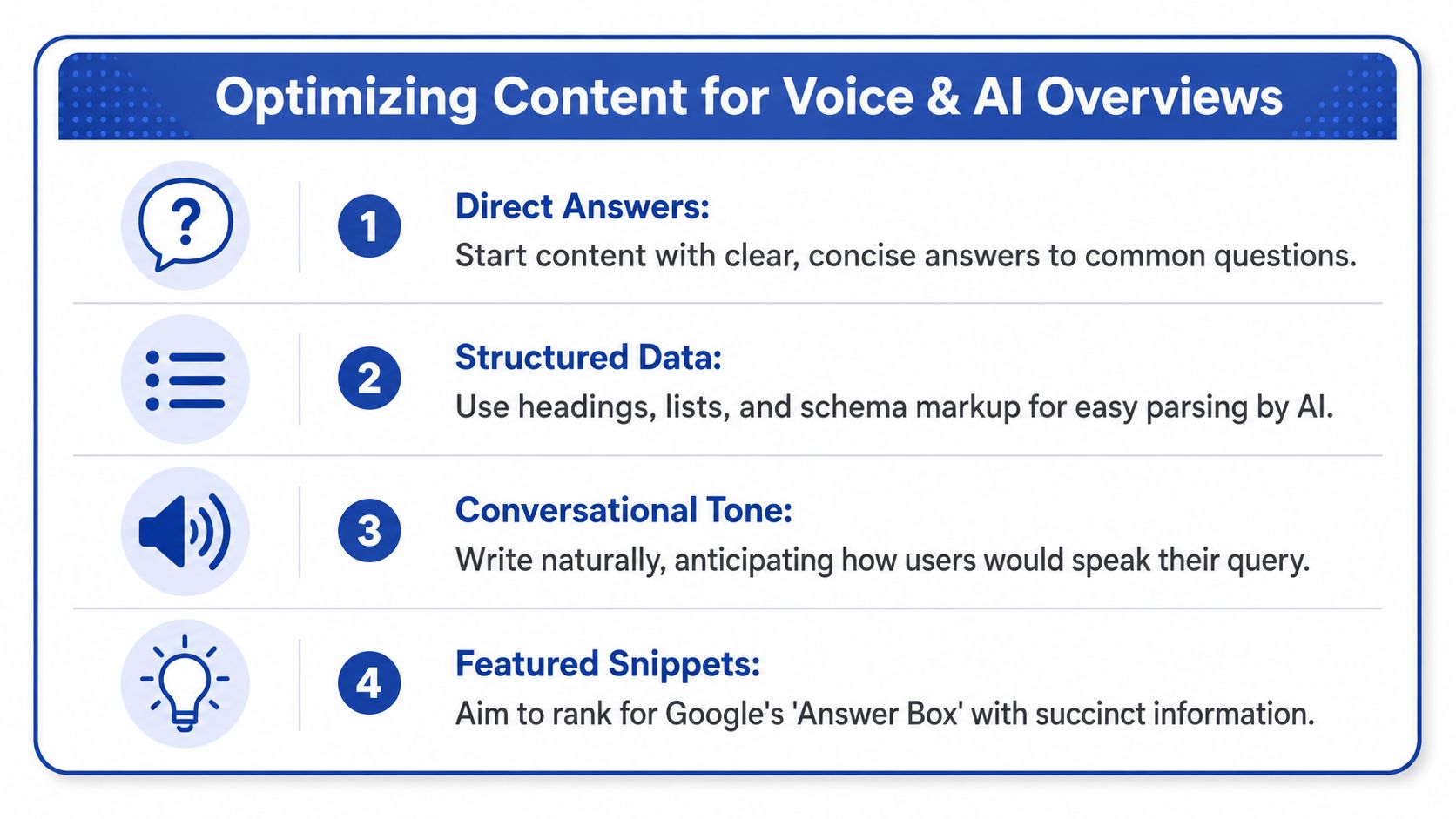
Good voice search optimization now depends on Answer Engine Optimisation, or AEO. That means your page doesn't just rank. It needs to supply a direct, parseable answer that search engines and AI systems can extract cleanly.
The strongest pattern is simple. Put the question in a heading, answer it immediately in plain language, then expand with supporting detail. Don't bury the answer under brand story, banner copy, or generic category text.
Use a direct-answer page pattern
For Shopify pages, this structure works well:
- Question-led H2s that match real spoken phrasing
- A short answer first, usually one or two sentences
- A supporting list or paragraph for nuance
- A visible next step such as compare products, check stock, or view the product
Example for a product page:
Is this yoga mat suitable for hot yoga
Start with a direct answer. Explain grip, material behaviour, and cleaning needs in plain English. Then add a short bullet list covering thickness, surface texture, and care instructions. After that, place the product CTA nearby, not three scrolls away.
That layout helps in two ways. It improves extractability for search systems, and it reduces friction for shoppers who land on the page after a voice query.
AI Overviews change the conversion problem
Older voice SEO advice now falters. A 2025 study from the UK's Digital Marketing Forum found that Google's AI Overviews now suppress 42% of organic click-throughs for voice queries, and 58% of UK merchants reported a 15–30% drop in mobile conversion rates as product data is pulled directly into results. That means your content can answer the question but still lose the visit.
So the job isn't only to be selected. The job is to preserve commercial movement when the answer appears outside your storefront.
The pages that hold up best are the ones that answer quickly, then give the user a reason to continue on-site.
Protect the funnel with on-page and schema choices
A practical AEO setup for Shopify includes:
- FAQ sections on product pages for objections, usage, materials, shipping, and compatibility
- FAQPage schema where appropriate, especially when the Q and A content is visible on page
- Short answer blocks near the top of collection pages for broad category questions
- “View in store” style prompts in visible page copy so the next action is obvious if the user does click through
- Internal links from informational answers to relevant products, bundles, and collections
For merchants implementing schema properly, this guide to Shopify structured data setup is the right place to sanity-check Product, FAQ, and business markup.
If you're working through the overlap between AEO and broader AI result visibility, this piece on AI search optimization gives useful framing on how answer extraction differs from classic ranking.
Technical SEO for Voice Search Success
Voice search optimization fails quickly when the storefront is technically messy. Search engines need clear structure. Mobile users need speed and frictionless interaction. Both break when a Shopify build relies on oversized apps, weak templates, or cluttered themes.
The biggest technical reality is device behaviour. While 27% of global queries are voice-based, UK data shows a significant device split: 68% of UK voice users access assistants via mobile devices, compared to only 19% who use smart speakers. That makes mobile performance the priority for most Shopify stores handling voice-driven discovery.
Mobile UX comes before speaker refinement
Because most UK voice use happens on mobile, start by reviewing the experience after the spoken query. Don't begin with abstract “voice readiness”. Begin with the landing page and ask whether someone can act fast.
Check these points on your top entry pages:
- Tap targets: Filter chips, variant selectors, and add-to-cart buttons should be easy to use one-handed.
- Above-the-fold clarity: The first screen should confirm the page answers the spoken question.
- Search and navigation: Predictive search, collection filtering, and breadcrumbs should reduce backtracking.
- Template consistency: Product pages should present answers in the same place across the catalogue.
A fast page that hides key information still underperforms. A clean page that loads slowly also underperforms. You need both.
Schema needs to be explicit and accurate
For Shopify, I'd prioritise these schema types first:
| Schema type | Where to use it | Why it matters |
|---|---|---|
| Product | Product templates | Helps search systems understand item details |
| FAQPage | Visible FAQ sections | Supports answer extraction for common questions |
| LocalBusiness | Store or location pages | Supports local voice intent and business details |
| BreadcrumbList | Across templates | Clarifies page hierarchy |
In most stores, JSON-LD is the safest implementation format because it keeps markup cleaner and easier to audit. You can add it through theme files, snippets, or carefully chosen apps. The important part isn't the method. It's that the data matches what the user sees on the page.
Build note: If your schema says a product is available, but the page shows sold out, you're feeding mixed signals into search systems and trust into the ground.
Clean up the Shopify layer that slows everything down
Voice-related pages often struggle because the store has broader technical debt. Common causes include bloated app scripts, duplicate structured data from multiple apps, collection pages with thin intros, and product templates overloaded with dynamic widgets.
A useful technical review usually includes:
- Theme audit for redundant scripts and app leftovers
- Structured data validation across product, collection, and location templates
- Mobile template review for speed and interaction friction
- Internal search review so post-click product discovery doesn't collapse
- Indexation checks to stop weak filtered URLs from diluting crawl focus
If your store needs that kind of review, a Shopify technical audit is the right framework to follow. It helps separate voice-specific fixes from the underlying platform issues that hold back every organic channel.
Local Voice Search Optimisation for Shopify
Local voice queries often arrive with stronger intent than generic informational searches. The customer doesn't just want an answer. They want somewhere nearby, somewhere open, or somewhere they can buy from today. For Shopify brands with a showroom, retail location, stockist network, click-and-collect option, or local delivery zone, that's where voice can become commercially useful very quickly.
Three assets do most of the work
The first is your Google Business Profile. Your name, address, phone details, opening hours, categories, and product visibility all need to be correct. If those basics are inconsistent, voice assistants have weak inputs and your local visibility suffers before your website even enters the picture.
The second is your location page on Shopify. That page should do more than repeat contact details. It should include local collection options, parking or access notes if relevant, key product categories stocked there, and a clear route to purchase or visit. If you serve delivery zones instead of storefront traffic, explain that directly.
The third is LocalBusiness schema. This helps search systems connect the physical or service presence to the page content. Keep it aligned with what appears publicly on the page and in your Google Business Profile.
What a strong location page includes
A useful local page usually contains:
- Place-specific copy that names the area naturally
- Service details such as pickup, delivery, consultations, or stock availability
- Trust elements like local reviews or FAQs
- Commercial links into relevant collections and products
- Clear next actions including directions, contact, booking, or browsing
A weak page says “Visit our London store” and stops there. A strong page answers what the shopper can do, buy, or expect when they arrive.
For local voice, “near me” isn't only about distance. It's about confidence. Users want the nearest relevant option that looks current and easy to act on.
A practical store example
Say a Shopify home fragrance brand has a shop in Bristol and offers same-day local delivery in selected postcodes. The right setup isn't one homepage mention and a map embed. It's a dedicated Bristol page, correct Google Business Profile details, local delivery wording, FAQs about pickup and opening times, and links to the candles and diffusers people buy in-store.
That page can capture spoken searches around nearby availability, opening hours, and product-specific local intent. More importantly, it gives the user a clear route from question to transaction.
Putting It All Together Your Shopify Checklist
Voice search optimization works when the store is organised around real spoken intent, not when a merchant adds a few FAQs and calls it done. The checklist below is the standard I'd use to review a Shopify store before treating voice as a serious acquisition and conversion channel.
Your working checklist
Keyword research
- Pull real questions from support and reviews: Don't rely only on SEO tools.
- Group phrases by intent: Separate product questions, comparison queries, care questions, and local queries.
- Map each query to a page type: Product page, collection page, blog post, or location page.
Content structure
- Use question-led headings: Match how customers speak.
- Answer immediately under the heading: Keep the first response concise and plain.
- Add visible next actions: Product links, collection links, and store visit options should sit near the answer.
Technical SEO
- Review mobile landing pages first: Most voice-driven visits need fast, friction-free mobile UX.
- Validate Product, FAQPage, and LocalBusiness schema: Remove duplication and keep markup aligned with visible content.
- Trim template bloat: App leftovers and heavy scripts hurt voice landing performance.
Local SEO
- Update Google Business Profile details: Hours, categories, and contact data must stay current.
- Create proper location pages: Add local service details, FAQs, and buying paths.
- Connect local pages to products: Don't isolate them from the rest of the catalogue.
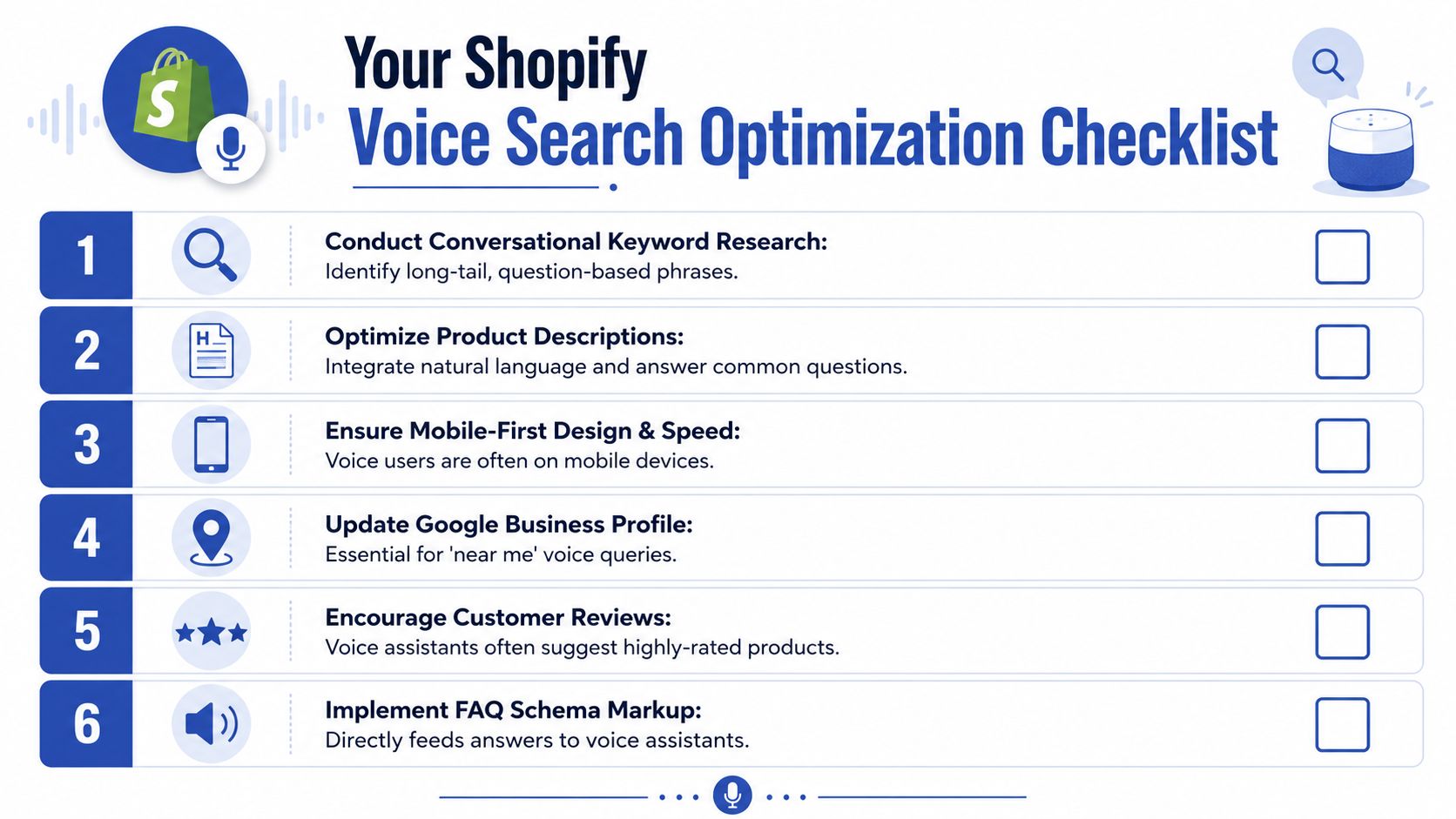
Voice search doesn't need a separate Shopify strategy. It needs a sharper version of your existing one. Clear answers, stronger structure, faster mobile pages, and local signals that help a customer take the next step.
If your Shopify store needs help turning voice-driven discovery into a cleaner conversion path, Grumspot builds and fixes Shopify experiences with a focus on technical SEO, structured data, mobile UX, and conversion-first storefront design.
Let's build something together
If you like what you saw, let's jump on a quick call and discuss your project

Related posts
Check out some similar posts.
- seo and subdomains
Learn how SEO and subdomains interact, from indexing and authority to internationalisation. A practi...
Read more
- technical seo audit
What Is Technical SEO Audit. Learn what a technical SEO audit is, its core components, and how it dr...
Read more
- help center shopify
Learn how to build a help center Shopify merchants trust. Covers native pages vs apps, article struc...
Read more
- shopify seo
Choosing the right SEO app for Shopify means weighing features against speed, scripts, and plan limi...
Read more