From lightbox to trade show booth: a configure-to-order Shopify Plus store for PIXLIP
- Custom Shopify app
- Shopify Plus
- Cart Transform
The problem with a product that is never just one product
Most Shopify stores sell things. PIXLIP sells systems.
Since 2008, PIXLIP has been building modular LED exhibition systems in Germany. Their brand line is simple: Light, Modularity, Reusability. A GO Lightbox is a tool-free aluminium frame with LED backlighting. It comes in widths from 85 to 300 cm and heights from 200 to 250 cm, and it takes a fabric print on the front, the back, both or neither. Plug several lightboxes together, add a counter, and you have a complete trade show booth.
That is great for the customer. It is very hard to sell on Shopify.
One “lightbox” is really a hardware frame plus up to two textile panels. Each panel has to match the frame's exact dimensions, and each part is a separate SKU in PIXLIP's warehouse. A finished booth like the S-05 is nine components across eight product types, shipped in five packages.
Shopify's variant model cannot express that. The 100-variant limit is the smaller issue. The bigger one is that a variant is a single SKU, and PIXLIP's products are bills of materials.
Their old setup used a third-party bundling app. It kept the store running, but it was rigid, hard to maintain across languages, and disconnected from the brand.
Our mission was to let a buyer configure anything from a single lightbox to a 9 m² booth on one product page. They should see one honest price and check out with one clean line. Behind that line, PIXLIP's warehouse should receive the exact SKUs it needs to pick.
Here is how we did it with a custom Shopify app, a Cart Transform function, and a theme rebuilt around the configurator.
Part 1: the architecture of a configurable product
Every product line configures differently
We expected to build one configurator. We found five.
- A GO Lightbox chooses width and height from fixed steps, and the fabric panels have to follow the frame's size.
- A custom-size product lets the buyer enter any width × height within limits and is priced per square metre.
- A cube is measured in three dimensions, but its fabric panels are flat squares, and choosing “Fabric” adds five of them.
- Some products have no sizes at all, only a list of hand-picked options.
- Booth packages have no choices. They are fixed lists of components that must always be priced from their parts.
Forcing all of these into one generic “bundle builder” would have meant workarounds on every product. We decided to model the differences instead.
Five connector modes
The heart of the app is the connector mode, which describes how the options link to the main product:
- Mirror: the hardware's own width and height variants drive the matching fabric panels automatically. When the frame changes size, the fabric follows.
- Dynamic: free width × height input with a slider and stepper. The price is calculated live from an area rate.
- Mapped: a size translation table. This solved the cube: a 1000 × 1000 × 1000 cube maps to 1000 × 1000 panels.
- Manual and Fixed: merchant-defined options, or pinned variants with no size matching.
Each option value can be plain text with a price premium, a product matched by size, or a specific pinned SKU. The PIXLIP team builds all of this themselves in an embedded admin made with Shopify's Polaris components. They get drag-and-drop ordering, translatable labels and tooltips, and a per-product size unit (mm, cm or none). The admin never asks them to touch code.
The psychology: cognitive ease. The merchant thinks in “this fabric matches this frame”, not in “variant 4471 maps to variant 9902”. We made the admin speak the merchant's language.
Part 2: the storefront, one page, one price
Configurators that feel bolted on
Third-party configurators usually look like what they are: a widget from another company dropped into someone else's theme. On a premium brand, that seam costs trust.
A native-feeling widget
We built the storefront configurator as a React app inside a Shopify theme app extension. It was designed screen by screen against PIXLIP's new Figma design. The demo at the top of this page runs on the real GO Lightbox data: every price, SKU, weight and photo in it comes from the live store.
- Pill selectors for each size and option. The selected state is a ring, not a thicker border, so nothing on the page shifts when the buyer clicks. Lists longer than eight values collapse into a dropdown.
- Live pricing. The price updates with every choice, from €676 for an 85 × 200 cm lightbox to €2,184 for 300 × 250 cm, and VAT is shown correctly for the buyer's country.
- Combination images. The merchant marks which options change the photo (for example, front fabric or back panel). The admin then generates a table of every combination to fill with images. When the buyer removes the front print, the gallery shows a bare white lightbox.
- Hardware details that follow the choice. The SKU, weight, scope of delivery, downloads, spec rows and assembly videos all switch to the hardware variant the buyer has configured.
The psychology: choice without overload (Hick's law). Each decision is a small set of large, clear choices, and the outcome shows up immediately in the price and the photo. The buyer never has to imagine what they are getting.
“This package includes”: making a €3,699 booth feel inevitable
For the complete booth packages, we rebuilt the product page's package section from scratch. The S-05 booth now opens with a stats bar: 9 components, 8 product types, 5 packages, 61.63 kg. Below it is a diagram of the assembled booth with coloured pins that match each component card. Every card lists dimensions, SKU, quantity, and net and gross price, and the section closes with the total value of all components.
The psychology: transparency as value. A four-figure booth is an abstract number. Nine named, priced, pictured parts are a concrete purchase, and B2B buyers can forward that to procurement.
Part 3: the engine room, Cart Transform
A beautiful configurator is worthless if checkout breaks it.
The cart does not know what a booth is
A configured lightbox has to appear as one line in the cart, at one price. On the order, it must break down into real component SKUs so PIXLIP's warehouse system can fulfil it. Line item properties alone cannot do this, and since any shopper can edit them, they cannot be trusted for pricing either.
A custom Cart Transform function
We used Shopify's Cart Transform API, which runs as WebAssembly inside Shopify's checkout, and wrote a function that handles four cases:
- Merge: for size-matched products, the real hardware and fabric lines are merged into a single parent bundle. Two lightboxes of the same model stay separate as “#1” and “#2”.
- Expand (dynamic sizes): a custom-size order expands into the real hardware SKU plus each option. The total is split to the cent so the children add up exactly to the price the buyer saw.
- Expand (fixed packages): booth packages expand into their pinned components. The checkout price is always the live sum of those components, so the package price stays correct whenever a part's price changes.
- Calculated pricing: products priced by a size formula are repriced and retitled in place.
Server-signed pricing. The app server builds the configured bundle and attaches a checksum. The function checks it, and if the check fails, it ignores the custom price and charges the standard variant price. This happens inside Shopify's strict execution limits. Our first approach used too much of the function's instruction budget, so we redesigned the check to fit with room to spare.
B2B pricing. PIXLIP sells to companies, so the configurator reads the logged-in buyer's company catalogue and shows their contracted prices, not list prices.
Six surfaces, one language. Shopify does not translate line item properties. If we did nothing, a French buyer would see “Breite” (German for width) in their order confirmation. We resolve labels inside the function from the buyer's checkout language, so they are correct in the cart, checkout, order emails, order status page, customer account and admin.
Part 4: migration and brand alignment
Replacing the old bundling app without missing a sale
PIXLIP's catalogue already had 71 bundles, made up of 1,244 components, in their previous bundling app. We built Fixed Configurations, a zero-choice bundle type, and migrated all 71 into it. The migration reused the existing Shopify products and URLs, so SEO, links and ads were unaffected, and every price came from the live component prices.
A theme that understands configured products
Alongside the app, we extended PIXLIP's Shopify Plus theme (Impact) so the whole store tells the same story:
- Cart drawer shows the configured image, a size pill and an expandable “What's included” list for every bundle.
- Smart cart notices appear based on what is in the cart. For example, “print data follows after purchase” shows only for print products, not for a booth that happens to include a print.
- VAT-aware pricing shows net and gross prices for each buyer's country.
- “From” pricing appears on collection cards for configurable products.
- Price calculator with width, height and length sliders for made-to-measure products.
- Region and market selector restyled into a header pill.
- Full localisation in German, English, French, Dutch and Italian.
The theme and the app communicate through a small, documented event contract (price changed, hardware changed, gallery changed). Each side can therefore change without breaking the other.
Configure, don't compromise
PIXLIP's promise is that a booth should be “fully planned, quickly assembled, reusable”. Their store now makes the same promise online.
- One page, any configuration. Lightboxes, cubes, custom sizes and complete booths are all configured on their own product page, with a live price and matching photos.
- One line in the cart, real SKUs on the order. Buyers get a simple cart, and the warehouse gets a pick list it can use.
- Merchant independence. The PIXLIP team builds and edits configurators themselves in five languages, with no developer in the loop.
- No more third-party bundler. All 71 bundles and 1,244 components were migrated without breaking a single product URL.
By the numbers
- 6 weeks
- from first commit to the app running in production
- 71 / 71
- bundles migrated off the old bundling app
- 1,244
- bundle components moved with live pricing
- 5
- connector modes cover every PIXLIP product line
- 5
- storefront languages, translated through to checkout
- 0
- product URLs changed during the migration
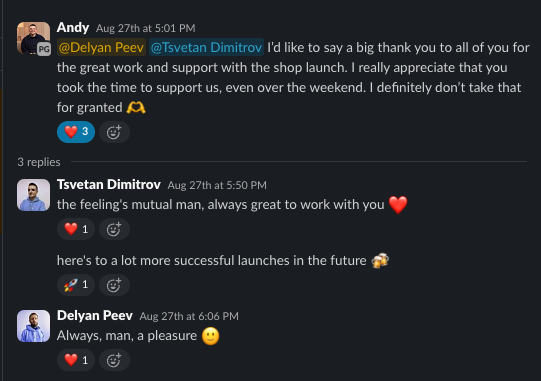
“I'd like to say a big thank you to all of you for the great work and support with the shop launch. I really appreciate that you took the time to support us, even over the weekend. I definitely don't take that for granted.”
The best configurator is one the buyer barely notices. They pick a size, see their booth, and buy it.
How it is built
Shopify Plus with the Impact theme. A custom Shopify app with a Polaris admin and a React theme app extension for the storefront configurator. A Cart Transform function in WebAssembly for merging, expanding and repricing bundles, with server-signed prices and translated line labels. B2B company catalogues for contracted pricing.
Want this kind of work on your store?
Send us the URL and what is slowing it down. We look at the store before we reply.