Legal Document Generator: How It Works and When to Use One
- legal document generator
- document automation
- UK legal tech
- contract templates
- legal compliance
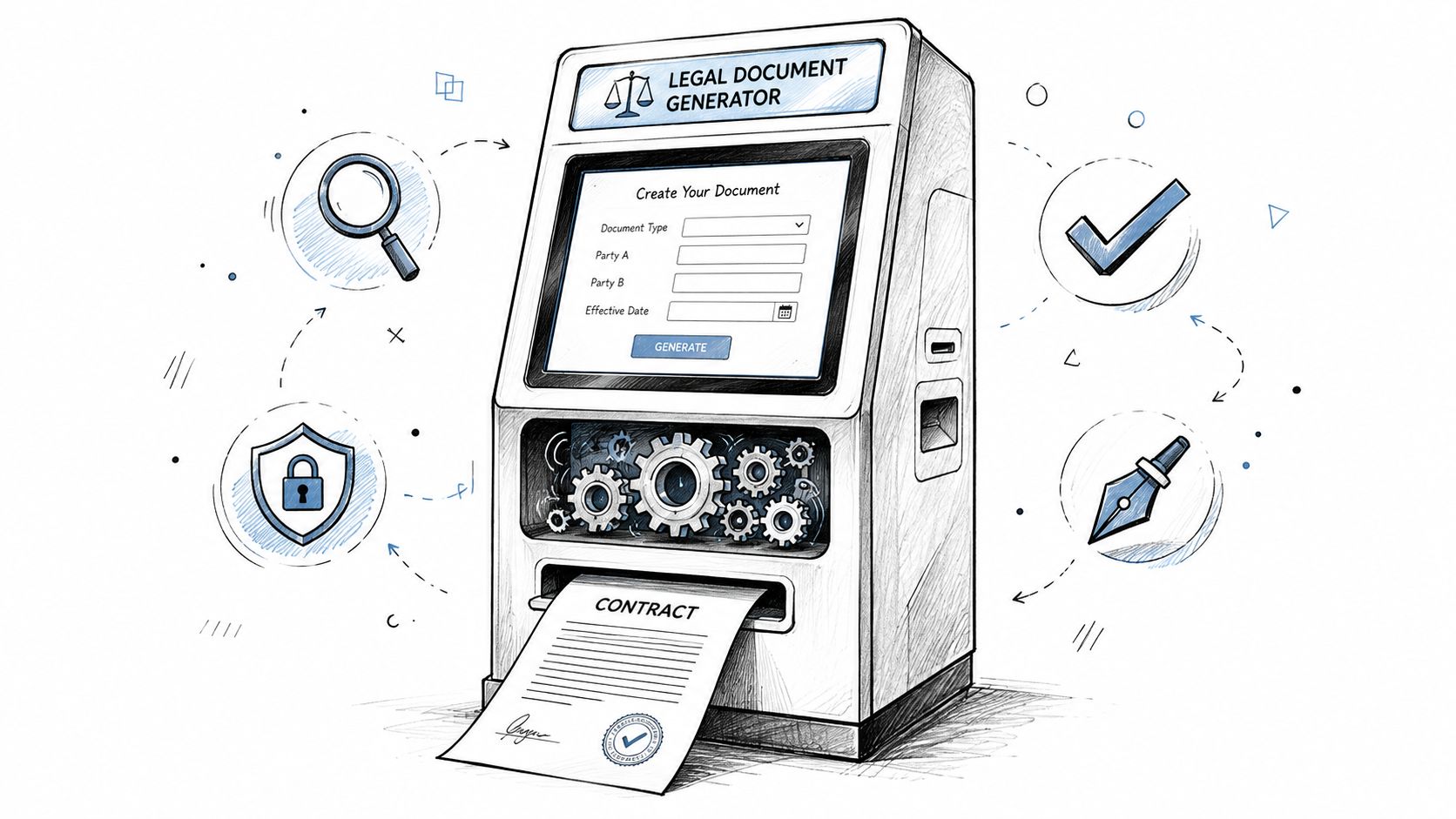
On a Monday morning, the deadline is already waiting. You've got a blank services agreement open on one screen, a client email on the other, and no appetite for rewriting the same clauses from scratch for the third time this month. That's the moment people go looking for a legal document generator, not because they want technology for its own sake, but because they need a faster way to get from “nothing drafted” to “ready for review”.
A good generator is not a magic button. It's a controlled workflow that takes the details you know, applies approved wording, and turns them into a draft you can check before it goes out. In UK practice, that distinction matters, because the value is not just speed, it's whether the process still gives you the right level of oversight, consistency, and record-keeping.
Table of Contents
- What a Legal Document Generator Actually Does
- How Legal Document Generation Evolved into a Foundational Tool
- The Core Mechanics and Main Generator Types
- Features That Matter When Comparing Legal Document Generator
- How LegesGPT Can Help
- Legal, Accuracy and Security Considerations
- Practical Use Cases for UK Businesses and Legal Teams
- Choosing and Implementing a Legal Document Generator
- Frequently Asked Questions About Legal Document Generators
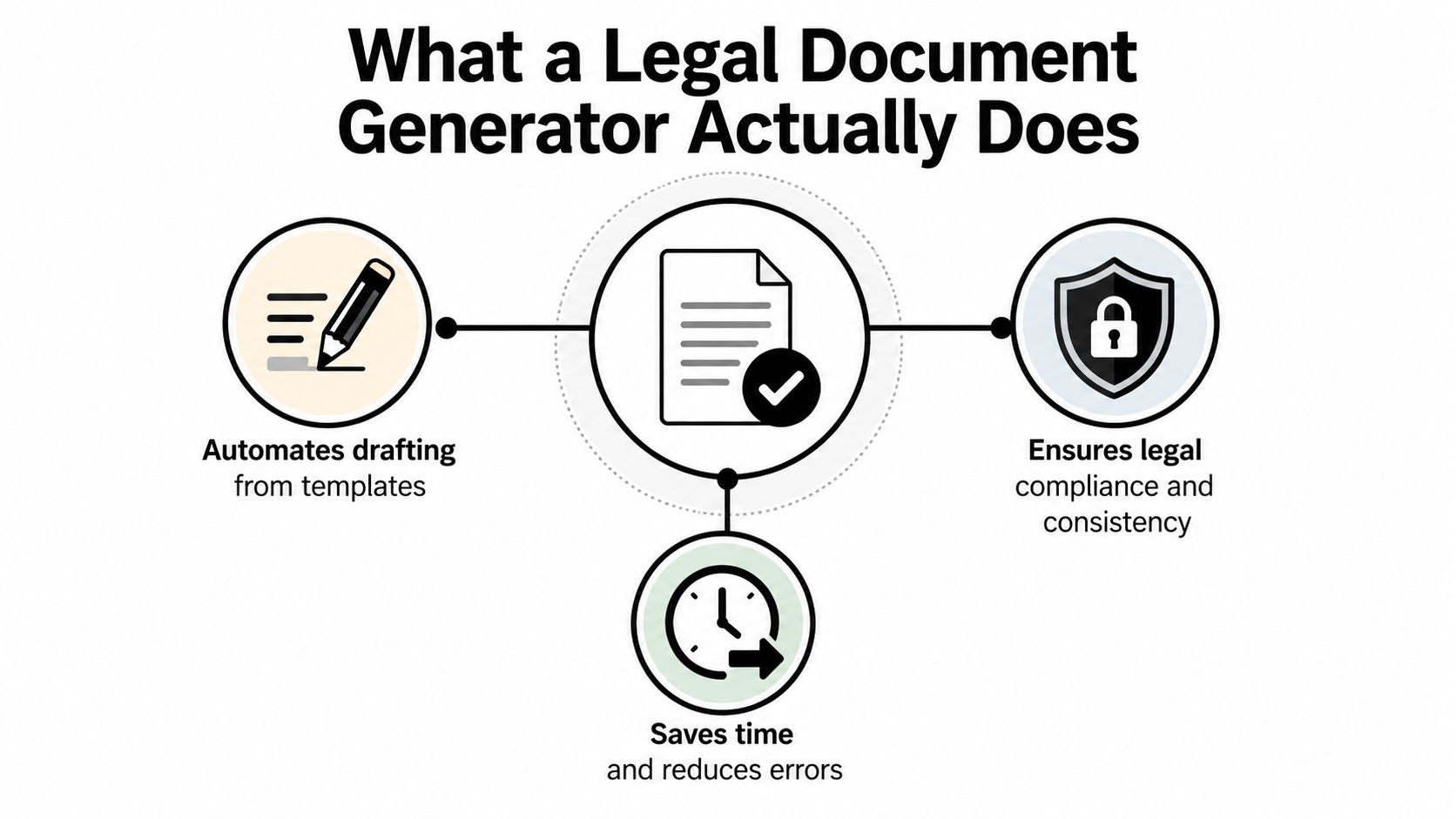
What a Legal Document Generator Actually Does
A legal document generator is easiest to understand if you compare it with filling out a tax return online. You're not starting with a blank page and inventing the structure yourself. You're answering questions, and the system uses those answers to populate a pre-built form or template in the right places.
That is the basic job here. A legal document generator takes structured inputs, such as party names, contract type, jurisdiction, payment terms, and signature requirements, then assembles a draft from vetted wording. In practice, that usually means three pieces working together, a clause library, a question flow, and an output engine that merges the answers into a document.
Practical rule: if the system cannot show you where each clause came from, treat it as a drafting aid, not a safe source of record.
The important point is that the generator produces a draft, not a final legal judgment. The user still has to check whether the answers were accurate, whether the document fits the transaction, and whether any clause needs a lawyer's attention. That review discipline is where speed becomes safe.
Why the workflow framing matters
The phrase “generator” can make people think of one-click output. That's misleading. In a real UK business setting, the better question is whether the tool fits your drafting process, your review process, and your record-keeping process.
For example, a sole trader might use one to prepare a straightforward services agreement, then check the governing law clause, the payment terms, and the delivery scope before sending it for signature. A legal team might use the same general idea to standardise NDAs, employment letters, or supplier terms, but with tighter controls around who can edit the template and who can approve the final text.
That's why I treat the technology as a workflow decision, not a product feature. If the inputs are poor, the draft will be poor. If the clause library is out of date, the draft will be risky. If the review step is rushed, automation makes mistakes appear faster.
How Legal Document Generation Evolved into a Foundational Tool
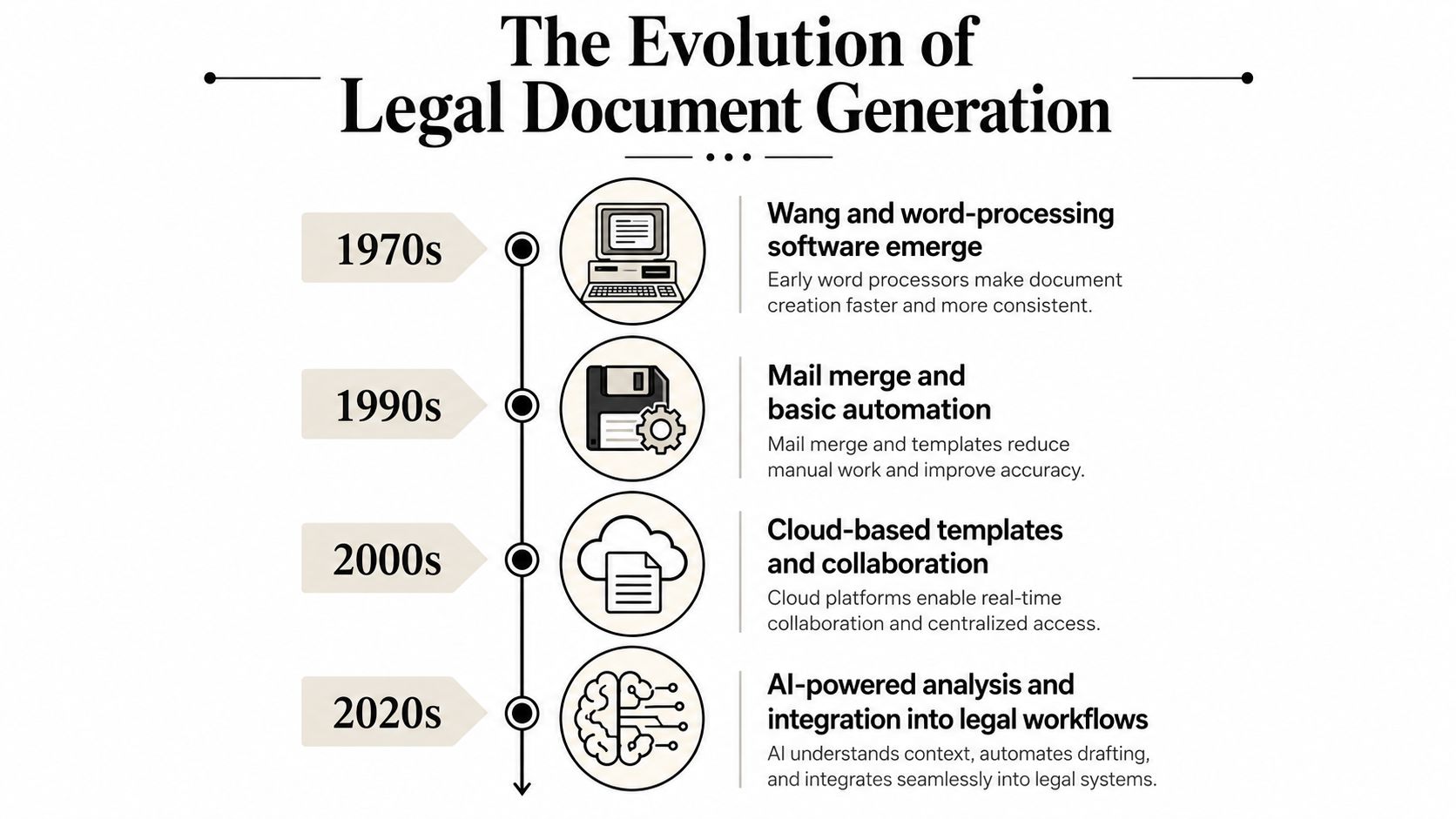
The current generation of tools didn't appear out of nowhere. UK legal work has been moving towards document automation for decades, long before anyone started calling it AI. The Law Society's UK history notes that by 1978 many lawyers were using Wang word processors, and that by 1985 local area networks were letting firms share documents and printers, which changed case management and document production in a meaningful way. That history matters because it shows document generation grew out of ordinary office workflows, not out of a novelty product trend. Law Society history on UK legal document automation
By the early 2000s, the model had shifted again. Thomson Reuters' UK legal guide says Clifford Chance was one of the Magic Circle's earliest adopters, using automated templates in 2001. That's a useful marker because it shows document automation had already become acceptable inside large, process-heavy firms, not just in tech-forward boutiques. Thomson Reuters guide to document automation in UK law firms
From desktop tools to shared workflows
The change came when automation stopped living on one lawyer's machine. Once templates, shared drives, and browser-based systems became normal, teams could use the same core document logic across multiple people and departments. An estate agent could generate tenancy paperwork, an HR team could issue standard offer letters after a restructure, and a law firm could prepare NDAs for repeat startup work without rebuilding the document each time.
That progression explains why UK firms now treat document generation as infrastructure. It's not a side feature bolted onto legal software. It's part of how offices keep version control, reduce retyping, and preserve consistency across repeated matters.
A useful way to think about the change is this, early systems automated text entry, later systems automated document workflows, and current tools try to automate both drafting and surrounding controls. The technology has become more capable, but the reason it matters is the same as it was in the 1970s, people want fewer manual errors and less wasted time.
A simple example of the shift
Think about a UK consultancy drafting the same style of engagement letter every week. The old method was to copy an old file, search and replace names, then hope nothing embarrassing survived from the last client. The newer method is to run a guided questionnaire, choose the correct document type, and let the system build a fresh draft from approved language.
That doesn't eliminate lawyer judgment. It just moves effort away from typing and towards checking. In mature legal teams, that's exactly where the effort belongs.
The Core Mechanics and Main Generator Types
A legal document generator works a bit like a self-service ticket machine at a UK train station. You choose the destination, answer a few prompts, and the machine prints a ticket based on fixed rules behind the screen. The customer experience feels simple, but the backend logic is doing all the work.
Four common generator types
The first type is the template-based generator. It reuses pre-written clauses and merges in the answers you give it. This is a strong fit for NDAs, standard employment contracts, and basic supplier agreements where the document structure barely changes.
The second is the smart or interactive generator. It uses a guided questionnaire and conditional logic, so one answer changes what appears later in the draft. That works well for commercial leases, shareholder agreements, and more nuanced service contracts where the document needs branching choices.
The third is the clause-assembly engine. Instead of one fixed template, it pulls individual clauses from a central library. Mid-size UK firms often find this useful for repeat transactions because it lets them keep approved wording in one place while still mixing and matching clauses carefully.
The fourth is the AI-assisted generator. This layers natural language tools on top of templates to draft, summarise, or refine sections, usually inside a human review loop. It's the most flexible, but it usually also needs the tightest controls because the output can be less predictable if the workflow is loose.
Practical rule: the strongest compliance trail usually comes from systems that preserve template lineage, answer history, and version control, not from the flashiest drafting interface.
Matching generator type to document family
| Generator Type | How the User Interacts | Best-Fit UK Documents | Compliance Trail Strength |
|---|---|---|---|
| Template-based | Chooses a document, fills in fields, reviews the draft | NDAs, employment contracts, basic service agreements | Strong |
| Smart or interactive | Answers guided questions, branches affect later clauses | Commercial leases, shareholder agreements, complex contractor terms | Strong |
| Clause-assembly | Selects clauses from an approved library | Shareholder documents, bespoke MSAs, repeat transaction packs | Very strong |
| AI-assisted | Prompts the system, then checks and edits the output | Drafting support, summaries, first-pass agreements, internal working drafts | Variable, depends on controls |
What matters in practice
If you're dealing with routine documents, simplicity is usually an advantage. A template-based system is easier to explain to staff, easier to audit, and easier to keep consistent. If your documents depend on exceptions, approvals, or variable clauses, you'll usually need smarter branching or clause assembly.
The key is not to ask which type sounds most advanced. Ask which type best matches the way your team handles documents today. The right generator is the one that fits the risk level of the document, the skill level of the user, and the amount of review you're prepared to do every time.
Features That Matter When Comparing Legal Document Generator
A long feature list can make every product look suitable. It usually isn't. The right question is which features reduce drafting risk, which features improve consistency, and which ones only look impressive in a demo.
Must-haves, nice-to-haves, and deal-breakers
| Feature category | What it does | Why it matters for UK users |
|---|---|---|
| Structured questionnaire engine | Collects the facts needed for the draft | Reduces missing information and cuts down on ad hoc edits |
| Conditional logic | Changes clauses based on answers | Helps the document reflect the real transaction, not a generic version |
| Clause library | Stores approved wording centrally | Supports consistency across teams and versions |
| Version history | Tracks changes over time | Helps prove who edited what and when |
| Audit trail | Records drafting and approval steps | Useful if a dispute or internal review questions the process |
| E-signature integration | Routes documents for signature | Important where digital execution is part of the workflow |
| Jurisdiction presets | Applies country, nation, or region-specific wording | Helps avoid mixing up England and Wales with Scotland or Northern Ireland |
| API and DMS connectors | Links the generator to other systems | Matters when legal docs must flow into CRM, HR, or document management systems |
Deal-breakers hiding in plain sight
If a vendor cannot explain where templates came from, who maintains them, and how updates are approved, that's a warning sign. If it can't keep a useful version history, the output may be fast but still hard to defend later. If it doesn't support jurisdiction-specific drafting, you're likely to end up with documents that look polished but miss local requirements.
A London SaaS company, for instance, may need to know whether a platform can separate Scottish employment wording from English wording, rather than applying one generic UK template. That detail sounds small until the wrong clause shows up in the wrong contract set.
The same logic applies to execution. If the document is intended to work as a deed, the workflow has to respect the relevant formalities, not just produce a PDF and hope the signature process sorts itself out. The technology is only useful when it supports the legal step you're trying to complete.
A buying lens that works
Don't compare tools feature by feature in the abstract. Compare them against the document you already handle most often. Then ask whether the tool can keep the draft consistent, show its work, and fit into your existing approval process without creating a new layer of confusion.
How LegesGPT Can Help
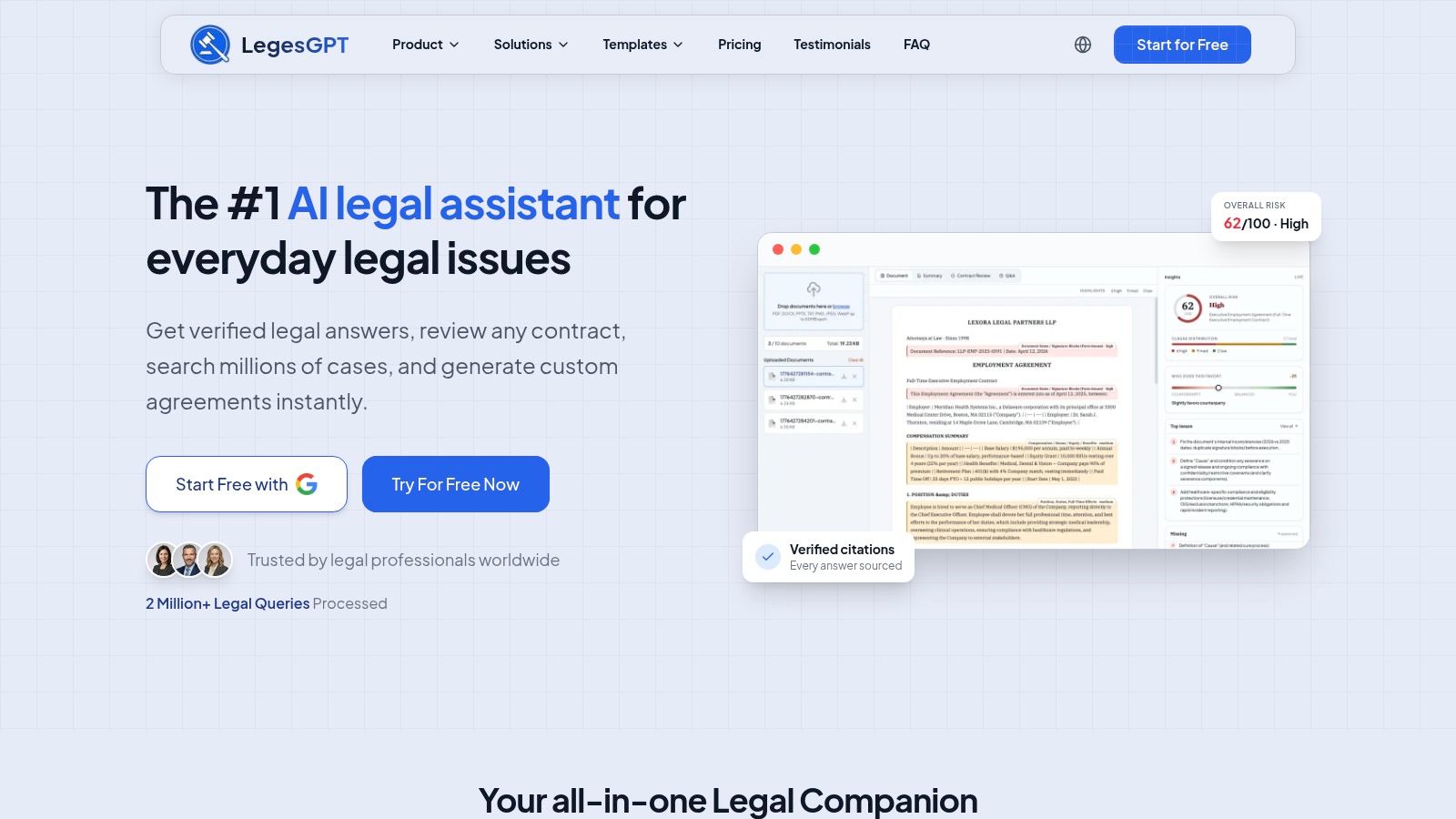
Many readers looking for a legal document generator need a broader toolset, one that covers drafting, contract checking, and legal research in one place. LegesGPT is built for that kind of mixed workflow. It's a chat-first legal assistant for individuals, business owners, and legal professionals, with citation-backed answers grounded in statutes, official guidance, and live web search across multiple jurisdictions, including the UK.
That matters because the main risk with generic AI tools is not just weak drafting. It's fabricated support, unsupported citations, and answers that ignore jurisdiction. LegesGPT takes a different approach, it relies on retrieval over statutory sources and says so when it can't find relevant support. For a UK user, that makes it more useful when you need to check a clause, understand a term, or draft something that needs to stay aligned with the law instead of sounding plausible.
If you want to explore the product directly, the legal document generator page shows how it handles contract drafting alongside research and review. The useful part isn't the branding, it's the workflow fit. A small business can use it for first drafts and plain-language checks. A legal professional can use it to review documents, compare wording, and research the law before deciding whether a human rewrite is needed.
The best fit is when you want drafting plus verification in one place. It's less about replacing a solicitor and more about shortening the gap between “I need a draft” and “I know what's in this draft”. That's especially helpful when the document has to be checked against a specific jurisdiction, or when a non-lawyer needs a clearer path to a safer first version.
Legal, Accuracy and Security Considerations
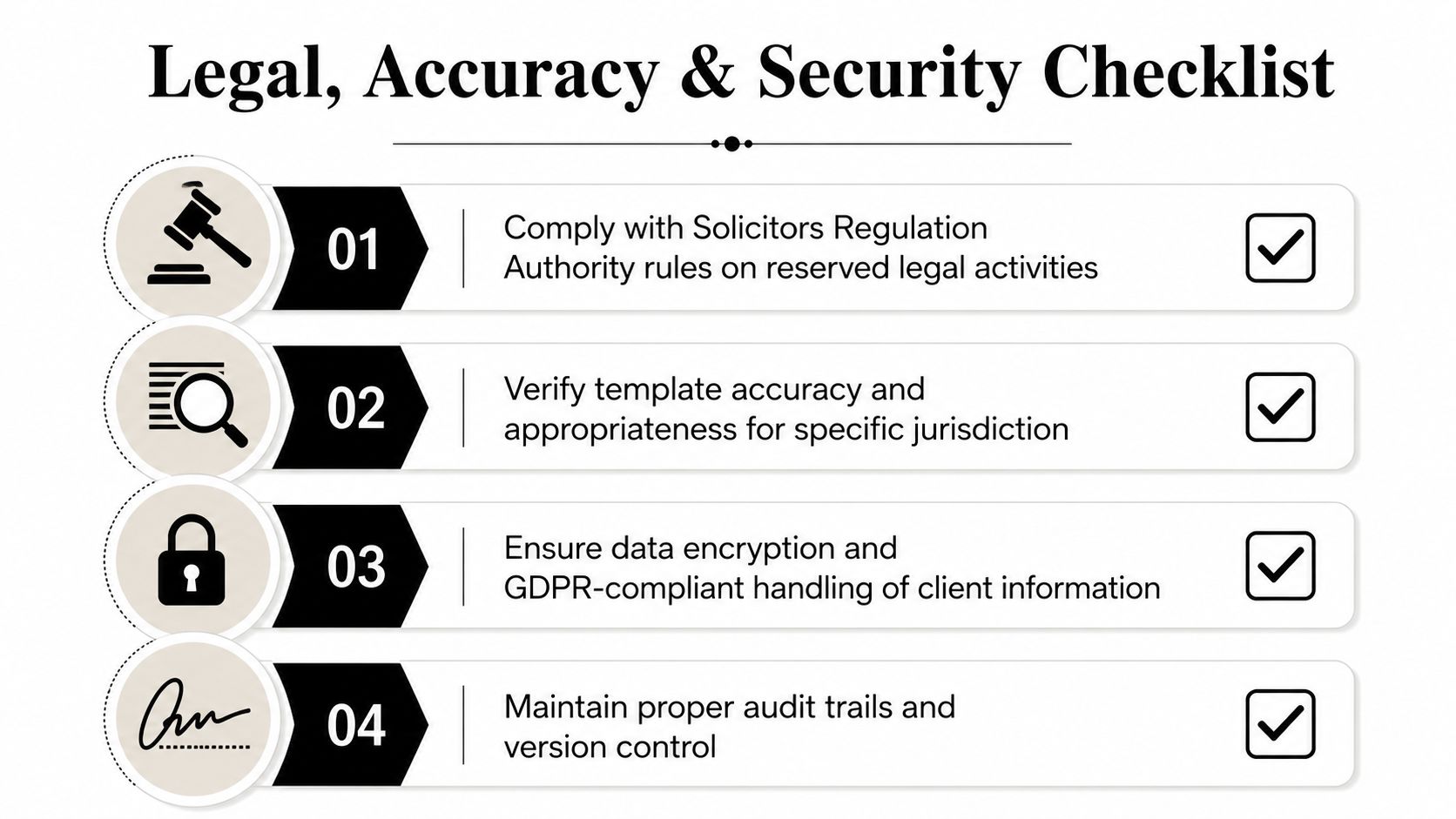
Speed is not the same thing as safety. A document can be produced quickly and still be wrong in a way that matters, especially if the template is outdated, the jurisdiction is mismatched, or the user has entered incomplete facts.
The UK legal frame is clear on that point. The Law Commission says electronic signatures can execute documents, including deeds, if the signer intends to authenticate the document and the execution formalities are met. That means the workflow has to be designed around the legal act, not just around file generation. The ICO also reminds organisations that UK GDPR and the Data Protection Act 2018 still govern personal data used in AI-assisted decisions, so a generator handling client data needs controlled inputs, retention rules, and auditability. Law Commission guidance on electronic execution of documents
What usually goes wrong
The common failure mode is a good-looking template pack with weak governance. Someone copies a clause set from the internet, tweaks the font, and assumes the whole package is safe. That's where legal, accuracy, and security issues start to overlap.
A second problem is role confusion. In UK practice, a generated draft is not the same thing as legal advice, and the final responsibility still sits with the person or team signing off the document. If the workflow lets non-lawyers edit without controls, or lets a draft go out without review, the risk is not just contractual, it can also become regulatory.
Practical rule: any tool handling client or customer data should be treated as a governed system, not a convenience app.
The execution and data pieces belong together
If the document may be signed electronically, the process should also make sense under the relevant signing and execution rules. If the draft includes personal data, the system should handle collection, storage, access, and deletion with the same discipline you'd expect from any other business system. If it produces deeds or other formal documents, the workflow needs extra care, not less.
That is why hosting location, access controls, template maintenance, and approval logs are not separate concerns. They're part of one compliance story. A tool that drafts well but can't prove who changed what is harder to rely on than a slower system with clear governance.
For teams wanting a wider operational lens on document handling and data control, a useful parallel is the way payment security teams approach scope and handling in a PCI review, as outlined in this practical overview of PCI compliance requirements. The point is the same, controls matter more than surface convenience.
Practical Use Cases for UK Businesses and Legal Teams
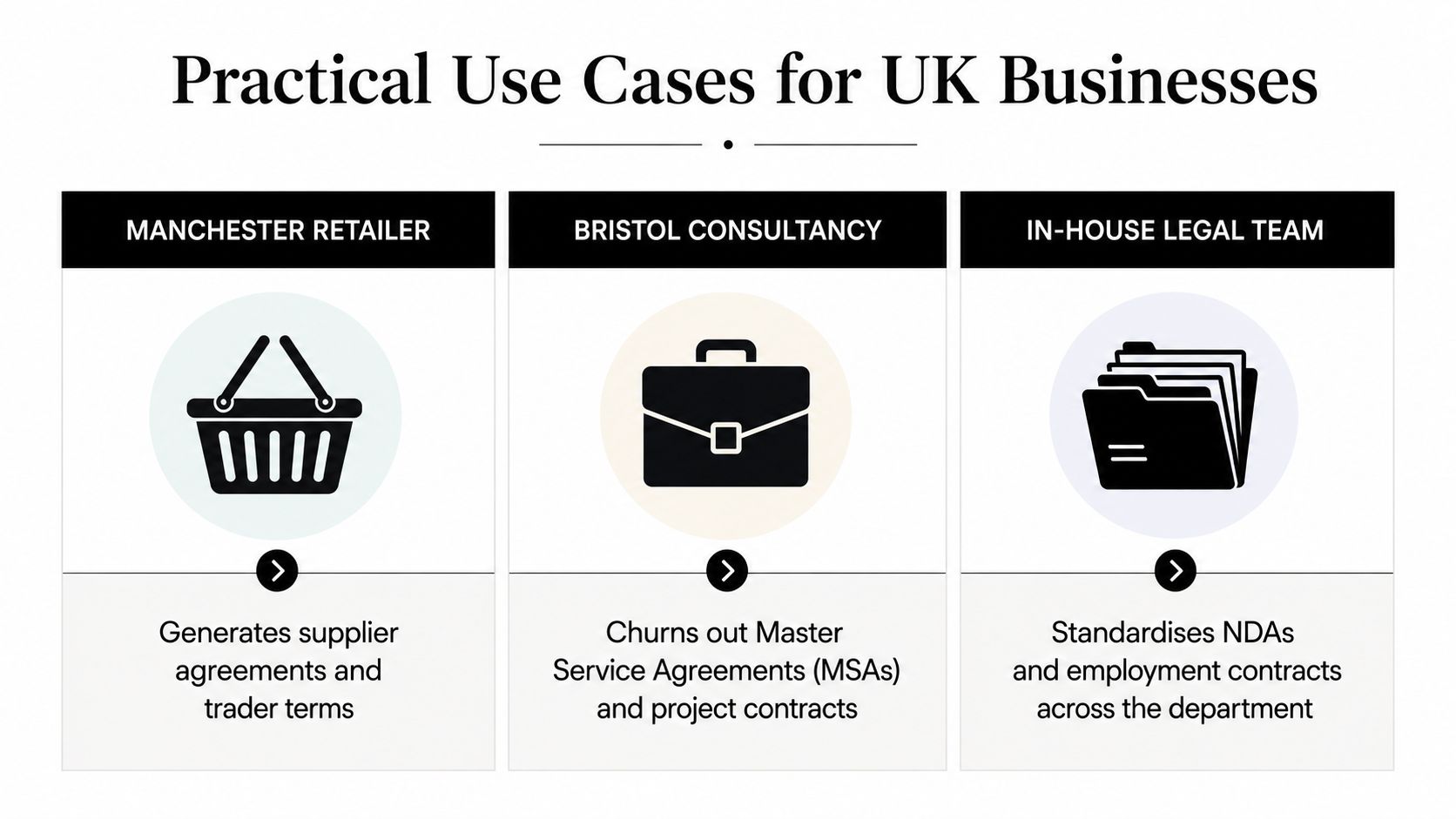
A legal document generator works best when it matches the way a team drafts, reviews, and signs documents. A Manchester retailer does not need the same setup as a London SaaS company, but both should begin the same way, with the document that repeats most often, the amount of variation it contains, and the level of review the business can sustain without creating avoidable risk.
Where the fit is strongest
A Bristol consultancy producing MSAs and NDAs usually suits a template-based or clause-assembly setup. The work is repetitive, but the wording still needs to stay within approved boundaries. A Birmingham in-house HR team drafting employment contracts and settlement agreements often needs tighter version control and a clearer approval flow, especially where several people touch the same pack.
A high-growth London SaaS business handling standard subscription documents with US counterparts usually needs stronger jurisdiction presets and a more careful clause library. A mid-tier regional law firm automating probate packs and lease renewals will care even more about auditability, because the drafting process has to be defensible and easy to supervise.
A useful analogy is a controlled form library in a finance team. The form saves time only if the right version is used, the right person approves it, and the final record can be traced later. Legal drafting works the same way.
Review discipline by use case
- Retail and supplier paperwork: keep the scope narrow, use standard templates, and require a quick factual check before issue.
- Consultancy MSAs and NDAs: involve someone who understands commercial risk, because small wording changes can affect payment, liability, or confidentiality.
- HR documents: fix the approval chain so employment terms do not drift across departments.
- Cross-border SaaS agreements: separate jurisdiction handling from generic drafting, and pair the workflow with data-handling controls. For teams comparing how privacy obligations affect store operations and customer data flows, this GDPR compliance checklist for Shopify stores expanding into the EU is a useful reference point.
- Law firm packs: preserve version history and sign-off records, because the process itself forms part of the professional record.
The legal threshold is straightforward. Once a document moves from routine wording into negotiated exceptions, unusual liability terms, formal execution steps, or jurisdiction-sensitive drafting, it needs solicitor sign-off or specialist review. The generator can still help, but it should not be the last stop.
For operational teams, automation becomes maintenance, not convenience. Keeping privacy notices, cookie disclosures, and terms aligned as the business changes can matter more than generating a single contract quickly. The value is in keeping the document set coherent over time, not just in producing the first draft.
Choosing and Implementing a Legal Document Generator
The safest way to buy a generator is to treat the purchase like a workflow change, not a software demo. Start with the one document type that causes the most repetition, then score each candidate against the controls that matter to your team.
A selection checklist that actually helps
- Template provenance: ask who wrote the templates, when they were last reviewed, and who approves updates.
- Jurisdiction handling: check whether the tool can separate England and Wales from Scotland and Northern Ireland where needed.
- Data handling: confirm where data is stored, who can access it, and how deletion works.
- Auditability: look for version logs, approval trails, and exportable records.
- Integration fit: see whether it connects to your DMS, CRM, or HR tools without breaking the review flow.
A vendor demo should answer real scoring questions. Can a user see the clause history? Can the legal team lock a clause after approval? Can an administrator roll back a bad template update? If the answer is vague, the platform is not ready for controlled use.
Rolling it out without creating new risk
Start small. Pick one high-volume document, one named owner, and one review path. Bring together legal, IT, and the business user group that drafts the document every week, because they'll notice process problems long before procurement does.
A sensible pilot should produce draft documents that still go through human review every time. That review should check facts, clause selection, jurisdiction, execution format, and any special wording. If the pilot skips that discipline, it isn't proving safety, it's only proving the system can output text.
For teams formalising the rollout, the same discipline used in incident response planning applies here too, identify the owner, define the response path, and decide what happens when the process goes wrong.
What success looks like
Good KPIs are boring in the best way. Fewer drafting errors. Faster turnaround. Clearer version control. Less time spent retyping standard clauses. No increase in unresolved review issues.
If the tool saves time but weakens governance, it's the wrong tool. If it improves consistency but nobody knows who approved the wording, it's still not ready. A legal document generator earns its place only when the workflow around it is disciplined enough to stand up in front of a regulator, court, or auditor.
Frequently Asked Questions About Legal Document Generators
Is a generated document legally binding?
It can be, but only if the document is validly executed and the underlying legal requirements are met. A generator creates the draft, not the legal effect by itself.
Does output from a generator count as legal advice?
Not automatically. The safer position in UK practice is to treat it as drafting support unless a qualified person has reviewed the content and taken responsibility for the final version.
What if the template is wrong?
Then the fault sits in the workflow, not just the software. That's why template provenance, version control, and review sign-off matter so much.
Can a small business use one without an in-house lawyer?
Yes, for routine documents, but only if the business is strict about factual accuracy, jurisdiction choice, and when to escalate. The smaller the team, the more important the review habit becomes.
How often should templates be refreshed?
They should be reviewed whenever the law, the business model, or the document use case changes. A stale template is one of the fastest ways to create hidden risk.
What level of human review is reasonable?
At minimum, someone competent should check the facts, the governing law, the clause set, and the execution method before any document is sent out. The exact reviewer may vary, but the review itself should never disappear.
A legal document generator can save time, but it only stays safe when the team using it keeps a clear review record, updates templates on purpose, and knows when a draft has crossed into territory that needs qualified sign-off. If you're evaluating one for your business, pick the simplest workflow that can still prove what it did, who approved it, and why it was fit for use.
Want this kind of work on your store?
Send us the URL and what is slowing it down. We look at the store before we reply.
Related posts
Check out some similar posts.