Shopify Transaction Fees Explained: Real Costs Per Order
- Shopify transaction fees
- Shopify Payments fees
- payment processing fees
- Shopify UK pricing
- ecommerce fees
You're checking a Shopify payout against yesterday's orders, and the amount doesn't quite match the card rate you remember. Perhaps you've added a payment gateway, started selling into Europe, or moved to a higher plan without checking what changed at checkout.
The useful question isn't how much Shopify charges. It's what your payment setup costs on an actual order, including the processor's charge, any additional Shopify fee, and the transaction's card classification. Separating those components lets you compare providers without mistaking a partial fee for the total.
Shopify Transaction Fee Rates by Plan Tier
UK Shopify merchants need to distinguish payment-processing charges from Shopify's additional third-party transaction fee, which applies when an external provider processes the payment. The Shopify UK pricing page lists the following online standard-card rates and separate third-party fees.
Online standard-card rates and third-party fees by plan tier
| Plan tier | Online standard-card rate (Shopify Payments) | Third-party transaction fee (external gateway) |
|---|---|---|
| Entry plan | 2% + £0.25 | 2% |
| Second tier | 1.7% + £0.25 | 1% |
| Third tier | 1.5% + £0.25 | 0.6% |
| Top tier | 1.3% + £0.25 | 0.2% |
These are published UK rates, not a quote for an external gateway. The tier names are generic comparison labels: match your subscription to the corresponding row on Shopify's pricing page rather than treating these labels as official plan names.
Read the columns as alternative payment routes
For a standard online card payment processed through Shopify Payments, use the middle column. For an external gateway, use the right-hand column and add the gateway's own processing charge.
Don't add both table columns together. Shopify Payments' processing rate isn't the assumed processing rate for a separate provider, and Shopify's third-party fee doesn't replace that provider's charge.
This distinction also prevents a misleading comparison between a processor's advertised rate and Shopify's additional platform fee. They pay for different components of the payment arrangement, so comparing either in isolation won't establish which setup costs less.
Practical rule: Identify who processes the payment before choosing the rate you'll put into your cost sheet.
Match payment methods to the processor
A checkout button and a processing arrangement aren't interchangeable descriptions. Record the customer-facing method, the provider handling it, and the relevant fee category separately.
Use the Shopify payment methods guide to organise the available checkout options before comparing their costs. That's particularly useful when your store presents cards, wallets and other methods alongside each other.
Your working sheet should contain:
- Subscription tier: The plan matched to Shopify's published pricing.
- Processing provider: Shopify Payments or the named external gateway.
- Applicable category: Standard card, international card or another relevant classification.
- Provider terms: Any processing charges that Shopify's table doesn't supply.
Find your tier and identify the applicable fee layer first. Otherwise, even perfectly accurate arithmetic can produce the wrong answer for your checkout.
What a £100 Order Really Costs
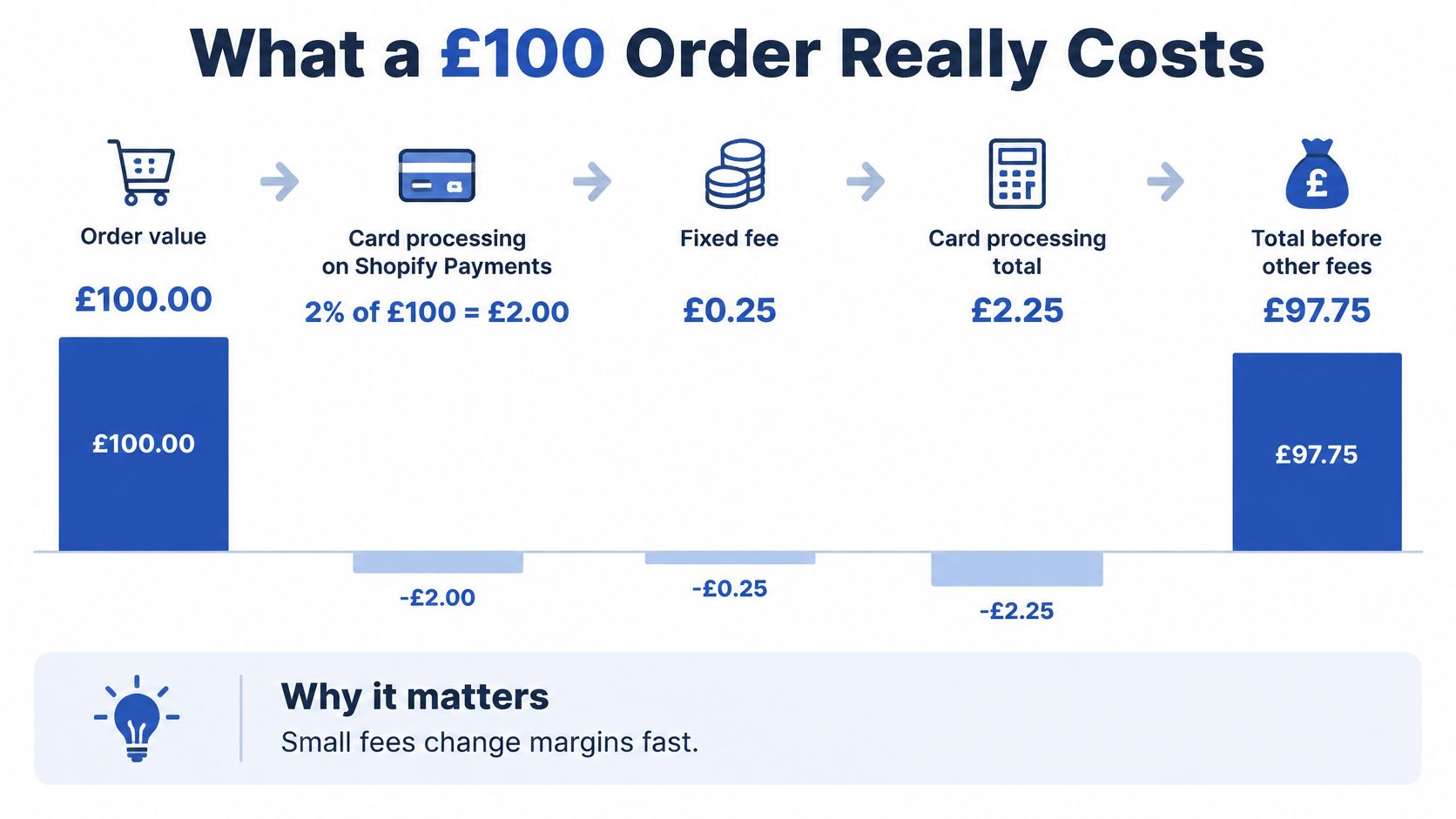
Take a hypothetical £100 order and apply the published rates in the rate table. The calculations below isolate payment-related charges, not subscription costs, fulfilment, tax, product costs or profit.
For an entry-plan standard-card payment through Shopify Payments:
£100 × 2% = £2.00
£2.00 + £0.25 = £2.25 processing charge
£100 − £2.25 = £97.75 before other costs
The illustration shows that specific scenario, rather than a universal payout calculation.
Compare the whole payment charge
Applying the top-tier standard-card rate to the same hypothetical basket gives:
£100 × 1.3% = £1.30
£1.30 + £0.25 = £1.55 processing charge
With an external gateway, the calculation changes. On the entry plan, Shopify's component is £100 × 2% = £2.00, plus the gateway's charge. On the top tier, Shopify's component is £100 × 0.2% = £0.20, again before adding the gateway's charge.
Fee per £100 order by setup
| Scenario | Shopify Payments card charge | Shopify third-party fee | Total before other costs |
|---|---|---|---|
| Entry plan, domestic card, Shopify Payments | £2.25 | £0 | £2.25 |
| Entry plan, international card (UK to EU), Shopify Payments | £3.35 | £0 | £3.35 |
| Top tier, domestic card, Shopify Payments | £1.55 | £0 | £1.55 |
| Entry plan, third-party gateway | n/a | £2.00 | £2.00 plus gateway charge |
| Top tier, third-party gateway | n/a | £0.20 | £0.20 plus gateway charge |
The international row assumes a UK-EU payment classified as international, not every order shipped to an EU address. The domestic rows assume a card eligible for the standard-card rate.
The final column is the comparison column. For external-gateway rows, it shows an incomplete total until you insert the provider's processing charge. A small Shopify component doesn't establish that the overall setup is cheaper.
Turn an order calculation into a monthly estimate
For identical baskets and payment classifications, multiply the per-order charge by the number of orders. For a mixed store, calculate each category separately, then add the category totals.
Keep order count in the model because fixed processing charges apply per transaction. Monthly sales value alone won't reproduce the bill when basket sizes differ.
Finally, label the remaining amount accurately. Revenue after payment fees isn't profit, and it shouldn't be presented as a guaranteed bank payout.
How International Sales Change the Bill
A sale doesn't have one fixed payment cost because the basket value stays unchanged. Card classification can alter the processing charge without any change to the products, subscription, or checkout design.
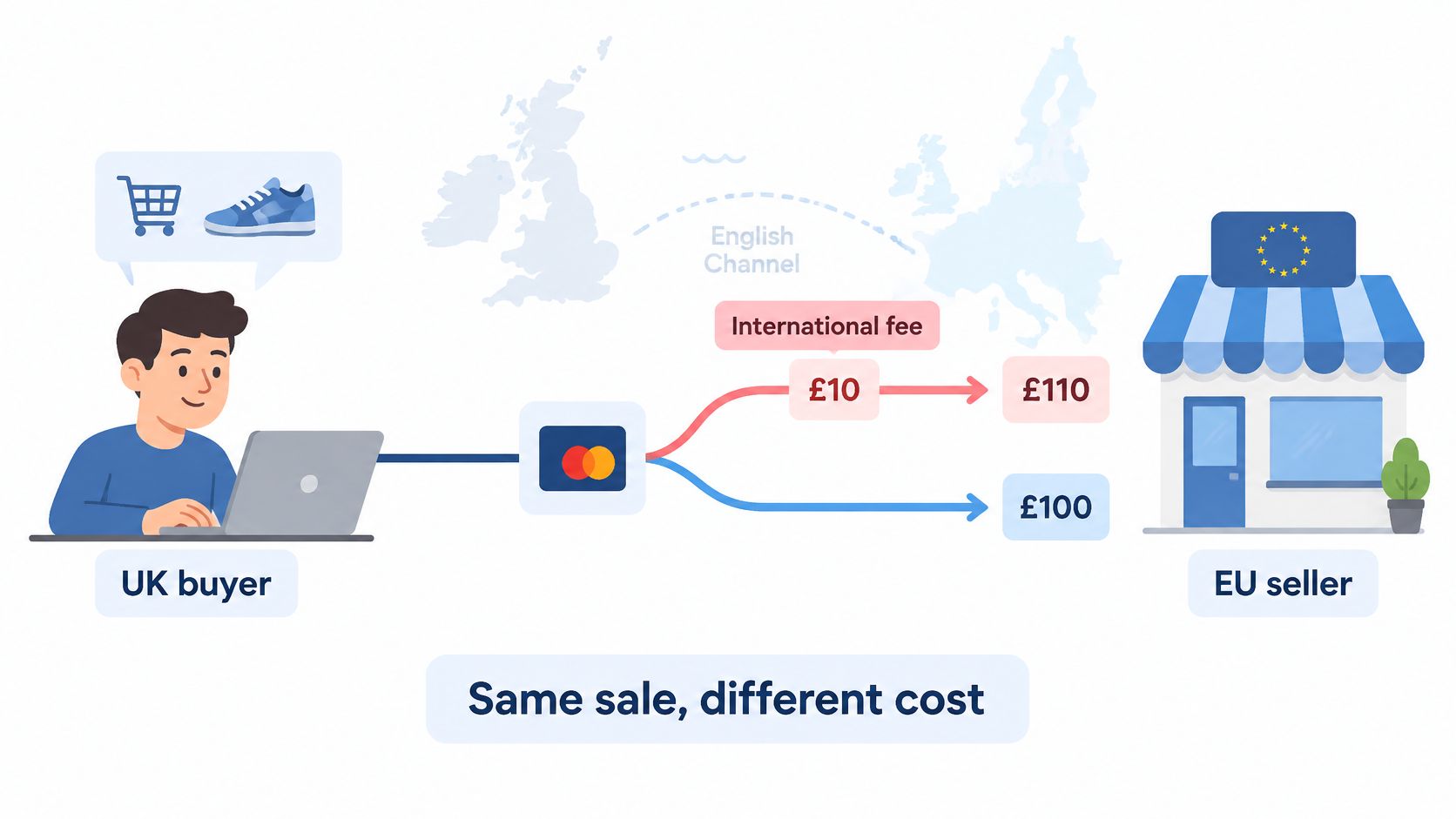
Shopify's pricing overview explains that Visa and Mastercard changed their treatment of UK-EU transactions after Brexit, so certain transactions are classified as international; the published entry-plan comparison is 3.1% + £0.25 for international cards, against 2% + £0.25 for standard cards. The difference is 1.1 percentage points, producing a £1.10 increase on a £100 order, while entry-plan Amex is also listed at 3.1% + £0.25.
Geography isn't the only classification
Don't use delivery country as your only payment-cost field. The relevant question is how the processor classifies the card transaction, including the card network.
For the hypothetical order in the comparison table, the international classification changes the processing charge from £2.25 to £3.35. That's a change in payment expense, not evidence that Shopify has charged a separate currency-conversion fee.
The diagram illustrates a cross-border card-payment comparison. For a UK merchant's forecast, use the rate applicable to the merchant's region rather than transferring another seller's arrangement into the model.
Forecast the mix, not just the headline rate
If more sales fall into a higher-cost card category, your average processing cost rises even when you haven't changed plans. A domestic-focused forecast can therefore understate the payment expense of an EU expansion.
Use this calculation for the percentage component:
Blended percentage rate = standard-card rate + (international share of card sales value × international rate gap)
Use sales-value share, rather than order share, when international and domestic baskets differ. Order share is a reasonable shortcut only when their average basket values are comparable.
Then add fixed transaction charges using the expected order count. Keep other card categories separate if they don't fit the standard-versus-international split.
- Classify actual payments: Check transaction records rather than assuming every European delivery has the same fee.
- Weight by revenue: Larger baskets should contribute proportionately to the percentage-cost forecast.
- Coordinate pricing decisions: Build payment expenses into your international pricing strategy, alongside the other costs of serving each market.
Store Credit, Gift Cards, Refunds and Chargebacks
A payment-cost review shouldn't stop at successful card purchases. Gift-card redemptions, credit-funded orders, refunds and disputes need separate treatment because they don't all follow the same cost logic.
For stores created on or after 12 May 2025, Shopify's international fees documentation states that third-party transaction fees apply to amounts paid using store credit or gift cards; stores created before that date are excluded.
Store credit and gift cards
Rule: check the store's creation date before budgeting redemption costs. The policy distinguishes stores by creation date, so don't substitute the date you installed a gift-card app or launched a particular promotion.
For an affected store, a redemption shouldn't automatically enter the forecast as fee-free because the customer isn't entering card details. Record the amount paid using the gift card or store credit and check the applicable treatment.
A mixed-tender order needs particular care. Separate the credit-funded amount from the amount paid through another method so your reconciliation doesn't classify the whole order under a single label.
The Shopify store credit guide can help you review the operational setup alongside the accounting treatment.
Refunds
Rule: confirm which original charges remain after a refund. Check the terms for the processor used, rather than assuming a refund reverses every payment-related charge.
Your refund checklist should include:
- Original processing charge: Confirm whether the percentage and fixed components are returned.
- Partial refunds: Establish whether their treatment differs from full refunds.
- Separate Shopify charges: Check their treatment independently from the gateway's processing fee.
- Reconciliation: Match the original order, customer refund and any retained fee.
Don't populate a refund-loss forecast with an assumed fee-recovery rule. Mark the treatment as unconfirmed until you've checked the applicable terms.
Chargebacks
Rule: separate disputed principal, dispute charges and eventual recoveries. Check your provider's current dispute terms for any fee, balance adjustment and conditions for returning money after resolution.
Those details aren't established by a standard-card rate table. In your cost sheet, leave the dispute-fee amount marked unconfirmed, not zero, until you've verified it.
Zaro's guide to reducing financial risk from disputes offers a useful starting point for reviewing dispute exposure alongside payment pricing. Treat prevention, evidence preparation and fee budgeting as related but distinct tasks.
Record refunds and disputes separately from successful-sale processing costs. Otherwise, you can't tell whether a higher monthly payment expense came from checkout pricing or post-sale events.
When a Higher Plan Pays for Itself
A higher plan pays for itself through payment savings only when the reduction in eligible processing costs exceeds the additional subscription expense. A lower advertised rate isn't enough to establish that.
For a controlled comparison, hold the payment provider, card classification and sales mix constant. Then change only the plan rate and subscription cost.
Calculate the incremental saving
Use the published percentage rates for the plans you're considering, not the widest gap in the pricing table unless those are your alternatives.
Monthly processing saving = eligible monthly card sales × reduction in percentage rate
If the fixed per-transaction charge is unchanged, it cancels out of that comparison. If your actual terms include a different fixed charge, incorporate the order count as well.
The decision calculation is:
Net monthly saving = processing saving − additional monthly subscription cost
And the percentage-only break-even formula is:
Break-even eligible sales = additional monthly subscription cost ÷ rate reduction expressed as a decimal
Take the subscription difference from the current pricing applicable to your billing arrangement. Don't compare an annual-billing price with a monthly-billing price and treat the result as a like-for-like plan decision.
Keep external-gateway savings separate
For an external gateway, calculate the reduction in Shopify's third-party fee separately from the provider's processing charge. Don't assume a Shopify upgrade changes the external provider's contract.
Your comparison should distinguish:
- Eligible volume: Sales to which the relevant rate applies.
- Shopify savings: The reduction attributable to the subscription change.
- Gateway changes: Any separately confirmed change in provider pricing.
- Additional subscription expense: The amount you'll pay beyond your existing plan.
A plan upgrade can still make sense for operational features even if payment savings alone don't cover it. Keep that business case separate so you can see what you're paying for.
Upgrade on the basis of the sales you expect to process under the cheaper rate, not your store's total revenue by default.
Shopify Plus requires its own comparison. The generic top-tier label in this guide isn't a substitute for Plus-specific contractual terms. Plus merchants should obtain their applicable rates from their Shopify contact and run the same incremental calculation before accepting an upgrade proposal.
Cut Your Fee Bill and Check Your Setup
The safest way to reduce Shopify transaction fees is to compare complete payment costs while protecting checkout usability. Removing a payment option or imposing a basket threshold deserves a conversion test, not an assumption that lower fees automatically mean a better commercial result.
Start with changes you can measure. Keep a record of the payment setup before each change so you can distinguish a pricing improvement from a change in customer behaviour.
Payment-cost levers to test
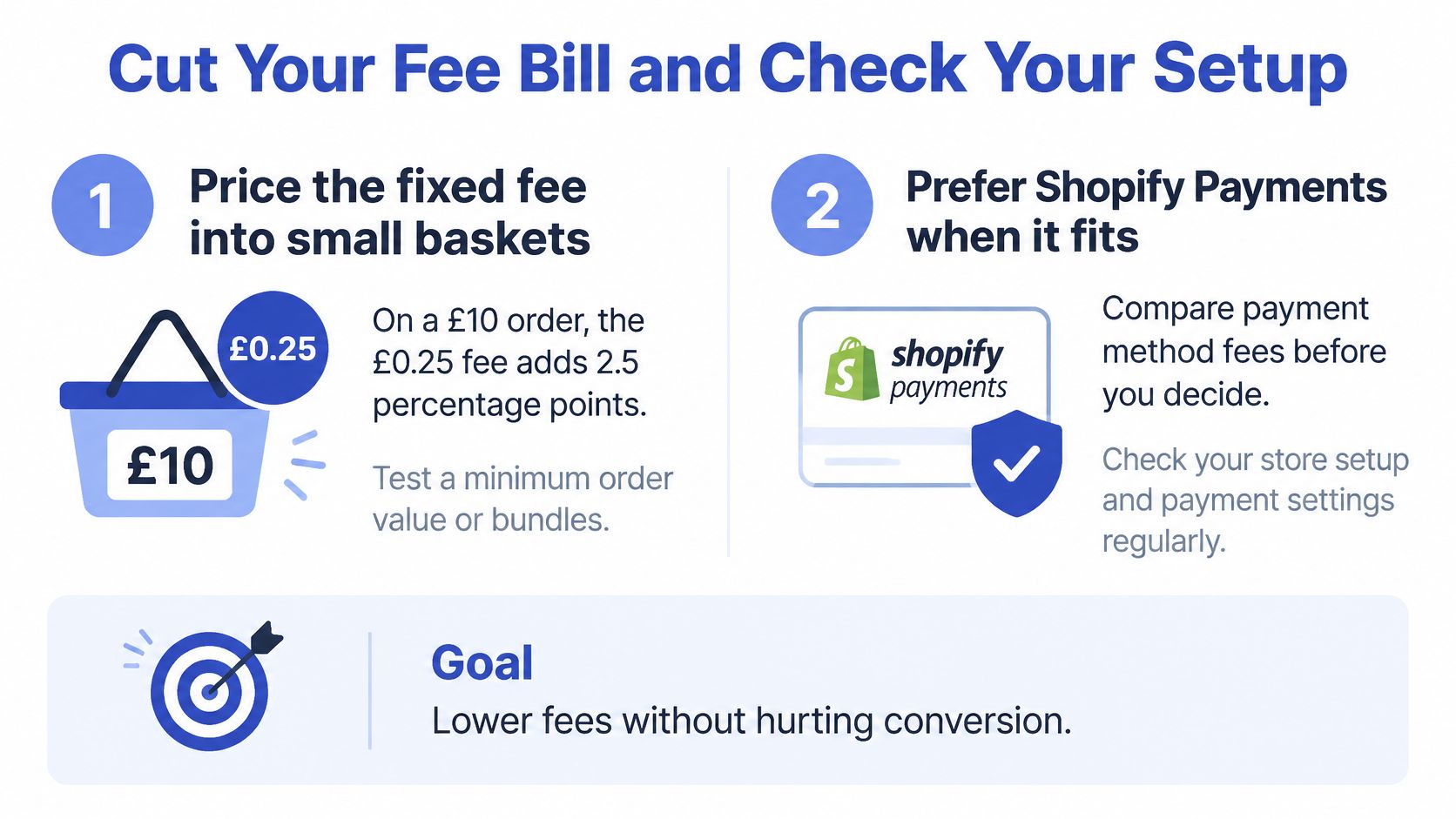
Price fixed charges into small baskets. Divide the fixed processing charge by your typical basket value to see its contribution to the effective rate. For a hypothetical small basket, that contribution occupies a larger share of revenue than it does for a larger basket. Test bundles or a minimum order value against completed purchases and contribution margin, rather than judging success by average basket value alone.
Evaluate Shopify Payments where it fits. Compare the available processing terms with your current complete payment cost. Eligibility, required payment methods and operational requirements belong in the decision alongside price. Don't remove a necessary checkout option solely to simplify the spreadsheet.
Require a complete quote from external gateways. Enter the gateway's percentage charge, fixed charge and any other applicable contractual costs. Add Shopify's third-party component to the payments it covers. Compare equivalent card categories and basket values, not a domestic-card quote from one provider against an international-card quote from another.
Check the treatment of alternative methods. When Shopify Payments is the sole provider, Shopify's stated exemption from third-party transaction fees covers orders processed through Shopify Payments, Shop Pay, Shop Pay Installments and manual methods such as bank transfer. An exemption from that particular fee doesn't establish that a method has no processing or operational cost. Confirm the actual arrangement before describing it as free.
Review non-card tender separately. Audit gift-card and store-credit usage against the creation-date policy. Keep those amounts identifiable in reporting, especially where customers combine tender types. Don't assume a card-free checkout means a fee-free order.
The illustration summarises the small-basket and payment-provider checks.
Check the configuration before changing the forecast
A spreadsheet describes what should happen. Transaction records establish what happened.
After changing a provider, check that Shopify routes payments through the intended arrangement and that successful transactions appear in the expected reporting. Verify the payment status before fulfilment, and reconcile the provider's charge against the assumptions in your cost sheet.
For a migration, don't treat an existing gateway account as a completed Shopify integration. Gateways must be reconnected and reconfigured on Shopify. We handle that technical setup and ensure payment processing works before launch.
Keep the person responsible for checkout configuration involved in the cost review. Finance can identify an unexpected charge, but the payment configuration is what determines which provider handles the transaction.
Run this checklist this week
- Match your plan: Record the subscription shown in Shopify admin and match it to the published pricing row.
- Identify the processor: Confirm who handles each active payment method, rather than relying on the checkout button's name.
- Recalculate a representative order: Include the percentage component, fixed charge and any applicable third-party fee.
- Check the card mix: Separate standard, international and other relevant categories using actual transaction classifications.
- Review credit-funded payments: Confirm the store's creation date and identify gift-card and store-credit amounts.
- Verify post-sale terms: Document refund treatment and dispute costs without filling unknown fields with zero.
- Test gateway changes: Confirm connection, configuration and successful processing before relying on the new setup.
- Reconcile the result: Compare the forecast charge with a completed transaction and investigate any difference.
Save the finished sheet with the date and the terms you used. Run the checklist this week, then repeat it after a plan change, gateway switch or expansion into a new market so your pricing decisions reflect the checkout you operate.
We configure payment gateways and check that payment processing works before launch, helping you put the cost comparison into practice without overlooking the technical setup. When you book a one-off project or monthly retainer, we also include a free Shopify store UX audit worth $1,500 to assess checkout friction alongside the wider buying experience. Visit Grumspot to discuss your payment setup and the checkout changes you're considering.
Want this kind of work on your store?
Send us the URL and what is slowing it down. We look at the store before we reply.
Related posts
Check out some similar posts.