Shopify Payment Methods Compared for UK Stores in 2026
- shopify payment methods
- shopify payments
- shopify plus checkout
- shopify wallets
- shopify pay by bank
In 2024, 57% of UK adults used mobile wallets, according to UK Finance's Payment Markets Report 2025 as cited in Shopify's UK payment guidance. That single figure changes the Shopify payment methods debate. Wallets aren't an extra for younger shoppers or a technical nicety. They're now used by a majority of adults, while cards still carry most online spending.
That tension is where UK stores lose money. Add every method and you create reconciliation, refund and support work. Offer too few and shoppers meet friction at the exact point where they expected speed. The right question isn't which methods Shopify supports. It's which mix earns its place for your baskets, devices, markets and margins.
Read the options as an analyst would. Start with the foundation, price the whole cost, then match each method to a shopper segment you can measure.
Shopify Payment Methods at a Glance
Most UK stores build checkout in layers, not all at once. The table below puts the main Shopify payment methods in the order you'd normally consider them.
| Method type | Examples | Best for |
|---|---|---|
| Shopify Payments (cards) | Visa, Mastercard, American Express, Maestro | Core card acceptance for most stores |
| Accelerated wallets | Apple Pay, Google Pay, Shop Pay | Fast mobile checkout |
| Third-party gateways | PayPal and other gateways added in admin | Shoppers who want a named provider |
| Buy now, pay later | Klarna, Shop Pay Installments | Higher-value or affordability-sensitive baskets |
| Pay by Bank | Bank-based option, where offered | Lower processing cost and fraud reduction, to be tested |
| Manual methods | Bank transfer, cash on delivery | Offline or trade orders |
Shopify Payments (cards) gives you the core card networks in one setup. Accelerated wallets let shoppers pay with saved details and device authentication instead of typing a card number. Third-party gateways sit alongside Shopify Payments when shoppers trust a named provider such as PayPal.
Buy now, pay later splits or defers payment for baskets where upfront cost blocks the order. Pay by Bank moves money from a bank account and suits controlled cost and fraud tests. Manual methods keep offline payment possible, but they shift collection and matching work to your team.
Why cards still anchor the mix
That layering matters because cards haven't been displaced. In 2024, credit cards accounted for 62.1% of UK payments, according to Statista as reported by Shopify's payment options guide. A wallet strategy that weakens card acceptance therefore starts from the wrong place.
Cards also preserve reach. A shopper whose phone, browser or issuer doesn't present a wallet button still needs a familiar route to pay. Keep that route visible and clean, then let faster options sit above it for shoppers who can use them.
Starting rule: Launch with cards and one wallet that fits your traffic, then add another method only when basket, device or market data shows a gap.
That restraint isn't caution for its own sake. Every extra method creates another refund path, another set of decline reasons and another line to reconcile. If it doesn't bring incremental orders or a measurable cost saving, it's clutter dressed as choice.
How Shopify Payments Bundles Cards, Wallets and Local Methods
The commercial value of Shopify Payments is consolidation. One configuration can cover cards, accelerated checkout, selected local methods and even cryptocurrency, so a growing brand doesn't have to rebuild checkout country by country.
The visual below shows how those options sit together at checkout.
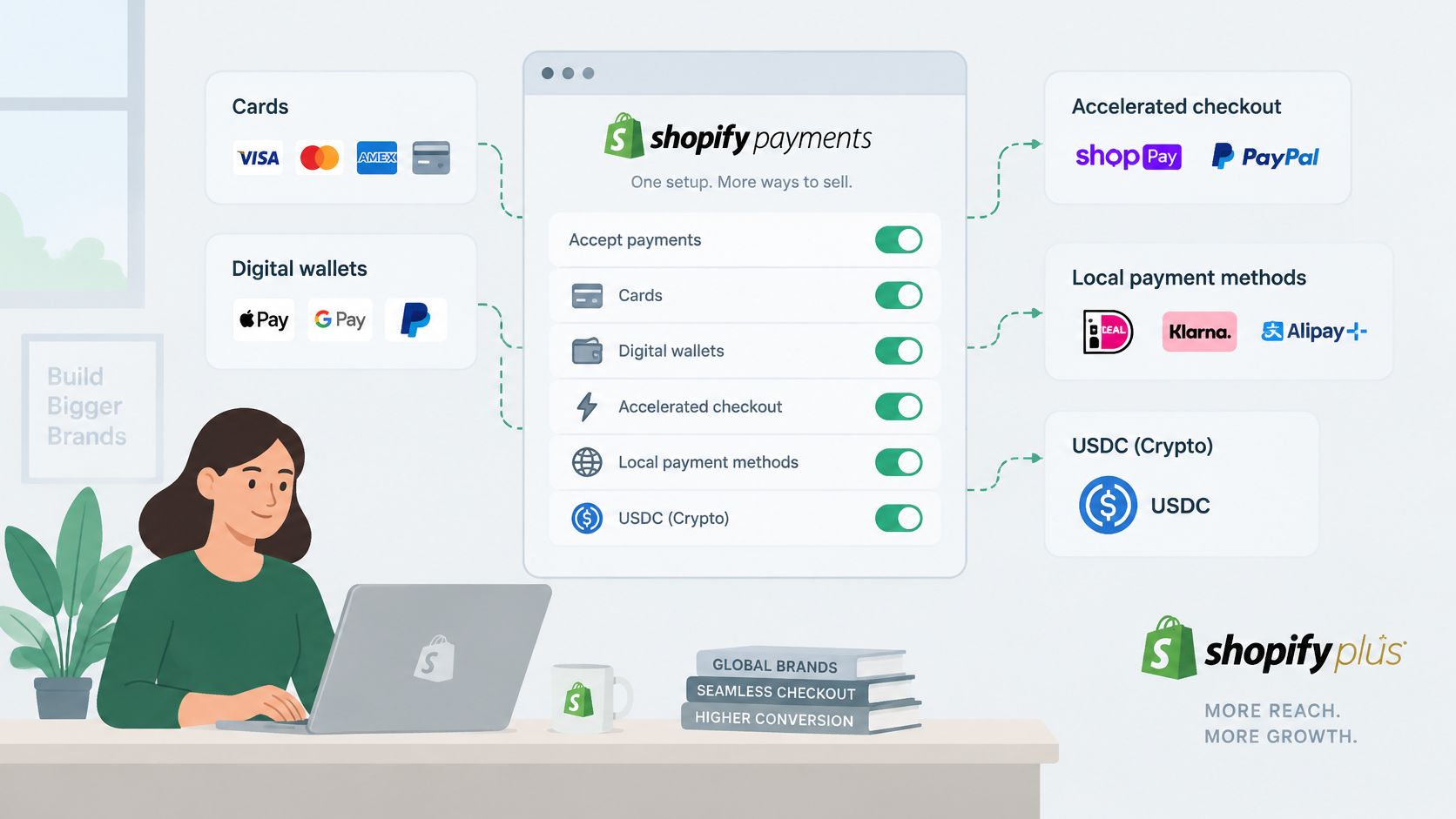
For UK stores, Shopify's UK payments page lists Visa, Mastercard, American Express, Maestro, Discover, Diners Club and UnionPay debit and credit cards, alongside Apple Pay, Google Pay and Shop Pay. It also states that UK merchants can accept USDC cryptocurrency payments through Shopify Payments. Treat USDC as an optional rail for a defined audience, not as a reason to neglect the card and wallet basics.
Location decides what the shopper sees
Local methods don't follow your store address. They follow the customer's location. A UK merchant can therefore keep one store and one checkout while a Belgian shopper sees a different option from a Portuguese shopper. That's useful for Shopify Plus expansion, but only if you test what renders in each market.
| Market | Local method | Condition or note |
|---|---|---|
| United Kingdom | Klarna | Shown to UK customers by location |
| Netherlands | iDEAL and Wero | Needs 100 Shopify Payments orders before activation on a UK store |
| Belgium | Bancontact | Shown by customer location |
| Portugal | MB WAY | Shown by customer location |
| Italy | Satispay | Shown by customer location |
Klarna is the local example most UK teams will recognise first, and it also appears for customers in several European markets. Bancontact serves Belgium through location-based display. MB WAY does the same job for Portugal, while Satispay covers Italy.
The Netherlands needs earlier planning. Shopify states that UK merchants must process at least 100 Shopify Payments orders before activating iDEAL | Wero. If Dutch revenue matters from launch week, that threshold belongs in your project plan, not in a post-launch support ticket. Build early order volume through existing markets, or delay heavy Dutch promotion until the method is live.
A pre-promotion check for each market
Don't infer availability from the admin screen alone. Test from the customer's side.
- Browse as a local shopper: Use the target market, currency and delivery address, then record which methods appear.
- Complete a test order: Confirm authorisation, order creation and customer messaging for that method.
- Refund the order: Check timing, status updates and how the refund appears in your reporting.
That routine catches the gap between configuration and customer experience. It also stops marketing from promising a local method that eligible shoppers can't yet see.
Wallets, Buy Now Pay Later and Pay by Bank Explained
Wallets now carry a material share of UK online spending. In 2025, digital wallets represented 40% of UK ecommerce transaction value, according to Worldpay's 2026 report as cited in WhyMatters' Shopify payment gateways guide. At that scale, wallet availability is standard infrastructure, not a niche optimisation.
The infographic separates the three options many teams wrongly treat as interchangeable.
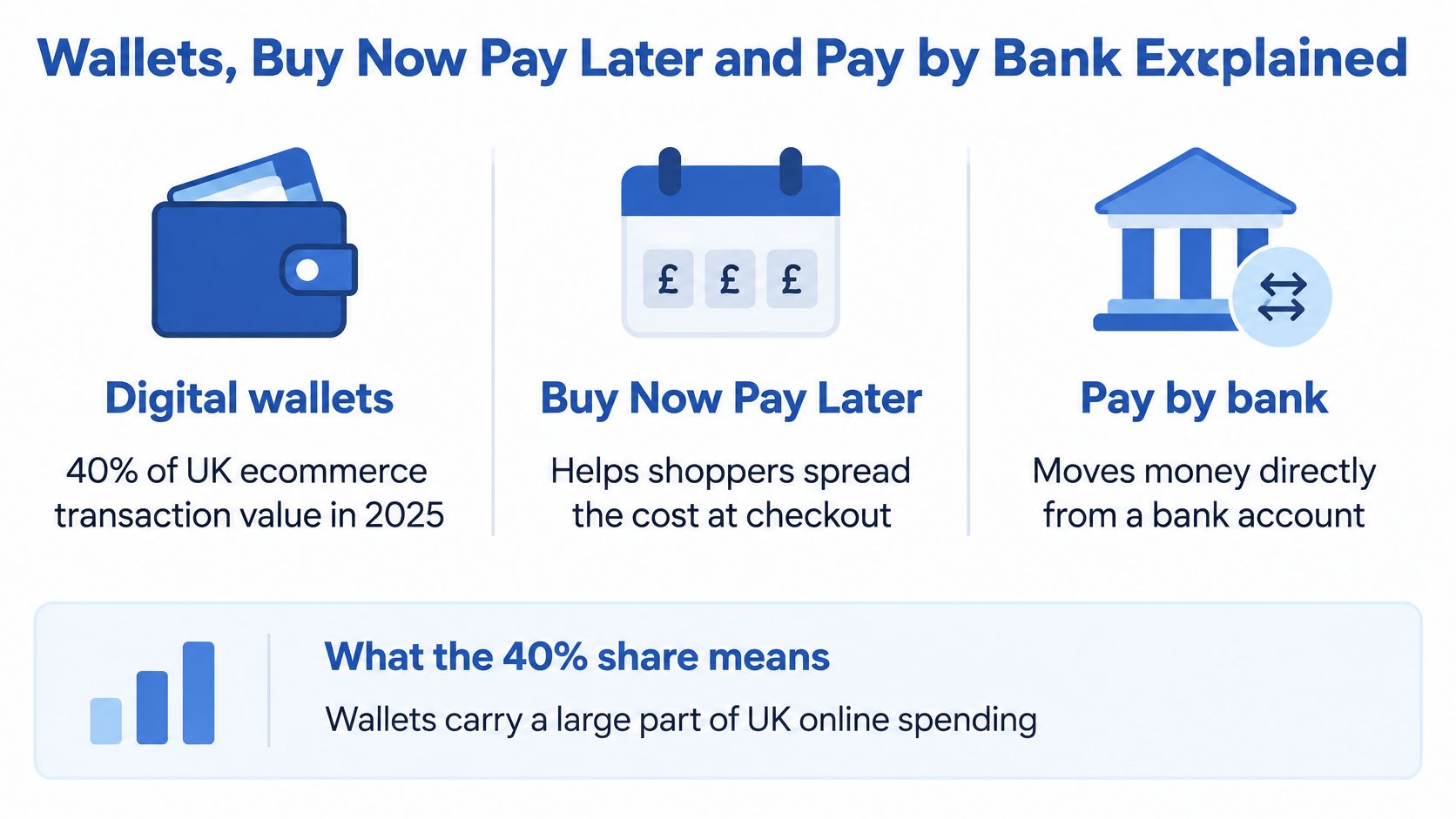
Digital wallets
A wallet payment usually still rides on a card network. What changes is the work asked of the shopper. Device authentication and tokenisation replace manual card-number entry, so the shopper confirms rather than types.
- Pros: Fewer fields, faster mobile completion and saved address and payment details.
- Cons: Buttons render conditionally by device, browser, currency and address, so some shoppers never see them.
That's why standard card fields must remain underneath. A wallet improves the route for eligible shoppers. It doesn't remove the need for a universal fallback.
Buy now, pay later
Buy now, pay later solves a different problem: timing. Klarna can appear for UK customers, and Shop Pay Installments sits within Shop Pay. The fit is strongest where basket value or affordability makes shoppers pause, not where a low-value order already converts easily.
- Pros: Cost spreading can make a considered purchase feel manageable.
- Cons: You add eligibility, messaging and refund expectations that need to be clear before checkout.
For a concrete retail example of that messaging in practice, you can select Klarna for your statue purchase through HD Asian Art's checkout guidance. The lesson for your store is to set a basket threshold from your own data and explain instalment terms before the final pay button.
Pay by Bank
Pay by Bank asks the shopper to pay directly from a bank account where it's offered. It's gaining ground, but it isn't yet the default habit for most UK online purchases.
- Pros: It gives you a non-card rail to test for processing cost and fraud exposure.
- Cons: Familiarity is still uneven, so forced substitution could cost orders.
Keep cards and one wallet visible on every relevant device. Add BNPL or Pay by Bank where basket size, repeat behaviour or measured cost gives you a reason.
Fees and Settlement Trade-offs Compared
Fee comparison fails when it stops at the headline rate. Start with who charges what, then add refunds, disputes, currency exposure and staff time.
| Method | Third-party transaction fee | What drives the real cost | Watch for |
|---|---|---|---|
| Shopify Payments cards | No third-party fee | Processing rates set by plan | Refunds, chargebacks and currency exposure |
| Shop Pay and Shop Pay Installments | No third-party fee | Processing rates and instalment terms | Conversion on larger baskets |
| Manual methods (bank transfer, cash on delivery) | No third-party fee | Reconciliation and collection effort | Slower payment and manual admin |
| Third-party gateways such as PayPal | May apply | Provider pricing plus Shopify rates | Overlapping methods that add reconciliation work |
| Pay by Bank | Confirm terms before launch | Emerging pricing | Adoption still incomplete |
The British Retail Consortium's summary of the 2025 Change at the Checkout research reports that 68% of UK merchants identified high payment-provider costs as a pain point and 58% listed reducing costs as a priority. The same source notes that third-party transaction fees don't apply to Shopify Payments, Shop Pay, Shop Pay Installments or manual methods such as bank transfer and cash on delivery. Third-party gateways sit under a different fee rule, so compare provider pricing and any Shopify transaction fee together.
The cheapest method can be the expensive one
A lower fee doesn't help if authorisation falls, shoppers abandon an unfamiliar flow or finance staff spend hours matching manual payments. Manual transfer looks free on a rate card. It isn't free when an order waits for funds, a reference is missing or a refund needs separate handling.
The same discipline applies to basket incentives. If you're modelling margin, understanding minimum orders for free delivery from EP Fine Jewelry is a useful companion check, because delivery subsidy and payment cost hit the same contribution per order. Model them together, not in separate spreadsheets.
Fraud belongs in that model too. A method with attractive pricing but weak controls can return the saving as chargebacks and manual review. Our guide to ecommerce fraud prevention controls sets out the checks to cost alongside processing fees.
Run a three-step cost test
- Calculate effective cost per completed order: Include processing, transaction fees, refunds, disputes, currency cost and internal handling.
- Compare conversion before and after: Segment by method, device and new versus returning shopper so a traffic shift doesn't fake a win.
- Track refunds and disputes by method: Stop judging settlement speed alone and look at net cash retained.
The winner is the mix with the best risk-adjusted contribution, not the smallest percentage on a pricing page.
Matching Payment Methods to Shopper Segments
Adding every available method sounds customer-led. In practice, each option adds maintenance, reconciliation and refund complexity, while only some shoppers value it. Segment fit is a better filter than availability.
The image below maps that segment-first approach.
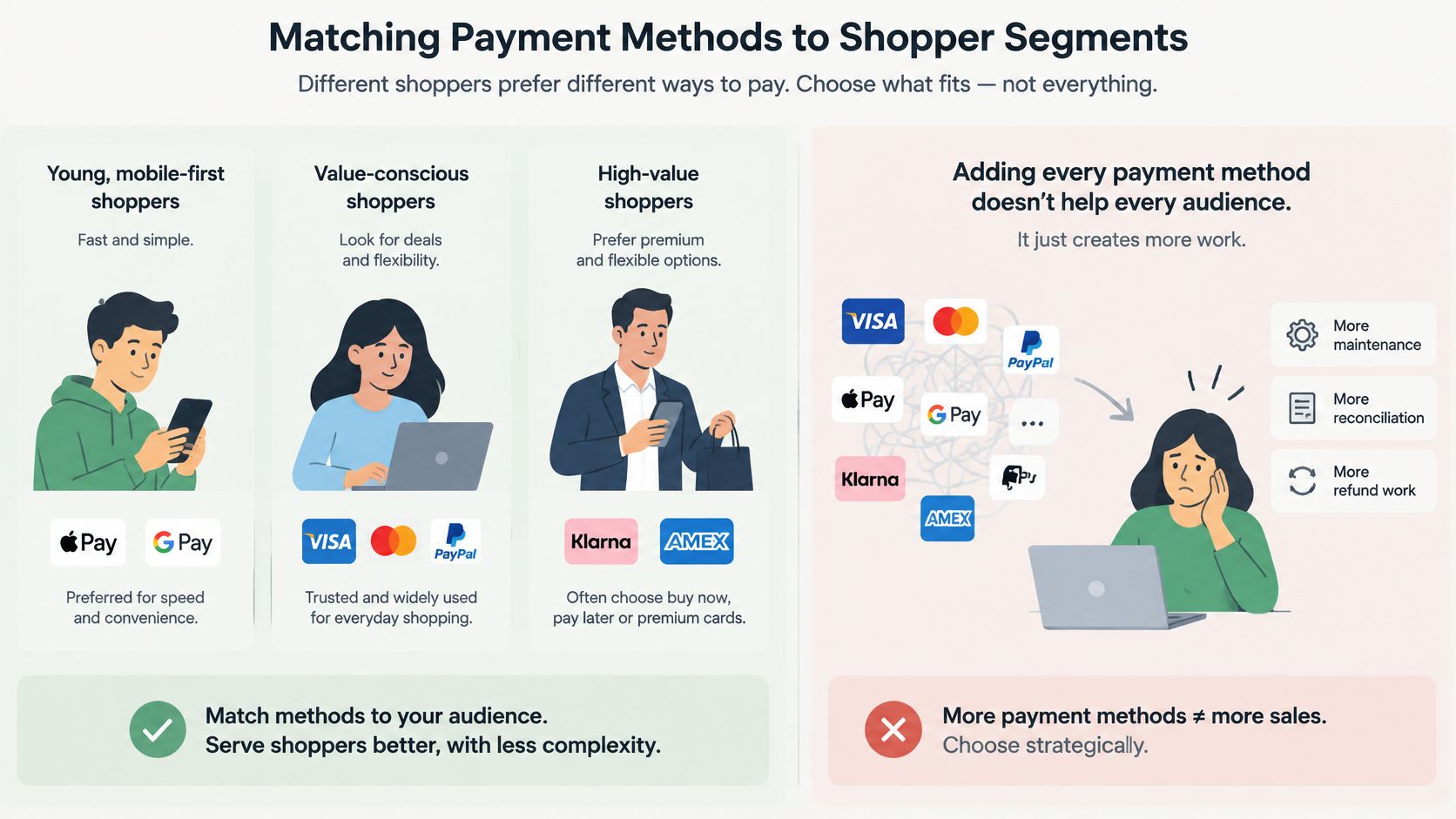
The UK Payment Systems Regulator's consumer perspective on payments in 2025 reports that 42% of consumers prefer credit cards for higher-value purchases because protection and security matter. It also reports that almost half of 18 to 24-year-olds use mobile wallets daily, compared with fewer than 10% of people over 55. Separate 2025 UK consumer research cited there found that 15% of shoppers would not complete an online purchase if their preferred wallet were unavailable.
Read those figures together. Age predicts wallet habit, but basket value changes the job. A young shopper buying a high-ticket item may still reach for a credit card because protection matters more than speed.
Three segment decisions you can copy
A mobile-first fashion brand selling to younger buyers should put Apple Pay and Google Pay beside cards, then check button exposure on the phones that drive traffic. Speed is the product here. Burying the wallet below account creation wastes its advantage.
A high-ticket homeware store should lead with cards and PayPal for trust and protection, then introduce BNPL above a defined basket value. Product-page messaging should explain payment protection and instalment terms early, while shoppers are still deciding whether the purchase feels safe.
A subscription or repeat-buy brand should prioritise saved, low-friction payment for reorders. Wallets come first because the second purchase shouldn't feel like a new application. Failed-payment recovery and clear card-update prompts matter as much as the first checkout.
The short video below gives a practical view of how payment choice affects the wider checkout journey.
Use that lens with your own funnel data and our Shopify checkout optimisation guidance before you add another logo to the payment step. Start with the top two methods for your main segment, review after a set trading period, and only expand when missed demand is visible in abandonment or customer feedback.
Checkout Setup, Testing and Launch Mix
Setup order matters because shoppers act on what they see first. Work through six checks before you judge whether a method converts.
The checklist below covers placement and test conditions.
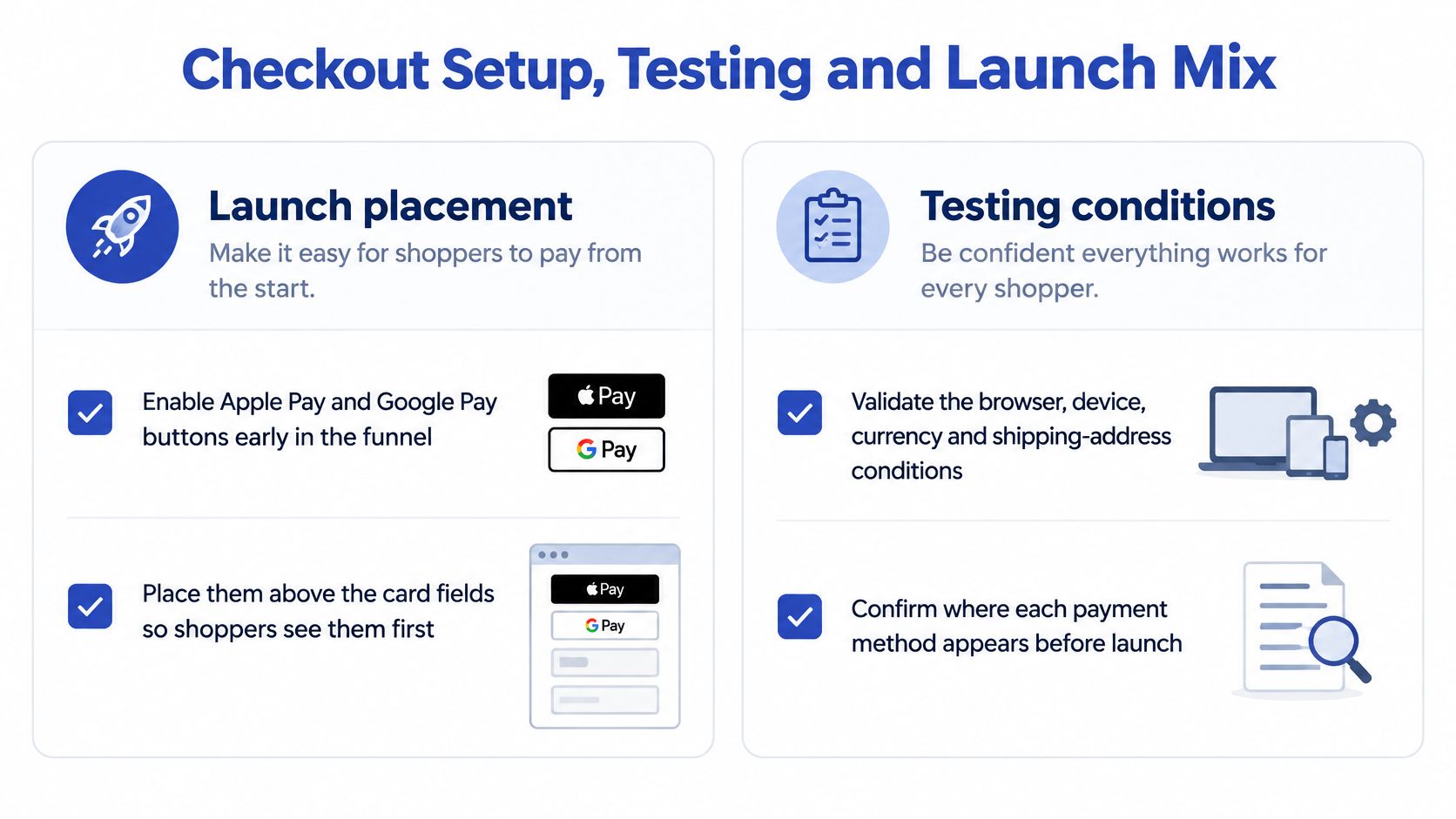
Six launch checks
- Enable wallet buttons early: Put Apple Pay and Google Pay early in the funnel, above the card fields, so eligible shoppers don't start typing unnecessarily.
- Validate rendering conditions: Test browser, device, currency and shipping-address combinations on mobile Safari and Chrome, not just desktop.
- Keep card fields visible: Leave standard card entry beneath the wallets for shoppers whose setup doesn't support an accelerated button.
- Confirm authentication flows: Check 3-D Secure and Strong Customer Authentication on cross-border card orders, including challenge, success and abandonment states.
- Instrument by method: Monitor exposure, selection rate, authorisation rate and completed-order conversion, split by device and browser.
- Test orders and refunds end to end: Place one full order per market and method, then refund it and confirm the customer message and ledger entry.
Those checks expose a common reporting error. A wallet may look unpopular when it didn't render for much of your traffic. Exposure comes before selection rate in the diagnosis.
For a broader pre-launch review, the ecommerce checkout advice from Mayra is worth comparing against your own test script. Bring its friction checks into the same session as payment testing, because address, delivery and payment failures often appear to shoppers as one broken checkout.
Choose the launch mix with three questions
First, which shoppers dominate your traffic by device, age proxy and repeat behaviour? Second, which markets will you actively sell to at launch? Third, which costs can you measure cleanly in the first month?
For most UK stores, the sensible starting point is cards, Apple Pay and Google Pay on every relevant device. Add one BNPL option if baskets are high-value or affordability-sensitive. Test PayPal or Pay by Bank against incremental conversion and total cost before making either permanent.
Go-live question: Which two methods will your main shoppers use first, and can you prove both work on their actual devices?
Technical scope should follow that answer. Many expansion features work on standard Shopify plans, while custom checkout flows and wholesale portals require Shopify Plus. We set up Shopify Payments with JCB, Visa, Mastercard, Amex, Apple Pay and Google Pay, and we handle the technical setup of payment gateways to ensure payment processing works before launch, though gateways must be reconnected and reconfigured on Shopify. Our notes on payment processor integration explain the connection work behind that setup.
Don't launch a long list and call it choice. Launch a short, tested mix, measure cost and completion by segment, then let evidence earn the next method its place.
If your checkout needs a tighter payment mix, Grumspot can configure Shopify Payments and local methods, test wallets and refunds before launch, and rebuild the surrounding checkout journey where friction is costing orders. Visit Grumspot to discuss a Shopify or Shopify Plus payment setup built around your shoppers, markets and margins.
Want this kind of work on your store?
Send us the URL and what is slowing it down. We look at the store before we reply.
Related posts
Check out some similar posts.