What Is SEO Audit and How It Powers Shopify Growth
- what is seo audit
- SEO audit guide
- Shopify SEO audit
- technical SEO audit
- ecommerce SEO
Launched
September, 2026
An SEO audit is a full-site diagnostic crawl and analysis that finds what stops pages being discovered, indexed and ranked, now covering 100+ technical and on-page factors. For a Shopify store, it connects search visibility with the customer journey, from finding a product to completing checkout.
A merchant can have excellent products, polished photography and useful buying guides, yet still see organic traffic soften or new collection pages fail to appear in Google. The cause might be a blocked crawler, an incorrect canonical, a redirect chain, weak mobile performance or structured data that doesn't describe the product accurately.
That's why an audit should be treated as a revenue diagnostic, not a tidy-up exercise. It shows where the store is losing opportunities before a shopper reaches a product page, then turns those findings into a prioritised plan for technical fixes, content improvements and conversion work.
Introduction What an SEO Audit Really Means for Your Store
A Shopify merchant launches a new collection after weeks of planning. The copy answers customer questions, the images look sharp and the products are available to buy. Days later, the collection remains absent from relevant searches. Established pages have also slipped, leaving the team unsure whether the cause is content, the theme or Google's index.
An SEO audit turns that uncertainty into a revenue diagnosis. It examines the store as a connected system, starting with whether search engines can discover valuable URLs. It then checks whether those pages can be crawled, rendered and indexed correctly. UK-focused audit tools advertise scans covering 100+ on-page and technical factors, including crawlability, XML sitemaps, robots.txt, URL structures, redirect chains, 404 errors, schema markup, page speed and mobile usability (UK SEO audit tool guidance).
The scope matters because a Shopify store contains far more than a homepage and product descriptions. Collections, variants, search pages, blog content, redirects, apps and theme-generated elements can all affect how Google interprets the site. One configuration problem may affect several commercial URLs, reducing the number of pages shoppers can find.
The audit as a commercial diagnosis
A useful audit connects technical conditions with customer and revenue outcomes:
- Can Google find the right pages? Important products and collections should not rely on accidental discovery.
- Does Google choose the right URL? Canonicals, redirects and duplicate versions should direct signals to the intended page.
- Can shoppers use the store comfortably? Mobile usability, Core Web Vitals and page experience influence what happens after the click.
- Does each page match buying intent? A category page and an educational article should serve different purposes rather than compete.
- Can newer answer systems understand the brand? AI crawler access, structured data and clear product information now form part of discoverability.
- Where does the journey lose momentum? A page may attract a searcher yet create friction through slow loading, unclear information or a weak next step.
The result should be a prioritised explanation of what to fix first, why it matters and which commercial pages are affected. That makes the audit more useful than a checklist: it links crawlability and indexation to visibility, then links page experience and content clarity to conversion.
Understanding Why Your Store Needs an SEO Audit
A Shopify store can have attractive products, polished branding and steady sales, yet still lose potential customers in search. A new collection may remain undiscovered, a product URL may fail to enter Google's index, or a theme update may slow the page after a shopper arrives. An SEO audit identifies where that revenue journey breaks and ranks the fixes by business impact.
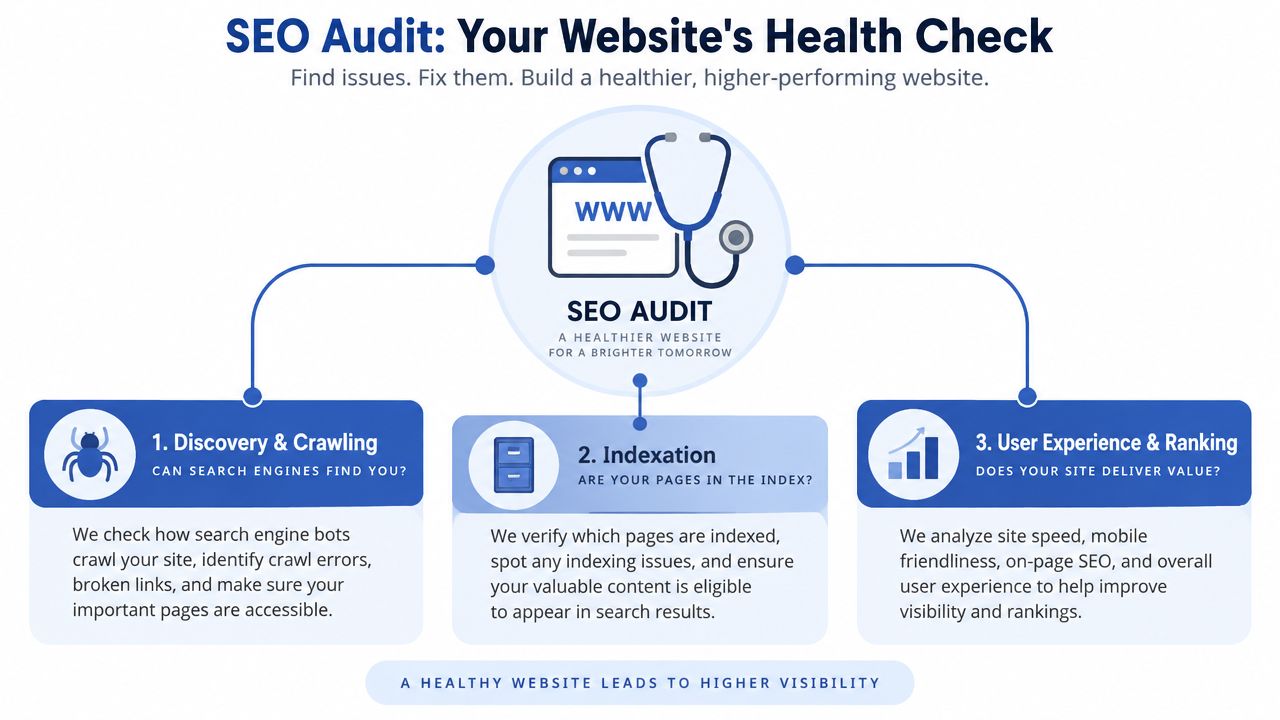
Search visibility develops in stages. Search engines must discover a URL, crawl its content, determine which version belongs in the index and render the page clearly. Relevance, authority and page experience can influence visibility only after those conditions are working. Google Search Console helps verify Google's own view of indexing rather than relying only on what a third-party crawler reports (Google's crawling and indexing FAQ).
Find the hidden blockage
Customers may see a normal storefront while search engines encounter restrictions behind it. A robots.txt rule can block a valuable section. An XML sitemap can list redirected or non-indexable URLs. A canonical tag can send a product's signals to another page. A theme update can introduce layout shifts, slow interactions or other Core Web Vitals problems.
The commercial effect reaches beyond rankings. A shopper who arrives on a slow mobile page may leave before reading the product details or reaching checkout. UK guidance reports that 89.4% of websites are mobile-optimised and that average page load time is 2.4 seconds, which helps explain why performance and mobile experience receive attention alongside on-page SEO (UK SEO statistics and audit guidance).
Recognise the right trigger
Run or commission an audit when:
- Traffic changes suddenly: Compare the timing with indexing changes, site releases and Google update activity.
- New pages stay invisible: Inspect the URL in Search Console before rewriting its copy.
- A migration is planned: Confirm redirects, canonicals, sitemaps and HTTPS before launch.
- The catalogue expands: Additional products and filters create more opportunities for duplication and crawl waste.
- The theme or app stack changes: A new script or template can affect page experience and internal linking.
- Markets or locations are added: Check that regional URLs are discoverable and represented correctly.
Ecommerce stores need SEO governance rather than occasional clean-up. UK-facing guidance recommends recurring reviews for larger or high-traffic stores, including monthly deep dives for high-traffic or ecommerce sites. Its estimate of 12 to 20 hours for a 100 to 500 page site also shows why an audit should produce an ordered backlog, not an unfiltered warning list (UK website audit guidance).
The Four Core Components of a Modern SEO Audit
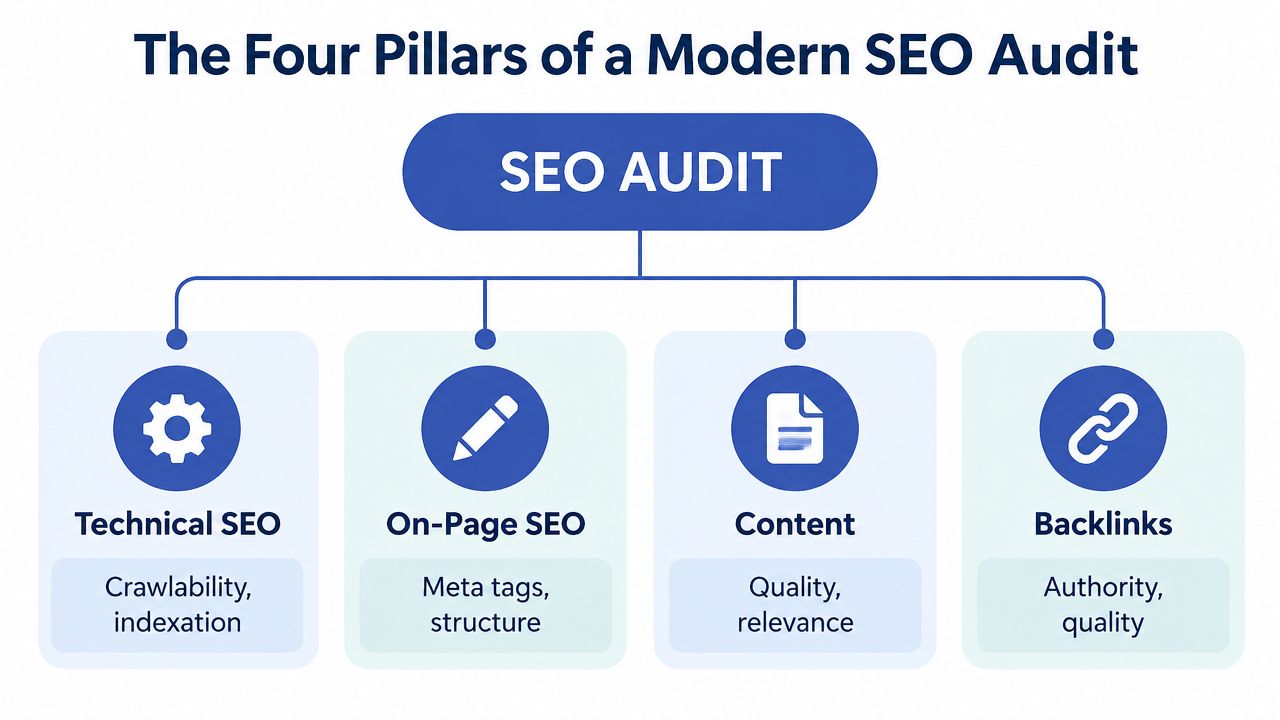
A Shopify store can have excellent products and still lose revenue if search engines cannot find, understand, or trust its pages. A modern audit follows that path from technical access to shopper action. Its four pillars work like connected parts of one checkout journey: technical SEO opens the route, on-page SEO clarifies each destination, content answers the shopper's question, and backlinks help establish authority.
Technical SEO
Technical SEO checks whether search crawlers can reach, process, and index the store's valuable pages. The review covers robots.txt, XML sitemaps, HTTPS, status codes, redirect chains, 404 errors, URL structures, canonicals, and other indexation signals. For Shopify, the commercial question is direct: can Google reach the products and collections that generate sales, while low-value filters and duplicate URL patterns stay controlled?
An important product page might be blocked, redirected incorrectly, or represented by the wrong canonical URL. A crawl tool shows what it encountered. Google Search Console helps confirm Google's view of coverage and canonical selection. Verify both the www and non-www versions so the indexation picture is not incomplete.
A practical technical SEO audit checklist can organise these crawl, indexation, and site-configuration checks.
On-page SEO
On-page analysis examines how each priority page explains its purpose to search engines and shoppers. Review title tags, headings, meta descriptions, canonical tags, internal links, image alternative text, and product or collection schema.
For example, a collection page might use a generic title while its heading describes a specific product category. That mismatch weakens the page's context and can reduce the chance of earning a click. Internal links should also lead shoppers and crawlers toward commercially important collections and products, rather than leaving them buried in navigation or app-generated pathways.
Content
Content analysis asks whether each page satisfies the searcher's intent and gives shoppers a clear reason to choose the store. An audit may identify thin collection copy, overlapping buying guides, duplicated product descriptions, or blog posts competing with commercial pages.
A product page should help someone evaluate an item. A collection page should help them compare products within a category. If both target the same intent with nearly identical wording, clearer differentiation or consolidation may create a stronger route from discovery to purchase than publishing another article.
Backlinks
Backlink analysis reviews the external sites that reference the store, including relevance, quality, anchor text patterns, and missed opportunities. Strong product content may still struggle to compete if the store has little external authority, while competitors earn relevant links from publications, suppliers, or industry resources.
The findings should guide content and digital PR rather than indiscriminate link removal. Stores also need to understand how their pages may appear in AI-driven search experiences. A Sight AI SEO audit tool can add that visibility perspective alongside traditional crawl and authority analysis.
Core principle: A page cannot convert search demand if Google cannot discover it, understand it, or trust it enough to show it.
How SEO Audits Evolved Beyond the Checklist
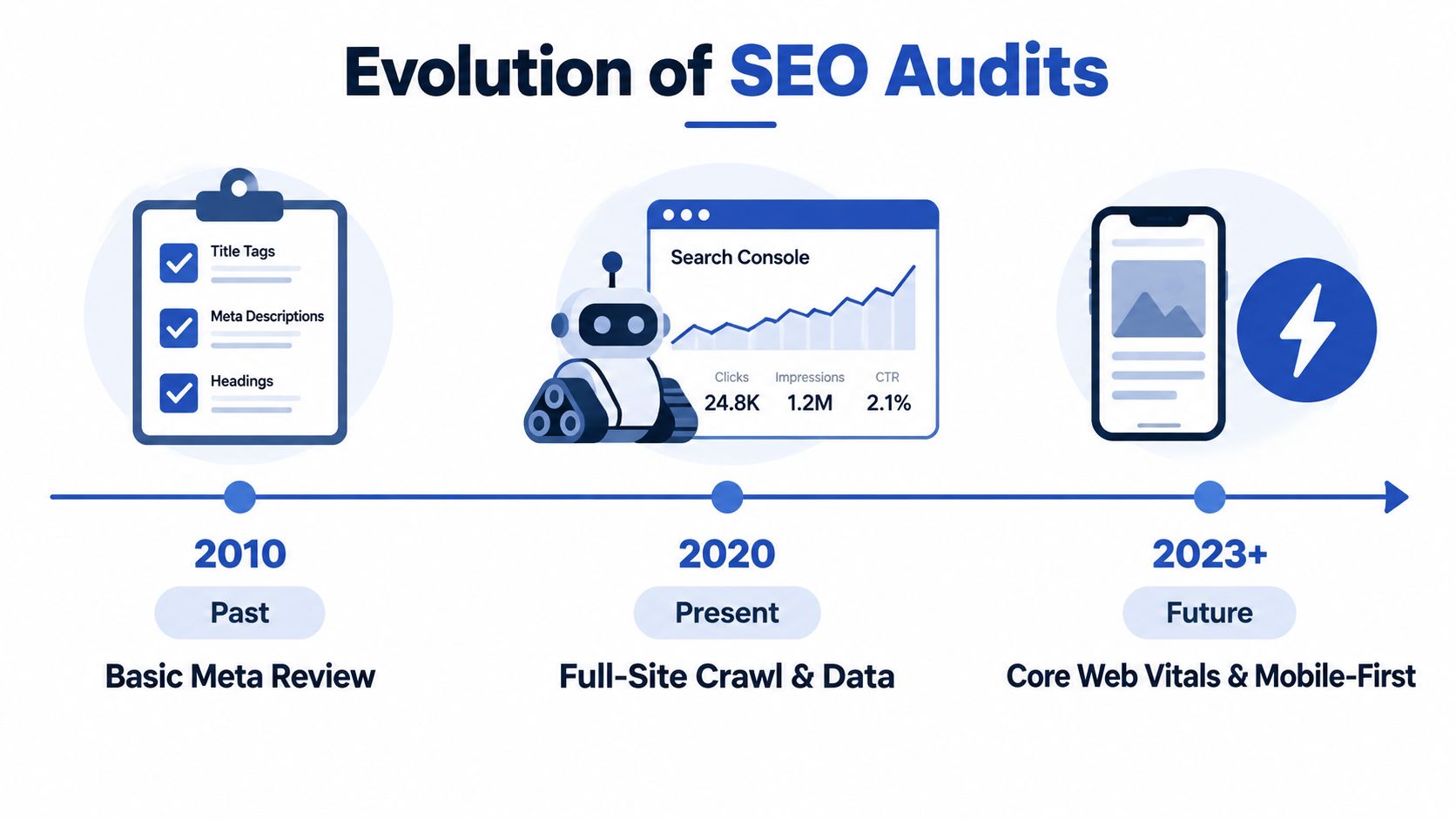
A Shopify store can have polished product copy and still lose sales if Google cannot reach key pages, index the right versions, or load them quickly enough. Older audits focused mainly on titles, descriptions, headings and backlink summaries. Those checks remain useful, but they describe individual pages rather than the store's full route from search result to purchase.
Modern auditing starts with a full-site crawl, then checks those findings against live Search Console signals. A crawler may find a blocked path or canonical tag. Search Console can show whether Google selected that canonical, indexed the URL, or excluded it. The review also covers robots.txt, sitemap health, HTTPS, 404 and soft-404 errors, structured data, and redirect chains, as outlined in UK audit guidance on modern SEO checks. Together, these checks show whether the technical system supports discoverability and conversion.
Performance became part of visibility
Search performance now includes mobile usability, speed and crawlability. An audit examines how a Shopify theme, app, image, or tracking script affects the shopper's experience and the signals search systems can access. A page that looks strong in the editor may still load slowly, shift around on mobile, or expose important content too late.
For merchants, Core Web Vitals connect technical work to revenue. Slower templates can create friction before a shopper reaches the product details or checkout. The audit therefore links browser behaviour with search visibility, rather than treating performance as a separate developer task.
AI readiness adds another layer
Modern checks also ask whether relevant AI crawlers can access the site, whether schema describes products accurately, and whether the brand's pages provide clear information for AI Overviews and other answer engines. An AI-ready SEO audit checklist includes AI crawler access, generative visibility and schema coverage among current audit considerations.
Traditional SEO still provides the foundation. Access rules, indexation, useful content and structured data help both search engines and AI systems interpret the catalogue. The audit has evolved from a page checklist into a revenue diagnostic: it traces how crawlability, indexation, Core Web Vitals and AI readiness influence whether shoppers discover products and continue toward conversion.
What You Actually Receive From an Agency SEO Audit
A useful agency audit should leave your team with decisions, not a spreadsheet full of warnings. The deliverable normally begins with a crawl report that groups issues by type, affected URL and likely business consequence. It should distinguish an accidental block on a key collection from a minor metadata inconsistency on a low-priority page.
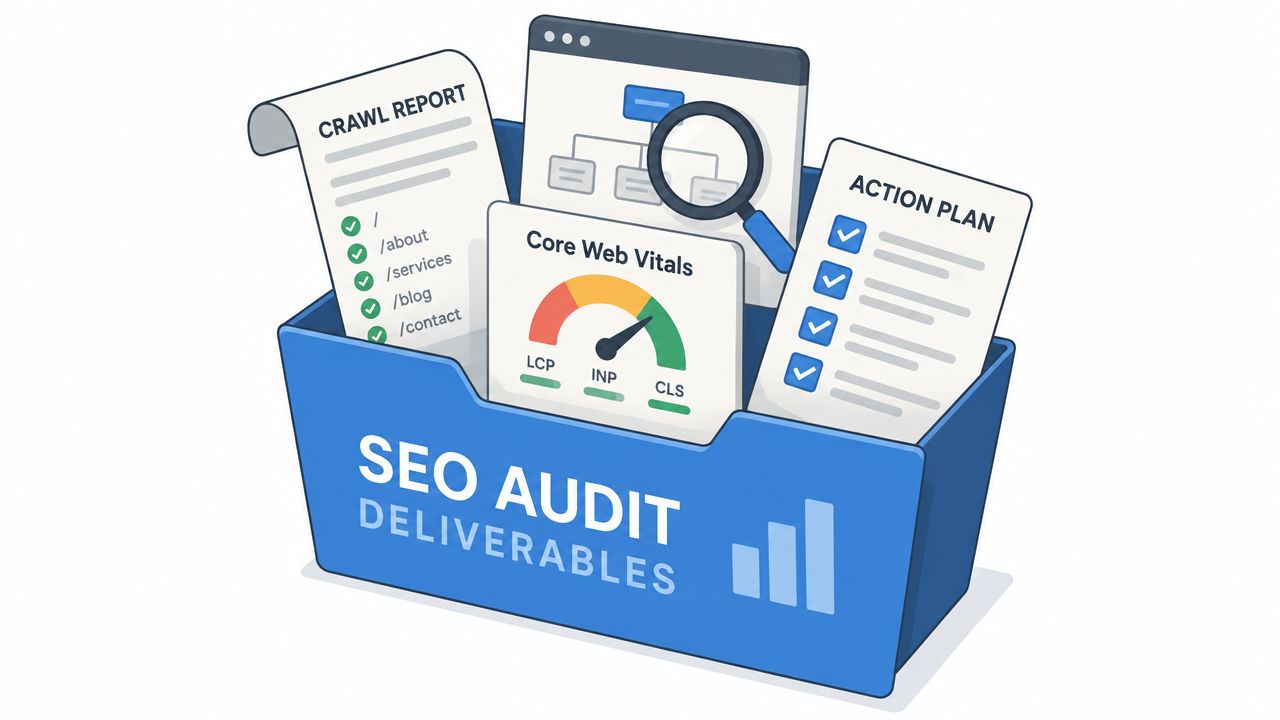
The evidence behind the recommendations
Expect the report to connect several data sources:
- Crawl data: URLs, status codes, redirect paths, internal links, metadata and indexability directives.
- Search Console analysis: Indexed pages, excluded URLs, search queries, impressions, clicks and canonical interpretation.
- Page experience review: Field Core Web Vitals, mobile usability and the templates or scripts affecting performance.
- Content assessment: Intent alignment, duplication, cannibalisation, outdated pages and gaps across products, collections and editorial content.
- Authority review: Relevant backlinks, lost links, suspicious patterns and competitor opportunities.
- AI-readiness checks: Crawler access, schema completeness and the way the brand appears in answer-led search environments.
For the metrics that matter most, a UK technical audit uses field thresholds of LCP under 2.5 seconds, INP under 200 milliseconds and CLS under 0.1 on at least 75% of page loads (UK technical SEO and Core Web Vitals guidance). The report should show which templates need attention and whether the proposed fix belongs with a developer, content team or CRO specialist.
A decision matrix for busy merchants
| Finding | Urgency | Sensible first action |
|---|---|---|
| Important page blocked, excluded or pointing to the wrong canonical | High | Validate in Search Console, then correct the directive or URL signal |
| Slow or unstable product template | High | Isolate the theme, image, app or script causing the field issue |
| Duplicate collection or product intent | Medium | Differentiate, consolidate or redirect based on commercial purpose |
| Missing title, heading or schema detail | Medium | Improve the template or priority pages |
| Weak or irrelevant backlink profile | Planned | Build relevant authority through useful assets and outreach |
A clear agency SEO audit report structure can help merchants judge whether a proposed report includes evidence, prioritisation and implementation guidance rather than only automated scores. Shopify Plus upgrades, CRO work and template changes should appear in the same roadmap when they address the root cause.
For a worked example of how findings can be organised, see this Shopify SEO audit example. Grumspot is one agency option that combines technical and SEO audits with Shopify design, development and conversion support.
Next Steps After Your SEO Audit for Shopify Growth
An audit earns its value through action. Treat the findings as a revenue diagnostic: fix anything blocking discovery or indexation, then improve the templates that bring organic visitors to product and collection pages. After that, address content, internal links, structured data, Core Web Vitals and AI-readiness checks according to commercial priority.
Start with the pages closest to a sale. A high-demand collection pointing to the wrong canonical needs attention before a low-traffic article with an imperfect meta description. Record each affected URL, its owner, the implementation date and the validation method, so the team can confirm whether the change improved visibility or conversion.
Set a cadence that matches operational risk
High-traffic ecommerce stores may need monthly audits, especially when the catalogue, app stack or theme changes frequently. Smaller catalogues can use lighter recurring reviews, with a fuller examination around migrations, major releases or significant changes to navigation and templates.
Connect re-checks to events as well as calendar dates. Review Search Console after a core or spam update, a migration or a large product import. If an important page disappears from search, investigate promptly.
Re-test Core Web Vitals using field data, inspect representative URLs and confirm that the sitemap, robots.txt, redirects and canonicals still describe the intended store. Check whether structured content remains understandable to search engines and AI systems. For implementation details linking technical fixes with storefront experience, use this guide to Shopify performance optimisation.
Keep the audit out of the permanent backlog. It should give your team a repeatable process for protecting discoverability, improving the shopping journey and investing in pages that can support revenue.
Grumspot provides Shopify and Shopify Plus technical, design and SEO audits, then turns findings into a roadmap covering storefront performance, crawlability, content and CRO. Visit Grumspot to discuss an audit for your store, migration or next growth phase.
Let's build something together
If you like what you saw, let's jump on a quick call and discuss your project
Related posts
Check out some similar posts.
- seo technical audit checklist
Use this SEO technical audit checklist to find and fix 10 ecommerce issues across crawling, speed, i...
Read more
- structured data
Master structured data implementation for ecommerce in 2026. Practical JSON-LD, Microdata, schema se...
Read more
- internal linking strategy
Build a high-impact internal linking strategy that boosts rankings and conversions. Learn auditing, ...
Read more
- schema markup ecommerce
Learn schema markup for ecommerce with ready-to-use JSON-LD snippets, Shopify Liquid patterns, testi...
Read more