Print and Mail API: A Practical Guide for UK Teams
- print and mail API
- direct mail API
- transactional mail
- Shopify automation
- UK ecommerce
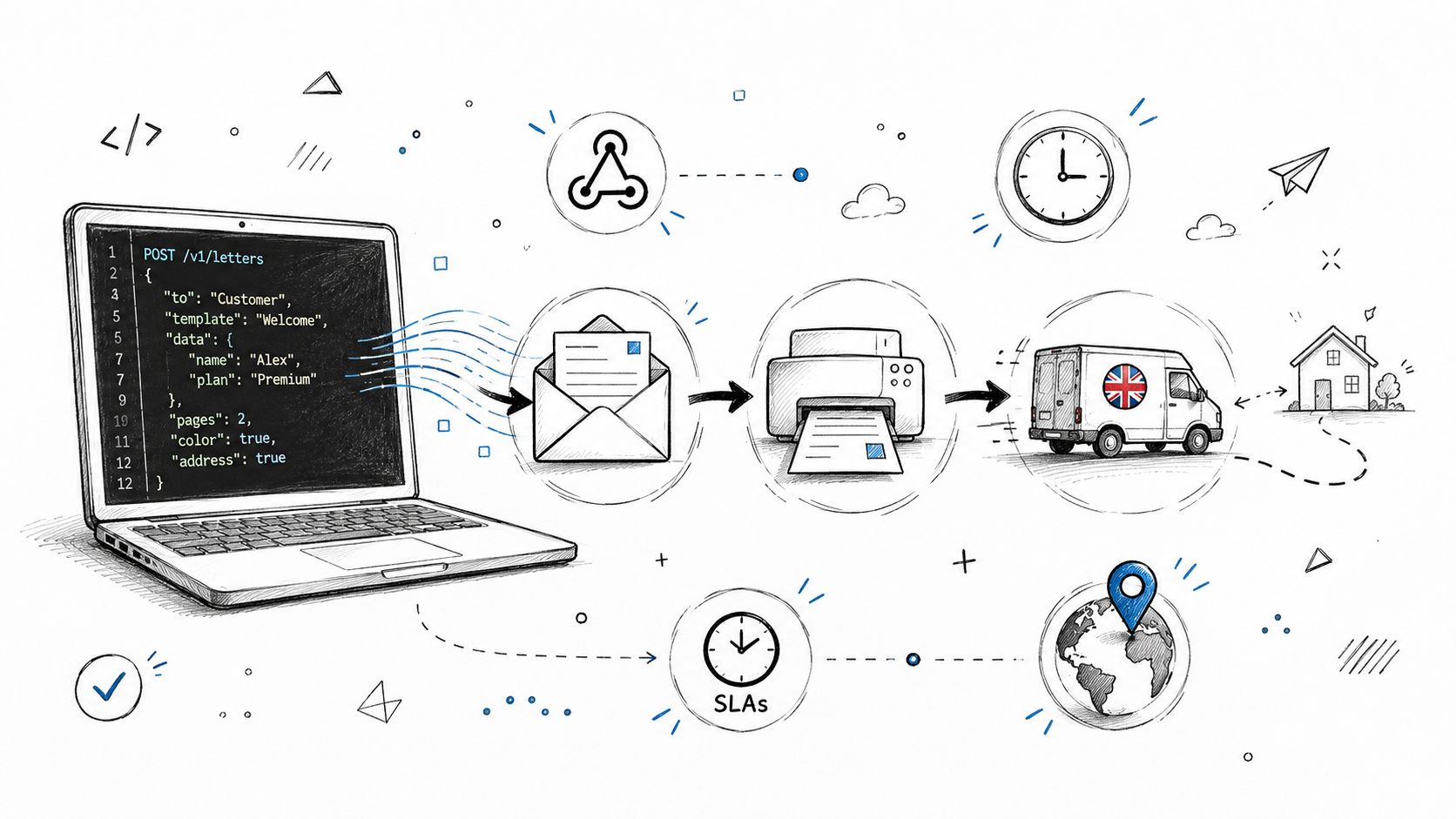
A Bristol ops lead is staring at a Friday deadline, a pile of failed card payments, and a recovery list that's already too messy for a manual mail merge. That's the moment a print and mail API stops sounding abstract and starts looking like the only sane way to get thousands of letters out without renting time on someone else's machine, wrangling envelopes, or hoping the print room can absorb the rush.
In practice, the appeal is simple. You trigger physical mail the same way you trigger an email or a webhook, then let software handle the parts that usually create delays, manual errors, and postage drift. In the UK, that matters even more because the print sector is mature but contracting, with the industry estimated at £8.4 billion in 2026 and 7,857 businesses, alongside a revenue decline at a 2.3% compound annual rate between 2021 and 2026 (IBISWorld). That backdrop explains why API-led print workflows keep replacing ad hoc mailing operations.
Table of Contents
- What a Print and Mail API Actually Does
- Core Building Blocks of the Workflow
- What to Look for in a UK-Ready Provider
- How PostalForm Can Help
- Wiring It Into a Shopify Plus Store
- Why the UK Market Makes This Approach Relevant
- Troubleshooting the Most Common Failures
- A Practical Implementation Checklist
What a Print and Mail API Actually Does
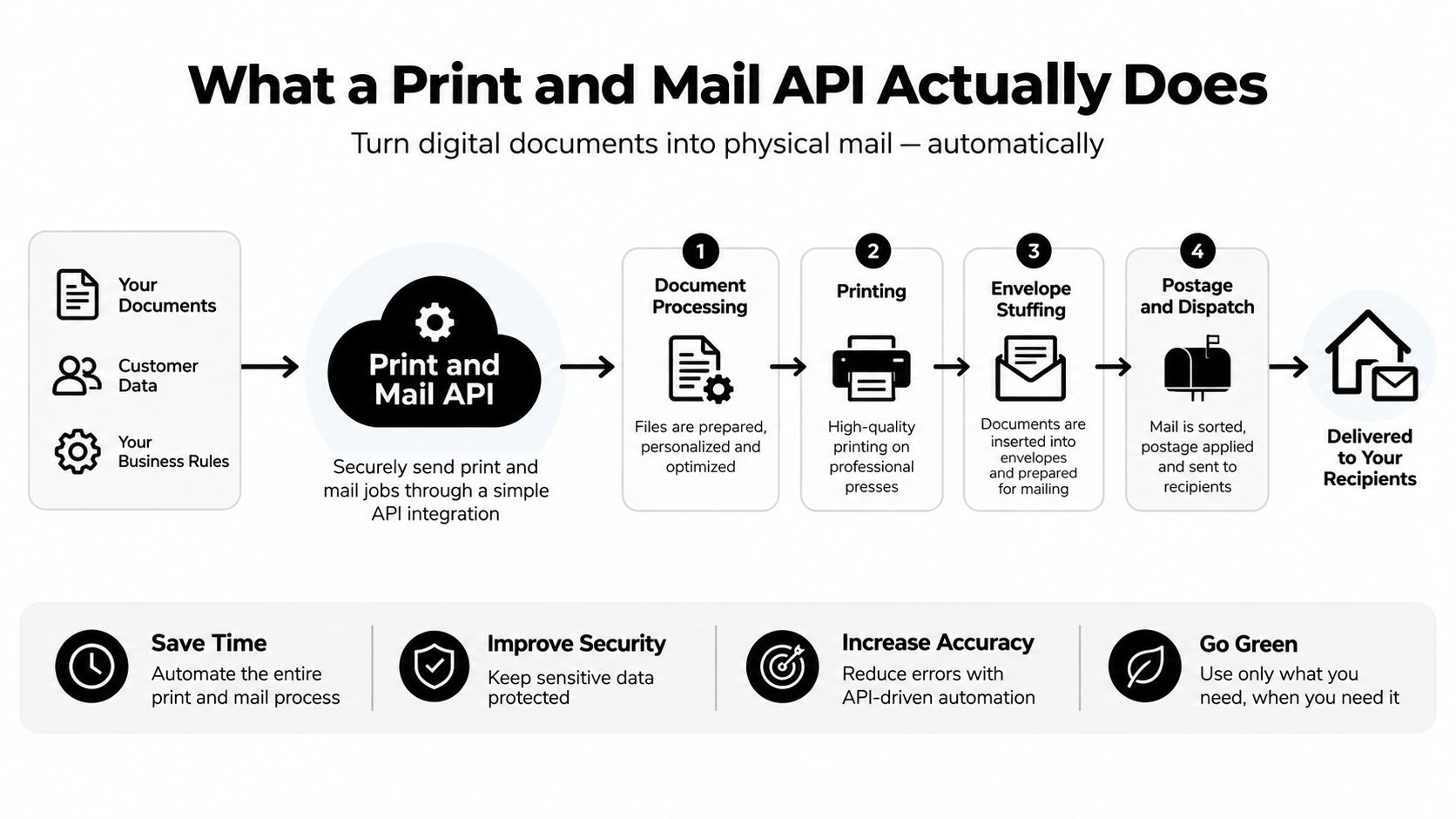
A print and mail API is a programmable service that takes a recipient, a document template, and any merge fields you need, then turns that into a physical mailpiece. For a UK ecommerce team, that might mean a recovery letter, a statement, a notice, or a postcard sent without anyone exporting spreadsheets or touching a printer.
At the simplest level, the flow is straightforward. Your system sends a request with the customer record, the template ID, and the variables to merge. The API queues the job, returns a job ID, and the provider handles printing, enclosing, postage, and dispatch. That's very different from SMTP email APIs, where the final output is still digital, and also different from old hybrid mail portals where an operator often has to click through each send.
What matters in the response
The useful bit isn't just that the request succeeds. Good implementations return machine-readable status, often with estimated dispatch details, price information, and the carrier service that will be used. That lets ecommerce ops teams reconcile cost and timing without waiting for a human update.
Practical rule: treat the API as a production switch, not a design tool. If the document isn't approved, addressable, and safe to send, don't post the job yet.
That distinction helps avoid a common mistake. A print and mail API is not your creative studio, and it isn't your list-cleaning engine either. You still need approved artwork, a reliable address source, and a business rule for when a letter should be sent. The API sits in the execution layer, not the strategy layer.
Core Building Blocks of the Workflow
A print and mail workflow breaks into three layers, and each one fails in a different way. The address layer keeps bad data out, the template layer produces the right document, and the production layer gets it onto paper and into the post.
The address and template layers
The address object should store structured fields, not a single line of text. In the UK, that usually means building name, flat number, street, locality, town, county where needed, postcode, and, where the provider supports it, a delivery-point identifier. Royal Mail's Postcode Address File is the reason this matters. It is the reference point for address validation, and it underpins clean routing in a way generic international address formats do not.
Template rendering comes next. The provider merges recipient data into HTML or PDF, applies print-safe margins, and keeps layout rules intact for the chosen format. For UK letters, the layout needs to stay disciplined. Address placement, fold lines, and postal zones all matter more once the file leaves the browser and becomes a physical piece.
Queueing, production, and dispatch
Once the job is queued, the provider should block duplicates with an idempotency key. That matters when webhooks retry or middleware times out and sends the same request again. After that, you want production events for print, fold, insert, seal, and dispatch, so ops can see where each item is in the chain.
A UK-ready workflow also needs dispatch metadata. That includes postage class, barcode, tracking identifiers, and webhook callbacks for proof-of-posting or proof-of-delivery where available. Royal Mail's history makes the operational side clearer, especially once address handling, tracking, and postage services are tied together in one pipeline.
If you cannot tie a mailed item back to a store order ID, customer support will spend too long reconstructing what happened.
That is why the data you keep on your side matters. Retain the provider's job ID, the Shopify order ID, the recipient snapshot, the template version, and the dispatch timestamp. Finance, support, and fulfilment can then work from the same record when invoices, returns, or delivery disputes come up.
To line this up with the rest of your stack, treat mail delivery as another event-driven commerce flow, similar to the patterns used in API-first ecommerce architecture.
What to Look for in a UK-Ready Provider
A UK-ready provider should be judged on operational fit, not brochure claims. For ecommerce teams, that usually comes down to whether the service handles UK address quality, makes costs visible before send, fits your compliance process, and gives developers enough control to run it without manual workarounds. If one of those areas is weak, the integration becomes support debt.
A practical scorecard
| Criterion | What good looks like | Red flag |
|---|---|---|
| UK deliverability | Validates against Royal Mail PAF, handles UK address formats cleanly, and supports the services you need | Treats UK addresses like generic international data |
| Pricing transparency | Shows per-piece cost, postage pass-through, and any print or envelope uplift before send | Hides postage or adds surprise fulfilment fees |
| SLA and tracking | Clear dispatch windows, tracked mail coverage, and useful delivered events | Vague timing, no visibility after print |
| Compliance posture | Clear GDPR handling, direct mail controls, and accessible output options where needed | Hand-wavy privacy language and no document governance |
| Developer ergonomics | Real OpenAPI docs, signed webhooks, sandbox parity, and usable SDKs | Sample code that does not match the live API |
Royal Mail PAF support deserves special attention because it cuts down on failed deliveries before anything reaches print. Royal Mail says its delivery staff make 5,000 address updates each day, which is why upstream verification matters more than apologising after dispatch (Royal Mail address capture).
A practical way to compare vendors
Run the same job through each candidate, ideally a batch of around 500 records with mixed address quality. Then compare the delivered cost per piece, the number of exceptions, and how much work your team has to do to clear them.
That test usually exposes the key differences. Some vendors look fine in a demo but fall apart when they hit partial addresses, missing flats, or awkward postcode formats. Others are less flashy but give you cleaner controls around print, routing, and support.
Do not ignore the operational layer either. UK ecommerce often needs tracking, proof of delivery, and exception handling more than another generic print portal. Royal Mail's developer platform covers tracking, proof of delivery, Delivery Office Finder, and Local Collect for account customers, which fits hybrid workflows where outbound print and mail need delivery visibility too (Royal Mail developer API).
For a fuller vendor framework, the checklist in vendor selection criteria is a good way to pressure-test the shortlist before you commit engineering time.
How PostalForm Can Help
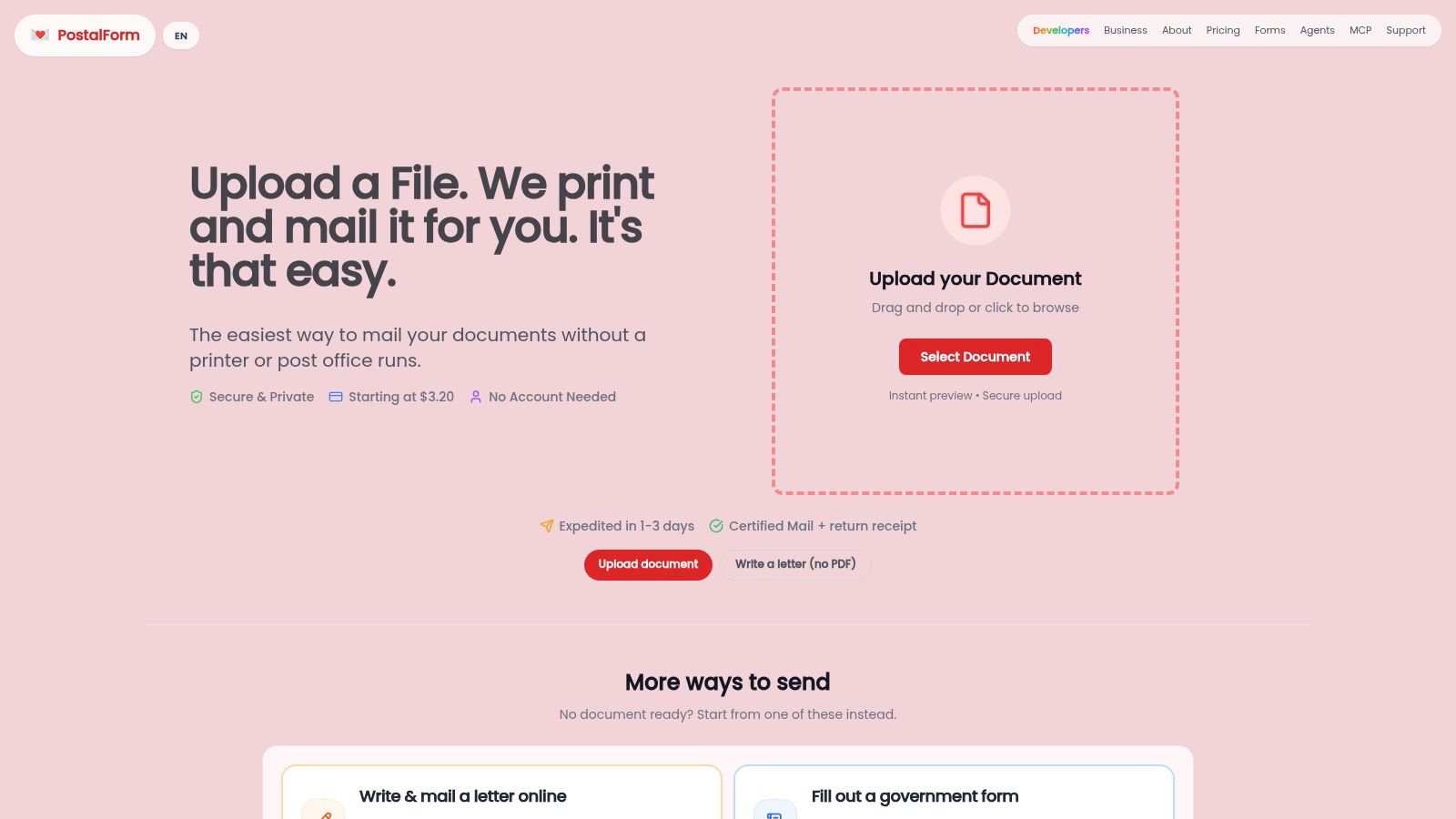
PostalForm is worth looking at when the actual problem is “I need to turn documents into mailed items quickly” rather than “I want to build a bespoke print platform from scratch.” Its model is aimed at converting digital documents and typed letters into physical mail, with document preparation, address validation where supported, printing, envelope preparation, postage, destination-aware routing, and carrier handoff handled in one place. For teams that need a practical path from digital file to posted item, that's a narrow but useful promise.
For a developer, the appeal is the combination of a browser workflow and an API workflow. The browser path works when a support team needs to send a one-off letter. The API path works when a Shopify Plus store needs the same sort of mailing to happen automatically, with test and live environments, final-price quotes, idempotent sends, tracking, and signed webhooks. If you want to inspect that API surface directly, PostalForm's print-and-mail API is the best starting point.
Where it fits and where it doesn't
PostalForm makes sense when the team's main pain is operational friction. If you need to mail supported destinations, handle personalised letters in bulk, or add physical correspondence to an application without maintaining a print room, it removes a lot of moving parts. It's also useful when a business wants a single workflow for document preview, pricing, and dispatch instead of stitching together separate print, postage, and tracking tools.
It's less compelling if your UK use case depends on tightly localised Royal Mail-only workflows, bespoke production logic, or custom fulfilment rules. In those cases, the right answer may still be a more specialised provider or a direct Royal Mail integration pattern. The key is to match the tool to the problem, not to force every mailing task through one product category.
Wiring It Into a Shopify Plus Store
A realistic Shopify Plus trigger is a high-value abandoned checkout, because that's where a physical recovery letter can still make sense. The logic is simple, when digital follow-up stalls, a printed reminder can be more visible in a household than another ignored email. That doesn't mean every abandoned cart deserves mail, but it does mean a subset of orders can justify a programmatic postal fallback.
A practical integration path
First, subscribe to the relevant Shopify webhook and filter for the order or checkout event you care about. Before you post anything to the print and mail API, validate the customer address against Royal Mail PAF, because Shopify validation alone won't catch every UK edge case. Royal Mail's own address database is the safer upstream gate, and if the address fails policy, the job should never reach print.
Then build the request with the provider's template ID, merge variables, and an idempotency key tied to the Shopify order or checkout token. Keep the body explicit and structured so retries don't create duplicate mailpieces.
POST /v1/jobs
Content-Type: multipart/form-data
Idempotency-Key: shopify-order-12345

template_id=recovery-letter-uk
recipient[first_name]=Ava
recipient[last_name]=Jones
recipient[line_1]=12 King Street
recipient[city]=Bristol
recipient[postcode]=BS1 4DJ
variables[order_number]=#10492
variables[discount_code]=WELCOMEBACK
A successful response should return a job_id and any dispatch or pricing metadata the provider offers. Store that alongside the Shopify order metafield or note so support can reconcile mailed recovery activity later. For the implementation pattern around third-party services in a Shopify stack, Shopify third-party integration services is a useful reference point.
Reconciling status back into Shopify
The cleanest pattern is webhook-first, with polling only as a fallback. When the provider emits proof-of-posting or proof-of-delivery, update the order record, then let your customer service team see that state in the admin. If you can't trust the callback, sign and verify the webhook before writing anything into Shopify.
Operational rule: never let “queued” become a permanent mystery state. If the job isn't moving, inspect the address payload, the template asset, and the environment key before anything else.
That matters because print workflows are only helpful if they're observable. A mailed letter that can't be tied back to an order, a customer, and a status event is just a paper expense with poor diagnostics. For UK merchants, the value is the blend of automation and evidence, not just the act of sending paper.
Why the UK Market Makes This Approach Relevant
UK merchants are dealing with a print and direct mail environment that's older, more fragmented, and more operationally awkward than many people assume. High-street print shops have been shrinking, corporate print rooms are thinner than they used to be, and Royal Mail's service structure adds enough complexity that a software layer starts looking less like a luxury and more like a control plane.
That's where API-driven mail earns its keep. Instead of having an admin build files, call a printer, and chase a dispatch update, a developer can wire a checkout event or a billing exception into an automated workflow. The business still gets a physical mailpiece, but the orchestration sits inside the systems the team already uses.
Where Royal Mail fits best
Royal Mail's developer tooling makes the case for combining print with tracking rather than treating them as separate universes. If your use case includes regulated notices, account letters, or proof-sensitive correspondence, the best pattern is often outbound print through a provider paired with Royal Mail visibility for what happens after dispatch. That gives support and compliance teams a cleaner record without forcing the merchant to own every mile of the postal journey.
It also helps with labour. One developer wiring a webhook removes the need for repeated manual envelope stuffing and list handling, which is exactly where the hidden cost sits in many mid-market workflows. The print itself may be cheap enough to overlook, but the handling time rarely is.
| Year | Traditional Direct Mail (bn items) | API-Triggered Transactional Mail (m items) |
|---|---|---|
| Not provided in verified data | Not provided in verified data | Not provided in verified data |
The table above is intentionally sparse because the brief doesn't provide the underlying statistics. What matters operationally is the direction of travel, more teams are moving the trigger into software and leaving the physical production to a service layer.
Troubleshooting the Most Common Failures
Most print and mail integrations fail in predictable ways. The good news is that the fixes are usually boring, which is exactly what you want in production. If you can diagnose the failure class quickly, you'll avoid spending a day blaming the wrong system.
The four failures that show up most often
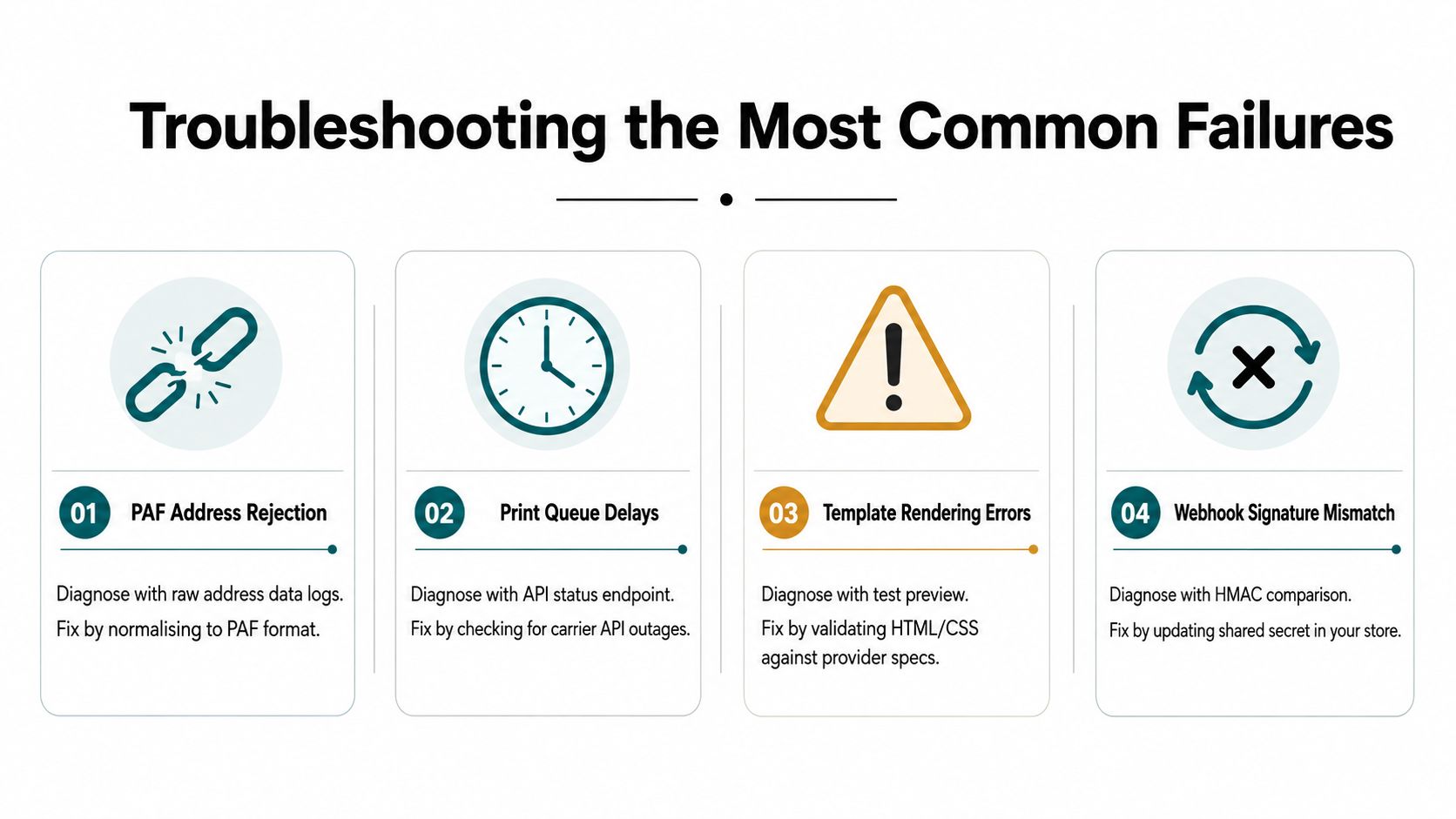
PAF address rejection usually comes from mapping a UK address into a single free-text field and hoping the provider will infer the rest. That's risky because a missing flat number or building name can pass Shopify's looser validation but still fail provider-side policy. The fix is to map into the vendor's structured schema and test with real UK edge cases, not just clean demo addresses.
Webhook signature mismatch tends to appear when a provider rotates secrets and your app still verifies against the old one. Check the signature algorithm, confirm the active secret in your app, and compare the raw payload rather than a parsed version. If the provider supports multiple webhook endpoints, mirror the secret change in staging first.
Template rendering errors often show up when merge variables include currency symbols or long strings that overrun the safe area on an A4 layout. Test with the exact content your customers will receive, then set width constraints and pre-encode the data before merging. The preview should be treated as part of the build, not a nice-to-have.
Jobs stuck in queued status usually point to one of two things, a missing recipient file or the wrong environment key hitting production. Check the submitted job payload, verify the sandbox and live credentials, and confirm the template asset was attached. If the provider has a status endpoint, use it before opening a support ticket.
Start with the raw payload, not the prettified version in your dashboard. That's where most print bugs reveal themselves.
A simple implementation checklist helps here. Validate addresses upstream, version your templates, sign your webhooks, and make sure every mailed item can be traced back to an order ID. If those four things are solid, most of the painful failure modes stay contained.
A Practical Implementation Checklist
A useful rollout starts with scope, not code. List the mailpiece types you need, the systems that hold the recipient data, and whether each send is transactional, compliance-driven, or recovery-oriented. That distinction determines template design, approval flow, and how much evidence you need after dispatch.
A sensible rollout sequence
- Map the inputs. Pull the recipient data from Shopify customers, ERP accounts, or CRM segments, then clean up the fields you'll need for a structured address and a stable merge.
- Shortlist vendors. Compare them on UK deliverability, dispatch transparency, pricing clarity, and webhook quality, then pick the one that survives a real batch test.
- Run sandbox validation. Test Royal Mail PAF matching, template rendering, and webhook signatures with fake data before you touch live recipients.
- Launch a small live batch. Keep it small enough to inspect manually, but real enough to prove the workflow from trigger to delivery status.
- Instrument the handoff. Write job IDs, order IDs, and delivery events back into Shopify so support and finance can see the full chain.
Operational readiness that pays off
The go-live checklist should include webhook URLs, idempotency keys, address validation thresholds, and a monitoring view for cost and exception rates. If the provider offers status callbacks for proof-of-posting or proof-of-delivery, wire them into the same record you use for the order timeline.
The best mail workflow is the one your team can explain in one minute during a support call.
Quarterly review matters too. Check undeliverable rates, review dispatch timings with your provider, and confirm your Royal Mail tracking or proof-of-delivery process still matches what the business needs. That's how a print and mail API stays useful after launch instead of turning into another forgotten integration.
If your UK store is ready to replace manual recovery mail, build the workflow into Shopify Plus and test it against Royal Mail address data before sending a single live letter. Grumspot can help you map the integration cleanly, wire the webhooks, and keep the print workflow observable from checkout to delivery.
Want this kind of work on your store?
Send us the URL and what is slowing it down. We look at the store before we reply.
Related posts
Check out some similar posts.

- ecommerce replatforming agency
Choosing an ecommerce replatforming agency? Learn what they do, replatforming signs, costs, timeline...
Read more
- Shopify maintenance agency
What is a Shopify maintenance agency and do you need one? Our 2026 guide covers services, pricing, h...
Read more
- Shopify AOV optimization
Boost your revenue with our Shopify AOV optimization guide. Discover actionable tactics, Plus-specif...
Read more
- conversion rate optimization for ecommerce
Unlock higher revenue with our guide to conversion rate optimization for ecommerce. Learn to audit, ...
Read more