Shopify Bundle Builder How to Build Bundles That Convert
- shopify bundle builder
- shopify bundles
- shopify CRO
- shopify plus development
- ecommerce bundling
Launched
September, 2026

A retailer launches a build-your-own gift box and watches basket value rise. Days later, the warehouse discovers that a popular variant has oversold, POS shows the wrong availability, and customer service cannot explain why reports contain one bundle line while fulfilment requires several component products.
That failure starts below the interface. A Shopify bundle builder changes how products are selected, priced, reserved, reported and fulfilled. It can also affect Shopify Markets and POS. A polished layout does not protect margin or customer trust when inventory synchronisation, tax treatment, order data or fulfilment logic are misaligned.
UK merchants are considering bundles while basket economics remain under pressure. UK ecommerce AOV was £122.02 in March 2026, down from £126.60 a year earlier, a year-on-year reduction of £4.58, according to UK-focused analysis of channel and bundling strategies. That analysis separately projects an 11.7% CAGR for the UK kitting and bundling market between 2025 and 2035. The first figure describes measured AOV movement; the second is a market forecast, not a historical result.
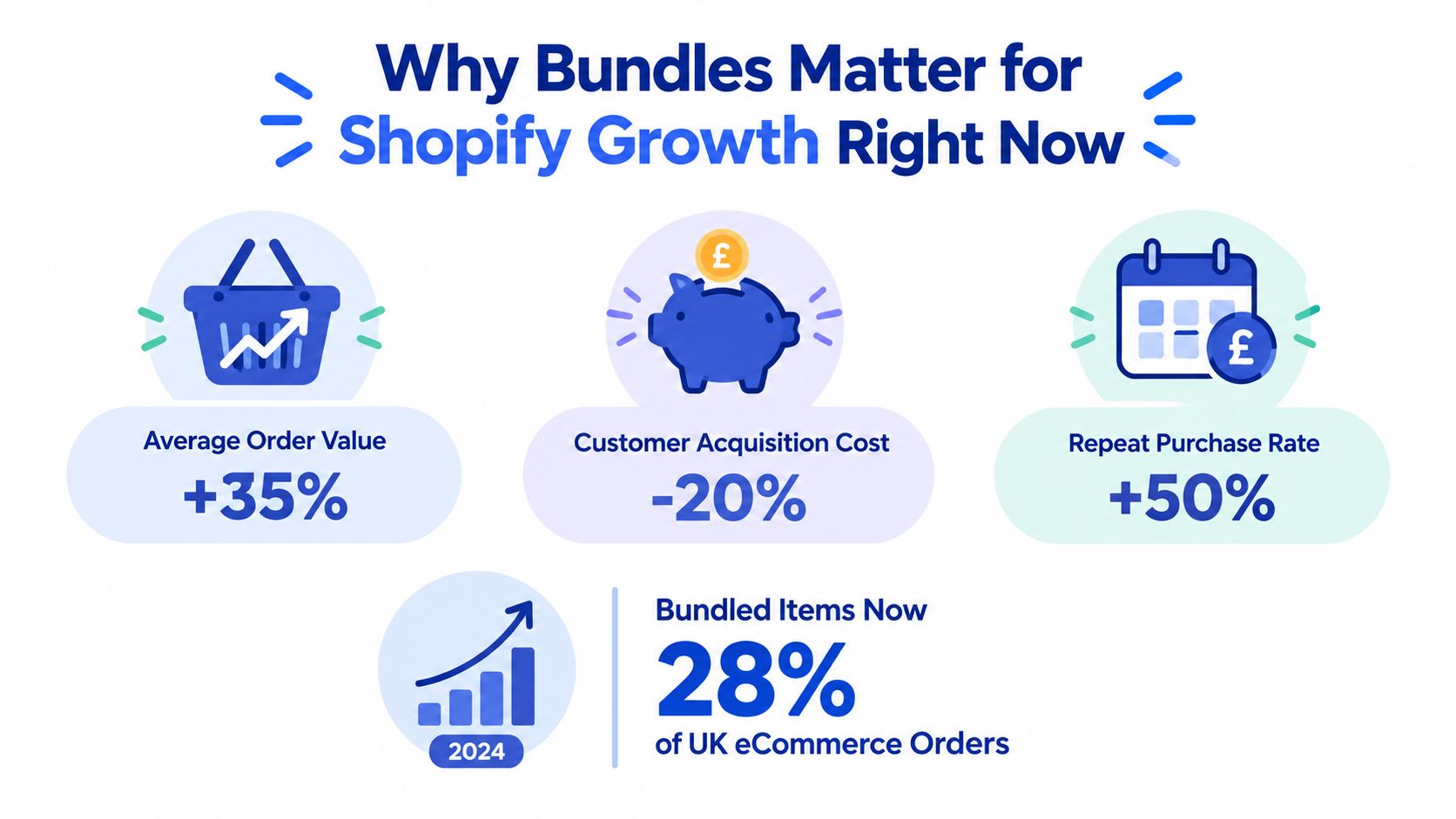
The commercial case starts with the basket
Independent UK retailers that adopted bundling strategies between 2022 and 2024 reported AOV increases of 25% to 40%, according to TheBusinessDesk's analysis of product bundles and margin pressure. Treat that range as reported trade evidence, not a universal benchmark. Bundles can also spread fixed fulfilment and acquisition costs across a larger basket. Premium food and drink, specialist pet products and niche beauty often suit the model because customers buy complementary items together.
Measure the operating result, not revenue alone. Track AOV delta, bundle attach rate, return rate by bundle, stock pressure and contribution margin. Sutton Commerce reports 20% to 40% AOV uplifts for bundle-led stores in its Shopify CRO guide, while mix-and-match offers can suit larger catalogues by retaining customer choice.
A bundle can support conversion, acquisition efficiency and merchandising. It can also expose weak inventory and pricing architecture quickly. The practical recommendations in this product bundling strategy guide help frame the offer, but the build path must match your catalogue, fulfilment process, reporting needs, Markets configuration and POS setup.
Practical rule: Define the inventory and reporting outcome before choosing the builder layout.
Understanding Bundle Types Data Models and Inventory Logic
The first build decision is not whether the bundle should use cards, tabs or a progress bar. It is what the bundle represents in Shopify. A fixed kit, a customer-configured box and a quantity break may look similar to a shopper, but they place very different demands on products, variants, inventory and fulfilment.
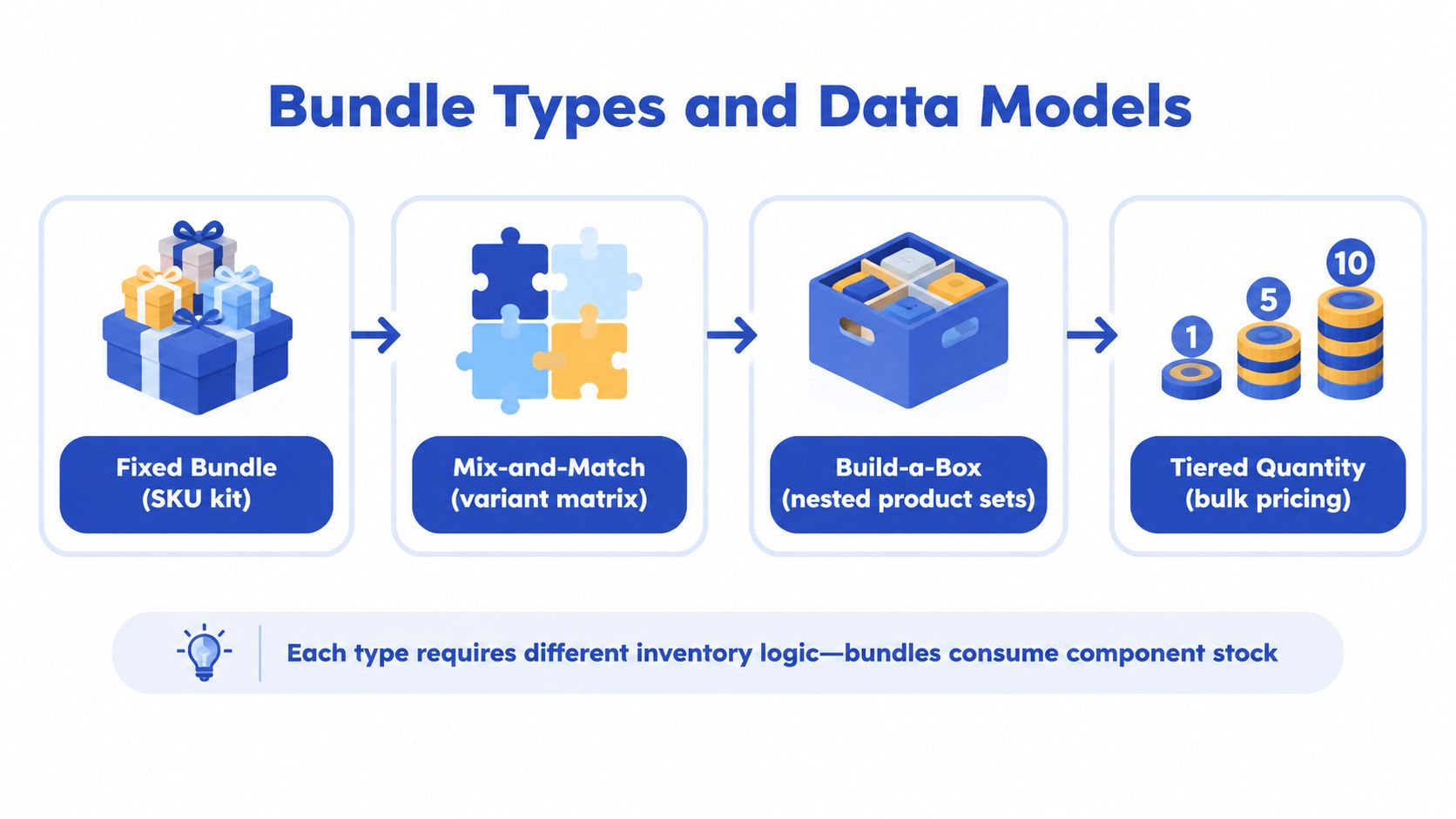
Four models with different consequences
Fixed bundles contain a predetermined group of products. A parent product can represent the offer, while the component products remain the items that the warehouse picks. This works well for a known skincare routine, a starter kit or a gift set where the contents never change.
Mix-and-match bundles let customers choose from a controlled product and variant matrix. The builder needs rules for minimum and maximum quantities, eligible products, eligible variants and inventory availability. The cart must preserve each selected component, even if the storefront presents the selection as one offer.
Build-a-box is a more structured version of mix-and-match. It commonly uses steps such as “choose a base”, “choose a flavour” and “choose an accessory”. Each step can have its own required quantity and product pool, which gives customers guidance without removing choice.
Tiered quantity bundles encourage shoppers to add more of the same item or a related group. The commercial rule might be based on quantity or subtotal, but the system still needs to identify exactly which lines qualify and prevent unrelated cart items from receiving the offer.
Virtual bundles versus kitted stock
A virtual bundle doesn't create a physical kit in advance. The order contains component lines, and inventory decrements from those component variants. This is usually the safer approach for configurable offers because the merchant doesn't need to maintain a separate stock count for every possible combination.
A kitted SKU represents a preassembled physical unit. It can simplify warehouse picking when the kit is packed and stored as one item, but it creates another stock record and requires a reliable process for component consumption during assembly. It can also create awkwardness if customers buy the same components separately.
The stock rule should be explicit:
- Reserve component inventory, not just the parent bundle record.
- Check variant-level availability before the customer adds the bundle.
- Revalidate at cart and checkout, because availability can change during the session.
- Send component detail to fulfilment, even when the customer sees a grouped cart line.
- Test each location, especially where stock is split between shops, warehouses and fulfilment partners.
Shopify Markets adds another layer. A bundle may need a different assortment, price or availability by market, and a component that is valid in one market may not be suitable in another. VAT treatment, local catalogue rules and currency presentation should be settled before the storefront work starts.
For stores selling online and in person, multi-channel inventory management on Shopify is relevant because the builder must respect the same stock truth used by POS and other sales channels.
Inventory should be the source of truth. The bundle interface is only a way of selecting eligible components.
Choosing Your Build Path App Custom or Hybrid With Shopify Functions
There are three sensible routes: install an app, build the experience yourself, or combine an app's transaction logic with a custom storefront layer. The right answer depends less on design ambition than on catalogue complexity, operational dependencies and discount requirements.
App-led implementation
An app is usually appropriate when the offer is conventional, the catalogue is manageable and the store needs to launch quickly. Shopify App Store tools can support fixed bundles, mix-and-match selection, quantity breaks, free gifts, dedicated bundle pages and product-page widgets. Many also provide inventory synchronisation and checkout discount logic without a long engineering cycle.
The risk is hidden in the edges. An app may display the right products but produce reporting that doesn't match your finance workflow. It may group lines in the cart in a way that complicates fulfilment, or its POS, Markets, subscription and discount-stack behaviour may not match the merchant's requirements. App blocks can also inherit theme styling poorly, creating a builder that feels bolted on.
Custom development
A custom build gives you control over the data model, user interface, pricing rules, analytics events and fulfilment payload. Shopify 2.0 theme app extensions can provide configurable placement, while Shopify Functions can enforce discount and cart behaviour closer to the platform's native flow.
Custom doesn't mean every concern disappears. Your team owns compatibility testing, admin tooling, accessibility, performance, deployment and ongoing changes to Shopify APIs. A custom builder is justified when the bundle is central to the proposition, the rules are unusual, or an app would force operations into workarounds.
Hybrid architecture
Hybrid builds often provide the best balance. A merchant can use an app or Functions for discount enforcement and inventory-aware cart behaviour, then develop a bespoke selection interface that matches the theme and customer journey. This avoids rebuilding mature platform integrations while preserving control over the high-value front-end experience.
| Build Option | Best For | Customisation | Operational Risk |
|---|---|---|---|
| App | Standard offers and fast launches | Low to medium | Medium, depending on POS, Markets and fulfilment support |
| Custom | Complex catalogue rules and distinctive bundle models | High | Medium to high, because maintenance sits with the development team |
| Hybrid with Shopify Functions | Branded UX with native discount enforcement | Medium to high | Lower than fully custom when the app and Functions support the required workflows |
Before selecting an app, test a complete order rather than only the preview. Add several variants, change quantities, apply an existing promotion, complete checkout, inspect the admin order, send it through fulfilment, and check the same products in POS. Ask whether the app creates a parent SKU, keeps component lines, or uses a virtual grouping mechanism.
For a Shopify Plus team, custom engineering becomes more attractive when the bundle must survive complex VAT treatment, market-specific assortment, multi-location stock and ERP or warehouse integrations. Grumspot builds bespoke Shopify bundle experiences with configurable admin controls, theme app blocks and customer-facing interfaces that can flow into standard Shopify checkout.
Designing and Building the Bundle Experience on Shopify 2.0
A bundle builder converts only when customers understand three things immediately: what they can choose, what they need to choose, and what the finished bundle costs. The interface should make progress visible without turning selection into a puzzle.
Start with the smallest useful decision. A fixed kit can use a compact product-page module. A large build-a-box catalogue deserves a dedicated page with filtering, clear steps and a persistent summary. A routine-based offer should guide customers through logical categories instead of presenting every possible component in one grid.
Structure the selection flow
Use product cards that show the product name, variant choice, availability, price treatment and a clear selection control. Don't hide size, colour or flavour selectors behind a second interaction if the choice affects inventory. If a product is unavailable, explain that state in the card rather than allowing a customer to complete the bundle and discover the problem later.
A useful flow has:
- A visible bundle summary: Show selected items, remaining selections and the current price.
- A simple progress state: Tell shoppers which required step is complete and which remains.
- A mobile-first control scheme: Keep the summary accessible without covering product content or the add-to-cart action.
- An honest stock state: Recheck availability after a variant changes and before submission.
- An accessible interaction model: Support keyboard navigation, readable focus states and meaningful labels.
The price should update as selections change. If the offer is fixed price, show the final price clearly. If the offer is tiered, show the threshold and the next benefit without suggesting that an unqualified discount has already been applied. Avoid a progress bar that encourages extra items while concealing delivery costs or the final payable amount.
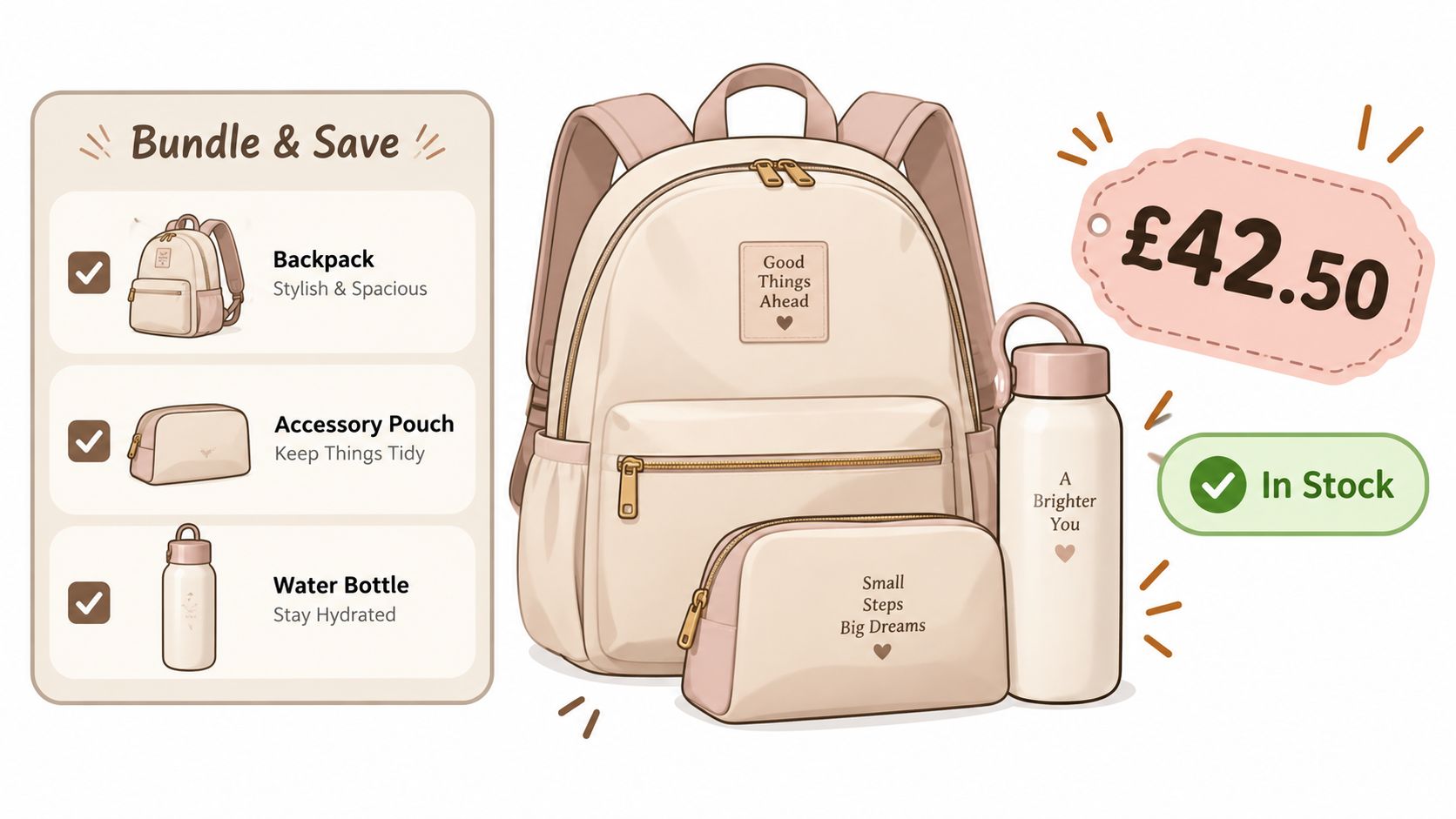
Map the UX to Shopify 2.0
A maintainable implementation commonly uses a Shopify 2.0 section or theme app extension for placement, metafields for merchant-managed configuration, and the Storefront API when the builder needs structured product and variant data. Keep merchandising inputs out of hard-coded JavaScript where possible. Merchants should be able to change eligible products, labels and bundle rules without waiting for a deployment.
Cart Transform Functions can group selected components into a cleaner cart presentation where the implementation supports it. Shopify Functions can enforce discount eligibility, quantity thresholds and exclusions. The important distinction is that a grouped presentation must not obscure the component lines required by inventory and fulfilment.
Use asynchronous loading carefully. A builder that blocks the rest of the page while it fetches a large catalogue feels slow, particularly on mobile. Load the initial selection set quickly, then add search, filtering and further products progressively. Track selection events, validation errors, abandoned builds and completed bundle adds as separate analytics events.
The final test must cover the entire journey. Confirm that the bundle behaves correctly in the cart, checkout, order admin, fulfilment workflow, customer email, POS and each relevant market. A front-end success message isn't proof that the order model is sound.
Pricing Discounting and Operations That Protect Margin
A bundle can raise items per order while cutting profit per item. Set the margin floor first, then choose the saving customers will see. A discount that looks strong in the product page can fail once tax, fulfilment, payment fees and shipping are included.
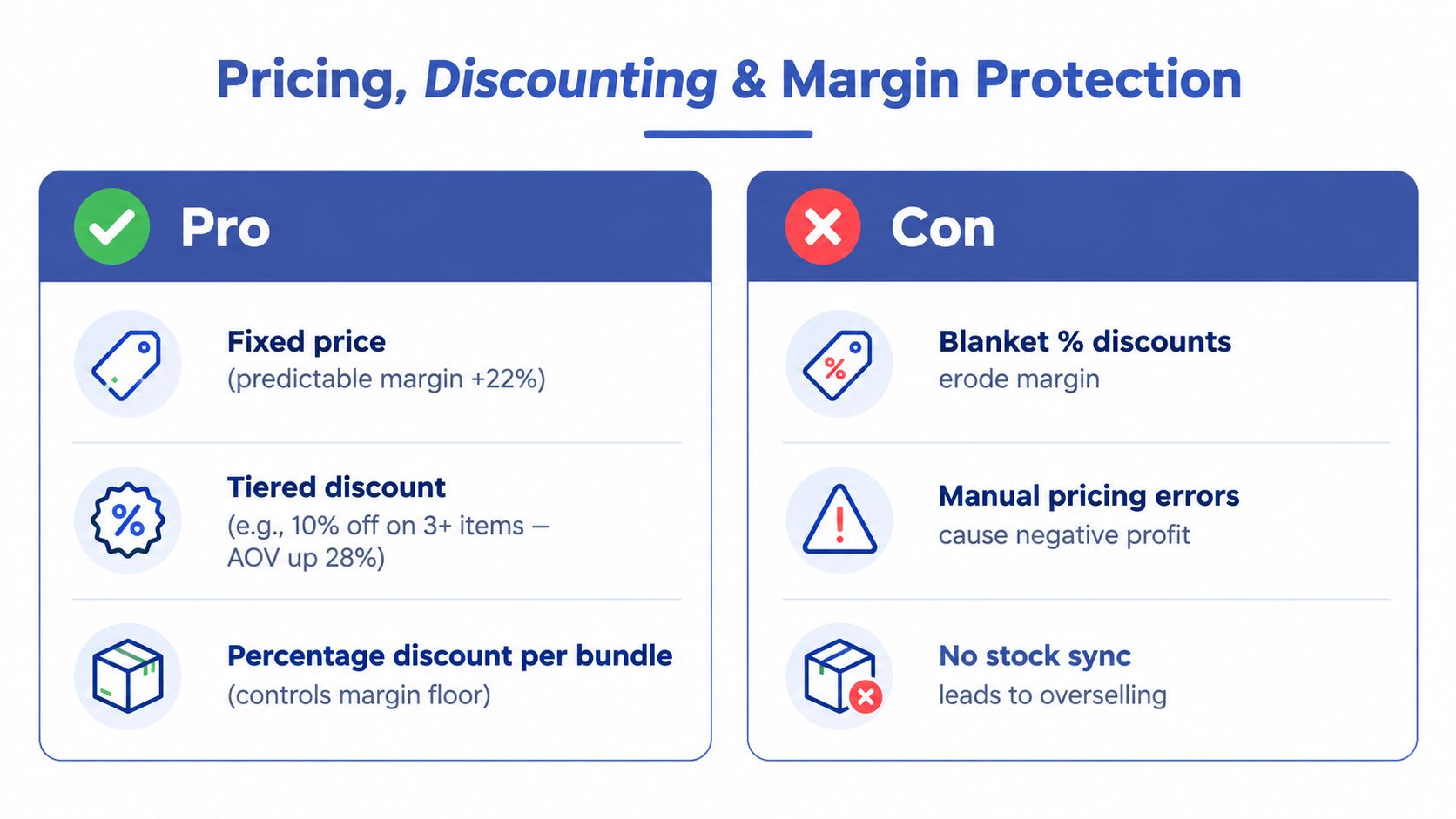
Pick the pricing mechanism deliberately
Fixed bundle pricing is predictable when the component combination stays stable. Calculate product cost, packing effort, shipping profile and expected returns before publishing the price.
Tiered pricing rewards extra quantity or spend and can raise basket size. Keep thresholds visible and limit which products qualify. Sutton Commerce reports that bundle programmes can raise conversion by 15% to 25%, with best-in-class cases reaching up to 40%. These are vendor benchmarks, not results from an independent study or a guarantee for an individual store. Its bundle AOV guidance also highlights the operational risks of complex rules, stock misalignment and weak take-rate tracking.
Percentage discounts become risky when component margins vary. Applying one rate across premium and low-margin products can steer shoppers toward combinations that lose money. Fixed prices, curated eligibility and per-component limits usually give better control.
Discounting is only one commercial lever. A gift, exclusive colour, early-access item or simpler delivery offer can add value without reducing every component's price. Check whether the bundle brings incremental products or shifts existing full-price purchases into a cheaper format.
Protect the order after the sale
Set guardrails in Shopify Functions where possible. Exclude already-discounted products, restrict qualifying lines, block unintended stacking and define what happens when a shopper removes a qualifying component. Show the rule in the builder, but keep the server-side function as the final authority.
VAT and shipping need separate verification. Components can have different tax treatment, while bundle pricing may require a reliable allocation across lines for tax and finance reporting. Weight, dimensions and packaging also change delivery cost. An unrestricted builder may create parcel profiles that standard shipping rules cannot handle.
For example, a Cart Transform function can present a bundle as one grouped offer while allocating its discount across the component lines. The order should retain each product, quantity, taxable value and fulfilment record, so VAT reporting reflects the actual contents rather than only the displayed group price.
Keep finance and operations reports readable. If the cart groups the offer visually, the order must still expose component products, quantities, prices, discounts and fulfilment information. Use 10% to 20% of orders as a practitioner planning benchmark for bundle take rate, not as a universal threshold. Then compare it with margin per order, stock exceptions, returns and the rate of customers who would have bought the same items without the bundle.
Testing Launching and Optimising Your Shopify Bundle Builder for Conversion
A bundle can convert well in the storefront and still fail at the warehouse, POS or finance team. Launch only after it passes two tests: shoppers must understand and complete the offer, and every connected system must receive an order it can process accurately.
Pre-launch checks
Run these scenarios with real products and variants:
- Selection rules: Test minimums, maximums, optional steps and duplicate quantities.
- Stock changes: Remove a component from stock during a session. Confirm the builder blocks the choice or refreshes the selection.
- Discount conflicts: Apply product, order and shipping promotions to verify stacking behaviour.
- Market behaviour: Test currency, assortment, price, VAT presentation and availability in every active market.
- Fulfilment output: Confirm the warehouse receives component lines, quantities and any required bundle identifier.
- POS behaviour: Add the offer in store and verify that inventory and reporting stay consistent.
- Mobile completion: Test sticky summaries, variant selectors, validation messages and checkout hand-off on a real device.
Test the operational path before tuning layout. A builder that looks correct in one market may send the wrong price to another, or group lines in a way that breaks fulfilment and reporting.
For conversion work, change one meaningful variable at a time. Compare a dedicated builder page with an on-page module, guided steps with a single catalogue grid, and fixed pricing with a clearly displayed tier. Track AOV change, attach rate, conversion lift, return rate by bundle and stock pressure together. A higher AOV is not a win if returns rise or fulfilment becomes unreliable. The practical principles in this Shopify conversion rate optimisation guide provide useful context for structuring those tests. If checkout friction remains high, use this resource to reduce cart abandonment with Crescade.
Use a 30, 60 and 90-day review
At 30 days, review technical errors, incomplete builds, stock failures and customer-service contacts. At 60 days, examine which components are selected together, whether the offer replaces full-price sales and how discounts affect contribution margin. At 90 days, decide whether to change the assortment, simplify the rules, add another bundle or remove the offer.
Keep the review tied to operational evidence. Check failed inventory updates, POS discrepancies, market-specific pricing issues, fulfilment exceptions and reporting quality alongside conversion metrics. A bundle that performs well online but creates manual corrections is not ready to scale.
The strongest bundle builders increase basket size while keeping pricing, inventory, checkout, reporting and fulfilment aligned.
Grumspot designs and develops Shopify bundle experiences, including custom builders, Shopify 2.0 theme integrations and connections across checkout, inventory and fulfilment. Visit Grumspot to discuss an implementation that fits your catalogue and protects the systems behind it.
Let's build something together
If you like what you saw, let's jump on a quick call and discuss your project

Related posts
Check out some similar posts.
- add to cart buttons
Actionable add to cart buttons guide for Shopify. Placement, copy, colour, mobile behaviour, accessi...
Read more
- opportunity prioritization matrix
Use this opportunity prioritization matrix to score and rank your Shopify growth ideas. Practical cr...
Read more
- headless shopify plus
Master your headless Shopify Plus implementation with our 2026 guide. Expert tips on building high-p...
Read more
- Shopify Plus custom bundle app
Build a Shopify Plus custom bundle app that drives revenue. Our end-to-end guide covers technical ar...
Read more