10-Step Shopify Store Launch Checklist for 2026
- Shopify Store Launch Checklist
- Shopify Launch Guide
- Shopify SEO Checklist
- Shopify Store Setup
- Shopify Plus
Launched
October, 2026
Your theme looks finished, products are loaded, and someone on the team wants to remove the password page today. That's exactly when launches break. A wrong weight inflates carrier rates, an untested wallet fails on Safari, consent blocks a purchase event, or an incomplete redirect map quietly loses rankings you spent years building.
A Shopify store launch checklist works only if it's sequenced by dependency, not by where settings sit in admin. Product data drives shipping and tax. Consent drives analytics. Domain and redirect decisions drive whether paid and organic traffic lands anywhere useful. Work through the ten stages below in order, assign an owner and due date to each task, and don't publish until the final QA pass is signed off.
Treat ecommerce as a primary channel, not an experiment. Online sales represented 27.8% of all Great Britain retail sales in June 2025, with average weekly internet sales of £2.6 billion, according to the House of Commons Library summary of ONS retail data. That scale sets the bar for mobile usability, checkout reliability, and measurement from day one. Niche stores face the same discipline, whether you're reading JewelryBuyDirect Shopify tips for a dropshipping range or migrating an established catalogue.
1. Configure Core Store Settings and Business Details
Start in Settings and lock the identity everything else inherits. Enter your store name, legal business name, registered address, contact email, sender email, currency, time zone, and units for weight and measurement. These fields feed checkout, invoices, tax calculations, packing slips, and transactional emails, so a typo here doesn't stay in one place. It shows up on customer receipts.
Choose your plan now, not later. Basic, Shopify, Advanced, or Plus affects staff permissions, reporting depth, carrier-calculated shipping, and checkout customisation. Upgrading mid-build to gain a feature you've already designed around is an avoidable delay.
What to document before you move on
- Legal name exactly as registered: Match tax and business registration documents character for character.
- Shared support inbox: Use a monitored team address, never a founder's personal email.
- Limited staff permissions: Give developers and agencies collaborator access, not store ownership.
- Single launch sheet: Record currency, units, tax regions, and owners so every stakeholder works from identical data.
A common failure signal is weight set to pounds while carriers expect kilograms. Catch it here, before products, rates, and labels multiply the error.
2. Set Up and Test Payment Gateways
Enabling Shopify Payments isn't the test. UK shoppers use multiple methods, and each fails differently. Card payments are used by 95% of shoppers, digital wallets by 73%, and buy-now-pay-later by 46%, according to DHL's 2025 UK country report on payment usage. Configure for that mix, then prove each route works.
Test UK-issued Visa and Mastercard cards, 3-D Secure and Strong Customer Authentication, Apple Pay, Google Pay, Shop Pay, PayPal, and any BNPL option you've approved for suitability. Use Shopify's Bogus Gateway for simulated orders first. Check our guide to choosing and configuring a payment gateway for Shopify when comparing providers.
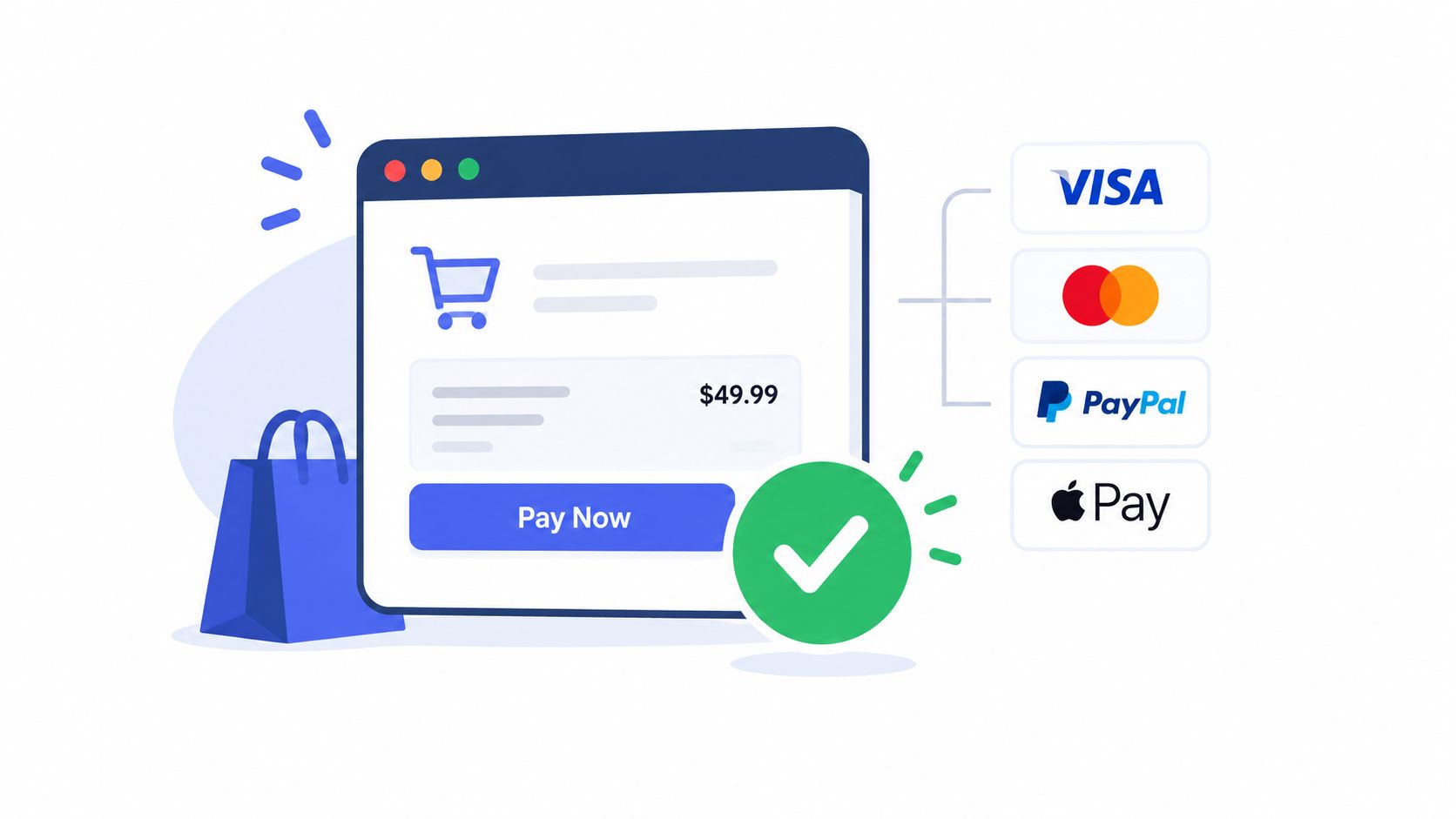
Don't trust a desktop pass. Repeat checkout on iOS Safari and Android Chrome, including declined cards, authentication failures, wallet fallbacks, discount stacking, partial refunds, and failed-payment recovery. Confirm payouts land in the correct bank account and settlement currency. A first-time customer should know who's charging them and recover from an error without restarting the order.
3. Configure Shipping, Taxes, Duties, and Markets
Shipping errors surface at the worst moment, after a shopper has decided to buy. 80% of British consumers abandon a purchase when their preferred delivery option is unavailable, and 75% leave when returns don't meet expectations, according to DHL's 2025 UK ecommerce trends research. Configure delivery as a conversion feature, not back-office admin.
Build shipping zones and rates, flat, weight-based, price-based, or carrier-calculated, then test checkout with real addresses in every zone. Enter accurate weight and dimensions for every SKU. Slow or missing carrier rates at checkout usually trace back to blank weights or an inactive location.

Confirm tax obligations with a qualified accountant before switching collection on. For international orders, decide DDP, where duties are included, versus DAP, where the customer pays on delivery. Unexpected duties are a classic abandonment and refusal trigger. If you're using Shopify Markets, set local currencies, pricing, and delivery promises per market, and display estimated delivery times on product pages and in the cart.
4. Connect and Secure a Custom Domain
Your myshopify.com address is for development. Customers, search engines, and ad platforms need your branded domain, with SSL active on every page. Buy through Shopify or connect an existing domain from another registrar, then use the exact DNS records shown in Shopify admin. Don't copy values from an old guide or a previous platform.
Set one primary domain and confirm every variant redirects to it, including www and non-www versions. Migrating merchants usually keep their existing domain and point it to Shopify after the rebuild, which preserves backlinks and customer familiarity, but only if propagation is planned properly. If you're weighing registrar costs, see our breakdown of Shopify domain pricing and transfer options.
Practical rule: Change DNS during a low-traffic window, keep the old site live until propagation completes, and never overwrite MX, SPF, or DKIM records while you're there.
Verify the padlock appears across product, collection, cart, and account pages. Send a test email from your domain after the change. Broken email authentication is a silent failure that surfaces as missing order confirmations.
5. Select, Customize, and Structure the Storefront Theme
Pick an Online Store 2.0 theme that fits your catalogue depth, then customise it. Rebuilding a theme to prove originality wastes launch budget. Dawn works as a fast, well-documented baseline that many DTC brands adapt with custom sections, typography, and product page modules. Premium themes earn their cost when built-in features replace apps you'd otherwise maintain.
Watch a practical walkthrough of theme setup decisions before you commit to heavy customisation:
Keep navigation scannable, with a few clear top-level categories that match how buyers think. Build About, Contact, FAQ, Size Guide, and Shipping Information pages before launch, not after support tickets force you to. Test every template on a real phone, including filters, variant selectors, sticky add-to-cart, and cart drawer behaviour.
Duplicate your theme before major edits and review changes on a staging copy with a preview link. Apparel brands comparing fulfilment models can also compare print on demand partners before locking product page templates around production timescales.
6. Build the Product Catalog, Collections, and Inventory
Bad product data breaks everything downstream. Search, filtering, shipping rates, fulfilment, and returns all depend on accurate titles, variants, SKUs, barcodes, prices, weights, and inventory by location. Standardise naming and SKU formats before any CSV import, then test a small batch end to end before importing the full catalogue.
Apparel stores typically pair size and colour variants with smart collections driven by tags or product type. That works until tags are inconsistent. Audit them. One product tagged "T-Shirts" and another "TShirts" creates a collection gap customers experience as missing stock.
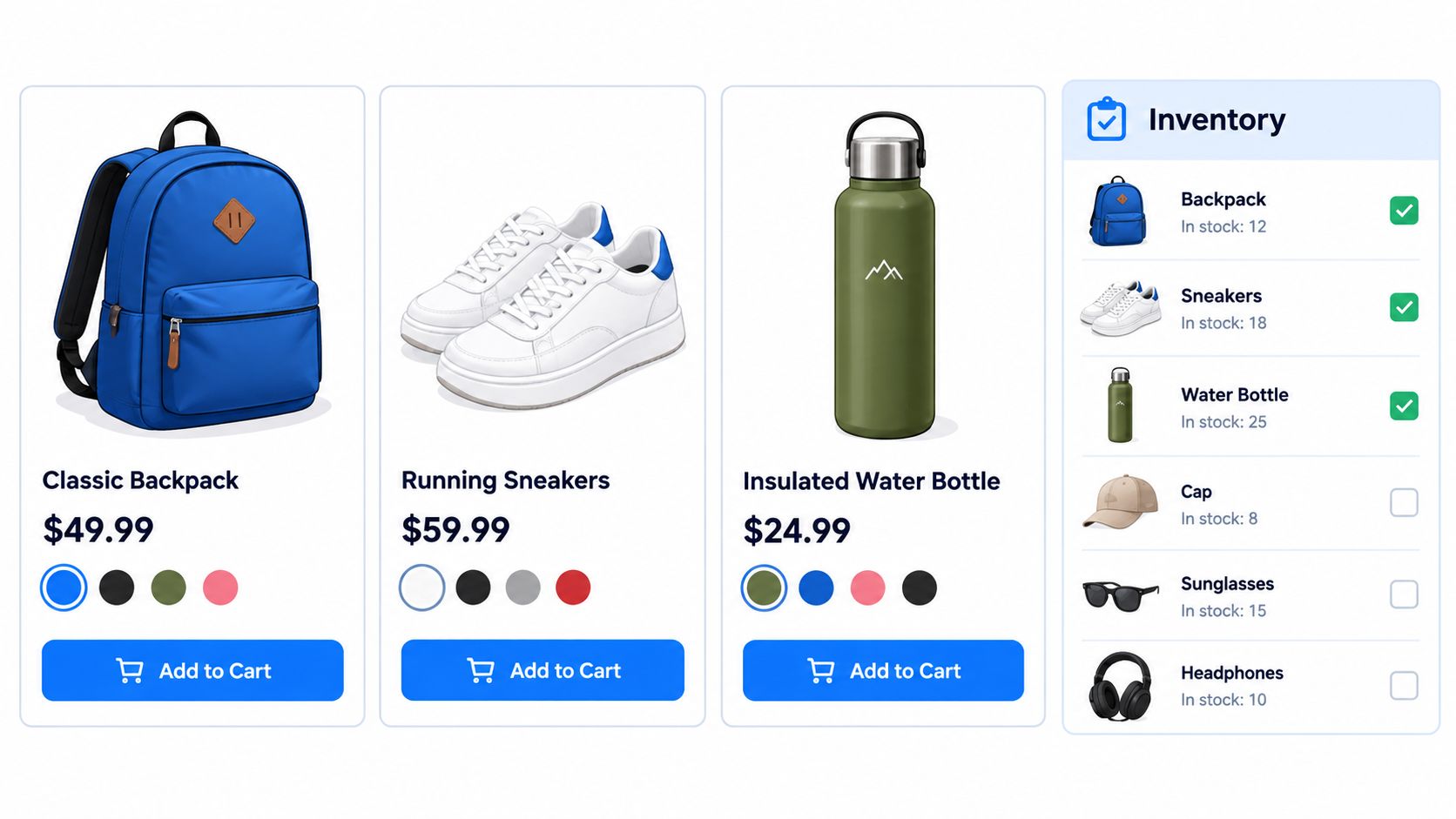
Write unique descriptions instead of copying manufacturer copy, add descriptive alt text to every image, and check each variant has the right price, image, and stock count. Enable continue selling when out of stock only where backorders are genuinely intended. For fashion imagery at scale, tools covering ai model outfit e-commerce can support presentation, but they don't fix incorrect variant data underneath.
7. Publish Legal Policies and Ensure Privacy Compliance
Generate starter policies under Settings, Policies, then have legal counsel review them for your jurisdiction. Publish your privacy policy, terms of service, refund and returns policy, and shipping policy, and link them in the footer, at checkout, and in confirmation emails. State your return window and condition requirements on product pages, where buying decisions happen.
Configure cookie consent under Settings, Customer privacy before you add analytics or ad pixels. Retrofitting consent after tracking is live creates messy data and compliance exposure. Document every third-party tool that collects personal data so your privacy policy stays accurate as apps change.
Accessibility belongs in this gate too, not in a later UX backlog. The European Accessibility Act began applying on 28 June 2025 to covered services including ecommerce, as explained in Quivo's summary of the European Accessibility Act for online sellers. UK brands selling into the EU should test keyboard navigation, focus order, screen-reader labels on variant selectors, contrast, zoom, and accessible error messages before launch.
A checkout that only works with a mouse and perfect vision isn't finished, however polished it looks in a design review.
8. Install Essential Apps and Configure Analytics and Tracking
Every app adds JavaScript, data collection, and another failure point. Install only what launch requires: Google Analytics 4, your ad pixels, Google Merchant Center, email marketing, reviews, and support tooling. Audit the app list before go-live and remove anything installed "just to try." Leftover code from deleted apps is a common cause of slow templates.
Verify events, don't assume them
- Purchase fires once: Place test orders and confirm you don't see duplicate purchase events in GA4 or Meta Events Manager.
- Full funnel coverage: Validate view_item, add_to_cart, begin_checkout, and purchase with consent accepted and declined.
- Merchant Center early: Connect your feed well before launch, since product approval can take several days.
- Speed after install: Re-test key templates after each app, not after all of them.
Stores running paid social should reconcile Meta conversion counts against Shopify orders in the first days after launch. A mismatch usually means consent settings, duplicate tags, or a pixel firing on the thank-you page refresh. Fix tracking before scaling spend, because platforms optimise toward whatever signal you send them, correct or not.
9. Establish the SEO Foundation Before Launch
SEO losses at launch are rarely about keywords. They're about redirects, indexability, and templates. Merchants migrating from Magento or WooCommerce lose rankings when URL mapping is incomplete, so export every URL from the old site and map each one to its closest new destination with a 301 redirect. Test high-traffic and high-revenue URLs individually. A redirect to the homepage isn't a mapping strategy.
Write unique titles and meta descriptions for products, collections, and key pages. Shopify auto-populates these if you leave them blank, which rarely matches search intent. Validate product structured data with Google's Rich Results Test and check price, availability, and review markup render correctly.
Our guide to running a technical SEO site audit before migration covers the crawl checks worth repeating here. Confirm no noindex tags remain on pages that should rank, verify /sitemap.xml lists your canonical URLs, and prepare Google Search Console and Bing Webmaster Tools for submission on launch day. Keep the password page in place until you're ready, then confirm pages are indexable immediately after removal.
10. Complete End-to-End Testing and Execute the Go-Live
Run structured QA as a first-time buyer, in an incognito window, not logged in as admin. Test on iOS Safari, Android Chrome, and desktop Chrome, Firefox, and Edge. Walk the full path: homepage, collection, filtering, product page, variant selection, cart, discount code, checkout, confirmation, account creation, and every transactional email on mobile and desktop.
Trust deserves its own test cases. More than half of respondents in UK survey data had abandoned a purchase because of security fears, and nearly 60% wouldn't pay on an unfamiliar site, as reported in Green Sheet's coverage of UK checkout abandonment research. Check merchant identity, payment hierarchy, fraud messaging, and error recovery as deliberately as you check successful orders.
Measure Core Web Vitals, especially Largest Contentful Paint of 2.5 seconds or less, on real mobile conditions rather than office Wi-Fi. Confirm 404 pages, forms, and contact routes work. Then place one real-card order in the live store, refund it, disable password protection under Online Store, Preferences, and keep a rollback theme ready.
10-Point Shopify Store Launch Checklist Comparison
| Shopify Launch Task | Implementation Complexity 🔄 | Resource Requirements | Expected Outcome 📊 | Ideal Use Case 💡 | Key Advantage ⭐ |
|---|---|---|---|---|---|
| Core Store Settings and Business Details | Low; mostly admin configuration | Business details, plan decision, staff access setup | Accurate checkout, invoices, tax settings, and reporting | Every new store or major business change | Prevents downstream errors and supports secure team access |
| Payment Gateways | Medium; setup plus end-to-end testing | Payment provider, bank details, test orders | Customers can pay; checkout and payment flows are verified | All stores, especially those selling across regions | Express wallets can reduce checkout friction ⚡ |
| Shipping, Taxes, Duties, and Markets | High; rules vary by location and product | Shipping rates, product weights, tax guidance, regional settings | Clear checkout costs and localized selling options | Stores shipping across multiple zones or countries | Transparent costs can reduce checkout abandonment |
| Custom Domain and Security | Low to medium; DNS changes may take time | Domain access, DNS configuration, SSL verification | Branded, secure storefront URL with redirects | Stores preparing for public launch or migrating domains | Builds trust and supports secure browsing ⭐ |
| Theme and Storefront Structure | Medium; complexity rises with custom code | Theme, product and brand content, design review, device testing | Branded, navigable storefront optimized for shoppers | Stores shaping their customer experience and product discovery | Flexible sections allow many edits without code |
| Product Catalog, Collections, and Inventory | Medium to high; workload depends on catalog size | Product data, images, SKU and inventory records; CSV tools for bulk imports | Accurate product pages, stock levels, and categorization | Stores with multiple products, variants, or locations | Better product data supports discovery and fulfillment accuracy |
| Legal Policies and Privacy Compliance | Medium; templates need business and jurisdiction review | Policy content, consent settings, potentially legal advice | Clear customer terms and privacy practices | All stores, particularly those serving regulated markets | Helps set expectations and reduce disputes |
| Essential Apps, Analytics, and Tracking | Medium; requires integration and event validation | Selected apps, analytics accounts, tracking configuration | Performance and conversion activity can be measured | Stores using advertising, email marketing, or customer support tools | Enables campaign measurement while focused app use limits overhead ⚡ |
| SEO Foundation | Medium; migrations require additional mapping | Metadata, Search Console, sitemap checks, redirect map if applicable | Improved crawl readiness and protection of existing search traffic | New stores and stores migrating from another platform | Redirect planning can help preserve search equity |
| End-to-End Testing and Go-Live | High; broad QA across devices and journeys | Test orders, browsers/devices, monitoring and rollback plan | Verified purchase flow and a more controlled launch | Every store before removing password protection | Catches critical issues before they affect customers ⭐ |
Launch, Watch and Improve
Launch is the start of measurement, not the end of the project. Keep the store password-protected until every checklist owner signs off, then watch orders, payment capture, analytics, customer questions, and site errors intensively for the first 24 to 72 hours. Many teams soft-launch to an email list or limited audience first, which is a sensible trade-off. You sacrifice a big announcement moment, but you gain real orders, real devices, and real support questions while the blast radius is still small.
Reconcile Shopify orders against payment payouts daily in the first week. Confirm purchase events still fire once per order, check that consent choices aren't wiping out attribution, and segment performance by device, landing page, and template. Record every issue, even minor ones, in a post-launch log with an owner. The small annoyances customers report in week one, a confusing delivery message, a discount that won't stack as expected, a filter that hides in-stock variants, are usually your highest-return fixes.
Plan for volatility and peaks rather than judging the launch on a single day. ONS data recorded £2.8 billion in average weekly internet sales in October 2025, equivalent to 28.1% of total retail sales, according to the ONS retail sales bulletin for October 2025. Demand at that scale rewards stores that tested inventory synchronisation, promotion conflicts, payment-failure recovery, and fulfilment integrations before traffic arrived, not during a campaign.
Set your measurement baseline now: conversion rate, average order value, traffic source, device mix, checkout completion, and online revenue share. Without a baseline, you can't tell a technical problem from normal demand fluctuation, and every stakeholder will argue from anecdote. Review those numbers weekly, fix the largest leak first, and resist redesigning pages that haven't collected enough data to judge.
If your build involves a platform migration, multiple markets, subscriptions, or Shopify Plus checkout customisation, the sequencing in this Shopify store launch checklist matters even more, because each dependency multiplies the cost of a late change. Grumspot can support design, development, migration, SEO, and CRO work for complex builds, turning the checklist into an owned, testable launch process rather than a document nobody follows. Whether you run it in-house or with a partner, the principle stays the same: publish when the evidence says you're ready, then keep improving from real customer behaviour.
If you're planning a new Shopify build, migration, or relaunch and want each dependency tested before it costs you sales, Grumspot provides Shopify and Shopify Plus design, development, migration, SEO, and CRO support. Visit Grumspot to discuss your launch timeline and get a clear plan for going live with confidence.
Let's build something together
If you like what you saw, let's jump on a quick call and discuss your project

Related posts
Check out some similar posts.

- shopify website examples
Explore 7 Shopify website examples and learn the UX, conversion features, and practical lessons merc...
Read more
- cro best practices
Apply cro best practices to Shopify stores with 10 actionable tactics for testing, product pages, ch...
Read more
- ecommerce subscription platform
Learn how an ecommerce subscription platform works, which models drive retention, and how to choose,...
Read more
- ecommerce replatforming agency
Choosing an ecommerce replatforming agency? Learn what they do, replatforming signs, costs, timeline...
Read more