Technical SEO Site Audit: Your Complete Ecommerce Checklist
- technical seo site audit
- ecommerce seo checklist
- site audit workflow
- shopify seo audit
- core web vitals

73% of more than 150 audited UK websites had Core Web Vitals failures, 61% had crawl budget issues, and 44% had structured data errors according to independent audit material published in 2026 and cited by Sibley Digital's technical audit research. That's the right way to frame a technical SEO site audit for ecommerce. Not as a tidy checklist. As a fault-finding exercise across the parts of the stack that stop products, collections, and international storefronts from being discovered, rendered, and understood.
On Shopify and Shopify Plus, the biggest audit mistake is treating every issue as equal. They aren't. A duplicate meta description on a filtered collection isn't in the same class as a broken canonical cluster, a JavaScript-heavy PDP template, or a sitemap that includes URLs Google won't keep indexed. Engineers who fix stores every week tend to see this quickly. The work isn't to produce a longer spreadsheet. The work is to isolate the few technical failures that keep repeating across the templates that matter.
Why Most Ecommerce Audits Miss the Real Issues
A lot of audits fail before the first fix gets shipped. The pattern is familiar. Run Screaming Frog, export a few hundred rows, colour-code the sheet, and call it done. Then nothing changes because the issue log doesn't reflect how the store is built.
UK ecommerce data shows how misleading that can be. A 2025 report found an average Lighthouse Performance score of 0.53/100 and an SEO score of 0.92/100 across UK e-commerce sites, which is a sharp reminder that stores can look acceptable on basic SEO checks while still being badly broken on speed and UX according to the UK ecommerce industry report.
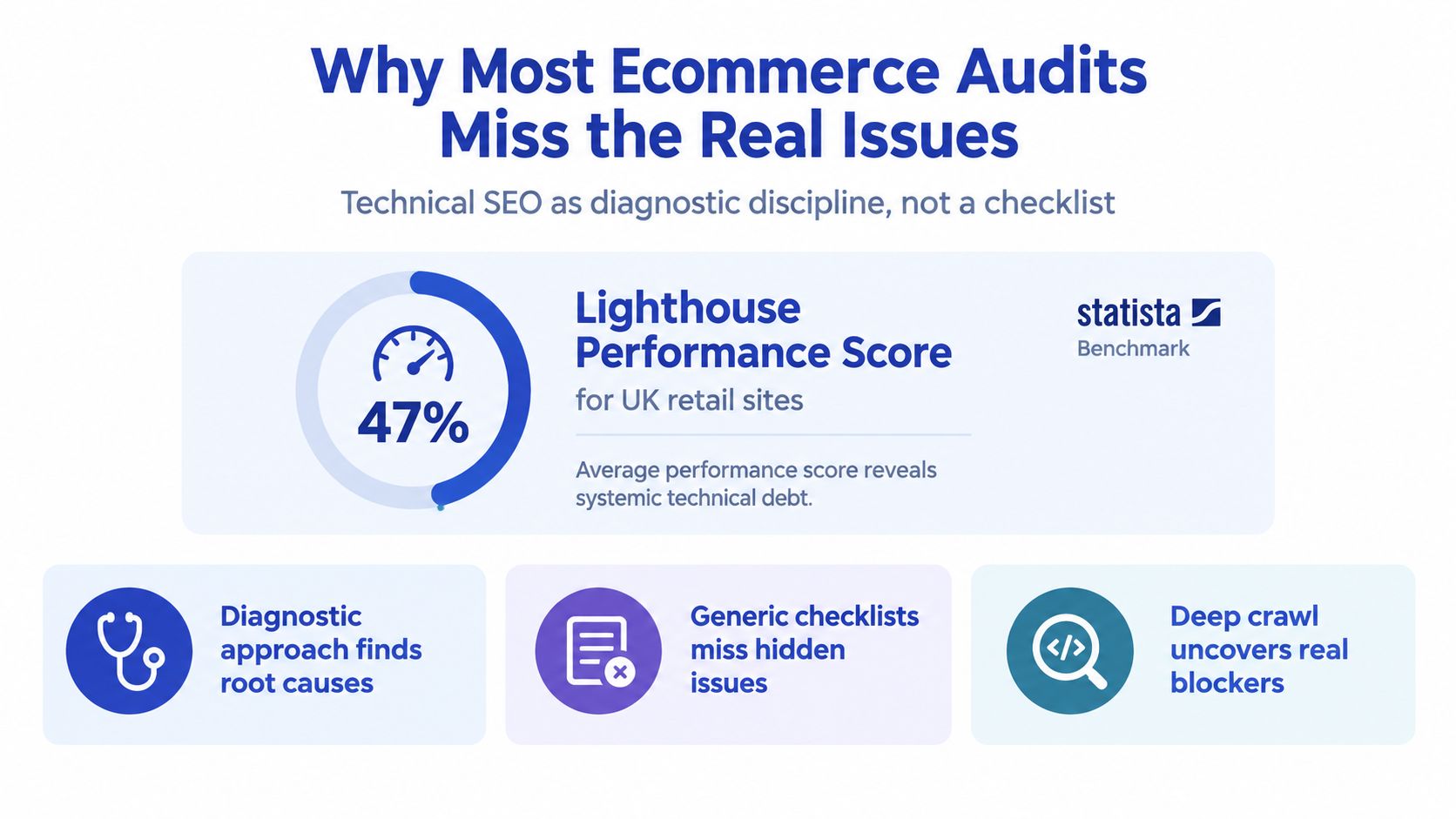
The three layers that usually matter first
On ecommerce builds, the same three layers dominate serious findings:
- Performance problems: slow collection pages, bloated product templates, blocking third-party scripts, unstable layout shifts
- Crawl and indexation faults: noindex mistakes, duplicate URL paths, parameter sprawl, orphan products, broken sitemap hygiene
- Schema integrity issues: invalid product markup, mismatched price or availability, breadcrumb gaps, broken merchant signals
That's why a useful audit starts with systems, not symptoms. If the PDP template is slow because review widgets, app blocks, and variant scripts all compete on the main thread, fixing five isolated URLs won't hold. If collection filters generate low-value URLs that self-canonicalise badly, updating metadata won't rescue indexation.
What an engineering-led audit looks like
A proper technical SEO site audit treats findings as hypotheses to test against templates, apps, and platform constraints. Shopify stores have recurring failure modes. Theme app extensions inject scripts where they shouldn't. International storefront logic confuses canonicals. Collection templates inherit old pagination rules. Feeds and sitemaps expose pages nobody wants crawled.
Practical rule: if a finding can't be tied to a template, app, feed, config file, or rendering path, it usually won't get fixed properly.
That's also why I prefer audits grounded in implementation detail. The most useful technical SEO audit insights are the ones that define what gets checked, then connect those checks to underlying site behaviour instead of dumping generic warnings.
What usually wastes time
Three things tend to burn hours without changing outcomes:
- Over-auditing cosmetic issues when the collection and product templates are the blockers.
- Treating crawler exports as truth without checking Search Console and sitemap behaviour.
- Chasing site-wide perfection before fixing the handful of URL groups that carry revenue and organic landing traffic.
A good audit narrows focus. It asks which failures affect home, collection, product, blog, and international templates differently. It asks whether the platform can fix the issue centrally or whether the fault sits inside an app, headless layer, or edge rule. That's where work starts.
The Crawl and Indexation Reconciliation Pass
The first pass I trust is reconciliation, not issue counting. Crawl the site as it exists, then compare that version of reality against the URLs the site says matter and the URLs Google has chosen to index.
UK audit guidance recommends a two-pass crawl and a cross-check between crawler discovery, XML sitemap URLs, and Google Search Console indexation so accidental noindex rules, blocked resources, and robots.txt mistakes surface early in the workflow according to this UK technical audit checklist.
How to run the pass
Start with a fresh crawl in Screaming Frog or Sitebulb using the user-agent you care about. For Shopify stores, I usually run one normal crawl and keep a second configuration ready to ignore robots.txt later if I suspect hidden debt.
Then compare four sources:
- Crawler discovery: what the bot can reach through links and crawl paths
- XML sitemap inventory: what the site declares as canonical, index-worthy URLs
- Search Console Pages report: what Google indexes, excludes, or crawls but declines to keep
- Manual file review: robots.txt, sitemap index, and any edge or redirect config available to engineering
Read these files by hand
Don't outsource judgement to the tool.
- Robots.txt: look for broad disallow rules, weird path handling, stale sitemap declarations, and anything inherited from an old migration
- Sitemap index and child sitemaps: check whether the included URLs are canonical, current, and worth indexing
- Redirect or edge rules: identify path rewrites, locale handling, trailing slash behaviour, and old collection or product path logic
The hand check matters because crawl noise and real bugs look similar in exports. A filtered collection excluded on purpose is one thing. A product family missing from the sitemap because of app logic is another.
Crawl-to-Index Reconciliation Signals
| Signal | What to Compare | What It Reveals |
|---|---|---|
| Sitemap vs crawled delta | URLs in sitemap against URLs discovered by crawler | Missing internal links, orphan URLs, hidden sections, or bloated crawl paths |
| Indexed vs crawled delta | Search Console indexed URLs against crawler-discovered URLs | Pages reachable by crawl but not accepted into the index |
| Excluded clusters | Search Console exclusion types against template groups | Whether problems are isolated or template-wide |
| Soft 404 patterns | URLs flagged in Search Console and crawler content checks | Thin filter pages, expired products, bad internal routing |
| Orphan product URLs | Product URLs in sitemap or exports not found in crawl | Merchandising or internal linking failures |
| Pagination anomalies | Paginated collections against canonical and index states | Infinite crawl paths, self-canonical errors, poor collection handling |
A lot of teams also benefit from reviewing XML sitemap best practices before they decide whether the sitemap is helping discovery or mirroring technical clutter.
If sitemap totals, crawler discovery, and indexed pages tell three different stories, believe none of them in isolation.
What a useful output looks like
By the end of this pass, you should have a short list of URL classes that need investigation. Not “1,200 warnings”. More like:
- product URLs present in the sitemap but absent from crawl paths
- collection filters discoverable to bots and polluting canonical signals
- paginated sets that should stay crawlable but not compete as landing pages
- exclusion patterns that map to a single app, template, or market configuration
That's enough to move into architecture decisions with context.
Site Architecture, Canonicals and Redirect Hygiene
Crawl budget gets discussed far too early on small stores. For many ecommerce sites, it isn't the thing holding rankings back. UK-focused guidance makes that distinction clearly. Crawl budget is rarely the bottleneck below roughly 5,000 URLs, while parameterised URLs, soft 404s, and redirect chains become the issue on larger catalogues with faceted navigation, as noted in this UK business guide for technical audits.
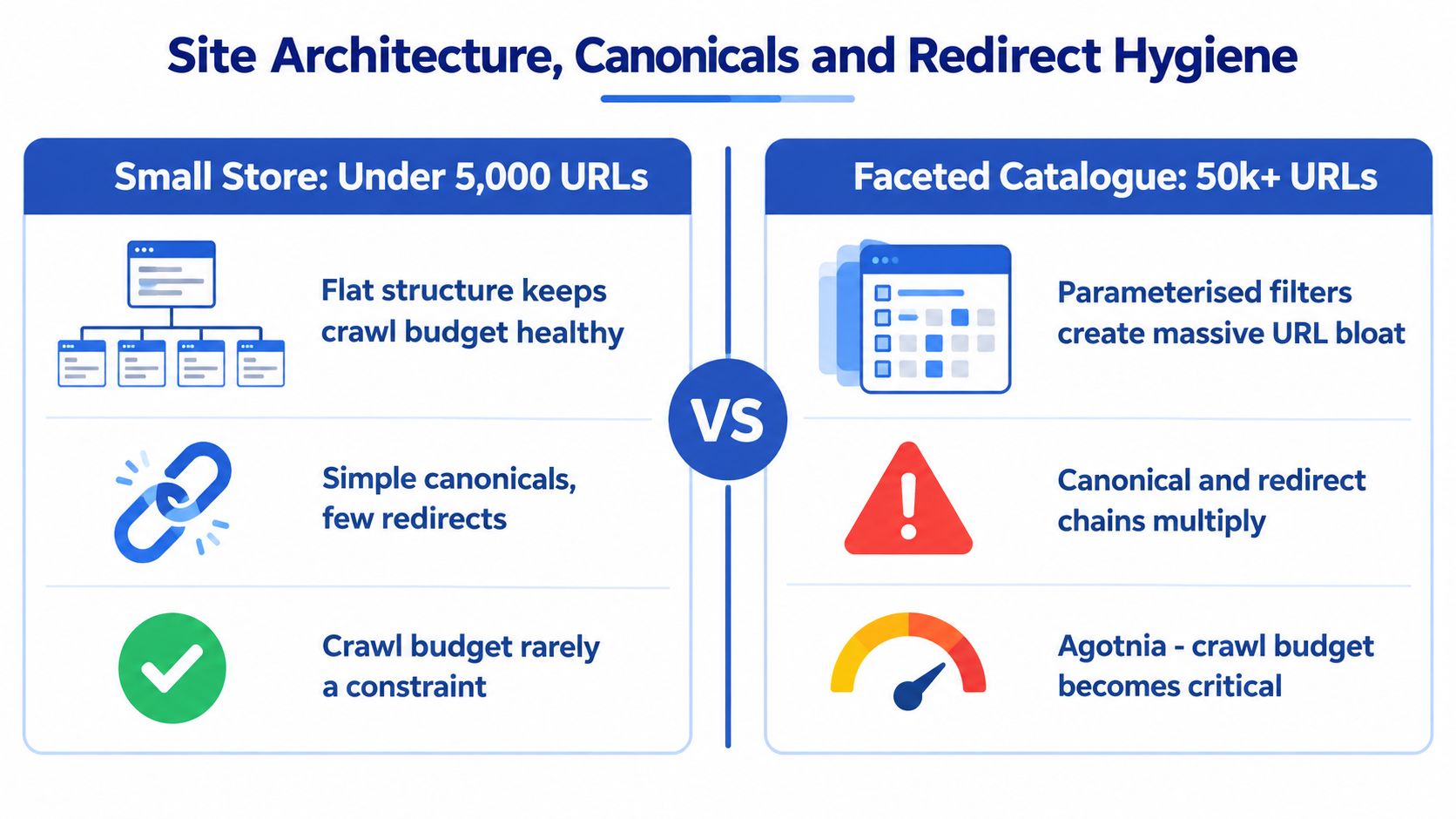
Small store versus faceted catalogue
For a smaller Shopify catalogue, the architecture goal is usually simple. Keep important collections close to the homepage, avoid duplicate product paths, and stop apps from creating unnecessary URL variants. If the store has a flat structure and clean internal linking, crawl budget usually isn't the binding constraint.
For larger catalogues, especially those with aggressive faceting, the problem changes. Filters for size, colour, stock state, sort order, price bands, and localisation can create huge numbers of low-value URLs. That's when audit priorities move away from neat architecture diagrams and into ruthless control of indexable states.
Canonicals that fail in the real world
On ecommerce stores, canonical errors rarely happen in isolation. They show up when variant logic, currency switching, and international routing all collide.
Common examples include:
- Variant URL drift: size or colour selections create alternate URLs that self-canonicalise when they should consolidate
- Locale mismatch: the UK page canonical points to another market's version because market configuration or head logic is wrong
- Filtered collection canonicals: sort and filter URLs point to themselves instead of the clean collection landing page
- Paginated confusion: page two and beyond canonically reference unstable paginated URLs without a clear purpose
These aren't theoretical issues. They alter what Google treats as the authoritative version of a product or collection.
This walkthrough is a useful visual primer before reviewing redirect patterns in your own crawl:
Redirect hygiene that actually matters
I care less about the existence of redirects than about where they sit in core journeys. Redirect chains on old blog URLs are annoying. Chains on collection handles, product paths, or locale switching routes are expensive because bots and users hit them constantly.
My rule is simple. If a money page takes more than a few hops to resolve, fix the source link and the redirect logic. Don't leave chains in place because “they still work”.
Engineering note: soft 404 faceted URLs often do more damage than crawl budget theory. They absorb crawl attention, weaken canonical consistency, and clutter internal linking paths.
The stores that clean this up usually find the same thing. Once canonical targets, filtered URL handling, and redirect paths become predictable, the rest of the audit gets easier because indexation signals stop fighting each other.
Core Web Vitals and Performance Diagnostics
Most ecommerce teams still treat Core Web Vitals as a pass or fail badge. That's too blunt to be useful. Performance work only gets traction when you separate field evidence from lab clues, then trace both back to the templates and scripts causing the failure.
UK-oriented guidance notes that INP replaced FID in March 2024 and that by late 2025 cross-browser measurement had reached all major browsers, with global pass rates at 55.7% of origins according to this Core Web Vitals guide. That matters because many older audit templates still focus on retired habits.
Start with field data, then isolate in lab
Use Search Console and CrUX-based reporting first. I want to know whether real users struggle on the homepage, PLP, PDP, article templates, or account flows. Only after that do I move into PageSpeed Insights, Lighthouse, DevTools performance traces, and theme-level inspection.
A field-first sequence keeps teams from spending a week improving a lab score on a page type that wasn't failing for users.
Core Web Vitals Thresholds and Shopify-Relevant Failure Causes
| Metric | Good Threshold | Poor Threshold | Common Ecommerce Causes |
|---|---|---|---|
| LCP | ≤ 2.5s | > 4.0s | oversized hero media, delayed image discovery, render-blocking fonts, slow template output |
| INP | ≤ 200ms | > 500ms | third-party widgets, app blocks, review scripts, tag managers, heavy variant logic |
| CLS | ≤ 0.1 | > 0.25 | cookie banners, promo bars, dynamic cart drawers, image containers without reserved space |
Shopify-specific failure patterns
On Shopify, the same culprits keep appearing:
- LCP on PDPs: hero images loaded too late, sliders above the fold, preloads missing, or media hidden behind JavaScript logic
- INP on interactive pages: variant pickers, personalised bundles, reviews, upsell widgets, and tracking layers all competing on the main thread
- CLS across templates: announcement bars, app badges, trust widgets, and cart UI injected after render without reserved layout space
A lot of teams improve faster by following a practical guide to Core Web Vitals optimisation and applying it per template rather than trying to “speed up the whole site” in one pass.
Fix the worst template groups first
Targeted fixes beat broad clean-up every time. I'd rather repair the ten worst PDPs, the top collection template, and one problematic app block than spend a sprint shaving small assets everywhere.
The fixes that usually matter are straightforward:
- Reduce script cost: defer non-critical scripts, challenge every app block, and move third-party logic off the main thread where possible.
- Improve LCP discovery: preload the LCP asset, compress and size imagery properly, and stop lazy-loading what appears above the fold.
- Reserve layout space: banners, embeds, review modules, and dynamic drawers need stable dimensions before they render.
Lab scores help diagnose. Field data tells you whether the diagnosis matters.
The key trade-off is speed versus complexity. Removing one underused app often helps more than ten micro-optimisations in the theme.
Structured Data, Hreflang and International SEO
International Shopify stores often lose rankings for boring reasons. The pages exist, but schema reflects the wrong market, canonicals point to a different URL pattern, or hreflang clusters break on collection variants and filtered paths.
This part of the audit matters because it sits right between SEO theory and template logic. Agencies that only report issues usually stop at “hreflang errors found”. Engineers need to answer a harder question. Which templates generate the bad tags, in which markets, and what is the safest fix without creating new indexation problems?
Product schema needs to match the rendered market
On Shopify, structured data breaks most often when product data changes by country, currency, or variant selection, but the JSON-LD stays tied to a default storefront state. Google then sees one price in markup and another on the page. Or it sees availability for a variant the user never landed on.
I check rendered output, not theme snippets in isolation. Rich Results Test is useful for spot checks. Schema Markup Validator helps catch formatting problems. For larger catalogues, I also crawl rendered HTML in Screaming Frog and compare schema fields against visible page elements and feed data.
The failure points that come up repeatedly are:
- Offer data drift: price, currency, and availability do not reflect the active market
- Variant mismatch: the page resolves one variant state, while schema describes another
- Review markup errors: aggregateRating or review fields exist in code but are missing, stale, or unsupported by visible content
- Organisation and breadcrumb clutter: multiple apps inject overlapping entities that add noise without improving eligibility
A practical reference on structured data implementation for ecommerce templates helps when product data changes by market or app layer.
Hreflang has to agree with canonicals
Hreflang is usually not the first thing missing. The bigger problem is conflict. A UK page may declare itself part of a valid en-GB cluster, then canonicalise to a generic /en/ URL or to a market selector page. That tells Google two different stories.
The fix starts with cluster testing on representative URLs, not a full spreadsheet exercise on day one. I usually sample home, collection, product, blog, and policy templates across each market, then expand only if the pattern is unstable. On Shopify, this catches bad logic faster than reviewing hundreds of exports.
Check for:
- Self-referencing hreflang on every indexed market URL
- Reciprocal references across sibling pages
- An x-default target that resolves to a real, useful page
- Canonical targets that stay within the same market intent unless consolidation is deliberate
If hreflang says “this page serves France” and the canonical says the authoritative version lives elsewhere, Google will ignore one of those signals.
Facets, search pages, and market folders create quiet errors
Generic audit checklists waste time. The homepage and a few PDPs can look clean while international duplication spreads through filtered collections, internal search URLs, and translated folders created by apps or middleware.
Common examples include faceted URLs inheriting hreflang tags they should never have, paginated pages canonicalising to page one across all markets, and subfolder logic copying the wrong locale into alternate links. Those are template or app output problems, not abstract SEO problems.
International SEO failures usually start in URL generation and template conditions, then show up later as “indexation volatility”.
Before sign-off, compare three things on a small but representative sample from each market: the canonical target, the hreflang cluster, and the rendered schema. When those align, rollout risk drops fast. When they do not, fix the generating logic before expanding the audit scope.
Server, Security and Prioritised Fix Sequencing
Frontend fixes can hide server instability for a while, then the problem returns on the next launch, sale, or app deployment. That's why I always want one part of the audit tied to logs, response behaviour, and release history.
UK ecommerce performance benchmarking reported an average speed index score of 43/100, and 98% of sites failed Google's load-time standard according to this UK ecommerce speed index. That kind of result usually isn't caused by one image compression mistake. It points to stack-level friction.
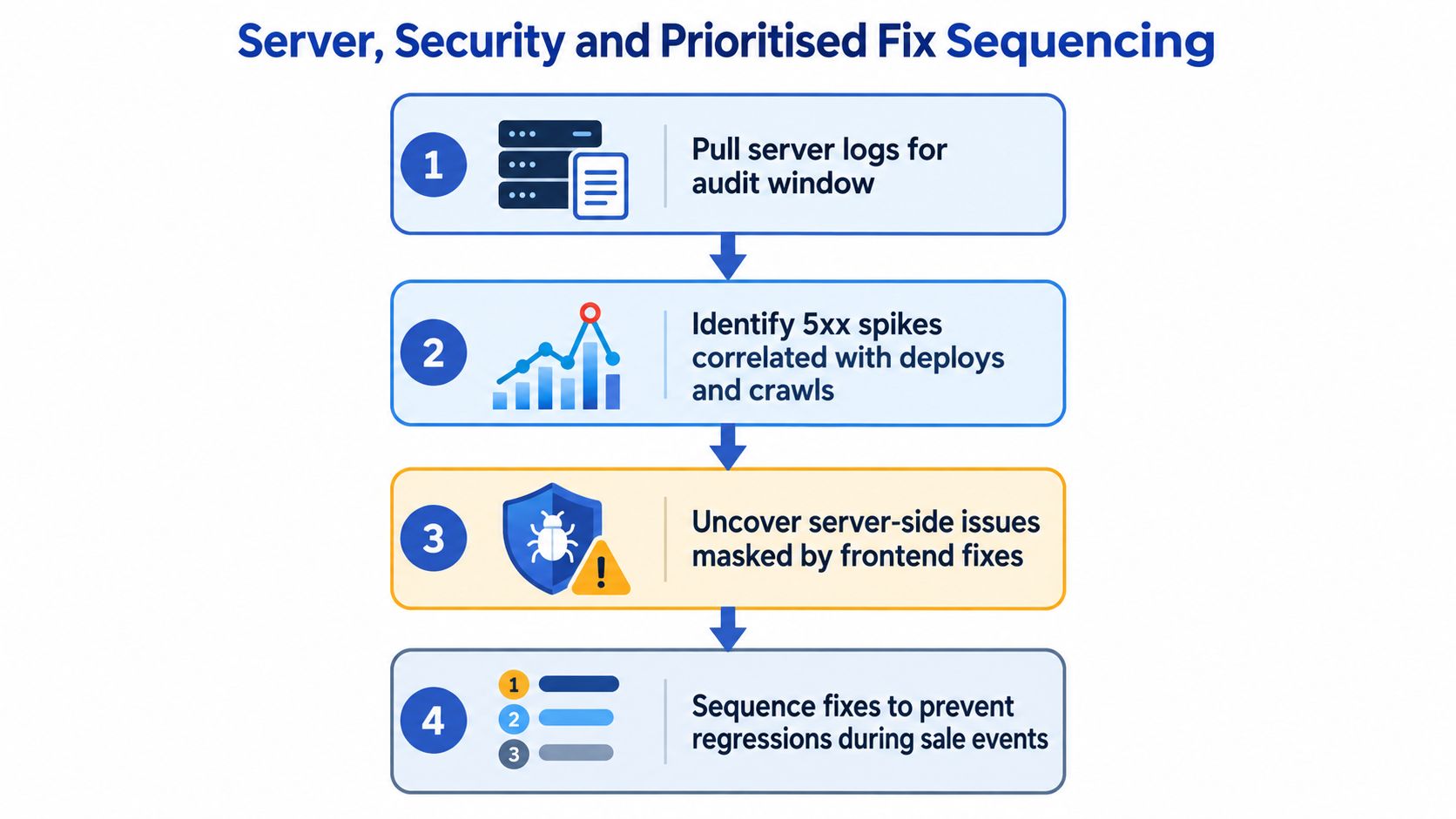
What to inspect beyond the theme
Pull server or edge logs for the audit window when you can. For larger catalogues and headless builds, this often explains crawler behaviour better than any visual crawl.
I'm looking for:
- 5xx patterns: errors correlated with deploys, flash sales, feed generation, or crawler bursts
- Template-level TTFB problems: collection and search pages often reveal app or integration overhead
- Mixed content and HTTPS drift: legacy assets, scripts, or embeds still loaded insecurely
- Certificate and header consistency: enough to confirm there isn't a trust or resolution problem under the surface
A Shopify storefront can still suffer from these issues even when hosting is largely abstracted away. Apps, custom middleware, headless layers, and third-party search or personalisation services can create the instability.
Sequence fixes by severity, effort, and impact
The best backlog isn't the longest one. It's the one a product and engineering team can execute without debate.
I rank findings across three axes:
| Axis | What it means in practice |
|---|---|
| Severity | Does it block crawling, indexing, rendering, or purchasing? |
| Effort | Is this a config change, theme edit, app replacement, or deeper engineering task? |
| Business impact | Does it affect high-value templates, important markets, or revenue-driving landing pages? |
That model helps teams avoid two bad habits. First, fixing what is easy instead of what matters. Second, escalating every issue as urgent.
What usually moves to the top
In practice, these often deserve priority:
- Server or response failures on important templates
- Broken canonical or indexation logic affecting major product or collection groups
- Core Web Vitals regressions tied to high-traffic templates
- International signal conflicts on active market pages
- Schema errors that undermine product understanding or rich result eligibility
For implementation support, teams usually combine an in-house developer, a specialist freelancer, or an agency workflow. One option is Grumspot's audit and Shopify development support, which covers technical review and issue remediation on the build side as part of broader storefront work.
A ranked backlog with named owners beats a giant audit spreadsheet every time.
Turning the Audit Into a Repeatable Process
A technical SEO site audit shouldn't be a one-off document that appears before a redesign, then disappears into Slack history. Stores change too often for that. Themes evolve, apps get installed, feeds change, and market logic grows messy.
A cadence that's realistic
The sustainable rhythm is simple:
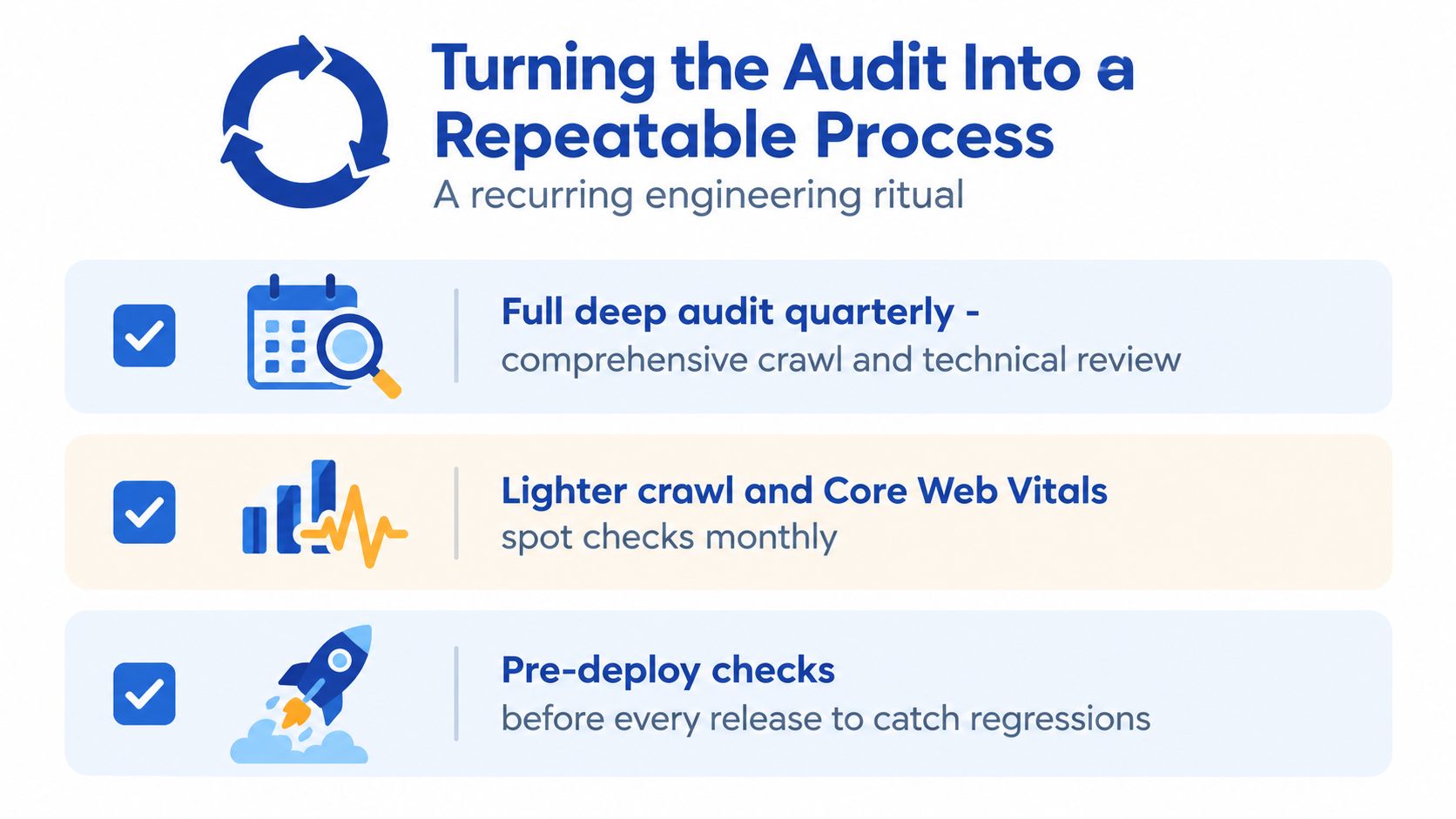
- Quarterly deep audits: full crawl, indexation review, template checks, and structured data validation
- Monthly spot checks: lighter crawl review plus Core Web Vitals monitoring on core templates
- Pre-deploy reviews: before theme releases, app launches, migrations, market expansions, or search/navigation changes
That cadence catches regressions when they're still small. It also stops technical SEO from becoming an annual clean-up job.
The minimum tool stack
You don't need ten platforms. You need the right four.
- One crawler: Screaming Frog or Sitebulb
- Search Console: still the core source for indexation, coverage, and field performance signals
- A field CWV source: CrUX reporting, Looker Studio setup, or your own RUM tooling
- Log analysis for large stores: especially once catalogue size and faceting complexity increase
Shopify CLI, theme version control, GA4, and browser DevTools round out the workflow. That stack is enough to find most of the recurring failures on Shopify and Shopify Plus.
The rituals that prevent regressions
The part many teams skip is follow-through.
Use a repeatable process such as:
- Diff old and new crawls: compare canonicals, status codes, indexability, and internal links against the previous audit
- Track closure in a shared issue log: not a static PDF. A living sheet or ticket queue with owners and due dates
- Attach checks to releases: theme deploys should trigger quick validation of templates, schema, and key redirects
- Assign issue classes to named owners: performance, indexation, internationalisation, and app hygiene usually belong to different people
Outside help makes sense when the store is mid-migration, dealing with headless complexity, or carrying unresolved issues across multiple markets. In those cases, the technical SEO site audit stops being just an SEO exercise. It becomes a storefront engineering problem.
If your audit keeps ending as a spreadsheet nobody ships, that's the gap Grumspot works on. The team helps Shopify and Shopify Plus brands turn technical findings into fixes across theme code, performance, structured data, migrations, and international storefronts. If you need an audit written by people who also implement the remediation, visit Grumspot.
Want this kind of work on your store?
Send us the URL and what is slowing it down. We look at the store before we reply.
Related posts
Check out some similar posts.
- render blocking resources
Learn what render blocking resources are, how they hurt Core Web Vitals, and how to fix them on Shop...
Read more
- critical rendering path
Master the critical rendering path with practical optimisation tactics, DevTools measurement, and Sh...
Read more
- seo audit cost
Understand SEO audit cost in the UK with our 2026 guide. Compare pricing for freelancers vs agencies...
Read more
- shopify site speed
Master your shopify site speed optimization. Audit, fix, and monitor your store for faster load time...
Read more